My inbox is FULL. Always. GitHub PR approvals. Google Cloud alerts screaming about latency. And—wedged right in between—execution reports from a few brokers politely informing me I did something… emotional.
For years I treated these worlds as unrelated. Coding was the rational, well-lit part of my brain. Trading was the fun, dopamine-fueled corner where rules were optional. That worked right up until a few “strong conviction” trades turned into a full-blown kernel panic in my P&L.
That’s when it clicked:
An options portfolio is just a distributed system with terrible documentation and hostile users.
If you wouldn’t run a production service on vibes, why are you running your money that way?
The Murph Challenge isn’t a workout. It’s a systems failure conducted at heart-rate redline.
If you’ve ever tried to remember whether you’re on rep 183 or 193 of squats while your lungs are filing a formal complaint, you already know: human memory is not a reliable datastore under load.
So I built a Murph tracker that does exactly one job well—count reps—while I focus on the important things, like not dying.
🎖️ What is Murph (and why people keep doing it)
The Murph Challenge is performed on Memorial Day to honor Lt. Michael P. Murphy, a Navy SEAL killed in Afghanistan in 2005.
It was his favorite workout. Originally named “Body Armor”, which feels accurate in the same way “production incident” feels accurate.
The canonical version:
1 mile run
100 pull-ups
200 push-ups
300 squats
1 mile run
Optional difficulty modifier: wear a 20 lb vest and rethink your life choices.
Every few weeks there’s a new take declaring that AI has made junior engineers obsolete, senior engineers redundant, and teams magically “10x.” That story is lazy. And dangerous.
AI didn’t remove the need for engineers. It exposed which parts of engineering were never that valuable to begin with.
What’s actually happening is a compression of execution. The typing, scaffolding, and boilerplate are cheaper than ever. Judgment, architecture, and responsibility are not. If anything, they’re more expensive—because the blast radius is larger.
This forces a reset. On roles. On metrics. On how we train people. On what “good” looks like.
Let’s talk about what to do.
For Engineering Leaders (CTOs, VPs, EMs)
Redesign junior roles instead of killing them
If your juniors were hired to crank out CRUD and Stack Overflow glue, yes—AI just ate their lunch.
That’s your fault, not theirs.
Stop hiring “Keyboard Cowboys” –> Hire juniors who can:
Drive AI tools deliberately
Reason about outputs
Write tests that catch subtle failures
Explain tradeoffs in plain language
Make AI usage explicit in job descriptions and interviews. Ask candidates how they validate AI output, not how they prompt it. The junior of the future is an operator and a critic, not a typist.
Make fundamentals non-negotiable
AI is great at producing answers. It’s bad at knowing when they’re wrong.
Your review culture must check understanding, not just correctness. Ask:
Why was this approach chosen?
What fails under load?
What breaks when assumptions change?
Reward engineers who can debug, profile, and reason under failure. That’s where AI still stumbles—and where real engineers earn their keep.
Treat AI as infrastructure, not a toy
If AI tools are everywhere but governed nowhere, you already have a problem.
Standardize:
Which tools are allowed
How prompts are shared and versioned
How outputs are validated
How IP, data, and security are handled
Ignoring this creates shadow-AI, silent leaks, and unverifiable decisions. You wouldn’t let people deploy random databases to prod. Don’t do that with AI.
Shift metrics away from “lines shipped”
Output metrics are (now) meaningless. AI inflates them by design.
Measure what actually matters (DORA style):
System quality / DevEX / Even Developer happniess
Incident recovery time
Change failure rate
Test coverage and signal
Architectural clarity
AI can help you ship faster. It cannot guarantee outcomes. Your metrics should reflect that reality.
Invest in orchestration skills
The future senior engineer doesn’t just write code. They design systems that coordinate intelligence.
Encourage work on:
Agent pipelines
Evaluators and guardrails
Feedback loops
Tooling that checks AI against reality
This is the new leverage layer. Treat it as a core skill, not a side experiment.
Protect deep expertise
Don’t flatten everyone into “full-stack generalists.”
You still need domain owners:
Performance
Security
Data
Infrastructure
AI boosts breadth. Humans anchor depth. Lose that balance and your systems will rot quietly—until they fail loudly.
Rebuild onboarding
Assume new hires will use AI heavily from day one.
Onboarding should teach:
How your systems actually work
Why key decisions were made
What invariants must not be broken
How to validate AI output against production reality
Otherwise you’re training people to copy confidently—and understand nothing.
For Engineering Teams
Use AI to kill boilerplate, not thinking
Let AI scaffold, refactor, and generate tests.
Humans own:
Architecture
Invariants
Edge cases
Failure modes
If AI is making your design decisions, your team is already in trouble.
Practice “AI-assisted debugging,” not blind trust
Always reproduce. Always measure. Always verify.
Treat AI like a fast junior engineer: helpful, confident, and occasionally very wrong. If you wouldn’t merge their code without checks, don’t do it for a model.
Document intent, not just code
Code shows what the system does. It rarely shows why.
Write down:
Why the system exists
What tradeoffs were made
What must never change
This documentation becomes the truth source when AI generates plausible nonsense at scale.
Continuously reskill horizontally
Each engineer should expand into at least one adjacent area every year:
Infra
Data
Product
Security
AI lowers the learning barrier. Use that advantage deliberately, or waste it.
For Individual Engineers
Master one thing deeply
Pick a core domain and become genuinely hard to replace there.
Depth is your moat. AI makes general knowledge cheap. It does not replace hard-earned intuition.
Knowing failure modes is more valuable than knowing prompts. Engineers who understand where AI breaks will outlast those who just know how to ask nicely.
Build visible, real projects
Portfolios beat resumes.
Show:
Systems you designed
Tradeoffs you made
How you used AI responsibly
How you validated results
Real work cuts through hype instantly.
Think in systems, not tickets
The future engineer isn’t judged by tasks completed.
They’re judged by how well the whole machine runs under stress.
Bottom Line
AI compresses execution time. It does not compress judgment, responsibility, or accountability.
Teams that double down on thinking, architecture, and learning will compound. Teams that chase raw output will ship faster…
…straight into walls.
The choice is not whether to use AI. The choice is whether you’re building engineers—or just accelerating mistakes.
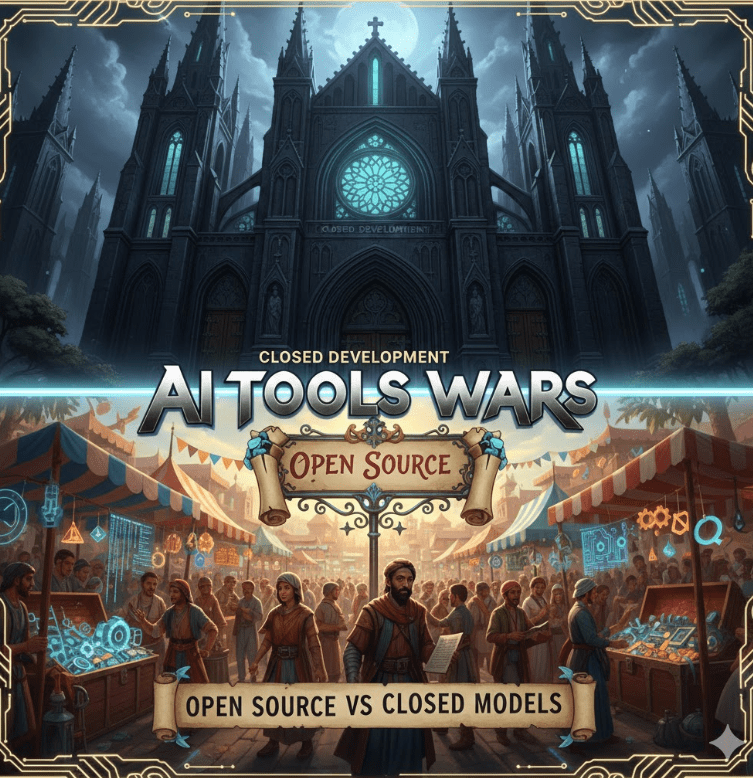
Every week there’s a new “Copilot killer,” a leaked benchmark, or a dramatic Hacker News thread declaring that this model finally understands context / code / humanity. Under the noise, a real question matters to developers and teams:
Should we rely on closed AI tools, or is open source quietly winning where it counts?
This isn’t philosophy. It’s about velocity, trust, cost, and control.
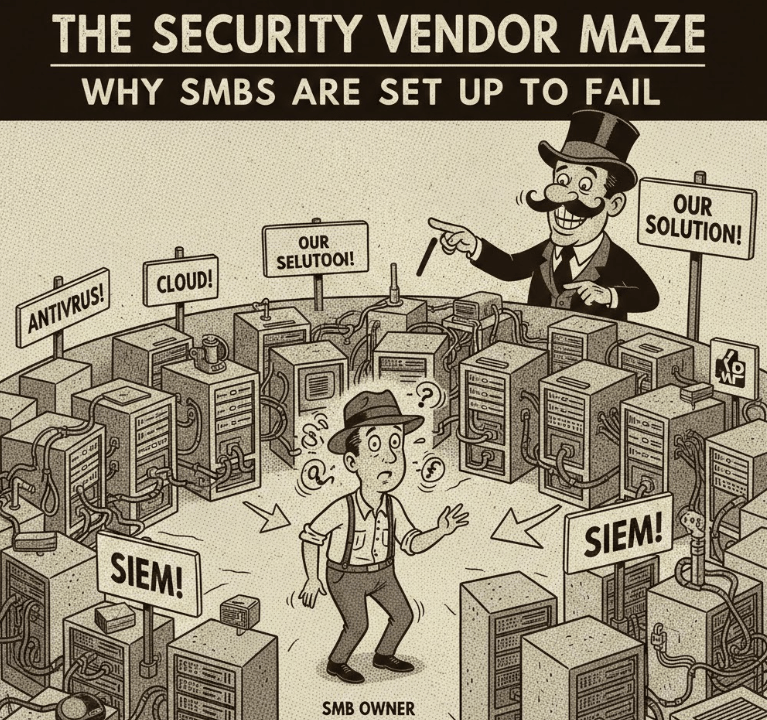
“How many security tools do we actually need to be protected like an enterprise?”
I gave him the honest answer.
Six to ten different platforms. Minimum.
There was a pause. Then his face dropped.
Because in that moment, he realized what many SMB founders eventually discover the hard way: modern cybersecurity was never designed for companies like theirs.
Twenty-five years. Six startups. Two exits. Four spectacular crashes into concrete walls.
People often ask me which taught me more—the wins or the losses.
The honest answer: you don’t get one without the other.
The exits validated instincts. They confirmed that when product, market, timing, and people line up, things move fast—almost effortlessly. You feel momentum. Customers pull you forward. Teams operate with clarity and purpose. You start to recognize patterns that work.
That’s valuable.
But the crashes? Those were expensive. Brutal. Humbling.
They forced me to question assumptions I didn’t even know I was making. They taught me how fragile conviction can be when it isn’t backed by reality. They sharpened my ability to spot early warning signs, ask uncomfortable questions sooner, and trust that quiet internal signal when something feels off—even if the data hasn’t caught up yet.
That’s earned wisdom.
Along the way, I also had the privilege of working at Google, Meta, and Netflix—seeing execution at a completely different scale. World-class systems. Relentless focus. Talent density. A reminder that “moving fast” means very different things when reliability, trust, and millions of users are on the line.
I’ve seen both extremes: Scrappy startups and tech giants. Failure and massive success. Chaos and precision.
That contrast reshaped how I think about building. And it’s directly influencing what I’m working on next—what I believe may be my most important venture yet.
If you’re building something—or thinking about it—what’s the hardest lesson you’ve learned so far?
Every cyclist has stared at a local hill and thought some version of: “Could I… just keep doing this until Everest happens?”
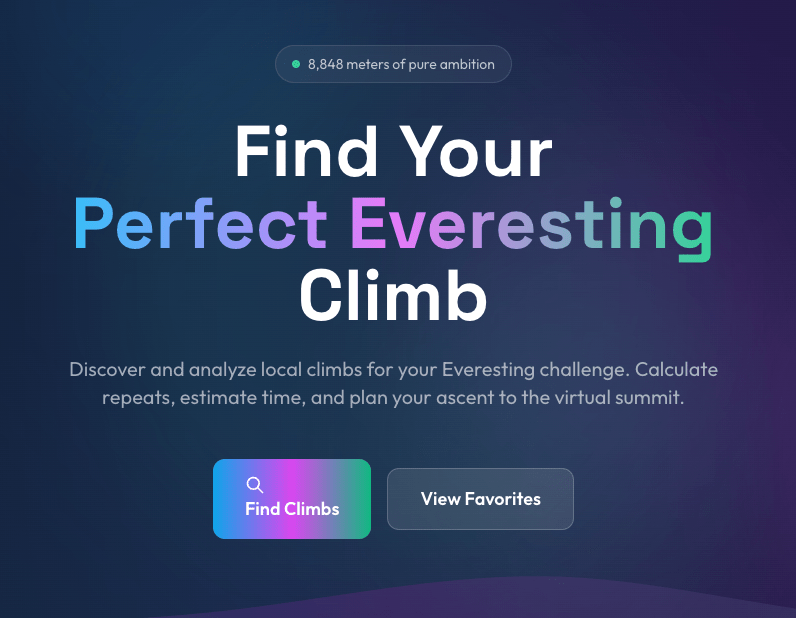
That thought is how Everesting is born. One hill. One activity. Repeat until you’ve climbed 8,848 meters. No shortcuts. No segments stitched together. Just you, gravity, and increasingly questionable life choices.
Everesting is simple in theory and brutal in practice. And planning it turns out to be way more annoying than it should be.
For the past few years (2024, 2022, 2019, 2018, 2017, 2016, 2015, 2014, 2013), I’ve wrapped up the year by summarizing books and sports events—running, biking, gravel fun/suffering, and other questionable life choices.
2025 is no different. Except it kind of is, because this was the year AI stopped being “the future” and the world become more (and more) crazy by the minute.
Let’s start with the books.
Books That Made Me Think
Clean Code – Robert C. Martin Yes, I re-read it. Again. Apparently I still need to be reminded on many good aspects of ‘clean’ code. Uncle Bob remains annoyingly correct.
Murakami – What I Talk About When I Talk About Running I wrote about this one earlier this year. It’s not really about running. It’s about showing up, embracing boredom, and quietly grinding forward. Which is also the most accurate description of debugging production on a Friday afternoon.
The Psychology of Human Misjudgment – Charlie Munger I summarized Munger’s lessons this year. The man spent nearly a century documenting all the creative ways humans confidently shoot themselves in the foot. Smart people don’t avoid mistakes—we just build better stories around them.
Range: Why Generalists Triumph in a Specialized World – David Epstein Turns out being “kind of good at many things” isn’t a flaw—it’s a survival strategy. Epstein makes a compelling case that breadth wins in messy, unpredictable systems. Which explains both modern tech careers and the contents of my garage.
Project Hail Mary – Andy Weir A man, a spaceship, impossible physics problems, duct tape, and an alien who communicates via jazz hands and math. Pure joy. If The Martian made you happy, this one will make you irresponsible with sleep.
The Year on Two Wheels (And Two Feet)
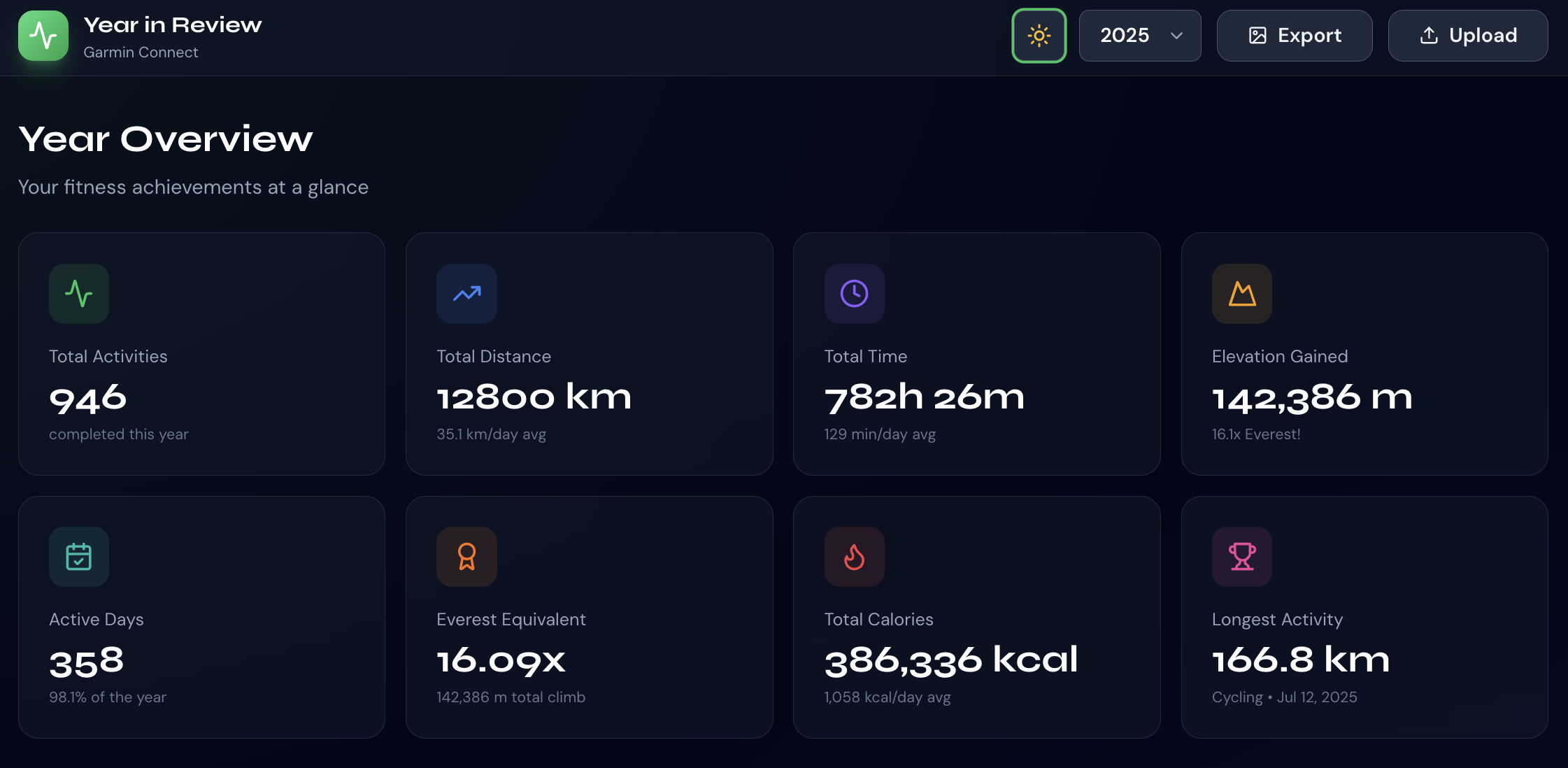
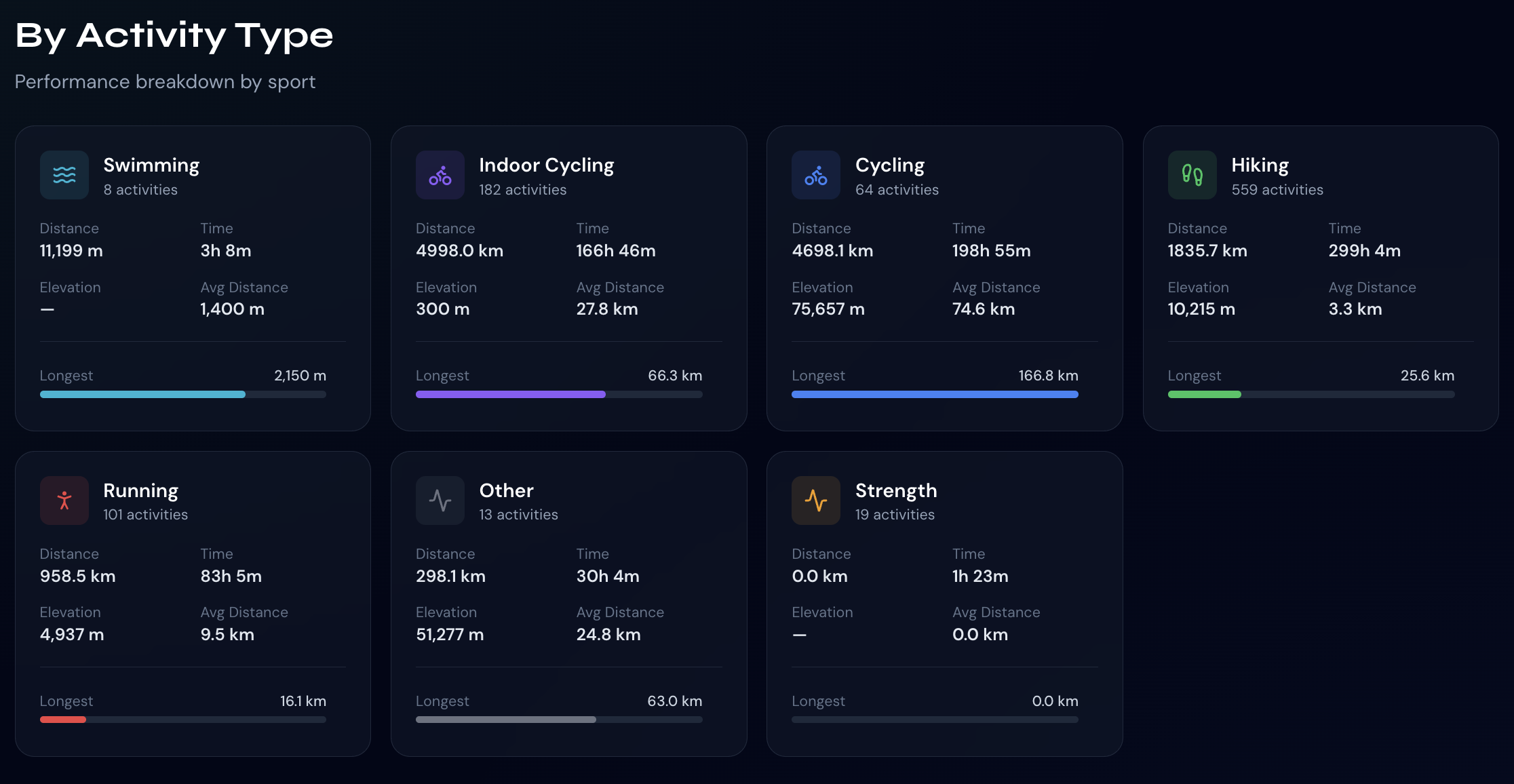
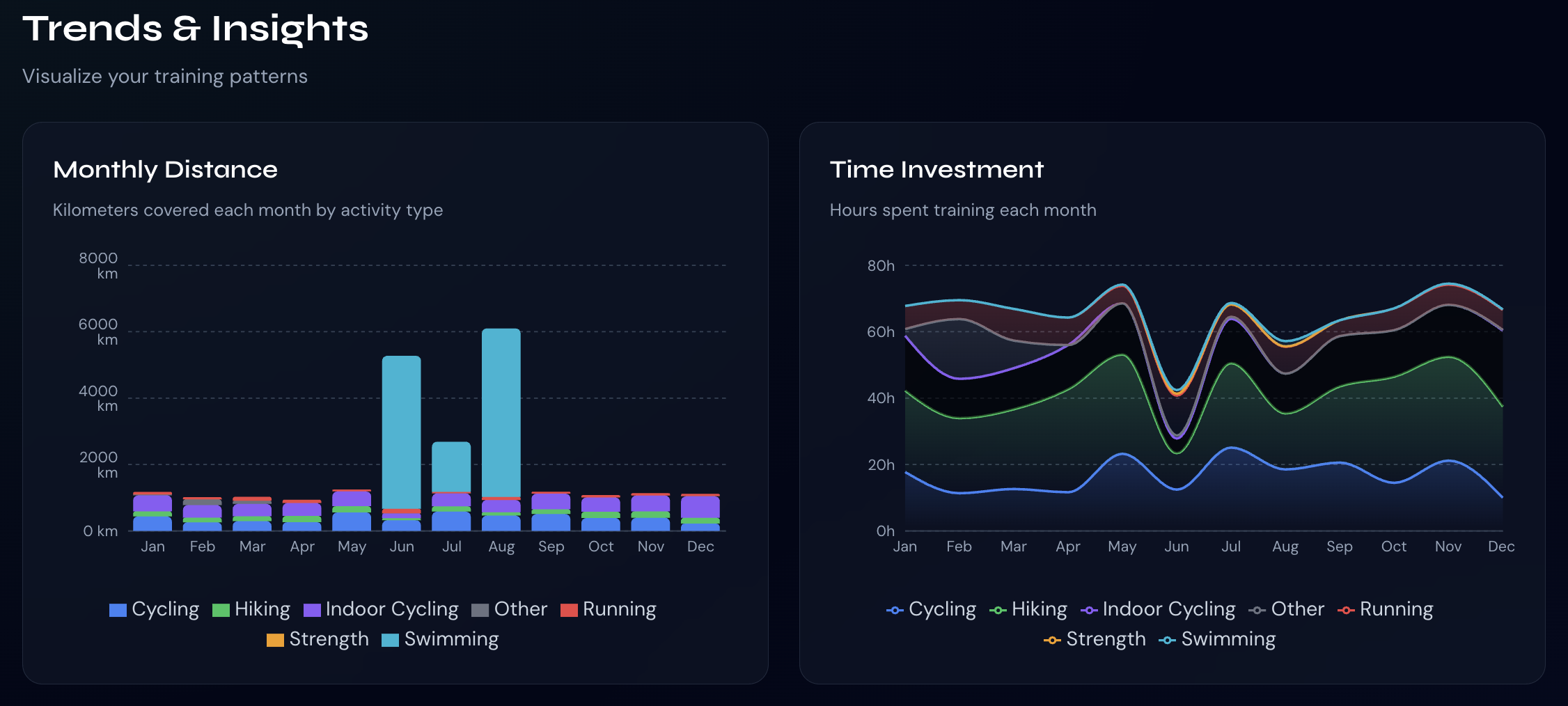
2025 was the year I finally admitted that gravel racing is just mountain biking for people who think they’re still road cyclists. 2025 was not about dabbling. It was about distance, stubbornness, and rides long enough to require negotiations with your own legs. According to Strava, my idea of “a good day on the bike” is apparently anything north of 120 miles.
Here are some numbers
And next are the top 5 rides of the year, ranked by pure, unapologetic mileage:
1. California Death Ride (a.k.a. “Let’s See What Breaks”)
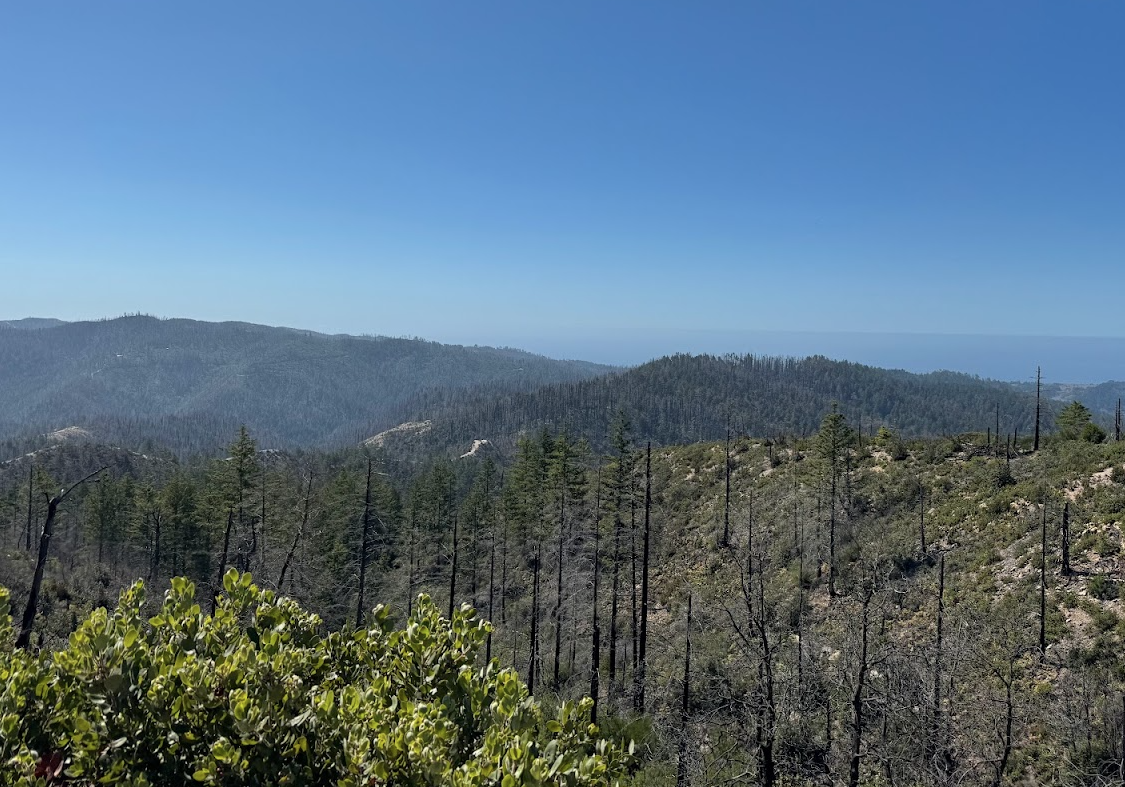
166.8 miles · 8h05m · 4,350 m climbing This was the big one. Alpine County served up altitude, endless climbing, and the kind of fatigue that makes basic arithmetic difficult. Long, brutal, beautiful—and exactly as advertised. Legs emptied. Brain quiet. Highly recommended if you enjoy earning your recovery week.
2. Marin County Mega Ride
161.5 miles · 5h32m · ~2,000 m climbing Fast, flowy, and just enough climbing to keep things honest. One of those rides where everything clicks, the weather cooperates, and you start making wildly optimistic plans for the rest of the season. Dangerous mindset. Great day.
3. Three Lakes to Morgan Hill (Because One Lake Is Never Enough)
134.7 miles · 5h05m · ~1,500 m climbing Long, steady, and sneaky-hard. The kind of ride that doesn’t feel epic until mile 110, when your legs quietly file a complaint. Classic endurance builder. Zero regrets. Some soreness.
4. Old La Honda to Half Moon Bay and Back
126.2 miles · 4h48m · ~1,850 m climbing A greatest-hits tour of local suffering. OLH never disappoints, Half Moon Bay always lies about the wind, and the ride home is where humility is restored. Did this voluntarily just for a good espresso. Would do it again.
5. Windy Hill + Butano (Name Checks Out)
121.2 miles · 5h19m · ~2,300 m climbing Rolling climbs, long stretches of solitude, and enough elevation to remind you that “endurance ride” is just code for “extended negotiation with gravity.”
The Pattern (In Case It Wasn’t Obvious)
Lots of long days
Serious climbing
A recurring belief that anything under 120 miles is “kind of short”
Strava confirms what I already suspected: 2025 was about volume, consistency, and seeing how far you can go before snacks become critical infrastructure.
The pain faded but the data remained.
I also finally nailed my race week taper strategy. The secret is doing less while eating more. Years of preparation paid off.
It started as “I’m tired of losing recipes in browser tabs” and escalated into a full-stack AI-powered cooking platform. React, Prisma, Node.js, OpenAI—and long philosophical debates with Cursor about database schemas at 1 a.m.
It now helps people manage recipes, generate new ones, and stop Googling “easy chicken recipe” for the 47th time. My family uses it – so that’s already a win.
The pattern is clear: AI is incredibly useful—as long as you treat it like a very confident intern who occasionally hallucinates entire APIs.
Security Became Personal
I got strangely passionate about password security and MFA/passkeys this year. Mainly, after seeing some friends being hacked by some (really) bad actors. It’s far from being fun and with a few simple steps you can remove ~90% of the attackers. The TL;DR: * Turn on MFA. * Use a password manager. * Stop trusting your memory from 2014. Seeing “password123” still alive in 2025 does emotional damage.
The Pull-Up Counter That Actually Worked
My son asked, “Can we build something that counts our pull-ups?”
So we did. A real-time pull-up tracker using TensorFlow.js and a webcam. Teaching a machine to recognize human suffering was harder than expected—but now we have data-driven trash talk.
Because if it’s not measured, did it even hurt?
Things I Learned (The Hard Way)
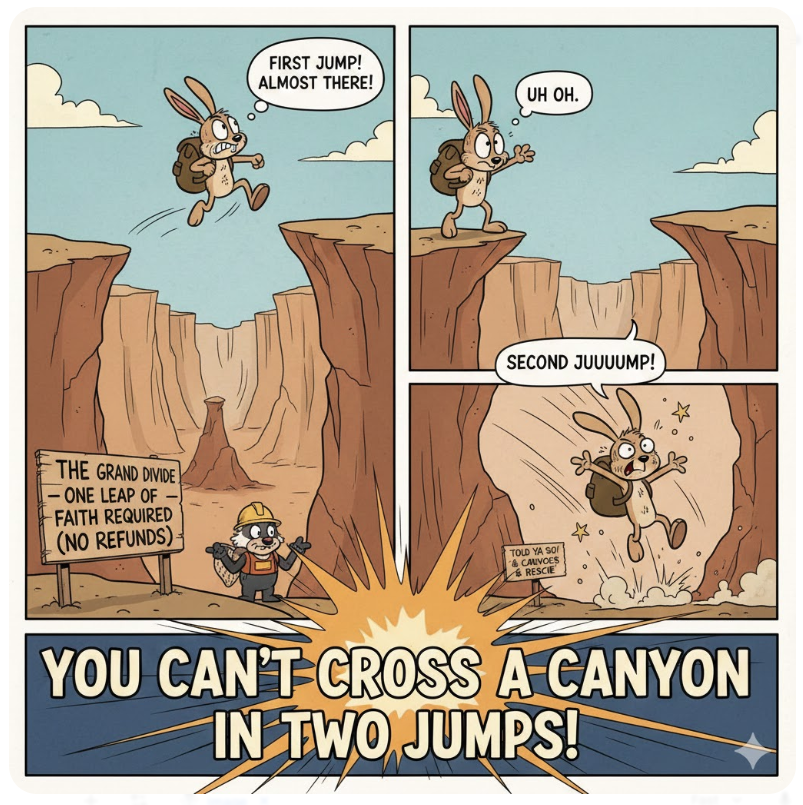
Focus beats options. You can’t cross a canyon in two jumps. This applies to startups, training plans, and side projects that “just need one more feature.”
Charlie Munger was right. Especially about how intelligence doesn’t protect you from bad decisions—it just helps you justify them.
Great teams scale via systems, not heroics.Google, Facebook, Netflix all figured this out. Burnout is not a strategy.
Tapering is a skill. Your brain will beg for “just one more hard session.” It is lying.
AI coding tools are magic—until they aren’t. Then you lose 30 minutes debugging code that confidently imports a library from an alternate universe.
Looking Ahead
2026 will probably look similar. More books. More miles. More yelling at AI. Definitely more coffee—especially since I wrote a guide on dialing in espresso.
If you made it this far, thanks for reading. Here’s to another year of breaking things, building things, and occasionally fixing the things we broke.












 Ido Green