Chrome

Raspberry Pi As Security Camera With Motion Detection

It was a fun weekend project I did with my kids. We started with a new Pi Zero and in a few hours (of many ‘paths’ to nowhere) we got into the point of having a useful security camera. The useful part is when the camera sends you alerts (email or Telegram messages) when it detects movements.

We open the package and connected the Pi Zero to a USB power, a keyboard, a mouse and monitor. We cut a bit a corner by buying an SD card with NOOBS on it but it wasn’t working (nothing was coming up on the screen when we boot the Pi). So we downloaded a new version from Raspian Jessie 4.4 from NOOBS and install it. Now when we boot the Pi we got a new screen. We open the terminal and typed:

Continue reading
Standard
testing

Testing Software – Best Practices

Garda Lake

Some (raw) thoughts on what are the elements that give you a quality and testable code.
It’s not a full list of TODOs but some best practices that should serve you as a good baseline. If you have any suggestions, please feel free to comment.

Tests

If we agree that you must have tests in your project – The next good question is what is a good test?

  1. It’s FAST – The tests should run fast in order to encourage developers to use them constantly during the development process.
  2. Stable – The test doesn’t break often. You wish to minimize the false-positive ratio as much as you can. This is why you need ‘small’ tests that are encapsulated and give you a clear sign on what is working (or not).
  3. Easy to read and understand.
  4. Catches Bugs! When a test fails it’s most probably a bug.

Continue reading

Standard
testing

Code Without Tests?

Code without tests is bad code. Even if it’s looking clean and efficient. Without tests you can’t change it in a verifiable way.

You can’t know if your code is getting better or not.

It’s not a new idea.

But it’s amazing how many times developers will ‘cut’ corners or won’t implement tests because they are too busy to ship a new feature.

In many cases, it’s the opposite case, if you wish to move faster and safer – you need a good tests suite that give you the confidence that your changes didn’t break anything. You wish to have unit tests (wide coverage of functionality and running fast in an automated way), integration tests (a bit slower but still fast and in many cases, with mock data) and end to end tests (Yes, in many cases, in a real production environment). Continue reading

Standard
Chrome, HTML5, JavaScript, webdev

HTML5 APIs To Use Today On Google Developers Live Israel

Last week, I meet with few startups to talk about their web apps. After few basic questions like: how do I save data on the client without cookies? or something like: “Can I get a video input from the browser?” I thought it might be a good idea to touch on some of the APIs that are out there today in most browsers and developers can use. The best part is that in most cases, you can start using these APIs with very little code. In this demo page  you can hack around some basic HTML5 features and see the code snippets that will let you do some cool things like: save information locally (local storage for the rescue here), Geo location, device orientration, Getting Video/Audio (with WebRTC), Visibility API etc’.

The slides from my #DevConTLV Talk

Standard
Chrome, HTML5, JavaScript, webdev

DevCon TLV – HTML5 APIs (Talk & Slides)

DevCon TLV Logo

Today I had the pleasure to talk (again) at DevCon Tel Aviv. In this talk, I’ve covered some of the aspects that developer should think about in the design phase, coding phase and after the ‘production time’. It was a good opportunity  to put a simple demo page that contain some basic HTML5 features you might want to use. Why? because in cases like the ‘Summary/Detail’ element you get the option to have expendable/collapsable areas without any JavaScript. It’s great to have the ability to communicate to the browser our needs without doing some ‘hacks’ in JS. Other great options like: visibility API, Geo and device orientration are all working on most modern browsers. You can check out the slides and the links to the resources in them. Continue reading

Standard
Chrome, JavaScript, php, webdev

Google APIs On GDL Israel

Google APIsIn this week we spoke about Google APIs and how you can work with them from the client (e.g JavaScript) and from the server (in this case, it was with PHP but there are many more options).

The main link that you will want to start with is: code.google.com/apis/console/ which give you the option to ‘activate’ which APIs you are going to use and later on each and every one of them you can click on the ‘question mark’ and jump to a starting guide. Another good tool is the API-Explorer which give you the option to test APIs quickly and see what each end-point will return. Continue reading

Standard
Chrome, HTML5, JavaScript, webdev

How Deep Is Your HTML5 Knowledge?

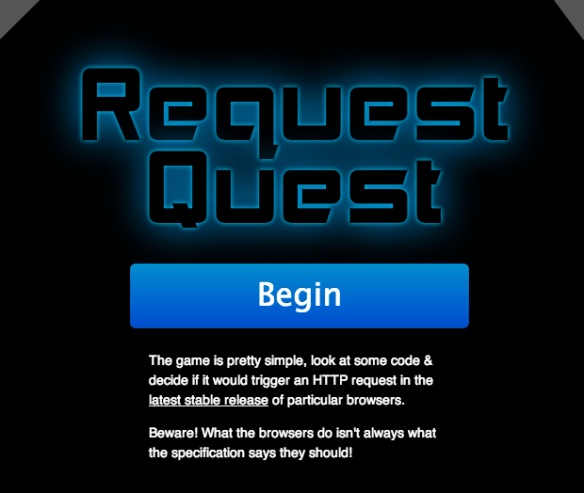
html5 knowledge gameWell… If you wish to see how well you know all the little quirk modes. There is a (web) App for that: http://jakearchibald.github.io/request-quest/
Thank to Jake Archibald for the time he put into it.

Standard
Chrome, HTML5, JavaScript, mobile, webdev

HTML5 APIs – Hangout With O’Reilly

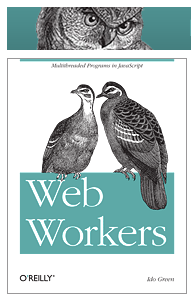
Web Workers BookToday I did a hangout on air with O’Reilly. It was a good opportunity to dive into some of the aspects of modern web application and check what are the main things we wish to think about when we design, build and ship our apps. Modern web apps are rich, interactive applications.

I tried to cover the following:

  • Defining the modern web app
  • Designing a modern web app
  • HTML5 Power tools/APIs
  • Tips & best practices on DevTools and Google Cloud Endpoints.

The slides 

My book on Web Workers.

And you can watch the video recording of the talk:

Standard
Chrome, HTML5, JavaScript, webdev

Web Workers Intro On Google Developers Live Israel

Web Workers is a good way to improve the performance of your web applications. It’s not a new HTML5 API but for some reason not too many front end developers are using it. This short episode will give you the intro to why and how you can leverage this simple and powerful API to enter the world of multi threads in the browser. Continue reading

Standard
Chrome, HTML5, JavaScript, webdev

HTML5 And Google App Script

App scriptIn our GDL-IL today, I’ve talked about a fun project I did in the past. It’s a single web page application that let you manage an event. We covered some of the basic components we used in order to built this site and then we jumped into the app script code and showed how to work with the online IDE that let you write, run and debug your server side code. The site gives you basic functions like: Continue reading

Standard