The Murph Challenge isn’t a workout. It’s a systems failure conducted at heart-rate redline.
If you’ve ever tried to remember whether you’re on rep 183 or 193 of squats while your lungs are filing a formal complaint, you already know: human memory is not a reliable datastore under load.
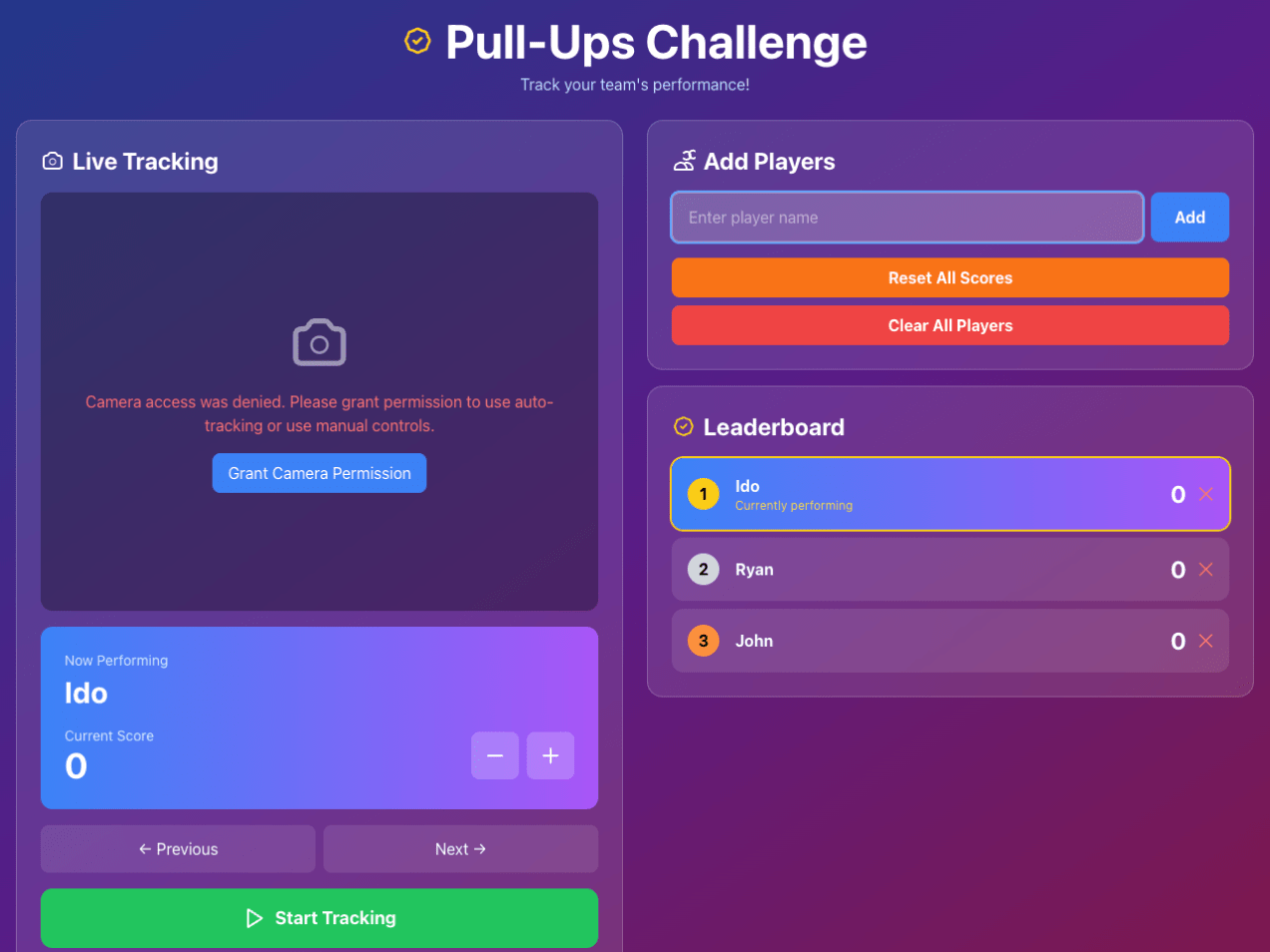
So I built a Murph tracker that does exactly one job well—count reps—while I focus on the important things, like not dying.
🎖️ What is Murph (and why people keep doing it)
The Murph Challenge is performed on Memorial Day to honor Lt. Michael P. Murphy, a Navy SEAL killed in Afghanistan in 2005.
It was his favorite workout. Originally named “Body Armor”, which feels accurate in the same way “production incident” feels accurate.
The canonical version:
1 mile run
100 pull-ups
200 push-ups
300 squats
1 mile run
Optional difficulty modifier: wear a 20 lb vest and rethink your life choices.
It started as a simple idea my son brought up: Can we make a web app that counts our pull-ups during our pull-up games?
Turns out, teaching a machine to recognize human suffering is both hilarious and complicated. What began as a “let’s make a quick pull-ups app” spiraled into an intense journey through computer vision, browser quirks, and a few accidental infinite loops that made our laptop sound like a jet engine.
The “Simple” Goal
I wanted to automatically count pull-ups using a web camera.
Easy, right?
Just detect a human, see when they go up and down, and count.
Most weather apps just tell you the numbers—temperature, wind, UV, etc.—but as cyclists, we need to know what those numbers mean for the ride.
Weather 4 Bike bridges that gap: it translates raw weather forecasts into clear, activity-aware guidance for road, gravel, and MTB. With one glance, you know whether to head out, wait, or change routes.
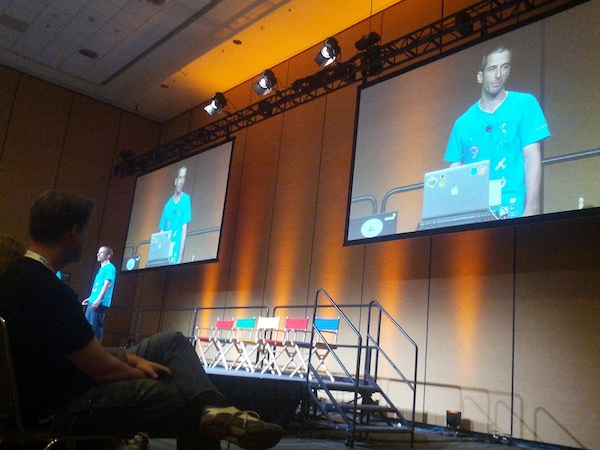
It was the first meeting of GDG Haifa at the technion. I gave the first talk about HTML5 (new) APIs that front-end developers should leverage. It was a good kick-off event and it seems that this group will produce many more quality events. You can check the demos and the slide at my project site.
Enjoy.
When we thinking on web apps and specially mobile web apps, we wish to make them smooth a responsive as possiable. The main problem is latency/network and luckily we have enough APIs in HTML5 to make sure we can achieve this goal. A good recent example is fastbook (yep… just like facebook but working FAST with HTML5). Here I’ll summaries some of the main points you wish to pay attention when you building your next amazing mobile web app. Start with ‘offline first’ (after all, you are on the right path with ‘mobile first’ already).
Coding
Offline First
You should store all the main assets of your application. There are several APIs you can use:
AppCache – for the main index.html page and all your JS, CSS code. You could also use it for images and other static data.
Filesystem – You have an option to work with files: text and binary data. This is a great option for cases where you have a lot of images/mp3/videos etc’. In order to manage the work with files there is a great library – filer.js
Let’s start with some cool features you should use in Chrome DevTools:
Device emulation – You can set a new User Agent so your web app will think you are now access it from a mobile phone/tablet etc’. This is a great feature that used to be something you needed to use a Chrome extension in order to have.
Dimension overriding – This is very cool because it let developers debug mobile web apps on different devices and operating systems via the Settings Menu. You can emulate the exact device metrics of many devices (e.g. iPad/iPhone, Galaxy Nexus/Tablets and even BB) so your media queries will run without any bugs.
Touch event emulation to make it easier to debug mobile applications on the desktop. Of course, you can have other simulators (e.g. Android and iOS) but here you have it inside Chrome!
If you wish to play with the latest and greatest features that are under ‘experiments’. You should go to: chrome://flags/and click ‘Enable’ on: ‘Enable Developer Tools experiments’ then in the setting panels of the devtools you will have more granular control on the specific feature you wish to use. For more checkout the official page of chrome developer tools.
You can watch the 10min episode on our GDL-IL page.
As you all know, last week we had the launch of the new Chromebook for everyone. I’m really existed about this new device because it’s a combination of cheaper (249$ on amazon), better (lots of improvements + important security capabilities), faster (well, lighter). Some of the interesting specs are:
11.6’’ screen
0.7 inches / 2.42 pounds
6.5 hours of battery (I had it running for more then 8h – but maybe, it because I was working mostly with email/docs and cloud 9 and not watching movies).
Boots up in less than 10 seconds
100 GB of Google Drive free for 2 years – Yep, 100G.
You can test the water with it on several locations in the US (e.g Best Buy) and ‘feel’ it. I can say that in the past months I’ve worked with a very close model and it was a great device. If you ‘live’ in the cloud and do not need photoshop (like 99% of the internet users) it might be a device you want to checkout. As web developers, if you are using a cloud IDE (e.g. like one from this list) It might be very good option.
The Chromebook for everyone
Compare the new device to his ‘older’ brother
I had an urge to do the same video but then I’m notice this one… so here you go. It’s cover the major differences in terms of the hardware. As for the OS and the new features in Chrome… It’s the same (of course).
In the last Java Posse Roundup (=the best unconference you can attend) we had many very interesting meetings. In this one hour conversation we were talking about modern great web apps and what does it means to different developers. Some of the topics we spoke about where around new JavaScript MV* frameworks (ember, backbone, spine, angular etc’). What we used to do 35 years ago (main frames days!) and what is similar (or not) today. Thanks to @joelneely for correcting me with the title by making a great point on replacing the word ‘modern’ with ‘great’. Some of the topics that were discussed:
Since we had no-snow and free time, we did few ‘rolling’ hackathons in the afternoons. You can browse the coding projects on GitHub JavaPosseRoundup. Checkout, some cool Scala, Android, HTML5 apps that are there. Lastly, I also gave a talk about this topic before the conference at a Google developer meetup. Here are the “Modern Web Apps slides from my talk that contain more good information about the subject.
I had my talk on: HTML5 and App Engine: The Epic Tag Team Take on Modern Web Apps at Scale which was focusing on the latest and greatest application patterns and toolset for building cutting edge HTML5 applications that are backed by App Engine. This talk was focusing on an app that spans client and server (beer in our amazing example); We showed few nice features like OAuth2.0 that just works out of the box. In a nutshell, our talk aims to show you how to build a fantastic cloud-based HTML5 application with Goole App Engine. Both Brad Abrams and I will share another post with more details on the topics we covered. If you want to play with the ‘test-page’ and see what we manage to built in 45min go and check my github repository at: https://github.com/greenido/backbone-bira It’s far from being finished (the sync layer will be there in the next few weeks) and the app could get better, so feel free to fork it and improve it.
Some notes (not very polish at this stage – sorry) that I took during the day:
Google Drive – with its new SDK you can do much more for your users. In chromeOS it’s the ‘native’ file system and it will sync everything (that you need) to your local SSD. Modern Web apps are now very powerful and we see a wave of organizations that are now ‘going google’. Leading universities, enterprise and 400M ‘regular’ users are using Gmail (Docs, Cal and other products). We had Gmail offline (which working very nice on my long flights) and from today, Google docs are now working offline and soon both sheets and presentations.
Compute Engine
Let you run huge amounts of servers inside VMs (all linux based). Why it’s good?
Scale – It’s scaling to amounts that seems to be unreal. Imagen 7.5B hits per day on Google app engine…
Performance – You can count on certain time for performance.
Value – it’s much cheaper then other providers.
A demo of 600,000 core running live is very COOL – Lots of developers in the keynote were amazed to see it. The demo was to show a use case of helping human genom company run calculations in seconds and not minutes. This specific example, took 10min on 1000 cores and in the demo you saw new connections made in seconds (1-2 seconds instead of 10min on an infrastructure that would cost thousands of dollars.
ChromeOS
The new Chromebox (and Chromebook) are a powerful devices. The Chromebox is a desktop that in a lot of cases will make people happier. For people that spend the vast majority of their time on the web it’s a perfect desktop computing machine. It will support your 30″ monitor (or any smaller one) and with the security (no more viruses or malware), speed (V8 is still the fastest JavaScript engine in the world) and simplicity of chrome – you will enjoy it.
Games
USB, game-pad and audio API are now allowing us to have amazing games on the web.
HTML5 demo on Cirque du Soleil – using WebRTC to get the user image and let her control the experiance. Very cool CSS3 transitions and amazing graphics. Chrome got 310M users… It’s growing fast ‘up and to the right’. In the end of the day, we all get a better web because more developers want to use the new HTML5 features that are there.
I hope to update this very soon with the videos from my talk and the slides.
I’ve took some notes during this packed day. I apologize if they are not ‘polish’… The main goal is to put them here asap and later (maybe, on my next 26h flight) work on them and make sure the wording is better.
Keynote take aways
Android – Nexus 7 looks like a great tablet. It’s in the right size and with many great apps that will shin on it. I hope to check it out soon specially as a reading device.
Nexus Q seems like powerful (and beautiful) computer that make music/video more social. The use cases are powerful and the ability to stream google music with a push of a button in your friends place – cool!
Google+ got event – finally we have a powerful mobile app that let you and your friends share photos together before/during/after events. I know several startups that are trying to solve this challenge and it’s going to be interesting to see what will happend in this space of geo-local-photo sharing apps.
Glass – Jumping from airplanes, bikes and some snapling on Moscone. What can I say? I want the roll Sergay is having these days… This video tell the story:
Web component Talk
Shadow Dom – encapsulate stuff in the DOM.
You can follow on it using Chrome DevTools (go to setting and click on ‘show Shadow Dom’) in the example of a video tag you will see all the ‘shadows’ that are behind the sense (e.g. some divs, buttons etc’)
It’s important to rememeber that for every DOM element we can have Shadow DOM rendered instead. We have here a rendering time structure which can help developer write more efficient web apps that runs faster and smoother.
Custom element – meaningful tas to extend DOM objects.
Use the new HTML5 < element >
Templates – clonable DOM for easy authoring
In Parctice we try to ‘tell’ the browser what we mean. The declarative renaissance with web component will let developer to channel their intent to the web browser. It is giving developer CSS variables to custom components and define an api that other developers can leverage. It will let the community a way to share semantics and overtime we will see HTML envlolve due to popular use cases (e.g. x-poll tag).
Another important point is that declerative tags will run faster because the browser ‘understand’ them nativly.
Google Drive API
On ChromeOS you have today a strong integration with web applications like: Lucid Charts and Aviray. Both apps, are doing great job in their UI to use the user massel memory and make her productive asap. On the backend, they use google drive api to save your work.
You should use the google JS library and load the picker (in their drive example) and use it. It’s very easy and nice api to use.
Security – level of access (or scope). These level of access were very board… (scery) but now they have a new api (per file). Once you approve it (using OAuth2.0) the app will be able to access certain files.
Other great talks that I’ll fill in the details later are:
The web is changing so quickly that it’s hard to keep up with what’s new in the platform. HTML5’s new capabilities allow developers to build a whole new suite of applications – things that were once impossible to do, are now a reality.
This session cover some of the bleeding edge of HTML5:
Building a solid webapp is a challenge for all developers, but a plethora of tools have emerged recently to assist you. From starting boilerplates, to performance tuning and build tools, you’ll get a full overview of the tooling ecosystem. In this session, you’ll learn which mature and valuable open source projects can save you time as well as get answers to common questions in building a webapp.
Web Intents is a framework for client-side service discovery and inter-application communication.
Why and when?
As a web developer you can think on many cases where you’re building a web app and you want to allow users to share pictures (or edit or any other operation). You have few options:
Write that functionality yourself, but it will require a huge amount of work and likely won’t be nearly as good as other existing photo web apps.
Force a hard-code integration with a collection of existing photo editing web apps, but that can lead to a cluttered interface and requires manual intervention later to integrate with new photo editing apps that may emerge. Worse, it forces your chosen integrations upon your end users.
One of the greatest strengths of the web is that the ease of linking allows innovative new apps to succeed without asking anyone else’s permission–but up until now that hasn’t applied to integrations between web apps. Web Intents is an emerging W3C specification inspired by Android’s Intents system that aims to solve the problems of communications.
How does it work?
Service registers its intention to handle an action for the user.
App requests to start an action (share, edit, pick, view etc’).
User selects which service to handle the action.
Here as some slides that explain the main concepts from a pervious talk I gave. For the ones that like short informative videos – Paul Kinlan (=the godfather of web intents!) intreduce you to the powerful world of web intent in 3 minutes.
In case you are wondering what can you do with this good stuff on other browsers the answer is that there is a limited shims exist, but I recommend feature detection to support browsers that don’t have Web Intents support.





 As you all know, last week we had the launch of the



 Ido Green