Chrome

Google I/O 2012 – Day 2

ido-google-io12bI had my talk on: HTML5 and App Engine: The Epic Tag Team Take on Modern Web Apps at Scale which was focusing on the latest and greatest application patterns and toolset for building cutting edge HTML5 applications that are backed by App Engine. This talk was focusing on an app that spans client and server (beer in our amazing example); We showed few nice features like OAuth2.0 that just works out of the box. In a nutshell, our talk aims to show you how to build a fantastic cloud-based HTML5 application with Goole App Engine. Both Brad Abrams and I will share another post with more details on the topics we covered. If you want to play with the ‘test-page’ and see what we manage to built in 45min go and check my github repository at: https://github.com/greenido/backbone-bira It’s far from being finished (the sync layer will be there in the next few weeks) and the app could get better, so feel free to fork it and improve it.

Google I/O 2012 logo

Some notes (not very polish at this stage – sorry) that I took during the day:

Google Drive – with its new SDK you can do much more for your users. In chromeOS it’s the ‘native’ file system and it will sync everything (that you need) to your local SSD. Modern Web apps are now very powerful and we see a wave of organizations that are now ‘going google’. Leading universities, enterprise and 400M ‘regular’ users are using Gmail (Docs, Cal and other products). We had Gmail offline (which working very nice on my long flights) and from today, Google docs are now working offline and soon both sheets and presentations.

Compute Engine

Let you run huge amounts of servers inside VMs (all linux based). Why it’s good?

  • Scale – It’s scaling to amounts that seems to be unreal. Imagen 7.5B hits per day on Google app engine…
  • Performance – You can count on certain time for performance.
  • Value – it’s much cheaper then other providers.

A demo of 600,000 core running live is very COOL – Lots of developers in the keynote were amazed to see it. The demo was to show a use case of helping human genom company run calculations in seconds and not minutes. This specific example, took 10min on 1000 cores and in the demo you saw new connections made in seconds (1-2 seconds instead of 10min on an infrastructure that would cost thousands of dollars.

ChromeOS

The new Chromebox (and Chromebook) are a powerful devices. The Chromebox is a desktop that in a lot of cases will make people happier. For people that spend the vast majority of their time on the web it’s a perfect desktop computing machine. It will support your 30″ monitor (or any smaller one) and with the security (no more viruses or malware), speed (V8 is still the fastest JavaScript engine in the world) and simplicity of chrome – you will enjoy it.

Games

USB, game-pad and audio API are now allowing us to have amazing games on the web.

HTML5 demo on Cirque du Soleil – using WebRTC to get the user image and let her control the experiance. Very cool CSS3 transitions and amazing graphics. Chrome got 310M users… It’s growing fast ‘up and to the right’. In the end of the day, we all get a better web because more developers want to use the new HTML5 features that are there.

I hope to update this very soon with the videos from my talk and the slides.

Standard
Chrome

Google I/O 2012 – Day 1

nexus q front sideI’ve took some notes during this packed day. I apologize if they are not ‘polish’… The main goal is to put them here asap and later (maybe, on my next 26h flight) work on them and make sure the wording is better.

Keynote take aways

  • Android – Nexus 7 looks like a great tablet. It’s in the right size and with many great apps that will shin on it. I hope to check it out soon specially as a reading device.
  • Nexus Q seems like powerful (and beautiful) computer that make music/video more social. The use cases are powerful and the ability to stream google music with a push of a button in your friends place – cool!
  • Google+ got event – finally we have a powerful mobile app that let you and your friends share photos together before/during/after events. I know several startups that are trying to solve this challenge and it’s going to be interesting to see what will happend in this space of geo-local-photo sharing apps.
  • Glass – Jumping from airplanes, bikes and some snapling on Moscone. What can I say? I want the roll Sergay is having these days… This video tell the story:

Web component Talk

  • Shadow Dom – encapsulate stuff in the DOM.
    You can follow on it using Chrome DevTools (go to setting and click on ‘show Shadow Dom’) in the example of a video tag you will see all the ‘shadows’ that are behind the sense (e.g. some divs, buttons etc’)
    It’s important to rememeber that for every DOM element we can have Shadow DOM rendered instead. We have here a rendering time structure which can help developer write more efficient web apps that runs faster and smoother.
  • Custom element – meaningful tas to extend DOM objects.
    Use the new HTML5 < element >
  • Templates – clonable DOM for easy authoring

In Parctice we try to ‘tell’ the browser what we mean. The declarative renaissance with web component will let developer to channel their intent to the web browser. It is giving developer CSS variables to custom components and define an api that other developers can leverage. It will let the community a way to share semantics and overtime we will see HTML envlolve due to popular use cases (e.g. x-poll tag).
Another important point is that declerative tags will run faster because the browser ‘understand’ them nativly.

Google Drive API

  • On ChromeOS you have today a strong integration with web applications like: Lucid Charts and Aviray. Both apps, are doing great job in their UI to use the user massel memory and make her productive asap. On the backend, they use google drive api to save your work.
  • You should use the google JS library and load the picker (in their drive example) and use it. It’s very easy and nice api to use.
  • Security – level of access (or scope). These level of access were very board… (scery) but now they have a new api (per file). Once you approve it (using OAuth2.0) the app will be able to access certain files.

Other great talks that I’ll fill in the details later are:

The Web Can Do That!?

The web is changing so quickly that it’s hard to keep up with what’s new in the platform. HTML5’s new capabilities allow developers to build a whole new suite of applications – things that were once impossible to do, are now a reality.

This session cover some of the bleeding edge of HTML5:

  1. media capture
  2. HTML5 file APIs
  3. Advanced usage of web sockets
  4. Media streaming.
  5. Device input
  6. CSS3 & multimedia.
  7. Modern CSS design.

Better Web App Development Through Tooling

Building a solid webapp is a challenge for all developers, but a plethora of tools have emerged recently to assist you. From starting boilerplates, to performance tuning and build tools, you’ll get a full overview of the tooling ecosystem. In this session, you’ll learn which mature and valuable open source projects can save you time as well as get answers to common questions in building a webapp.

Standard
Chrome, JavaScript, webdev

Web Intents – The Next Wave Of Web Apps

New tool set for web developersWhat?

Web Intents is a framework for client-side service discovery and inter-application communication.

Why and when?

As a web developer you can think on many cases where you’re building a web app and you want to allow users to share pictures (or edit or any other operation). You have few options:

  • Write that functionality yourself, but it will require a huge amount of work and likely won’t be nearly as good as other existing photo web apps.
  • Force a hard-code integration with a collection of existing photo editing web apps, but that can lead to a cluttered interface and requires manual intervention later to integrate with new photo editing apps that may emerge. Worse, it forces your chosen integrations upon your end users.

One of the greatest strengths of the web is that the ease of linking allows innovative new apps to succeed without asking anyone else’s permission–but up until now that hasn’t applied to integrations between web apps. Web Intents is an emerging W3C specification inspired by Android’s Intents system that aims to solve the problems of communications.

How does it work?

  1. Service registers its intention to handle an action for the user.
  2. App requests to start an action (share, edit, pick, view etc’).
  3. User selects which service to handle the action.

Here as some slides that explain the main concepts from a pervious talk I gave. For the ones that like short informative videos – Paul Kinlan (=the godfather of web intents!) intreduce you to the powerful world of web intent in 3 minutes.

In case you are wondering what can you do with this good stuff on other browsers the answer is that there is a limited shims exist, but I recommend feature detection to support browsers that don’t have Web Intents support.

Standard
Chrome, HTML5, JavaScript, webdev

The Web Platform Cutting Edge

There are many ways to keep yourself updated with the latest improvements in Chrome and the web platform. One option is to follow Chrome Developers On G+ and another is to open ChromeStatus.com and see what is cooking in canary and going to make its way to stable soon. Another is to sit and see some screen-casts. Videos are great option but it’s rare to find such a great quality like +Alex Komoroske (from Chrome) created. The  screen-casts below shows some of his favorite capabilities of the cutting edge of the web platform. The total time of all the three is around 15min so take the time and enjoy it.

Building on foundations


This video goes over how the web platform has been fixing various historical shortcomings and building upon its core strengths, like:

  • Complicated graphical effects
  • Composability
  • Advanced text layout.

Earning from other platforms


In this video he reviews how the web platform offers new capabilities inspired by successes on other platforms with things like:

  • Push notifications
  • Payment APIs
  • Web intents.

The edge (Watch not to fall!)


In this video he demonstrates some of the new tricks: webcam access, powerful audio APIs, and complicated 3D graphics.

If you’re interested in learning more about the technology behind any of the demos, check out the Meet the Web Platform companion guide (http://www.chromium.org/developers/meet-the-web-platform-companion) or the Chromium blog (http://blog.chromium.org/2012/03/meet-web-platform-again-for-first-time.html)


Standard
Chrome, HTML5, JavaScript, webdev

Web Development – Some ‘Good To Great’ Tools

I’ve started to create a list of some great online tools that will help you (and me) in the next project. Some of the tools are helping to achive a certain effect (=gradients) while others are more a ‘hello world’ examples to hack around it in order to understand a new HTML5 API (e.g. HTML5 File API) and then harness it to your next web app. You might say it’s not a tool and you might be right. I guess it is more a list of resources that might help you get better at what you do.

If you got some other good sources please let me know… Here is the list:

Browser capability

Before you start your project you need to check what is the set of features and which browser will support them. There are few sites that will give you good answers. The lastest one is: html5please.us and other good sources are caniuse.com which include mobile browsers as well and mobilehtml5.org that is all about capability for mobile browsers.

JavaScript MVC frameworks

There is a new kid on the block – Thorax I like that fact that it is an opinionated backbone application framework. It is a combination of several tools:

Another framework that is worth the time to look into is: emberjs and Trello tech stack that is coming from the great dudes of ‘Fog Creek’.

If you wish to check what other options you have today – I would go to this site and check some of the most popular MVC framework that are out there.

Work and share javascript online

I also found myself using Simple JSON viewer in cases you wish to find out a specific parameter in a large JSON object.

Playing with CSS3

Libraries for Fonts

  • Google Web Fonts API – Google Web Fonts makes web fonts quick and easy to use for everyone, including professional designers and developers. We believe that there should not be any barriers to making great websites.
  • TypeKit – Simple, bulletproof, standards compliant, accessible, and totally legal fonts for the web.

Offline Libraries & Frameworks

  • ManifestR – a bookmarklet for creating an AppCache manifest file.
  • LawnChair – a library that provides a lightweight, adaptive, simple and elegant persistence solution.
For Mac Web Developers

    • LiveReload monitors changes in the file system. As soon as you save a file, it is preprocessed as needed, and the browser is refreshed. When you change a CSS file or an image, the browser is updated instantly without reloading the page.
    • CodeKit automatically compiles Less, Sass, Stylus & CoffeeScript files. It effortlessly combines, minifies and error-checks Javascript. It even optimizes images, auto-reloads your browser and lets you use the same files across many projects.

Mobile web development – Some good reads

It is far from being a full list – just a beach-head to start have a source for some tools that will make you more productive.

Standard
Chrome, Design, life

3D Art, Mobile And A New Tutorial On Web Databases

Why mobile native apps must die

This is a very interesting talk by Scott Jenson. He speaking about the ‘anti phone’ and why  a phone that is based on a browser will be very useful (to say the least). From his talk description: “…Mobile apps are on a clear trajectory for failure. It’s just not possible to have an app for every device in my house, every product I own and every store I enter. Much like Yahoos original hierarchy gave way to Google’s search, applications have to give away to a “just in time” approach to applications. This talk will explain how applications must give way to a more universal approach to application distribution, one based on the mobile web and cloud services. The problem of course, is that the mobile web has both hands tied behind its back. Any mobile app today is locked away behind a browser ghetto: in effect, a sub OS inside a larger mobile OS. This isn’t just an arbitrary technology debate, a just-in-time approach to application functionality can unleash entirely new sets of application, ones which are impossible with native apps. This talk will layout how this problem can be fixed, and what changes need to take place, outside of just HTML5, for it to happen.”

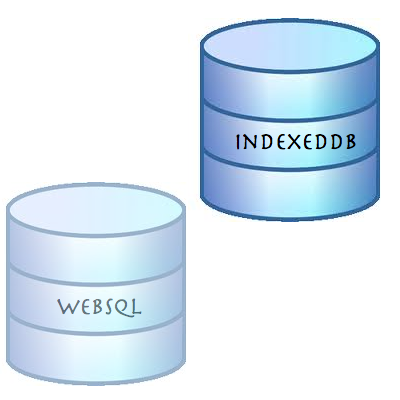
Migrating your WebSQL DB to IndexedDB

Lastly for this post, as WebSQL is deprecated, I recommend web developers to stop using the technology in new projects, as, effectively, the spec will receive no new updates and browser vendors aren’t encouraged to support this technology. The replacement is IndexedDB. As a ‘NoSQL’ database, IndexedDB is very different from relational databases, and it give us lots of power. IndexedDB let us create an Object Store for a type of data and simply persist Javascript Objects to that store. Each Object Store can have a collection of Indexes that make it efficient to query and iterate across. In this tutorial I’ve showed how you can convert the current usage of WebSQL and start leverage IndexedDB.

And let’s finish with some art…

3D Art + Com

Standard
HTML5, JavaScript, webdev

Convert WebSQL To IndexedDB Tutorial

Exactly a year ago on November 18, 2010, the W3C announced that Web SQL database is a deprecated specification. Many major browsers including Chrome, Safari, Opera and nearly all Webkit based mobile devices support WebSQL, however, if you are going to start a new project and/or you wish to have your code running with the new version of client side database (that will receive updates and improvements) you should implement indexedDB as your client side database. In this short post we will see what are the main steps to refractor your WebSQL code to IndexedDB.

First lets create the databases


// WebSQL 
database = openDatabase('todos1', '1.0', 'todo list example db', 2*1024*1024);

// InxededDB
var todoDB = {};
var indexedDB = window.indexedDB || window.webkitIndexedDB || window.mozIndexedDB;
todoDB.indexedDB = {};
todoDB.indexedDB.db = null;


Create Table/ObjectStore

In both cases we need some ‘space’ to save our information


// WebSQL - creating a new table
 database.transaction(function(tx) {
     tx.executeSql("CREATE TABLE IF NOT EXISTS tasks (id REAL UNIQUE, text TEXT)", []);
   });

// IndexedDB - creating a new object store that will hold our data
todoDB.indexedDB.open = function() {
        var request = indexedDB.open("todos");

        request.onsuccess = function(e) {
          var v = "2.0 beta"; // yes! you can put strings in the version not just numbers
          todoDB.indexedDB.db = e.target.result;
          var db = todoDB.indexedDB.db;
          // We can only create Object stores in a setVersion transaction;
          if (v!= db.version) {
            var setVrequest = db.setVersion(v);

            // onsuccess is the only place we can create Object Stores
            setVrequest.onsuccess = function(e) {
              if(db.objectStoreNames.contains("todo")) {
                db.deleteObjectStore("todo");
              }
              var store = db.createObjectStore("todo",
              {keyPath: "timeStamp"});
              todoDB.indexedDB.getAllTodoItems();
            };
          }
          else {
            todoDB.indexedDB.getAllTodoItems();
          }
        };
        request.onfailure = todoDB.indexedDB.onerror;
      }

Add Item

Now it’s time to add some data to our database, no?


// WebSQL
function addTodo() {
        var todo = document.getElementById("todo");
        var task = {
          "id": new Date().getTime(),
          "text": todo.value };
        
        database.transaction(function(tx) {
          tx.executeSql('INSERT INTO tasks (id, text) values (?, ?)', [task.id, task.text]);
        });
        // now let clean it to the next todo
        todo.value = "";
        showAll();
      }
      
// IndexedDB
todoDB.indexedDB.addTodo = function(todoText) {
        var db = todoDB.indexedDB.db;
        var trans = db.transaction(['todo'], IDBTransaction.READ_WRITE);
        var store = trans.objectStore("todo");

        var data = {
          "text": todoText,
          "timeStamp": new Date().getTime()
        };

        var request = store.put(data);

        request.onsuccess = function(e) {
          todoDB.indexedDB.getAllTodoItems();
        };

        request.onerror = function(e) {
          console.log("Error Adding: ", e);
        };
      };

Fetch Items

After you have data it’s only make sense to show it to the world (and your dear friends)


// WebSQL
function showAll() {
        document.getElementById("ourList").innerHTML = "" ; 
        database.transaction(function(tx) {
          tx.executeSql('SELECT * FROM tasks', [], function (tx, results) {
            var len = results.rows.length, i;
            for (i = 0; i  Todo text: " + results.rows.item(i).text);
              
              var a = document.createElement("a");
              a.textContent = " [Delete]";
              a.setAttribute('data-key', results.rows.item(i).id);
              a.setAttribute('data-val', results.rows.item(i).text);
              a.addEventListener("click", function() {
                deleteTodo(this.getAttribute("data-key"),this.getAttribute("data-val") );
              }, false);
              li.appendChild(t);
              li.appendChild(a);
              document.getElementById("ourList").appendChild(li);
            }
          });        
        });
      }

// IndexedDB
function showAll() {
        document.getElementById("ourList").innerHTML = "" ;   
        var request = window.indexedDB.open("todos");
        request.onsuccess = function(event) {
          // Enumerate the entire object store.
          var db = todoDB.indexedDB.db;
          var trans = db.transaction(["todo"], IDBTransaction.READ_ONLY);
          var request = trans.objectStore("todo").openCursor();
  
          request.onsuccess = function(event) {
            var cursor = request.result || event.result;
            // If cursor is null then we've completed the enumeration.
            if (!cursor) {
              return;
            }
            var element = document.createElement("div");
            element.textContent = "key: " + cursor.key + " => Todo text: " + cursor.value.text;
            document.getElementById("ourList").appendChild(element);
            cursor.continue();
          }
        }                    
      }


Delete Item

In rare cases we wish to delete stuff… It’s easy.


// WebSQL
function deleteTodo(id, text) {
        if (confirm("Are you sure you want to Delete "+ text +"?")) {
          database.transaction(function(tx) {
            tx.executeSql('DELETE FROM tasks WHERE id=?', [id]); 
          });
          showAll();
        } 
      }

// IndexedDB
todoDB.indexedDB.deleteTodo = function(id) {
        var db = todoDB.indexedDB.db;
        var trans = db.transaction(["todo"], IDBTransaction.READ_WRITE);
        var store = trans.objectStore("todo");

        var request = store.delete(id);

        request.onsuccess = function(e) {
          todoDB.indexedDB.getAllTodoItems();
        };

        request.onerror = function(e) {
          console.log("Error Adding: ", e);
        };
      };


As Oscar Wilde said: “…Consistency is the last refuge of the unimaginative…” – so in our case, let’s save data locally and have more performance in our web apps (with some consistency).

Live Example

All the code is on github – https://github.com/greenido/WebSQL-to-IndexedDB-example

and you can play with a live example.

Standard
Chrome, JavaScript

Chromebook and window.open()

I got few questions last week on #GDDDE (=Google Developers Day 2011 and #GDD11 which is the popular hash tag both in G+ and Twitter for these events) about window.open() in Chromebook. Here is a summary of the answers.

Few things you might didn’t know about window.open() in ChromeOS:

  • window.open() will open a new tab if the window size > 50% of the width or 60% of the height of the window. So it will be a bit different in Samsung and Acer due to the different screen sizes.
  • An app / extension can use the chrome.window API to call chrome.windows.create() which takes a “type” parameter which will always be obeyed. (Panel windows will be constrained to 80% of the screen width and height). Let’s have a look on how to use it.

First, let the browser ‘know’ what type of window you wish to have use this:

 chrome.windows.create(object createData, function callback) 

Creates (opens) a new browser with any optional sizing, position or default URL provided. You should use ‘type’ as part of the ‘createData’.

 type - ["normal", "popup", "panel"]  
This is the source of true about the window object API. Be strong.
Standard
HTML5

HTML5 App Caching – The Easy Way

HTML5 features appcaching, a way to make your web sites and apps work offline, and to increase their performance as well.

I’m sure you know, browsers cache HTML, CSS, JavaScript files, images and other resources of the sites you visit, to speed up the subsequent loading of pages. However, you never know when the browser might discard cached files, and so this is not a reliable way for sites to work offline. But what if we could tell the browser what to cache? Well, with HTML5 application caches (also known as ‘appcache’) we can do just that.

An appcache manifest contain several lines in that order:

  • In the first line we declare “CACHE MANIFEST” (required)
  • Second line: “CACHE:” – which specifies the URLs of resources.
  • We can also optionally specify which resources should not be cached, in a section of the manifest file introduced by the string “NETWORK:”. These resources aren’t just not cached, but further, won’t be used when the user is offline, even if the browser has cached them in its own caches.
  • We can also optionally specify fallback resources to be used when the user is not connected, in a section of the file called “FALLBACK:”
  • You can add comments to the file with, simply by beginning a line with “#” – that’s an important feature to make the version readable for you as a developer. It’s also a nice way to let the browser ‘know’ that something changed in our app and it’s needed to fetch a new version of the app from the network.

Here is a simple example:


CACHE MANIFEST
#version 1.0

CACHE:

#images
/images/logo.png
/images/ido-header.png

#pages
/pages/index.html
/pages/main.html

#CSS
/style/main-style.css

#scripts
/js/main-logic.js

FALLBACK:
/ /offline.html

NETWORK:
sign-new-user.html

Creating a HTML5 cache manifest file the easy way:

Other good reads:
Standard
HTML5, webdev

Web Workers (Part 1 Out Of 3)

Short History

In modern web applications there are lots of cases when we need to do some stuff in the background. The only way to do it today in most of the modern browsers is by using Web Workers. Web Workers provide a standard way for browsers to run JavaScript in the background.  It let you spawn multiple “threads” that all run at the same time. For more about multithreading this is a good place to start your reading.

Web Workers can do lots of things:

  • Complex mathematical calculations
  • Make network requests
  • Access local storage

all while the main web page responds to the user actions (e.g. scrolling, typing some text or clicking around your app).

What is a Worker?

A ‘worker’ is a script that will be loaded and executed in the background. Web Workers provide a way to do this seamlessly, for example:
new Worker(“worker.js”);
The above will load the script, located at ‘worker.js’, and execute it in the background.

There are some big (very big) limitations (but please don’t worry, we will see how to solve them in the next post):

  • Workers don’t have access to the DOM: No document, getElementById, etc. However, you can use setTimeout, setInterval, and XMLHttpRequest.
  • Workers don’t have direct access to the ‘parent’ page.

Can We Use Web Workers?

In order to find out if we can use web workers we need to check if there is a Worker property on the global window object. If our browser doesn’t support the Web Worker API, the Worker property will be undefined.

isWorkersAvailable() {
  return !!window.Worker;
 }

Instead of writing this function yourself, you can use Modernizr to detect support for web workers (Pss… Modernizr is an open-source JavaScript library that helps you build the next generation of HTML5 and CSS3-powered websites by doing lots of work for you and saving you from reinventing the wheel again and again – Thank you @KuraFire  @paul_irish and @SlexAxton )

if (Modernizr.webworkers) {
  // window.Worker is available!
} else {
  // no native support for web workers
}


Short Example


//
// A simple way to find prime numbers
//
var n = 1;
search: while (true) {
  n += 1;
  for (var i = 2; i <= Math.sqrt(n); i += 1)
    if (n % i == 0)
     continue search;
  // found a prime!
  postMessage(n);
}

<!DOCTYPE HTML>
<html>
 <head>
  <title>Web Worker: The highest prime number</title>
 </head>
 <body>

  <h1>Web Worker: The highest prime number</h1>
  <article>The highest prime number discovered so far is: 
	  <output id="result"></output>
  </article>
  
   var worker = new Worker('highPrime.js');
   worker.onmessage = function (event) {
     document.getElementById('result').textContent = event.data;
   };
  
 </body>
</html>


In the next post I’ll dive deeper on more interesting stuff you can do with workers. We will see how to communicate with one dedicated worker and how we can share workers (just for fun).
Here you can continue reading the second part of this series.

More (good) sources

Standard