“How many security tools do we actually need to be protected like an enterprise?”
I gave him the honest answer.
Six to ten different platforms. Minimum.
There was a pause. Then his face dropped.
Because in that moment, he realized what many SMB founders eventually discover the hard way: modern cybersecurity was never designed for companies like theirs.
If you’re working at a startup or SMB, you might think “we’re too small to be targeted.” You might believe that cyber attackers only go after Fortune 500 companies with deep pockets and valuable data worth millions.
That assumption could destroy your business.
Here’s the uncomfortable truth: attackers don’t discriminate by company size. They discriminate by vulnerability. And right now, small and medium-sized businesses represent the softest, most lucrative targets in the entire threat landscape.
Here are the top 5 things you should do. Right now.
Web security is a critical concern for any backend developer. If you’re building applications using Node.js and Express, it’s essential to safeguard your backend against common security threats such as SQL injections, cross-site scripting (XSS), cross-site request forgery (CSRF), and other vulnerabilities. This comprehensive guide explores these attacks in depth and demonstrates best practices to prevent them with practical coding examples.
Setting up Nginx on Ubuntu (18+) with Let’s Encrypt SSL ensures that your website or application is secure and accessible over HTTPS, providing a safe browsing experience for your users. This process not only includes the installation of the Nginx web server but also entails configuring the server to handle SSL certificates issued by Let’s Encrypt, enabling automatic renewal of these certificates to maintain uninterrupted security. By following best practices for security and performance, you can optimize your server’s settings to ensure fast loading times and reliable uptime, which are crucial for retaining visitors and improving search engine rankings. Additionally, implementing SSL helps to build trust with your audience, as it demonstrates a commitment to protecting their data and enhancing their online safety.
In this guide, we will:
Install and configure Nginx.
Set up port forwarding for your Node.js application.
Obtain a free SSL certificate from Let’s Encrypt.
Ensure proper firewall and AWS security group settings.
In today’s digital world, it’s more important than ever to ensure that your personal cyber security is up to date. With the ever-growing number of threats on the internet, it’s essential to take the necessary steps to protect yourself and your data.
The first step in protecting yourself is to be aware of the threats that exist. The second step is to use the right tools to protect yourself. There are many different types of cyber threats, such as malware, phishing, and ransomware.
The need to protect your software and to be updated about vulnerabilities is getting stronger. JFrog Xray is unique in its capabilities to perform analysis of all the binaries you are consuming in your project. It works with Artifactory to perform a deep analysis of binary components at any stage of the application lifecycle. Xray provides great visibility into issues lurking in components anywhere in your organization and there are many cases where you wish to get notified on a security violation (or a license breach) directly to Slack.
Getting Started
We will use Xray’s Webhooks to define our server’s and base on the policies/rules our Webhook will be notified with the alerts about violations (security or licenses).
The trend of #DevSecOps is growing fast and it is no longer just part of your security team. More and more organizations wish to integrate their security team in all the phases of development and operations. To achieve it, there are cases where you need to export data from JFrog Xray (in our case to a CSV format) so you can ingest it to your current logging/monitoring system.
What is Xray?
In a nutshell, JFrog Xray works with JFrog Artifactory to perform a deep analysis of binary components at any stage of the application lifecycle. It provides full transparency that leads to more trust in your software.
By scanning binary components and their metadata, recursively going through dependencies at any level (think on the layers you have in any Docker container), JFrog Xray provides great visibility into issues lurking in components anywhere in your organization.
Xray API
One of the best parts is that JFrog Xray is also fully automated through a rich REST API. We will use it to create this Exporter. Please feel free to clone/fork the code below and use it, but remember you might need to add pagination and a watchdog for a real system.
The trend of DevSecOps is not new but it’s growing fast. More and more organizations wish to integrate their security team in all the phases of development and operation.
Many security products keep your code safe from vulnerabilities at different stages (dev, test, qa and prod). However, JFrog Xray is unique in its capabilities to perform analysis of all the binaries you are consuming in your project.
JFrog Xray works with JFrog Artifactory to perform a deep analysis of binary components at any stage of the application lifecycle. It provides full transparency that leads to (more) trust in your software. By scanning binary components and their metadata, recursively going through dependencies at any level (think on the layers you have in any Docker container), JFrog Xray provides great visibility into issues lurking in components anywhere in your organization.
One of the best parts is that JFrog Xray is also fully automated through a rich REST API that lets it integrate with a CI/CD pipeline and allows other binary analysis tools to build on its unique capabilities.
Change all your website’s links from HTTP to HTTPS so that search engines are notified and users will get the HTTPS version.
Go have a drink.
Why?
You should always protect all of your websites with HTTPS, even if they don’t handle sensitive communications. HTTPS helps prevent intruders from tampering with the communications between your websites and your users’ browsers. It might be a malicious attacker or legitimate (but intrusive) companies, such as ISPs or hotels that inject ads into pages. Your users will think that your site is ugly or worst because they can’t tell who is doing what to the pages.
If you care about your users, always protect them and serve them with HTTPS. It will also prevents intruders from being able to passively listen in on the communications between your website and your users. Another benefit we gain from HTTPS is the ability to work with new powerful web platform features: Continue reading →
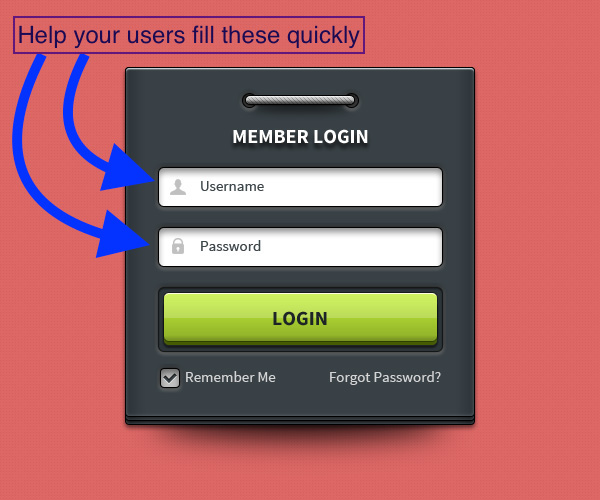
There are two types of common forms that you see every day on (almost) every website: Sign-up and Sign-in. If you want to improve your users experience and allow them to fill these forms quickly and efficiently, this post is for you.
You can help ensure that browsers’ password management functionality can understand your site’s sign-up, sign-in. All it take is a ‘touch’ of a change for your password forms by enriching your HTML with a bit of metadata.