cloud, webdev

5 Essential Security Moves Every Startup & SMB Must Make to Prevent Cyber Attacks

If you’re working at a startup or SMB, you might think “we’re too small to be targeted.” You might believe that cyber attackers only go after Fortune 500 companies with deep pockets and valuable data worth millions.

That assumption could destroy your business.

Here’s the uncomfortable truth: attackers don’t discriminate by company size.
They discriminate by vulnerability.
And right now, small and medium-sized businesses represent the softest, most lucrative targets in the entire threat landscape.

Here are the top 5 things you should do.
Right now.

Continue reading
Standard
cloud, Design, JavaScript, webdev

Building Resilient Microservices for Bootstrapped Apps 🏃🏼‍♀️🚵🏼

Out on the trail, your phone isn’t plugged into a wall. Every network ping drains battery. Every background process steals CPU cycles that could keep your GPS running for another hour.

In my previous post on the GPX Water Mapper, we explored visualizing water sources along your route. Now we’re going under the hood: designing a microservices architecture that respects the constraints of outdoor apps—where a dead battery isn’t just inconvenient, it’s potentially dangerous.

Imagine getting a real-time hydration alert as you approach mile 12 of your desert bike ride, calculated from your current pace, the temperature, and known water sources ahead.
All while using less battery than a typical podcast app.

What we’ll build:

  • A microservices approach that actually makes sense for small teams
    (spoiler: not everything needs to be a service – moreover, in many cases you should avoid it and run on a monolith)
  • Event-driven patterns that keep your app responsive without constant polling
  • Node.js implementations you can deploy on minimal infrastructure
  • Real-world trade-offs: when to split services and when a monolith wins

Continue reading
Standard
cloud

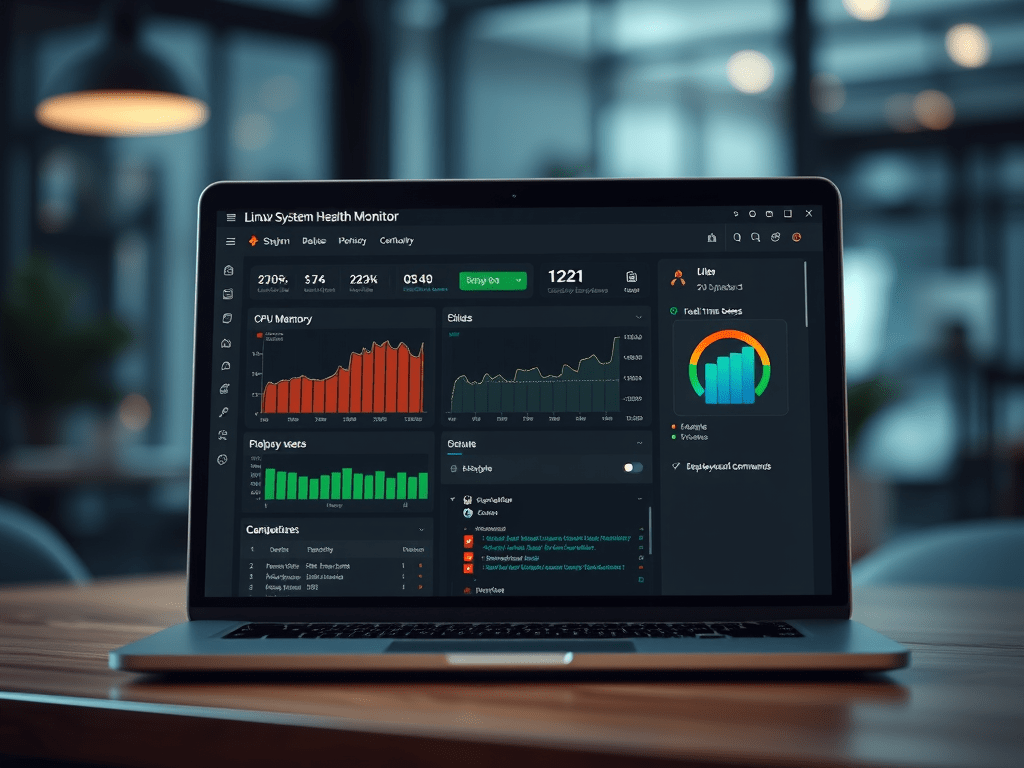
Monitor Your Linux Servers Like a Pro – Now Open Source! 🎉

In both of my last startups, we relied heavily on Ubuntu EC2 instances running critical infrastructure. But there was always a missing piece:
A lightweight, self-hosted, dead-simple way to keep an eye on system health without setting up a full Prometheus stack or paying for yet another SaaS.

So we built our own.
And now we’re sharing it with you — excited to announce that Linux System Health Monitor is now open-source under the MIT license.

Whether you’re managing one Linux box or a fleet of servers, this Node.js-based suite has you covered with real-time monitoring, intelligent alerts, and easy deployment.

Continue reading
Standard
cloud, webdev

How to Use ngrok and LocalTunnel: Expose Your Local APIs to the World

Intro

As developers, we often face the challenge of testing our local applications with external services, webhooks, or mobile devices. Whether you’re developing APIs that need to communicate with AWS/GCP/Azure services, testing webhook integrations, or simply want to demo your work from different devices, exposing your localhost to the internet becomes essential.

This guide will walk you through two popular solutions: ngrok and LocalTunnel, showing you how to securely expose your local development server to the world.

What Are Tunneling Services?

Tunneling services create a secure tunnel from a public endpoint to your local machine, allowing external services to reach your development server without complex network configuration or deployment.

Common Use Cases

  • Testing webhooks from third-party services (Stripe, GitHub, etc.) — You can connect your local code directly and debug it more efficiently.
  • Sharing your work-in-progress with clients or team members — Instead of pushing it to some remote server. Useful in all the cases, where you are still ‘not ready’.
  • Testing mobile applications that need to connect to your local API — A must have in almost all cases.
  • Integrating with AWS services that require publicly accessible endpoints
  • Cross-device testing and debugging
Continue reading
Standard
cloud, JavaScript, webdev

Mastering the Linux Shell: A Developer’s Guide to Unleashing Its Full Potential

Introduction

The Linux shell, also known as the command-line interface (CLI), has been a cornerstone of Linux-based operating systems since their inception. It provides developers a powerful and efficient way to interact with the system, execute commands, and perform various tasks. It’s one of the main factors that made Linux the most popular OS worldwide.

In this post, we’ll briefly discuss the history, explore its advantages and disadvantages, and discuss how developers can leverage its potential to streamline their work and enhance productivity.

History of the Linux Shell

The roots of the Linux shell trace back to the early days of computing. The concept of a command-line interface predates graphical user interfaces (GUIs) and originates in the mainframe era. 

I still remember the first time (At Tel Aviv University) we wanted to interact with a computer (mainframe) back in the day. It was with this black terminal. That was the only interface you had. We are talking here in mid-1980.

Even before that, in 1969, Ken Thompson developed the first Unix shell, the Thompson shell, which laid the foundation for future shell implementations.

Over the years, various shells were introduced, each offering unique features and improvements. In the mid-1980s, the Bourne shell (sh) became the standard shell for Unix-based systems, inspiring the Bourne-Again Shell (bash) development in 1989. 

Today, bash remains one of the most widely used shells in the Linux ecosystem. 

Ahh… if you are on MacOS, you can taste the same shell.

Continue reading
Standard
Business, cloud, JavaScript

OpenAI API – 101 Tutorial

OpenAI is a research organization focused on developing advanced artificial intelligence technology, and one way it achieves this is by making its technology available to developers through APIs. 

This blog post will explore what OpenAI API is and how to use it from Node.js – We will show a few examples you can take and combine with your current applications.
Other good examples to explore the API are at openai.com.

What is OpenAI API?

OpenAI API is a powerful tool allowing developers to access cutting-edge AI models that OpenAI researchers train. 

It’s (also) a mouthful, no?

These models can be used for various applications, including natural language processing, translation, image recognition, chatbots, etc.

The OpenAI API is designed to be easy to use, with a RESTful API that can be accessed using any programming language.
It also includes pre-built models that can be used out of the box and the ability to train custom models using your own data.

Continue reading
Standard
cloud

What is a (docker) container?

Docker is an open-source platform for developing, shipping, and running applications. A containerization technology allows you to package applications and their dependencies into isolated containers that can be easily deployed and managed. Docker containers provide a lightweight, portable, and secure way to run applications in various environments. In the past, I wrote about it a few times.

Continue reading
Standard
Espresso at sunrise
Chrome, cloud, webdev

Personal Cyber Security

In today’s digital world, it’s more important than ever to ensure that your personal cyber security is up to date. With the ever-growing number of threats on the internet, it’s essential to take the necessary steps to protect yourself and your data.

The first step in protecting yourself is to be aware of the threats that exist. The second step is to use the right tools to protect yourself. There are many different types of cyber threats, such as malware, phishing, and ransomware.

Continue reading
Standard
cloud, JavaScript

Integrate JFrog Xray with Slack

The need to protect your software and to be updated about vulnerabilities is getting stronger. JFrog Xray is unique in its capabilities to perform analysis of all the binaries you are consuming in your project. It works with Artifactory to perform a deep analysis of binary components at any stage of the application lifecycle. Xray provides great visibility into issues lurking in components anywhere in your organization and there are many cases where you wish to get notified on a security violation (or a license breach) directly to Slack.

Getting Started

We will use Xray’s Webhooks to define our server’s and base on the policies/rules our Webhook will be notified with the alerts about violations (security or licenses).

Continue reading
Standard
cloud, JavaScript

Export Violations From JFrog Xray to CSV

The trend of #DevSecOps is growing fast and it is no longer just part of your security team. More and more organizations wish to integrate their security team in all the phases of development and operations. To achieve it, there are cases where you need to export data from JFrog Xray (in our case to a CSV format) so you can ingest it to your current logging/monitoring system. 

What is Xray?

In a nutshell, JFrog Xray works with JFrog Artifactory to perform a deep analysis of binary components at any stage of the application lifecycle. It provides full transparency that leads to more trust in your software. 

By scanning binary components and their metadata, recursively going through dependencies at any level (think on the layers you have in any Docker container), JFrog Xray provides great visibility into issues lurking in components anywhere in your organization.

Xray API

One of the best parts is that JFrog Xray is also fully automated through a rich REST API. We will use it to create this Exporter. Please feel free to clone/fork the code below and use it, but remember you might need to add pagination and a watchdog for a real system.

Continue reading
Standard