
 Last week I had the pleasure to take part in the first HTML5-IL meetup. If you are a front-end developer that live in Israel you should try and come to this group events. Lots of great developers, designers and others that share the same passion for the web. Great stuff. Unfortunately I didn’t have more then 30min for this new, hot, complicated topic. So I hope to have more time to cover some of the aspects during the next meetup. From the four main aspects we touched only on the first two: Continue reading
Tag Archives: technology
HTML5 APIs At Google Developer Group Haifa (Hebrew)
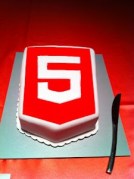 It was the first meeting of GDG Haifa at the technion. I gave the first talk about HTML5 (new) APIs that front-end developers should leverage. It was a good kick-off event and it seems that this group will produce many more quality events. You can check the demos and the slide at my project site.
Enjoy.
Web Components On Google Developers Live Israel (Part 1)
Today, in our weekly Google Developers Live Israel show we spoke about HTML5 and web component. It was a macro level overview on this new edge of front-end development. This new project is composed of a group of technologies that should help us (web developers) create moderan web apps using HTML, CSS and JS. They do this by allowing toolkit makers to encapsulate their widgets and UI elements as easily reusable components.
We covered the main players:
- Templates – We can think on it as a new HTML element. It allow us to inert chunks of clonable DOM that can be activated for later use (e.g MDV). You can think of it as objects you creating out of your class definition. This new ‘object’ can contain markup (=CSS) and script (=JS) so it’s much more powerful from the ‘just’ CSS that we have today. We can use it as a decorator to give new style and functionality to our custom (new) HTML element.
- Custom elements – which can be looked as our toolbelt when we are coming to build a new web app and we wish to reuse ‘wheels’ and not reinvent them. We showed how to create new HTML elements by expanding HTML’s existing vocabulary.
- Shadow DOM – It’s like the regular DOM you know (and love) but it’s down in the ‘shadows’ hidden from our eyes. It’s main goal is to give us encapsulations. It’s the glue that let us insert and work with our components. Think of a ‘tab’ component that you don’t need to ‘know’ about it’s style, functionality etc’. It will work for you and you can’t break it from your JS code because you forgot to use a namespace for your app logic.
- Mutation Observers – and how to watch for changes in the DOM in the most efficient way. Continue reading
How To Prevent Your Chromebook From Going To Sleep
 There are some cases where you wish your chromeOS, Chromebook (or Chromebox) will not to enter into sleep mode. A quick example is when you wish to use it in a conference to present a cool web experiment and you don’t want it to vanish after few minutes. Here are two quick ways to achieve it. Both are a bit of a hack… but it’s not a complicated process.
The hacker way
- Login with the admin user.
- Open a terminal by hiting CTRL+ALT+T
- Type the following
- shell (to drop into a standard bash shell)
- sudo stop powerm – to disable sleep when lid is closed. You could go with the longer version of: sudo initctl stop powerm but there is no reason to type more…
- sudo stop powerd – to disable all other power management features.
- Now logout from the menu – But do not restart! Why? because these settings won’t survive it.
The easy way
Install this Chrome extension – Caffeine after your clone/fork it from Github. It is an experimental extension for Google ChromeBooks that overrides the default power settings.
It is using this API:
chrome.experimental.power.requestKeepAwake()
which is still under experiment so you will need to enable it before the installation.
How to install:
- Go to about:flags on your Chromebook, enable “Experimental Extension APIs” and then restart your Chromebook.
- Go to extensions, toggle on Developer Mode, and click load unpacked extension.
- Choose the folder containing this source.
- Toggle / unToggle the menu icon to keep Chrome awake. Is it easy or what?
Happy new year!
[Update Sep 2014] – You can now have Keep Aware extension from the Chrome Web Store. This is the easiest way and it got two option: full system awake (sun is up) or display will go to sleep but network and the rest will continue to work (moon is up).
GDL Israel – Women Techmakers
 In the past few weeks we had the pleasure to host in Google two amazing women that lead by showing how you can innovate in the tech space. The first conversation was with Rony Ross (Founder, Executive Chairman and Chief Technology Officer of Panorama Software Ltd). It was an interesting discussion between Daniela Raijman-Aharonov (Engineering Manager and Software Engineer in Google), and Michal Segalov (Software Engineer in Infrastructure), on Ross’ role in expanding Panorama’s global presence, once the leading developer and marketer of software products for OLAP and BI in the Israeli market.
GDL Israel On Yeoman.io, AngularJS And Github Pages
In this week episode of GDL-IL we talked with Ran Tavory on his new conference and how he built its website. Here are the main topics we covered:
- Yeoman as the main built tool. We found out that is easy to start working with it. This powerful tool gives you a set of tools that any modern web developer should use. Yeoman is a robust and opinionated set of tools, libraries, and a workflow that can help you be more productive and use the best practices in modern web development. Give it a ride…
- AngularJS – To add the dynamic part for our site. It’s very interesting to see how Ran used google spreadsheets as his database in the cloud and with the add angular he fetch the data and update the content automatically.
- Github pages – As a free (and scalable) hosting service.
- Twitter Bootstrap – Because it is saving you a lot of ‘leg work’ by using this powerful css framework. Ran didn’t start with it… but once he saw that the site doesn’t look good on mobile, he jump on this wagon and luckily for him it worked.
- Google spreadsheet as a database and a simple database for our CMS in the cloud. Continue reading
Frontend Development Sources
Here are a few new/cool sources I’ve bumped into during last week events (and meetings). It is always a great fun to talk with developers and learn on new tools that they are using in order to do their work. If you have something interesting, please don’t be a stranger and let me know…
HTML5
- Wanna see what can WebRTC do for you? Check out this cool demo of moving html5 slides with your hand like Tom in “Minority Report”.
- Let your IE users enjoy the power of HTML5 with this new great tutorial that explain how to bind Chrome frame to your site. Continue reading
Barcelona GDG 2012 – Keynote On HTML5 APIs

After the keynote, I gave another talk on HTML5 and big data (with google cloud services). Overall, it was a great experience and the organizer did a great job. I hope to be able to make it again next year…
- Slides for the keynote
- Slides for HTML5 and Big Data – There is no video for now. Thus, I hope to get it soon and post it.
A Hangout On HTML5 APIs And CSS3 (New) Layouts
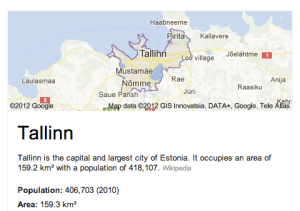
Last night, I gave this talk to Google Developer Group Tallinn about the new APIs that we have today in HTML5 and CSS3. It was (another) great hangout where you can ‘touch’ people that are quite far from your location and speak with them about mutual interest.
Some of the topics that I covered during the talk where: Continue reading
HTML5 New APIs And Modern Web Apps
Here is a talk I gave over hangout to developers that came to Esto es Google 2012 in Mexico. It cover the same topics from this talk that I gave in hebrew but this time it’s in english…
As in most of the cases, you can find all the slides over at: ido-green.appspot.com
 Ido Green