
 Last week, I’ve went to live person HQ to give a talk in ILTechTalks on HTML5 and how you can use some of its new APIs in order to build you next web app. Today, web apps like: gmail, maps, google docs etc’ are consider to be modern web apps. They are rich, interactive applications that users spend long hours with them. There are few features that distinguish modern (or great) web apps from sites: Continue reading
Tag Archives: software
Chrome For Enterprise
 During my work with big organizations I got many questions about deploying Chrome for enterprise. What are the management capabilities? Which policy I can control? Is there an option to use MSI? The good news is that most of the answers are… Yes! Chrome/Chromuim supports few ways to control your browser’s activity. It can be done by using group policy, MCX files and external configuration files. In the end of the day, the administrator of your organization can manage and control all the Chrome installations. One of the main question CIO/CTO has is about the option to control the auto-updates. Well, You can control it. For more details you can read the first bullet in the list below. The other items in that list will help you understand more on the capabilities and see how you can deploy it on any network (windows, linux and mac).
- Turning off Auto-Updates – Detailed explanation on how you can manage the updates.
- Full list of supported Policies
- Windows Quick Start – This tutorial will show you how to get Chromium / Google Chrome deployed and configured on a Windows network.
- Mac Quick Start – Get started with managing Chromium / Google Chrome on a Mac network.
- Linux Quick Start – Managed instance of Google Chrome or Chromium up and running on Linux.
(*) More information on all the benefits of Chrome for enterprise and businesses can be found here. And as we know, in the business world the EULA is important as well.

Chrome Frame
Another great option for enterprises that need to work with IE is to install Chrome-Frame. Chrome Frame is an Internet Explorer plug-in that renders specific web pages in Chrome. That’s right… You will be able to use the latest HTML5 features (e.g. see amazing 3D WebGL charts) inside your IE6-8. It’s very powerful way to empower your people with modern browser today.
IndexedDB Webcast In GDL-IL
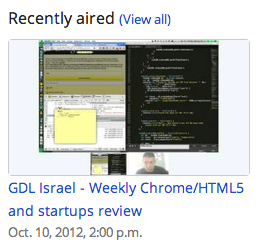 Here is a short webcast that shows how to build “IndexedDB in a jQueryMobile app”. If you thought about building a modern web application with offline capabilities, it will be a good 101 session for you. For the full code you can read “How to use indexedDB” and here is a live demo of this mobile web app. It seems that with the JavaScript shim that I’m using this is a nice solution for developers that wish to target both Android and iOS as it should work in both Chrome for android and mobile safari. Moreover, soon when IE10 will be in the ‘wild’ web, indexedDB API will be available in Chrome, FF and IE, nice ahh?
Btw, one of the reader of the blog point me to another open source IndexedDB API wrapper library – From browsing it, it’s looking good!
Google Drive on GDL IL
Here is my talk from last week with Nicolas Garnier (Developer Advocate for Google Drive) on the new aspects of Drive. You can have a short intro to drive and then dive into:
- What are the key features developers should be aware of when working with Drive APIs. For example: all the Drive SDKs you can use with your favorite technology (e.g. Java, Php, Python etc’).
- Show some new apps that are doing good job in integrating into Drive. We spoke about best practices and OAuth2.0
- Learn what is next for drive in the near future…
Psst…
If you want to see more GDL-IL episodes, feel free to ‘Add our show‘ to your calendar. It’s going to take 15-25min of your time every WED at 14:00 Israel time (IST)
Modern Web Apps at Scale With Google App Engine (Part 1 Out Of 3)
 There is no secret that today any developer that wish to built the next G+, Path, Instagram etc’ must think on two major aspects:
- Server Side / Cloud Service that she is going to use in order to create the API. Here we must answer some important questions like:
- What will I do if I get a huge spike in traffic?
- Will I need to manage it? Do I have to do it?
- How will I communicate with different clients?
- Which technology to use in order to store: data, state etc’
- Client side technology
- Web technologies: HTML5, CSS3
- Mobile native app: Android, iOS and Windows.
In this post I’ll be focusing on the client side (and later this summer I’ll have another few posts on the server side) and what we should use in order to build a modern web application.
Modern Web App
It’s not an easy definition since web technology is running very fast. Nevertheless, we can find certain features across successful web apps:
- Self Contained & Functional– They all have one specific goal and they do their best to provide the users the functionality to get to her goal. Few examples:
- New York Times – Consume news.
- Hipmunk – Find a flight that is the ‘perfect’ for your needs.
- Gojee – Find the recipe you would taste and say WOW after it.
- “Offline first” – You will want your web app to work offline. It’s an important feature that will let your users be productive on places like: planes, subways and on spots like: Starbucks when you don’t have (always) good connection. Another very important benefit will be the improve in performance. Since the app will work locally (first) and then sync the state/data the users will get responsiveness that are far better from an app that need to ‘wait’ for network on every action that the user does.
- Client Side Architecture – Since we are moving big parts of our ‘logic’ to the client we need to think about methods that will keep our code readable and maintainable. I guess this is the main reason why we see so many MVC Frameworks. The only advice I can give here is to try few of the popular ones and see how they approach the separation between the data and the UI. If you have some time go over The Top 10 Javascript MVC Frameworks Reviewed. Then, after you try ‘some’ you will be able to pick the one that fit the bill in the best way. For the busy developer (I know… most of us don’t have too much free time 🙂 – Go and play with these three MVC (some will say it should be MV* because it’s not really MVC more MVVM, MVP):
 Ember.js – Don’t waste time making trivial choices Ember.js – Don’t waste time making trivial choices |
 Angular.js -Lets you extend HTML vocabulary for your application Angular.js -Lets you extend HTML vocabulary for your application |
 Backbone.js – gives structure to web applications by providing models with binding, collections and views Backbone.js – gives structure to web applications by providing models with binding, collections and views |
- Device Aware – We all know that mobile is going ‘up and right’. So when you design your web app you should think on progressive enhancement and how it will fit to different screen sizes. Good examples to look at are: Gmail, Flipboard and Twitter. If you want to go deeper on this interesting subject there is a webcast on ‘mobile web apps’ I did with Oreilly three weeks ago. You can go over the slides as well.
Challenges and Solutions
Challenge: What to do first (mobile app, web app, both). Focus is the most important thing for a startup so what should we do?
Solution: Built on the server a RESTful API that allow you to consume it from any platform. The way to work with an API is similar (more or less) to all the platforms although in the web we have some interesting new tools that we can use. If you are working with Google APIs here is a new API Explorer that is very useful to browse the capabilities of each API and to try it live.
Challenge: How to make the web app functional with clear goal?
Solution: Invest time and effort in your UX (and later the UI). Some taking it a step further and say that you should focus only on great UX and all the rest will follow. Who said apple?
Challenge: How should I work with RESTful APIs (in our case – google ones)
Solution: The first excellent tool will be Google JavaScript Client Library Why it’s so powerful?
- It save us the trouble to reinvent the wheel and built simple functionality like: CRUD operations, list, order, search etc’. It’s all baked in it.
- It provide us some powerful new features:
- RPC Batch
- CORS
- Authentication out of the box
- Version control
- Super Simple
Challenge: How to make my application ‘offline first’?
Solution: With HTML5 we have few APIs that let us create web apps that will work great when there is no connection. The first step is to pretend that there’s no internet connection. It will force you to implement a sync layer that works only when online. So you will give the users the ability to add/edit/remove data and when the connection is online your app logic will do the syncing with the server. In order to have our app offline we should use two important features:
- Storing (static) assets: we can use AppCache. It’s our ability to save locally our html, js, css files and all the images, sound files etc’.
- Storing data: localStorage, IndexedDB, File API. This is a hot (and large) topic. I would suggest to read deeper on when and where to use each over at html5rock.com

Challenge: There are so many web services I would love to hook into my app – How can I do it without reinventing the wheel each time? In other words, I want to give my users the ability to edit photos, share on twitter, g+ and Linkedin (just to name few).
Solution: WebIntent! If you are familiar with the intent system that is flourishing in Android you know what I’m talking about. We now have a powerful solution for the web. Web Intents is a framework for client-side service discovery and inter-application communication. The code you need to add to your app is as simple as:
var sharingDetails = "Check out my....";
var intent = new Intent(
            "http://webintents.org/share",
            "text/uri-list",
             beerDetails);
window.navigator.startActivity(intent);
The best part is that it will work on most browsers with JavaScript shim and in Chrome (19+) it’s built into the browser natively!
 Challenge: What can I do on old browsers that do not support HMTL5 very well?
Solution: Google Chrome Frame is an open source plug-in that seamlessly brings Google Chrome’s open web technologies and speedy JavaScript engine to IE. You can add it to your web app with one line of meta tag: <meta http-equiv=”X-UA-Compatible” content=”chrome=1″> or configure the server to send this http header: X-UA-Compatible: chrome=1 in both scenarios your users will enjoy the wonderful world of chrome (v8, HTML5, CSS3, WebGL etc’) inside their IE. Important fact to remember is that your users do not need admin rights (on their windows PC) in order to install it.

I hope this gave you some points to think about during the planning and designing phase of your next web app. For startups and developers that have an app in production, I would suggest to check what are the building blocks that will make sense to implement first (e.g. web intent, clean the client code by refactoring it to an MVC framework etc’).
This is the first post in a series of posts, I hope to cover Google App Engine in the next one and then combine the two worlds in the last post that will be more of a ‘cookbook’ to best practices of leveraging Google App Engine and HTML5.
 Ido Green