AI, Business

How AI is Reshaping Engineering Roles

Every few weeks there’s a new take declaring that AI has made junior engineers obsolete, senior engineers redundant, and teams magically “10x.”
That story is lazy.
And dangerous.

AI didn’t remove the need for engineers. It exposed which parts of engineering were never that valuable to begin with.

What’s actually happening is a compression of execution. The typing, scaffolding, and boilerplate are cheaper than ever. Judgment, architecture, and responsibility are not. If anything, they’re more expensive—because the blast radius is larger.

This forces a reset. On roles. On metrics. On how we train people. On what “good” looks like.

Let’s talk about what to do.

For Engineering Leaders (CTOs, VPs, EMs)

Redesign junior roles instead of killing them

If your juniors were hired to crank out CRUD and Stack Overflow glue, yes—AI just ate their lunch.

That’s your fault, not theirs.

Stop hiring “Keyboard Cowboys” –> Hire juniors who can:

  • Drive AI tools deliberately
  • Reason about outputs
  • Write tests that catch subtle failures
  • Explain tradeoffs in plain language

Make AI usage explicit in job descriptions and interviews. Ask candidates how they validate AI output, not how they prompt it. The junior of the future is an operator and a critic, not a typist.

Make fundamentals non-negotiable

AI is great at producing answers.
It’s bad at knowing when they’re wrong.

Your review culture must check understanding, not just correctness. Ask:

  • Why was this approach chosen?
  • What fails under load?
  • What breaks when assumptions change?

Reward engineers who can debug, profile, and reason under failure.
That’s where AI still stumbles—and where real engineers earn their keep.

Treat AI as infrastructure, not a toy

If AI tools are everywhere but governed nowhere, you already have a problem.

Standardize:

  • Which tools are allowed
  • How prompts are shared and versioned
  • How outputs are validated
  • How IP, data, and security are handled

Ignoring this creates shadow-AI, silent leaks, and unverifiable decisions. You wouldn’t let people deploy random databases to prod.
Don’t do that with AI.

Shift metrics away from “lines shipped”

Output metrics are (now) meaningless. AI inflates them by design.

Measure what actually matters (DORA style):

  • System quality / DevEX / Even Developer happniess
  • Incident recovery time
  • Change failure rate
  • Test coverage and signal
  • Architectural clarity

AI can help you ship faster. It cannot guarantee outcomes. Your metrics should reflect that reality.

Invest in orchestration skills

The future senior engineer doesn’t just write code. They design systems that coordinate intelligence.

Encourage work on:

  • Agent pipelines
  • Evaluators and guardrails
  • Feedback loops
  • Tooling that checks AI against reality

This is the new leverage layer. Treat it as a core skill, not a side experiment.

Protect deep expertise

Don’t flatten everyone into “full-stack generalists.”

You still need domain owners:

  • Performance
  • Security
  • Data
  • Infrastructure

AI boosts breadth.
Humans anchor depth.
Lose that balance and your systems will rot quietly—until they fail loudly.

Rebuild onboarding

Assume new hires will use AI heavily from day one.

Onboarding should teach:

  • How your systems actually work
  • Why key decisions were made
  • What invariants must not be broken
  • How to validate AI output against production reality

Otherwise you’re training people to copy confidently—and understand nothing.


For Engineering Teams

Use AI to kill boilerplate, not thinking

Let AI scaffold, refactor, and generate tests.

Humans own:

  • Architecture
  • Invariants
  • Edge cases
  • Failure modes

If AI is making your design decisions, your team is already in trouble.

Practice “AI-assisted debugging,” not blind trust

Always reproduce. Always measure. Always verify.

Treat AI like a fast junior engineer: helpful, confident, and occasionally very wrong. If you wouldn’t merge their code without checks, don’t do it for a model.

Document intent, not just code

Code shows what the system does. It rarely shows why.

Write down:

  • Why the system exists
  • What tradeoffs were made
  • What must never change

This documentation becomes the truth source when AI generates plausible nonsense at scale.

Continuously reskill horizontally

Each engineer should expand into at least one adjacent area every year:

  • Infra
  • Data
  • Product
  • Security

AI lowers the learning barrier. Use that advantage deliberately, or waste it.


For Individual Engineers

Master one thing deeply

Pick a core domain and become genuinely hard to replace there.

Depth is your moat. AI makes general knowledge cheap. It does not replace hard-earned intuition.

Learn how AI systems fail

Hallucinations. Bias. Brittle reasoning. Silent errors.

Knowing failure modes is more valuable than knowing prompts. Engineers who understand where AI breaks will outlast those who just know how to ask nicely.

Build visible, real projects

Portfolios beat resumes.

Show:

  • Systems you designed
  • Tradeoffs you made
  • How you used AI responsibly
  • How you validated results

Real work cuts through hype instantly.

Think in systems, not tickets

The future engineer isn’t judged by tasks completed.

They’re judged by how well the whole machine runs under stress.


Bottom Line

AI compresses execution time.
It does not compress judgment, responsibility, or accountability.

Teams that double down on thinking, architecture, and learning will compound.
Teams that chase raw output will ship faster…

…straight into walls.

The choice is not whether to use AI.
The choice is whether you’re building engineers—or just accelerating mistakes.


Standard
AI, Chrome, webdev

Transforming Recipe Chaos with SeasonApp

Some projects start with ambition.

This one started with annoyance.

I was tired of juggling recipes across bookmarks, screenshots, messages, and the occasional scribble in a notes app.
A normal person would’ve organized things.
I opened Cursor.

The plan was simple: a quick weekend hack.
Nothing serious. Just a tiny tool to help me stop losing recipes.

But then it worked. And I liked using it.
Then I showed it to a couple of friends.
Then my family started using it.
Then those friends shared it with their friends.

That’s when the “weekend hack” quietly transformed into SeasonApp—a small but mighty full-stack platform for cooking, powered by AI and built to remove friction from the kitchen.


Why SeasonApp Exists

If you cook regularly, your digital life eventually turns into a disorganized pantry. Tabs everywhere. Screenshots mixed with flight confirmations. Recipe blogs where you scroll past a childhood memoir before finding the ingredient list. And once you finally want to cook something, you can’t find the right recipe—or you’re missing one ingredient and the whole plan collapses.

SeasonApp brings order to that chaos.

It gives recipes a home.
It helps you create new ones.
And it actually understands what you want to do with whatever’s in your fridge.

The more people around me used it, the more obvious the need felt.
Everyone had the same pain; they just tolerated it.
SeasonApp gives them a better way.

Continue reading
Standard
AI

Gemini 3: Your New AI Coding Assistant

Every developer has that moment where they stare at the screen and wish for a magic wand.
Something that can unscramble a legacy codebase, sketch a UI without endless Figma tabs, or summarize a 300-page API doc that reads like… and create some good tests out of nothing.

Google just dropped something dangerously close.

Gemini 3 isn’t another “slightly better benchmark” release. It’s a real step forward—especially for people who build things for a living.

Here’s where it gets interesting:

Continue reading
Standard
AI, webdev

8 Top Tips to Actually Use Cursor (Without Setting Your Wallet on Fire)

If you’ve been coding anytime in the past year, you’ve probably heard the buzz about Cursor — the AI-powered IDE that promises to write your code, clean your code, and maybe even refactor your soul.

It’s built on top of VS Code, so it feels instantly familiar.
But the moment you hit that shiny AI shortcut, you realize: this thing is smarter than your codebase and hungrier than your wallet.

After a few months of using Cursor — and after accidentally vaporizing a scandalous number of API tokens — I’ve learned how to stay productive and solvent.
And yes, the TL;DR is that you can still combine Cursor with Ollama + local models to get many of these benefits for free.
Here are my 8 hard-earned tips to make Cursor your loyal sidekick within the limits of your budget.

The #1 tip: Control context scope aggressively – This is the biggest win

Cursor auto-includes files, diffs, and history—this explodes token usage.

Do this:

  • Manually select only the exact files/functions needed
  • Avoid “entire repo” context unless absolutely required
  • Use @file and @selection instead of implicit context
  • Clear chat or start a new thread when switching tasks

Why it matters:
Token cost scales with every line in context, not just your prompt.

Below are a bit more tips:

Continue reading
Standard
Chrome, JavaScript, webdev

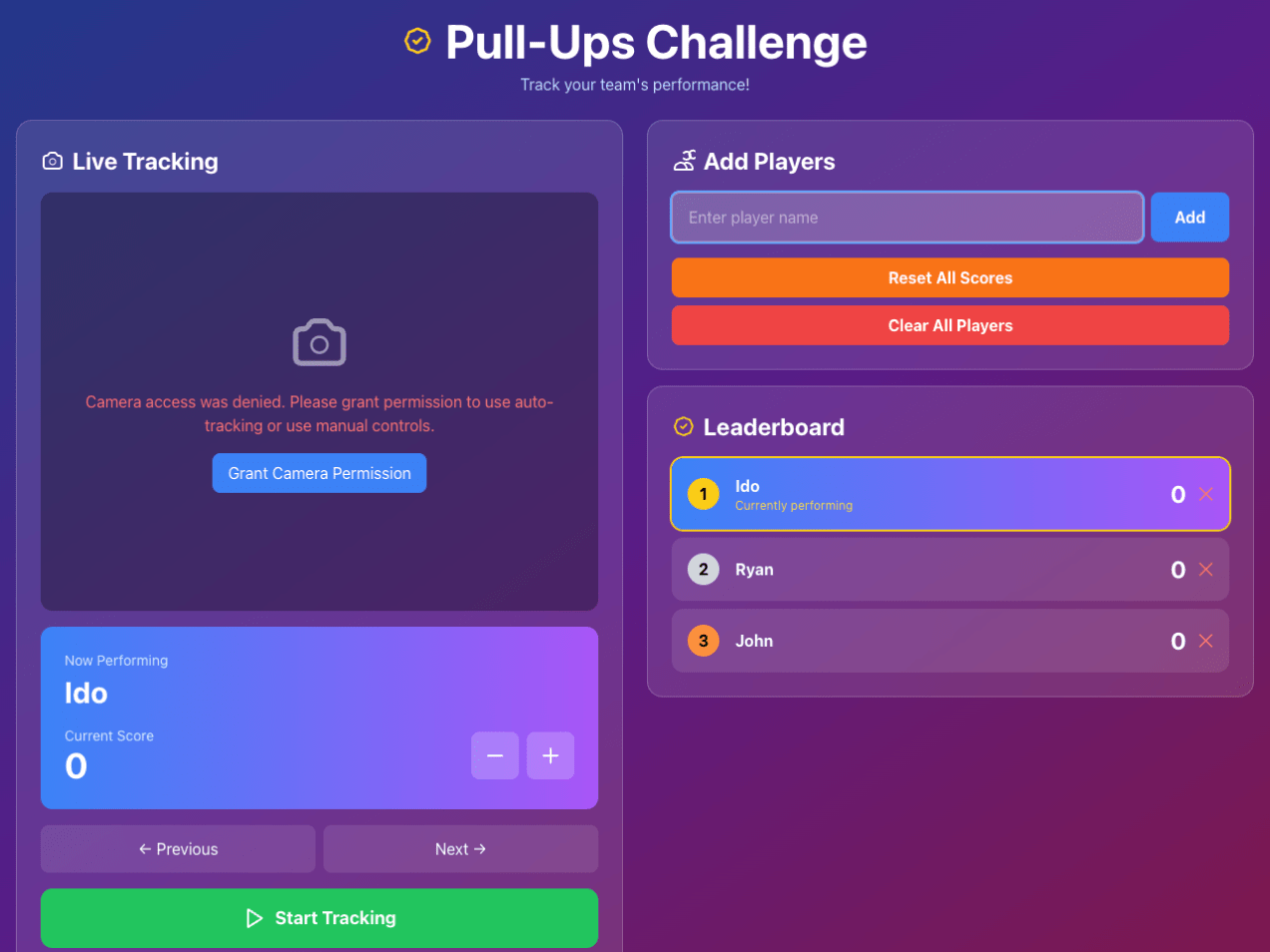
Building a Real-Time Pull-Up Tracker: How I Taught The Browser to Count Our Pain

It started as a simple idea my son brought up: Can we make a web app that counts our pull-ups during our pull-up games?

Turns out, teaching a machine to recognize human suffering is both hilarious and complicated.
What began as a “let’s make a quick pull-ups app” spiraled into an intense journey through computer vision, browser quirks, and a few accidental infinite loops that made our laptop sound like a jet engine.

The “Simple” Goal

I wanted to automatically count pull-ups using a web camera.

Easy, right?

Just detect a human, see when they go up and down, and count.

Continue reading
Standard
Business, JavaScript, webdev

Craft Exceptional Web Experiences as a Full-Stack Engineer

At EspressoLabs.com, we’re on a mission to redefine the future of IT/Security management through exceptional user experiences and cutting-edge technology.
We believe that enterprise software should not only be powerful and scalable but also intuitive, elegant, and a joy to use.

We’re building a platform that merges AI-intelligence with seamless design—and we’re looking for a Full-Stack Developer who shares our passion for creating meaningful, impactful technology.


Continue reading
Standard
JavaScript, webdev

The Future of Coding: LLMs as Collaborators

The rise of large language models (LLMs) has been one of the most transformative developments in software engineering in decades. Tools like GPT4.1, Gemini 2.5 Pro, Claude Opus 4, and various AI-powered code editors such as Cursor (or CoPilot) promise to change the way we build software.

But as these tools evolve and mature, the real question isn’t if we should use LLMs—it’s how.

There’s an emerging split in philosophy between two approaches: full automation through AI agents and IDE integrations, or human-led development using LLMs as intelligent partners.

Based on real-world experiences and a critical review of LLM-based coding tools, the most effective path today is clear:

LLMs are best used as powerful amplifiers of developer productivity—not as autonomous builders.

Let’s break down why.

Continue reading
Standard
cloud, webdev

How to Use ngrok and LocalTunnel: Expose Your Local APIs to the World

Intro

As developers, we often face the challenge of testing our local applications with external services, webhooks, or mobile devices. Whether you’re developing APIs that need to communicate with AWS/GCP/Azure services, testing webhook integrations, or simply want to demo your work from different devices, exposing your localhost to the internet becomes essential.

This guide will walk you through two popular solutions: ngrok and LocalTunnel, showing you how to securely expose your local development server to the world.

What Are Tunneling Services?

Tunneling services create a secure tunnel from a public endpoint to your local machine, allowing external services to reach your development server without complex network configuration or deployment.

Common Use Cases

  • Testing webhooks from third-party services (Stripe, GitHub, etc.) — You can connect your local code directly and debug it more efficiently.
  • Sharing your work-in-progress with clients or team members — Instead of pushing it to some remote server. Useful in all the cases, where you are still ‘not ready’.
  • Testing mobile applications that need to connect to your local API — A must have in almost all cases.
  • Integrating with AWS services that require publicly accessible endpoints
  • Cross-device testing and debugging
Continue reading
Standard
webdev

Mastering Clean Code: 15 Key Lessons for Software Developers

Years ago (when Java was ‘new’), I got a recommendation from a good friend to check out “Ah, Clean Code by Robert C. Martin”. He told me, “It’s not just a book; it’s a must-read to anyone who wishes to be a professional software developer.”

He was right. This is still one of the top five books that I recommend developers read. It focuses on some simple but important concepts that will make your Code better, simpler, and easier to debug.

More than aesthetics, clean Code is about clarity, maintainability, and efficiency. Investing in writing clean Code might seem time-consuming, but it pays off exponentially in debugging, collaboration, and scaling efforts.

Think of messy Code as a tangled web: complex to navigate and easy to get stuck in. Clean Code teaches you to weave a well-structured tapestry instead—clear, elegant, and easy to extend.

Here are 15 powerful lessons every developer should carry from this book, with practical examples:

Continue reading
Standard
Business

Leveraging AI for Efficient Code Reviews

In today’s fast-paced development environment, leveraging AI tools for code reviews can significantly enhance productivity and code quality. As developers, we often work in isolation or wait hours (sometimes days) for our colleagues to review our pull requests. Large Language Models (LLMs) like GPT-4, Claude, and others can provide immediate feedback, spot potential issues, and suggest improvements within your favorite IDE.

This blog post explores how to craft effective prompts for LLMs when reviewing your code in VSCode, with specific examples for backend Node.js/Express developers and React frontend developers.

Continue reading
Standard