bots

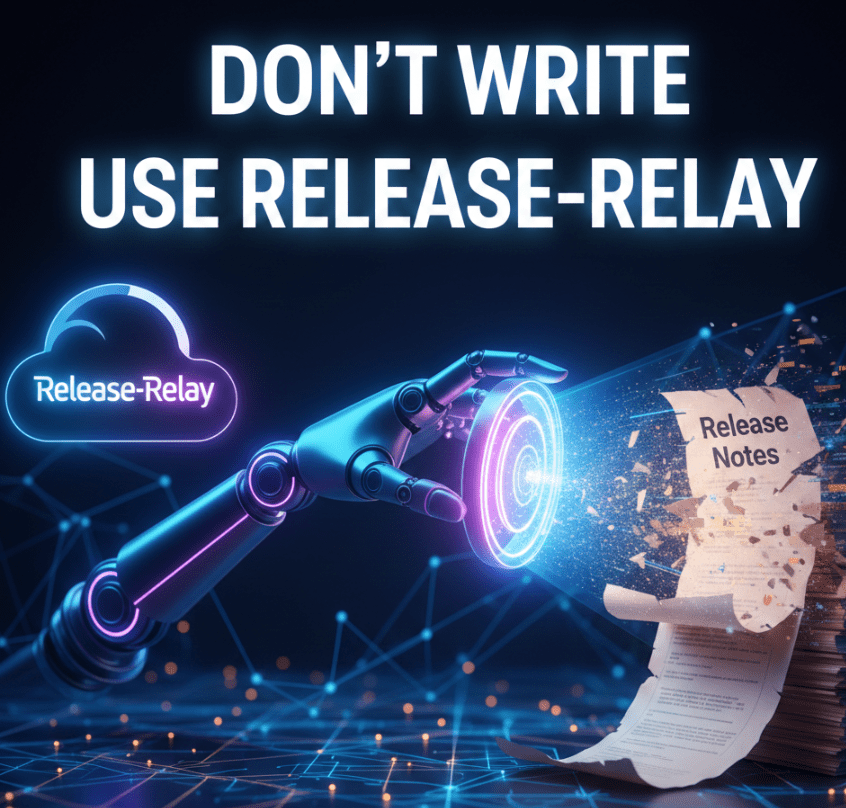
Don’t Write Release Notes – Use Release-Relay

You know that feeling.
It’s Friday afternoon.
The sun is shining (or the rain is pouring, depending on where you live), and your team has just wrapped up a sprint.
You’ve deployed code, fixed bugs, and maybe even sneaked in a feature or two.
You’re ready to close your laptop and grab a cold beverage.

But wait.
A Slack notification pops up.

“Hey, can you send out the release notes?”

The dread sets in.
You open GitHub.
You scroll through the closed Pull Requests. “Fix typo,” “Update dependency,” “WIP,” “Revert ‘WIP’,” “Actually fix the thing,” “Merge branch ‘main’ into ‘feature/fix-typo’.” It’s a mess. Organizing this into something your manager (or your users) can actually read is a task that sucks the soul right out of your weekend.

Meet the “Release Notes Generator”

I built a tool—let’s call it Release-Relay.
It’s a CLI tool that does the heavy lifting for you.
It connects to your GitHub repository, grabs all the merged PRs between two dates, and turns them into a beautiful, structured Markdown report.

But it’s not just a git log dump.
Oh no, we have standards here.

Continue reading
Standard
AI, Business

How AI is Reshaping Engineering Roles

Every few weeks there’s a new take declaring that AI has made junior engineers obsolete, senior engineers redundant, and teams magically “10x.”
That story is lazy.
And dangerous.

AI didn’t remove the need for engineers. It exposed which parts of engineering were never that valuable to begin with.

What’s actually happening is a compression of execution. The typing, scaffolding, and boilerplate are cheaper than ever. Judgment, architecture, and responsibility are not. If anything, they’re more expensive—because the blast radius is larger.

This forces a reset. On roles. On metrics. On how we train people. On what “good” looks like.

Let’s talk about what to do.

For Engineering Leaders (CTOs, VPs, EMs)

Redesign junior roles instead of killing them

If your juniors were hired to crank out CRUD and Stack Overflow glue, yes—AI just ate their lunch.

That’s your fault, not theirs.

Stop hiring “Keyboard Cowboys” –> Hire juniors who can:

  • Drive AI tools deliberately
  • Reason about outputs
  • Write tests that catch subtle failures
  • Explain tradeoffs in plain language

Make AI usage explicit in job descriptions and interviews. Ask candidates how they validate AI output, not how they prompt it. The junior of the future is an operator and a critic, not a typist.

Make fundamentals non-negotiable

AI is great at producing answers.
It’s bad at knowing when they’re wrong.

Your review culture must check understanding, not just correctness. Ask:

  • Why was this approach chosen?
  • What fails under load?
  • What breaks when assumptions change?

Reward engineers who can debug, profile, and reason under failure.
That’s where AI still stumbles—and where real engineers earn their keep.

Treat AI as infrastructure, not a toy

If AI tools are everywhere but governed nowhere, you already have a problem.

Standardize:

  • Which tools are allowed
  • How prompts are shared and versioned
  • How outputs are validated
  • How IP, data, and security are handled

Ignoring this creates shadow-AI, silent leaks, and unverifiable decisions. You wouldn’t let people deploy random databases to prod.
Don’t do that with AI.

Shift metrics away from “lines shipped”

Output metrics are (now) meaningless. AI inflates them by design.

Measure what actually matters (DORA style):

  • System quality / DevEX / Even Developer happniess
  • Incident recovery time
  • Change failure rate
  • Test coverage and signal
  • Architectural clarity

AI can help you ship faster. It cannot guarantee outcomes. Your metrics should reflect that reality.

Invest in orchestration skills

The future senior engineer doesn’t just write code. They design systems that coordinate intelligence.

Encourage work on:

  • Agent pipelines
  • Evaluators and guardrails
  • Feedback loops
  • Tooling that checks AI against reality

This is the new leverage layer. Treat it as a core skill, not a side experiment.

Protect deep expertise

Don’t flatten everyone into “full-stack generalists.”

You still need domain owners:

  • Performance
  • Security
  • Data
  • Infrastructure

AI boosts breadth.
Humans anchor depth.
Lose that balance and your systems will rot quietly—until they fail loudly.

Rebuild onboarding

Assume new hires will use AI heavily from day one.

Onboarding should teach:

  • How your systems actually work
  • Why key decisions were made
  • What invariants must not be broken
  • How to validate AI output against production reality

Otherwise you’re training people to copy confidently—and understand nothing.


For Engineering Teams

Use AI to kill boilerplate, not thinking

Let AI scaffold, refactor, and generate tests.

Humans own:

  • Architecture
  • Invariants
  • Edge cases
  • Failure modes

If AI is making your design decisions, your team is already in trouble.

Practice “AI-assisted debugging,” not blind trust

Always reproduce. Always measure. Always verify.

Treat AI like a fast junior engineer: helpful, confident, and occasionally very wrong. If you wouldn’t merge their code without checks, don’t do it for a model.

Document intent, not just code

Code shows what the system does. It rarely shows why.

Write down:

  • Why the system exists
  • What tradeoffs were made
  • What must never change

This documentation becomes the truth source when AI generates plausible nonsense at scale.

Continuously reskill horizontally

Each engineer should expand into at least one adjacent area every year:

  • Infra
  • Data
  • Product
  • Security

AI lowers the learning barrier. Use that advantage deliberately, or waste it.


For Individual Engineers

Master one thing deeply

Pick a core domain and become genuinely hard to replace there.

Depth is your moat. AI makes general knowledge cheap. It does not replace hard-earned intuition.

Learn how AI systems fail

Hallucinations. Bias. Brittle reasoning. Silent errors.

Knowing failure modes is more valuable than knowing prompts. Engineers who understand where AI breaks will outlast those who just know how to ask nicely.

Build visible, real projects

Portfolios beat resumes.

Show:

  • Systems you designed
  • Tradeoffs you made
  • How you used AI responsibly
  • How you validated results

Real work cuts through hype instantly.

Think in systems, not tickets

The future engineer isn’t judged by tasks completed.

They’re judged by how well the whole machine runs under stress.


Bottom Line

AI compresses execution time.
It does not compress judgment, responsibility, or accountability.

Teams that double down on thinking, architecture, and learning will compound.
Teams that chase raw output will ship faster…

…straight into walls.

The choice is not whether to use AI.
The choice is whether you’re building engineers—or just accelerating mistakes.

Standard
AI, webdev

8 Top Tips to Actually Use Cursor (Without Setting Your Wallet on Fire)

If you’ve been coding anytime in the past year, you’ve probably heard the buzz about Cursor — the AI-powered IDE that promises to write your code, clean your code, and maybe even refactor your soul.

It’s built on top of VS Code, so it feels instantly familiar.
But the moment you hit that shiny AI shortcut, you realize: this thing is smarter than your codebase and hungrier than your wallet.

After a few months of using Cursor — and after accidentally vaporizing a scandalous number of API tokens — I’ve learned how to stay productive and solvent.
And yes, the TL;DR is that you can still combine Cursor with Ollama + local models to get many of these benefits for free.
Here are my 8 hard-earned tips to make Cursor your loyal sidekick within the limits of your budget.

The #1 tip: Control context scope aggressively – This is the biggest win

Cursor auto-includes files, diffs, and history—this explodes token usage.

Do this:

  • Manually select only the exact files/functions needed
  • Avoid “entire repo” context unless absolutely required
  • Use @file and @selection instead of implicit context
  • Clear chat or start a new thread when switching tasks

Why it matters:
Token cost scales with every line in context, not just your prompt.

Below are a bit more tips:

Continue reading
Standard
Business, JavaScript, webdev

Craft Exceptional Web Experiences as a Full-Stack Engineer

At EspressoLabs.com, we’re on a mission to redefine the future of IT/Security management through exceptional user experiences and cutting-edge technology.
We believe that enterprise software should not only be powerful and scalable but also intuitive, elegant, and a joy to use.

We’re building a platform that merges AI-intelligence with seamless design—and we’re looking for a Full-Stack Developer who shares our passion for creating meaningful, impactful technology.


Continue reading
Standard
Chrome, JavaScript

Effortlessly Compare Strava Activities with This New Tool

If you’re a cyclist, runner, or triathlete, chances are you’ve spent more time than you’d like clicking back and forth between Strava tabs to figure out where you gained or lost time on a ride. I’ve been there — juggling two activity pages, scrolling, mentally matching segments, and trying to keep my eyes from glazing over.

That’s exactly why I built the Strava Segment Comparator Extension.

It’s a lightweight, privacy-friendly tool that runs entirely in your browser, lets you quickly compare any two Strava activities, and shows segment-by-segment differences in both time and speed. Whether you’re racing a friend, analyzing your improvement, or just curious how different routes stack up, this extension saves you time and keeps your focus where it matters — the data.

You can also see all the TL;DR here.

Continue reading
Standard
Business

How to Set Up Nginx on Ubuntu with Let’s Encrypt SSL and Port Forwarding

Introduction

Setting up Nginx on Ubuntu (18+) with Let’s Encrypt SSL ensures that your website or application is secure and accessible over HTTPS, providing a safe browsing experience for your users. This process not only includes the installation of the Nginx web server but also entails configuring the server to handle SSL certificates issued by Let’s Encrypt, enabling automatic renewal of these certificates to maintain uninterrupted security. By following best practices for security and performance, you can optimize your server’s settings to ensure fast loading times and reliable uptime, which are crucial for retaining visitors and improving search engine rankings. Additionally, implementing SSL helps to build trust with your audience, as it demonstrates a commitment to protecting their data and enhancing their online safety.

In this guide, we will:

  • Install and configure Nginx.
  • Set up port forwarding for your Node.js application.
  • Obtain a free SSL certificate from Let’s Encrypt.
  • Ensure proper firewall and AWS security group settings.
  • Troubleshoot common issues.

Let’s get into it…

Continue reading
Standard
JavaScript, webdev

Why/How Senior Engineers Embrace AI Tools in Development?

How can you do better (or succeed more) with AI coding tools?

Senior engineers who use AI tools (co-pilot, claude.ai, cursor, etc.) are like master chefs who know when to use the microwave and when to actually cook with fire.

Here are some of the bold aspects I’ve noticed in the past year:

Continue reading
Standard
Business, webdev

Modern Web Stack Mastery: A Developer’s Guide to TypeScript, Tailwind, Node, and Testing

What do you wish a new full-stack developer to do before their first day to ensure a smooth onboarding experience?

We’d like you to review and strengthen your knowledge in the following key areas. This guide includes recommended resources and specific focus points for each technology.

Continue reading
Standard
Business, Crypto

The Significance of Satoshi’s Lost Emails

In the fascinating realm of cryptocurrency, few names carry as much weight as Satoshi Nakamoto, the mysterious figure behind the creation of Bitcoin.

I did a short video about it a few years ago:

Satoshi’s contributions revolutionized how we perceive and engage with (digital) currency, yet much about this enigmatic persona remains mysterious.
Among the many enigmas surrounding Satoshi, the allure of his lost emails captivates the imagination of crypto enthusiasts and historians alike.

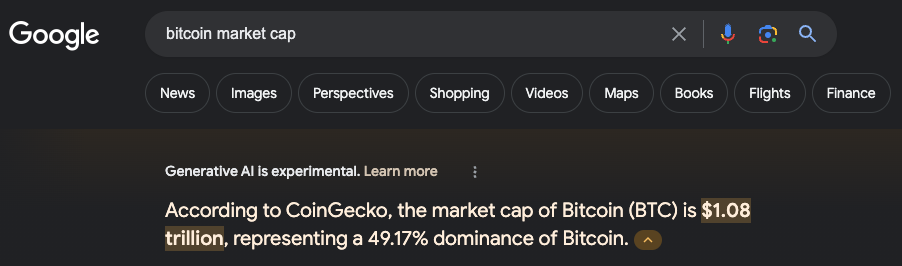
The story begins with Satoshi Nakamoto’s groundbreaking whitepaper, published in 2008, which laid the foundation for Bitcoin. By the way, it’s the best paper I read. In 9 pages, you can gain much wisdom and even understand this complex technical, game theory, and economic brilliance. These nine pages created around 1 trillion dollars of value as of today.

Following this seminal document, Satoshi engaged in correspondence with a select group of individuals, sharing insights, exchanging ideas, and offering guidance on this cryptocurrency project.

However, the intrigue deepened as Satoshi’s correspondence abruptly ceased in 2011, leaving a void of silence that has puzzled researchers and historians ever since. The reasons behind this cessation remain a subject of speculation, ranging from personal reasons to concerns about legal implications and privacy.

Despite the veil of mystery surrounding Satoshi’s disappearance from the digital realm, the significance of his lost emails cannot be overstated. These messages provide a rare glimpse into the mind of the visionary creator who sparked a global financial revolution. Within the digital archives lie clues to Satoshi’s thought processes, motivations, and challenges in birthing Bitcoin into existence.

Understanding the context of Satoshi’s emails is essential for several reasons. First and foremost, they offer a unique perspective on the early days of Bitcoin’s development, shedding light on the technical intricacies, philosophical underpinnings, and ideological debates that shaped its evolution. I was smiling when they mentioned ‘sourceforge’ as GitHub started to go public around 2008, and we are talking about 2009 here.

Satoshi’s lost emails are a cautionary tale about the ephemeral nature of digital communication. In an era where digital footprints are meticulously tracked and archived, the disappearance of Satoshi’s correspondence underscores the impermanence of online interactions. It reminds us of the importance of preserving digital artifacts for posterity, ensuring that future generations can study and learn from the pioneers who paved the way for technological innovation.

Luckly, we just got 120 pages of emails that were just released from the early Bitcoin days.

The emails are 14+ years old and were sent between:

  1. Martti Malmi who was an OG Bitcoin developer.
  2. Satoshi Nakomoto the creator of Bitcoin.

Here are some of the interesting questions that these emails are answering:

Continue reading
Standard
webdev

How to write a useful bug report?

Writing a useful bug report is a critical part of the software development process.
A good bug report can help developers quickly identify and fix the issue, while a poorly written one can cause confusion and delay the process. Here are some tips to help you write a practical bug report:

Make Sure You Have All the Necessary Information

Before you start writing your bug report, make sure you have all the necessary information. This includes:

  • A detailed description of the bug.
  • Steps to reproduce the bug.
  • The expected behavior.
  • The actual behavior.
  • Screenshots or videos of the bug in action.
  • The version of the software you are using.
  • Your operating system and browser.
Continue reading
Standard