webdev

Linux Bash – Shortcuts To Boost Your Productivity


Let’s face it… in most of the cases (in the end of the day or night) you will be on a linux shell trying to hack some last minute changes to ‘production’. Ya… you know it’s something you should not do, but life is stronger than anything, no?
Here are few shortcuts to help you finish your day:

Command Editing Shortcuts

  • Ctrl + a – go to the start of the command line.
  • Ctrl + e – go to the end of the command line.
  • Ctrl + k – delete from cursor to the end of the command line – save you lots of time.
  • Ctrl + u – delete from cursor to the start of the command line, I’m not using it, but still a good one.
  • Ctrl + w – delete from cursor to start of word (i.e. delete backward one word)
  • Ctrl + y – paste word or text that was cut using one of the deletion shortcuts (such as the one above) after the cursor
  • Ctrl + xx – move between start of command line and current cursor position (and back again)
  • Alt + b – move backward one word (or go to start of word the cursor is currently on)
  • Alt + f – move forward one word (or go to end of word the cursor is currently on)
  • Alt + d – delete to end of word starting at cursor (whole word if cursor is at the beginning of word)
  • Alt + c – capitalize to end of word starting at cursor (whole word if cursor is at the beginning of word)
  • Alt + u – make uppercase from cursor to end of word
  • Alt + l – make lowercase from cursor to end of word
  • Alt + t – swap current word with previous
  • Ctrl + f – move forward one character
  • Ctrl + b – move backward one character
  • Ctrl + d – delete character under the cursor
  • Ctrl + h – delete character before the cursor
  • Ctrl + t – swap character under cursor with the previous one

Command Recall Shortcuts

  • Ctrl + r – search the history backwards
  • Ctrl + g – escape from history searching mode
  • Ctrl + p – previous command in history (i.e. walk back through the command history)
  • Ctrl + n – next command in history (i.e. walk forward through the command history)
  • Alt + . – use the last word of the previous command

Command Control Shortcuts

  • Ctrl + l – clear the screen
  • Ctrl + s – stops the output to the screen (for long running verbose command)
  • Ctrl + q – allow output to the screen (if previously stopped using command above)
  • Ctrl + c – terminate the command
  • Ctrl + z – suspend/stop the command

Bash Bang (!) Commands

Bash also has some handy features that use the ! (bang) to allow you to do some cool stuff.

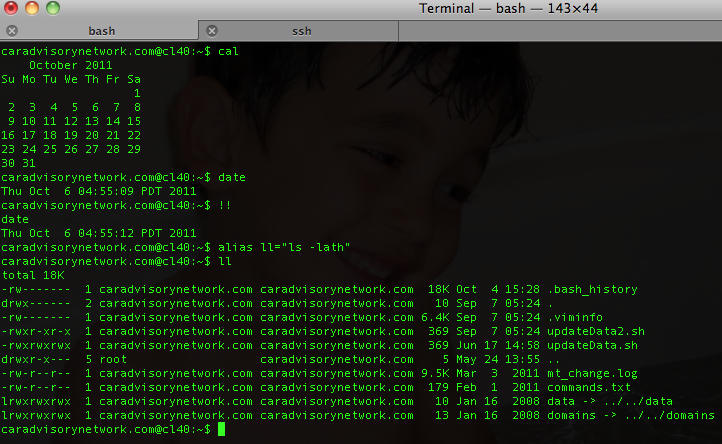
  • !! – run last command
  • !blah – run the most recent command that starts with ‘blah’ (e.g. !ls)
  • !blah:p – print out the command that !blah would run (also adds it as the latest command in the command history)
  • !$ – the last word of the previous command (same as Alt + .)
  • !$:p – print out the word that !$ would substitute
  • !* – the previous command except for the last word (e.g. if you type ‘find some_file.txt /‘, then !*would give you ‘find some_file.txt‘)
  • !*:p – print out what !* would substitute
Btw, if you are Eclipse power user and with to have bash inside it:
  • Go to Menu Run/ External Tools / external  Tools
  • Click on Config (or on Mac – Add external tools) then on ‘Program’ (inside the right sidebar) and select ‘new’
  • in the Name field, type Bash
  • In location type /bin/bash
  • In argument type -s -i
  • In the common tab check ‘Allocate Console’ if it’s not
  • Click on Apply
  • Then you just have to click on the External tools icon and select ‘Bash’ – Done.

Standard
webdev

What Is The Right Cloud For You?

In the past few years we saw lots of ‘clouds’ coming up to life. Some of the known and powerful ones like:

  • Amazon S3 – Amazon S3 is storage for the Internet. It is designed to make web-scale computing easier for developers. Amazon S3 provides a simple web services interface that can be used to store and retrieve any amount of data, at any time, from anywhere on the web. It gives any developer access to the same highly scalable, reliable, secure, fast, inexpensive infrastructure that Amazon uses to run its own global network of web sites. The service aims to maximize benefits of scale and to pass those benefits on to developers.
  • Rackspace Cloud – They offering servers, files and load balancers. It’s similar to amazon and you get some nice features ‘for free’ – like the ability to take images of your current machine and start new ones from this image.
  • Amazon EC2 – Amazon Elastic Compute Cloud (Amazon EC2) is a web service that provides resizable compute capacity in the cloud. It is designed to make web-scale computing easier for developers. Amazon EC2’s simple web service interface allows you to obtain and configure capacity with minimal friction. It provides you with complete control of your computing resources and lets you run on Amazon’s proven computing environment. Amazon EC2 reduces the time required to obtain and boot new server instances to minutes, allowing you to quickly scale capacity, both up and down, as your computing requirements change. Amazon EC2 changes the economics of computing by allowing you to pay only for capacity that you actually use. Amazon EC2 provides developers the tools to build failure resilient applications and isolate themselves from common failure scenarios.
  • Amazon Cloud front – Amazon CloudFront is a web service for content delivery. It a ‘pure man’ solution for other CDN. It integrates with other Amazon Web Services to give developers and businesses an easy way to distribute content to end users with low latency, high data transfer speeds, and no commitments.
  • Microsoft Azure – Offering the .NET developers a ground play with all microsoft technologies. If you live inside microsoft stack (MSSQL, .NET etc’) – I guess this is the place you want to research first thing. However, since other cloud solution also give you MS environments, it’s not the only solution. So take the time and do a good research on the different offerings.
  • Google App Engine – Google App Engine enables you to build and host web apps on the same systems that power Google applications. App Engine offers fast development and deployment; simple administration, with no need to worry about hardware, patches or backups; and effortless scalability.
BTW, they are many many more… I know. I’ve put in the bottom of the post ‘just’ the ones that Amazon offering so you could get the picture of ‘how many’ different types of cloud we have today at 2011 just from one (big) vendor.
There are very different in their ‘view of the world’ and like in anything in life, you need to define your own goals before you going to choose a solution.
Standard
webdev

Google – Microsoft is moving fast behind you

Very impressive (and short) talk at TED that show that maps.bing.com is moving fast in the direction of Google maps.

Standard