
 Today, I covered web components a bit deeper then the last episode. Since it’s a new, hot, complicated and fun topic it should get more time, right? There are four main pieces that provide this technology. We touched only the first two. We spoke about templates (define a piece of markup that are inert but can be activated for use later). Think on a new object you are using out of your class definition. Then, we spoke about decorators – which apply templates to let CSS affect rich visual and behavioral changes to documents. Both ‘Custom elements‘ and ‘Shadow DOM’ will be on the next episode. Continue reading
Tag Archives: html5
GDL IL – HTML5 Game (In Hebrew)
 This week in Google Developers Live Israel, we talked with Mor from zloof.co.il about his new HTML5 game that is ‘conquering’ new gamers in Israel. There are many demos that show us the power of the web and its readiness for gamers. We covered some of the aspects that might interest developers who wish to build their first HTML5 game. We spoke about IDEs (sublime text 2, eclipse, web storm, netbean), tools, Model-View frameworks and learn a bit from Mor’s experience. Continue reading
Building Better Mobile Web Apps
 When we thinking on web apps and specially mobile web apps, we wish to make them smooth a responsive as possiable. The main problem is latency/network and luckily we have enough APIs in HTML5 to make sure we can achieve this goal. A good recent example is fastbook (yep… just like facebook but working FAST with HTML5). Here I’ll summaries some of the main points you wish to pay attention when you building your next amazing mobile web app. Start with ‘offline first’ (after all, you are on the right path with ‘mobile first’ already).
Coding
Offline First
- You should store all the main assets of your application. There are several APIs you can use:
- AppCache – for the main index.html page and all your JS, CSS code. You could also use it for images and other static data.
- Filesystem – You have an option to work with files: text and binary data. This is a great option for cases where you have a lot of images/mp3/videos etc’. In order to manage the work with files there is a great library – filer.js
- Storing state/data:
- localStorage – in
mostall mobile browsers. But it’s sync and give you only a simple key-value api. Continue reading
- localStorage – in
Web Components On Google Developers Live Israel (Part 1)
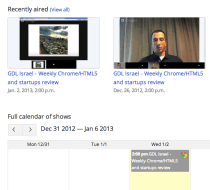
Today, in our weekly Google Developers Live Israel show we spoke about HTML5 and web component. It was a macro level overview on this new edge of front-end development. This new project is composed of a group of technologies that should help us (web developers) create moderan web apps using HTML, CSS and JS. They do this by allowing toolkit makers to encapsulate their widgets and UI elements as easily reusable components.
We covered the main players:
- Templates – We can think on it as a new HTML element. It allow us to inert chunks of clonable DOM that can be activated for later use (e.g MDV). You can think of it as objects you creating out of your class definition. This new ‘object’ can contain markup (=CSS) and script (=JS) so it’s much more powerful from the ‘just’ CSS that we have today. We can use it as a decorator to give new style and functionality to our custom (new) HTML element.
- Custom elements – which can be looked as our toolbelt when we are coming to build a new web app and we wish to reuse ‘wheels’ and not reinvent them. We showed how to create new HTML elements by expanding HTML’s existing vocabulary.
- Shadow DOM – It’s like the regular DOM you know (and love) but it’s down in the ‘shadows’ hidden from our eyes. It’s main goal is to give us encapsulations. It’s the glue that let us insert and work with our components. Think of a ‘tab’ component that you don’t need to ‘know’ about it’s style, functionality etc’. It will work for you and you can’t break it from your JS code because you forgot to use a namespace for your app logic.
- Mutation Observers – and how to watch for changes in the DOM in the most efficient way. Continue reading
My Talk At HTML5Fest Israel (In Hebrew)
 Two week ago, I have the pleasure to take part in HTML5Fest Israel and give the keynote. It was a great event that the Israeli office of the W3C organize. If you wish to read some of the main points check out this blog post. It was a short talk because I thought I had 30min but in the end of the day… It was shorter.
 Nevertheless, I had great time having interesting conversations with lead developers in the crowds for the rest of the day. I can’t wait for next year event…
A Hangout On HTML5 APIs And CSS3 (New) Layouts
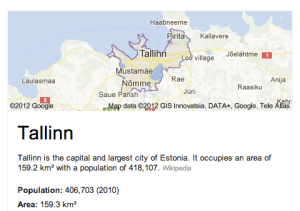
Last night, I gave this talk to Google Developer Group Tallinn about the new APIs that we have today in HTML5 and CSS3. It was (another) great hangout where you can ‘touch’ people that are quite far from your location and speak with them about mutual interest.
Some of the topics that I covered during the talk where: Continue reading
HTML5 Training Day (Tel Aviv)
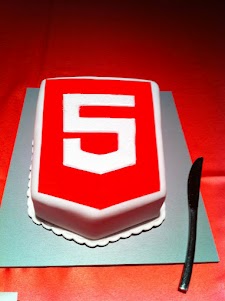
Lets start from the end… It was a great experiance to meet wonerful, smart (web) developers both in London and Tel Aviv. We had 80+ developers in the London event and 130+ developers in Tel Aviv. Like any good event – we started with a good cup of HTML5 coffee and some special HTML5 cake.
After the coffee and some food we got to the ‘talking’ part which went very well. In London we had the pleasure to have Alex Russell who spoke about Chrome Frame (link to his great presentation is in the bottom of this post). In Tel Aviv day we had two external experts: Nimrod Luria and Ron Reiter. Nimrod gave a talk about HTML5 security issues and how to use the best parctices in order to avoid them. Few examples where:
- Hacking Facebook with HTML5 using Cross-Origin Resource Sharing.
- Web sockets (open ports that listen to in bound connections)
- Good old ‘data cleaning’ and data validation.
- Client side injections to local databases.
- XSS by using encoding and new formats that are supported.
Ron gave a talk about backbone.js and how to leverage some frameworks and tools in order to build moden mobile web apps.
Here are the talks (with their slides) from both days:
| Time | Session Title | Description | |
| 10:00-11:00 | HTML5 and new breed of web application | Web developers have nearly perfected their skill at building great web sites, but everything is shifting towards building apps. We’ll take a look at what defines a great Web App and show you how you can use HTML5 to create a new breed of web application that will delight and amaze your users. | Ido Green |
| 11:00-11:55 | Platform, Storage, Prediction, Translation and more | Google Cloud Platform latest and greatest | Barak Regev |
| 13:00-14:00 | mobile web app HTML5 stack A -For modern mobile browsers | Learn what it takes to build modern mobile web apps. We will start with the ideas of “adaptive apps” and “offline first”. Next, we’ll dive into some of the technologies, including MVC frameworks, templating engines, CSS frameworks, laying out views and multi-touch input. Finally, we’ll close off with mobile-specific tips and sweet demos | Ido Green |
| 14:00-14:50 | HTML5 threats and attack vectors + some attacks demo + Countermeasures |
Security for business web apps – best practices and tips for the real world. | Nimrod Luria Q.rity – Quality Security Solutions Ltd. |
| A short coffee break to make sure everybody is awake… |  |
||
| 15:10-15:35 | Chrome Dev Tools | Tips and best practices to work with Chrome Dev Tools. | Ido Green |
| 15:35-16:30 | HTML5 mobile web apps | Backbone.js and other tools with real world examples | Ron Reiter |
More sources from the talks and questions:
- For mobile web apps – http://html5boilerplate.com/mobile
- http://html5please.com
- Chrome Frame – http://infrequently.org/12/html5_ent_training_day_gcf/
from HTML5 Training day London - http://css3please.com
- http://html5rocks.com – your source to keep updated with all the rapid changes that the open web world is experiencing in the past months/weeks.
- Google cloud storage
- Google Cloud SQL
- How to convery WebSQL to IndexedDB
and for the ones that wish to try ChromeOS: https://greenido.wordpress.com/2012/01/09/install-chromiumos-on-your-old-laptop/ and https://greenido.wordpress.com/chrome/
HTML5 Live London – Trip Report
 The conference took place on Oct, 19 2011 in the Barbican Conference Centre London. My two goals where to expose enterprise web developer to the new features that HTML5 provide today and to show them how they can leverage these features when they are building enterprises web apps. The other part was to talk with CIO/CTOs about Chrome OS and to ‘bind the dots’ on: how chrome OS harnessing business and developers with more power. Overall, it was a great event in terms of the quality of the audience. Lots of enterprise web developers from financial institution, health care and other big organizations. Some of them are still struggling with IE and the Chrome Frame was a big exciting news for them. Other points I’ve took with me:
-
The Chromebooks were a big hit – everyone love them! I got lots of questions and the major points where around:
-
Security
-
Total cost of ownership (70% reduction)
-
Battery life (8.5h)
-
In the future, I should bring few Chromebook and have a table in the main show so people could ‘play’ with them between sessions.
Here are some of the presentations from the event:
- http://icant.co.uk/talks/html5live/
- http://www.slideshare.net/brucelawson/html5-who-what-where-when-why-how
- My presentation – HTML5 & ChromeOS A true friendship
Lastly, I would like to thank the amazing crew of Kaazing – They organized a great event with lots of interesting talks.
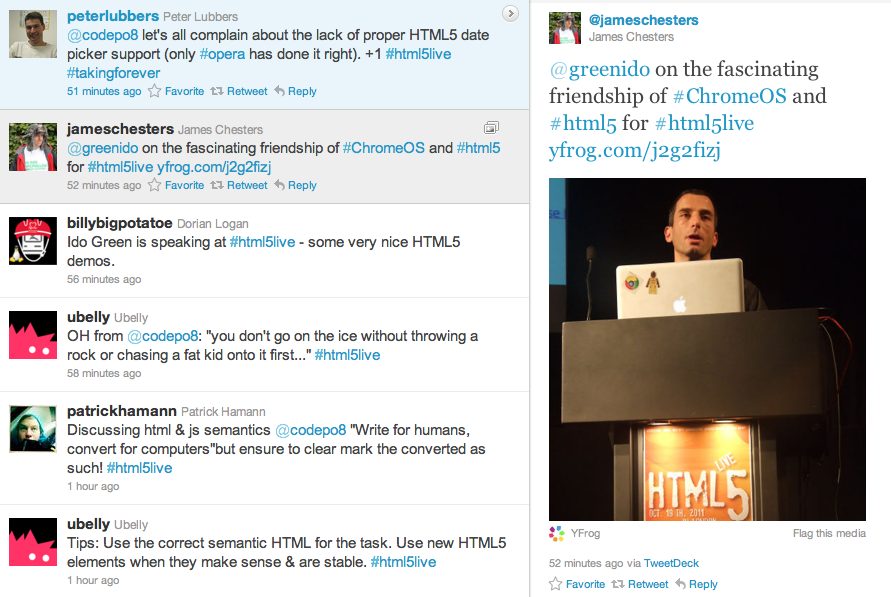 I hope to see you there next year…
Be strong.
HTML5 Lastest Features
Here are some updates and new features you can use today…
- Page Visibility API – know when your web app’s page is not visible and save CPU (and Al gore will love you! for helping us saving earth)
- Web Audio API – Since < audio > had its limitations. Now you can have scheduling of your playback, real-time processing and analysis of the stream and even low-level audio manipulation. Go Have Fun… It’s all in Chrome 14 stable & ready.
- Prerendering API – speed is the need and this API comes to help.
- Offline support is going mainstream so first you wish to know when you are online (or not) and then use IndexedDB and other options to save time and data for your clients (on the client).
- Web graphics enhancements: Beautiful image transitions and A 3D CSS shooter
- Native Client launched in Chrome 14 – Now you can play some classics games on your Chromebook.
- Secure cross-platform C/C++ environment for apps/extensions
- Close to native performance in web applications
- Extra security, with The Sandboxed inside NaCl and Chrome sandboxes (very far from ActiveX!)
Here are some short code snippts of what you can do today on morden browsers. If you wish to check the specific feature I’ll recommend canIuse.com
Page Visibility API
document.addEventListener('visibilitychange', function(e) {

  console.log('hidden:' + document.hidden, 'state:' + document.visibilityState)

}, false);
Prerendering API
< link rel="prerender" href="http://example.org/index.html" >
Online status
if (navigator.onLine) {

  console.log('ONLINE!');

}

else {

  console.log('Connection is not *good*');

}
Now it’s your turn… start leveraging them.
HTML5, CSS3 And Some Tips
 First good 28min are on few smart techniques to improve the performance of your web app. Paul Irish (from jQuery fame and now with Google chrome team) describes:
- CSS re-flows and how to avoid them – single re-flow is better because the browser won’t need to repaint all the elements. Batch the DOM changes before any re-flow-triggering actions is one of the good ways to do it. you can learn a lot from using http://www.browserscope.org/
- Hardware accelerated CSS – psss… add css property to your element: translate4d(0,0,0) or translateZ(0) and the browser will do hardware accelerated.
- Animation optimization
- Web workers – move computation out of the UI thread. Without web workers you can’t… but lucky it’s 2011 and you have them (here and there). I’ve put a simple example in the end of this post. I saw it long time ago (a week?) on Mozilla site – on how to use web workers.
- Benchmarking and build scripts.
- Last but not least, try about:flags in chrome… lots of good stuff under the hood.
BTW, his (last?) project html5 boilerplate is great for any developer that want to write efficient web sites/apps that will score more then 90 on page spped and will get an A on y!slow. This project is an ANT ‘build script’ that harness you with:
- Cross-browser compatible – IE6 and others IE specific classes for maximum cross-browser control.
- HTML5 ready. Use the new tags with certainty.
- Optimal caching and compression rules for grade-A performance
- Best practice site configuration defaults
- Mobile browser optimizations
- Progressive enhancement with graceful degredation
- A full, hooked up test suite is waiting for you.
- iOS, Android, Opera Mobile-adaptable markup and CSS skeleton.
Simple example on web workers
var results = [];
function resultReceiver(event) {
results.push(parseInt(event.data));
if (results.length == 2) {
postMessage(results[0] + results[1]);
}
}
function errorReceiver(event) {
throw event.data;
}
onmessage = function(event) {
var n = parseInt(event.data);
if (n == 0 || n == 1) {
postMessage(n);
return;
}
for (var i = 1; i <= 2; i++) {
var worker = new Worker(“fibonacci.js”);
worker.onmessage = resultReceiver;
worker.onerror = errorReceiver;
worker.postMessage(n – i);
}
};
 Ido Green