
 A few commands I found myself using daily… Well, it might be a good idea to share it with others and see what can be done better. If you like to get out of the command line, I found Source Tree to be a powerful free application that give you many options to see the code, changes and flow. You might want to check it out. Another good option is the GitHub official client app. Ok, let’s jump into the list of git commands. Continue reading
Monte Carlo Simulation On Compute Engine/App Script

This week in Google Developer Live Israel, we show you how to work with Google App script to run Monte Carlo simulations and get the results in an excellent informative way inside Google spreadsheets. We took it further and explained how to run these scripts on your instance machine inside Compute Engine with nodeJS.
This is a powerful option because the ability to ‘try’ quickly on App Script and then take the code to ‘production’ (=more efficient way) on Compute engine gives you more productivity.
So what are we doing?
First, let’s touch on the definition. This problem-solving technique approximates the probability of specific outcomes by running multiple trial runs, called simulations, using random input variables. The remarkable aspect is that we are steering the scenarios by using randomness.The randomness helps us ‘try’ each future strategy in a way that includes our probability per variable. This allows us to fine-tune our trial runs to answer a question with several variables. It will help us find the best way to spend time with our salesperson.
Monte Carlo Simulations Steps
1. Define a model with a domain of possible inputs.
2. Generate input values randomly, sampling from a probability distribution over the domain.
3. Perform a deterministic computation on the inputs.
4. Aggregate the results. Continue reading
Compute Engine In 5min
 This week, we showed in GDL-IL (Google developer live Israel) how to work with google compute engine. Google Compute Engine offers scalable and flexible virtual machine computing capabilities in the cloud. You can solve large scale processing and analytic problems on Google’s computing, storage, and networking infrastructure. It’s also great option to ‘play’ with a server (web service) in the cloud and scale it efficiently. It’s *open for all* and it got some powerful features like: Continue reading
Startups Tips
 This week in Google Developers Live Israel I’ve spoke about a topic I’m passion for long time – Startups and entrepreneurship. It’s always thrilling to create a new ‘thing’. It might be a new service, a whole new product or a company that is disrupting a segment in the market. As the founder, it force you, to think and take many decisions along the way. There is a certain risk/reward ratio to any new venture. In most of the cases, it will have an emotional aspect (subjective risk) and a more mesurable aspect that we can quantify. Here are 20 minutes that try to cover some of the main lessons I’ve learn in the past 20 years. Continue reading
Great Business/Life Books
 Here is a list I’ve saw in the past and I thought it would be great to put it in the ‘air’ and gain more feedback on what you wish to see in a ‘must read’ book list that will open your mind to new ideas (and hopefully improve you in business life).
Please feel free to add stuff in the comments.
- Good To Great by Jim Collins
- Peopleware by Tom DeMarco
- Antifragile: Things That Gain from Disorder by Talab
- The Black swan by Talab
- Getting More by Stuart Diamond
- Rework by 37 signals founders
- Free: The Future of a Radical Price by Chris Anderson
- Malcolam Gladwell: The Tipping point, Blink, Outliers, What the dog saw
- Freakonomics by Steven Levitt and Stephen Dubner
- Predictable Irrational and The Upside of Irrationality by Dan Ariely
- Small Giants by Bo Birlingham.
- Stumbling on happiness by Daniel Gilbert.
He also have a very good TED talk - Crossing the Chasm by Geoff Moore
- Presentation Secrets of Steve Jobs
-
Drive by Daniel Pink
- Getting things done by David Allen
- The Silent language of leaders
- Thank you for Arguing
- How to Speak like a CEO
- Content Rules
- Writing that works
- Crucial conversations
- First, break all the rules
- Imagine : How creativity works
- Truth about being a leader
- Confessions of a Public Speaker
- Team Geek
- Don’t Make Me Think
I had this list of “must read books” from one of the conferences I’ve attended back in 2010. There are some good ones over there as well. However, it covers more technical books for developers and less business books. Don’t forget “There is creative reading as well as creative writing”.
Chromebook And Word/Excel Documents
 There is a new feature in ChromeOS under Dev mode (Make sure its version is > 29). It will let you to edit office documents (Word, Excel) in your browser with QuickOffice. How to do it?
- Open a new tab (Ctrl+N).
- Type into the omnibox chrome://flags/ and hit Enter.
- Click on Ctrl+F and type “document”.
- Click “Enable” next to “Enable document editing”. This is what it should look like under the Flags page:

The good part in this new feature is that you can work on these documents in places where you don’t have any connection… and, if you need to take these docs from your google drive and ‘open’ them in google docs you will gain all the collaboration features. It’s important to remember that this feature is under dev mode for now. So use it like any other feature that is ‘canary’.
HTML5 APIs To Use Today On Google Developers Live Israel
Last week, I meet with few startups to talk about their web apps. After few basic questions like: how do I save data on the client without cookies? or something like: “Can I get a video input from the browser?” I thought it might be a good idea to touch on some of the APIs that are out there today in most browsers and developers can use. The best part is that in most cases, you can start using these APIs with very little code. In this demo page you can hack around some basic HTML5 features and see the code snippets that will let you do some cool things like: save information locally (local storage for the rescue here), Geo location, device orientration, Getting Video/Audio (with WebRTC), Visibility API etc’.
The slides from my #DevConTLV Talk
DevCon TLV – HTML5 APIs (Talk & Slides)

Today I had the pleasure to talk (again) at DevCon Tel Aviv. In this talk, I’ve covered some of the aspects that developer should think about in the design phase, coding phase and after the ‘production time’. It was a good opportunity to put a simple demo page that contain some basic HTML5 features you might want to use. Why? because in cases like the ‘Summary/Detail’ element you get the option to have expendable/collapsable areas without any JavaScript. It’s great to have the ability to communicate to the browser our needs without doing some ‘hacks’ in JS. Other great options like: visibility API, Geo and device orientration are all working on most modern browsers. You can check out the slides and the links to the resources in them. Continue reading
Google APIs On GDL Israel
 In this week we spoke about Google APIs and how you can work with them from the client (e.g JavaScript) and from the server (in this case, it was with PHP but there are many more options).
The main link that you will want to start with is: code.google.com/apis/console/ which give you the option to ‘activate’ which APIs you are going to use and later on each and every one of them you can click on the ‘question mark’ and jump to a starting guide. Another good tool is the API-Explorer which give you the option to test APIs quickly and see what each end-point will return. Continue reading
How Deep Is Your HTML5 Knowledge?
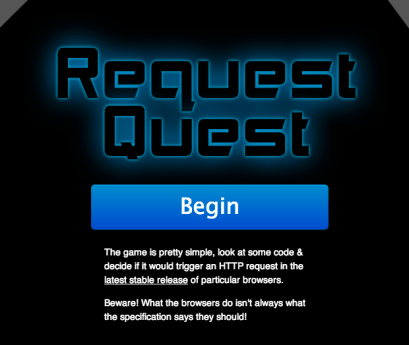 Well… If you wish to see how well you know all the little quirk modes. There is a (web) App for that: http://jakearchibald.github.io/request-quest/
Thank to Jake Archibald for the time he put into it.

