
 An overview of Accelerated Mobile Pages Project at YGLF 2016.
See how you can leverage this important open source project today in production and improve your sites’ performance and the happiness of your users.
Accelerated Mobile Pages Tips
TL;DR
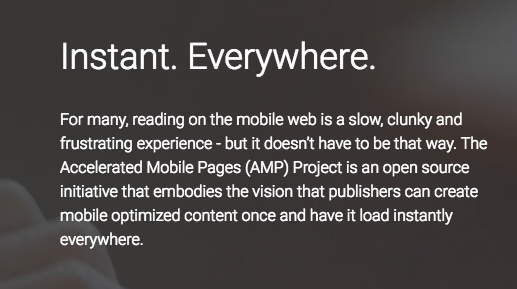
AMP is an effort to build an open solution that would improve the mobile web experience for everyone. It is a new way to build web pages for static content that render fast (e.g. an article, a tasty recipe, blog post). AMP in action consists of three different parts:
- AMP HTML is HTML with some restrictions for reliable performance and some extensions for building rich content beyond basic HTML.
- AMP JS library ensures the fast rendering of AMP HTML pages.
- Google AMP Cache can be used to serve cached AMP HTML pages.
Tips
Make sure that your AMP pages are valid
Mentoring Entrepreneurs And Developers
 In the past six years I had the pleasure to mentor hundreds of entrepreneurs and developers. For some, as an investor and for others as an external advisor or a domain expert. These days I’m doing it mostly as my day job which is really fun!
Here are some of the lessons learned over time.
If you are an entrepreneur who is asking:
“Why do I need someone to mentor me?”
Well, there are many good reasons, but check the graph below. Continue reading
From AMP To PWA
 The slides from my talk today at Google IL office.
It’s all about building a great mobile experience for your users.
From AMP (=Accelerated Mobile Pages) as a starting point up to PWA (=Progressive Web Apps).
As a bonus, we also showed new APIs like: Payment API, One Tab Sign-in and Physical Web that expending the web even farther.
Innovation From One Startup
These are the slides from my talk today at Google IL Office.
It covers:
1. Google’s past, present and a bit of the future.
2. Google’s 5 principles of innovation.
If you are an entrepreneur, there are some good principle to take to your venture (especially from slide 23).

Progressive Web Apps Event At Campus TLV
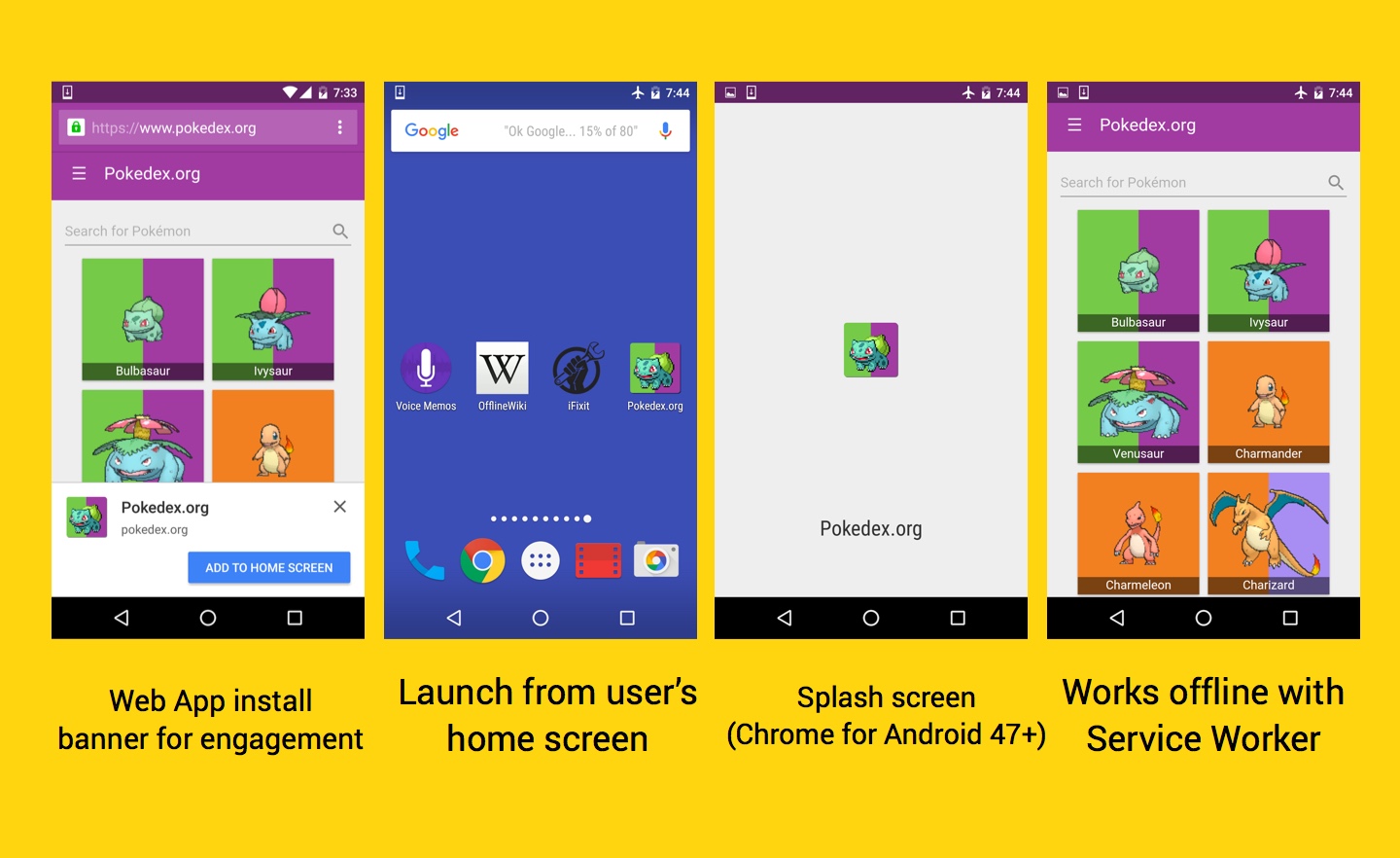
Progressive Web Apps are experiences that combine the best of the web and the best of apps. They load quickly, even on flaky networks, can re-engage with users by sending web push notifications, have an icon on the home screen and load as top-level, full screen experiences.
Here are the slides from the keynote I gave today at Campus TLV.
If you want to see it in action, click on the image below.
How To Build A Progressive Web App?
Why?
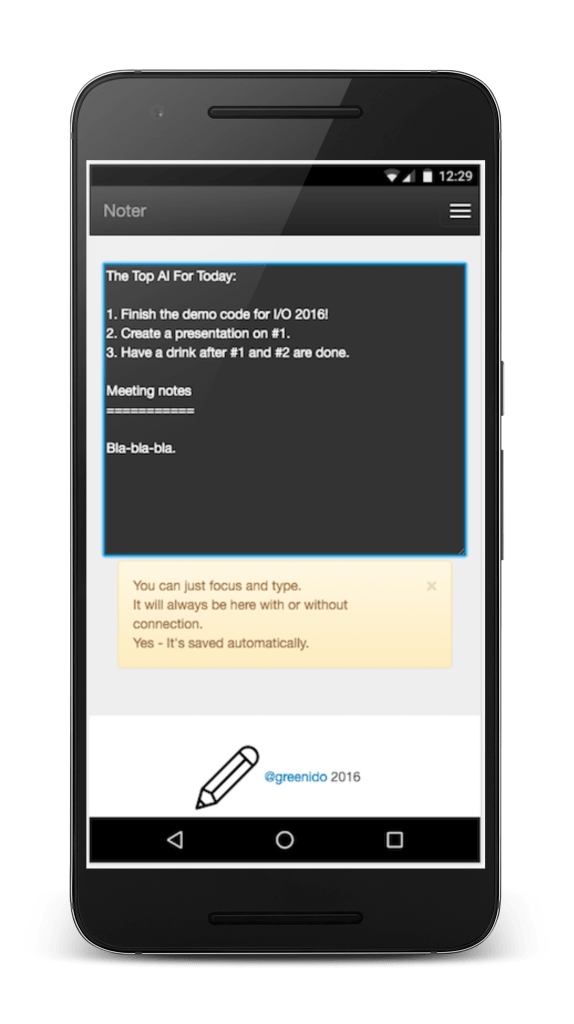
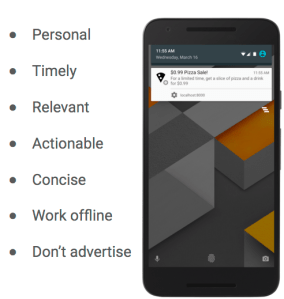
Progressive Web Apps are all about an amazing experience. You PWA should combine the best of the web and the best of apps. In the example above (yep, the ‘Noter web app‘) you can see that it is useful from the very first visit in a browser tab, to the launch from a home screen. As the user progressively builds a relationship with the App over time, it becomes more and more powerful. It loads quickly, even on flaky networks, it persistent and your notes are always there. It got an icon on the home screen and loads as a top-level, full screen experience. If you wish to add push notifications (which are great way to re-engage with your users) – pay attention to the tips in the image below.
How?
- First step: I strongly recommend trying out the PWA code lab so you understand how the approach to this type of app may be similar (or not) from what you’re used to do.
- Tech: Evaluate whether you’re going to just use vanilla JS for your app or a library/framework. See here for barebones PWA config or try Web Starter Kit for a starting point with a build process (=Gulp). Your PWA should supports the application shell architecture for faster first-paint and persistent.
- Offline support: There are few libraries for helping you with Service Worker pre-caching (sw-precache) and runtime caching (sw-toolbox). You can check this code lab for building your first offline web app as a starting point.
- User Interface: Like anything on the web, there are lots of options for your UI. Some of the example PWAs take advantage of Material Design and there are libraries for using it available for vanilla JS, Polymer Paper elements, Angular Material and community efforts like Material UI for React.
- Icons: I find both iconfinder.com and realfavicongenerator to be good resources. If you have the budget, it’s always great to get something polish from a designer.
- Performance: Please follow the RAIL performance model:
- Cable:
- First load (network-bound), First paint at 1s or sooner, Speed Index of 1,000 or less, <100ms for response, <16ms for each frame.
- Second load: first paint at 300ms or sooner, Speed Index of 1,000 or less.
- 3G:
- First load (network-bound), 3G (normal, as defined by WPT): First paint at 2s or sooner (including TLS handshake), Speed Index of 3,000 or less.
- Second load (disk-bound because SW): First paint at 300ms or sooner, Speed Index of 1,000 or less.
- Test your work with WebPageTest and Chrome DevTools.
- Cable:
- Examples
- Smaller Pictures – A great web app that will help you shrink photos.
- Air Horner – The ‘must have’ web app for the olympics in the summer.
- Voice Memos – Very useful when you have conversations with your spouse.
- Offline Wikipedia – If you need to read something on the plane.
- Guitar Tuner – For the ones that needs to tune their guitar.
- Zuperkulblog – Good if you thinking on a PWA for publishers.
- Snapdrop – an Apple Airdrop in HTML.
- More on this pwa-list.
The main features for progressive web app
Misc
- Alex Russell – intro post to the topic.
- The Angular team have also started an early ng2-application-shell project based on the app-shell architecture.
- Addy Osmai great post: “Getting started with PWA”
- FlipKart’s case study – With lots of good technical tips.
Be strong and build something amazing!
Progressive Web Apps – Noter
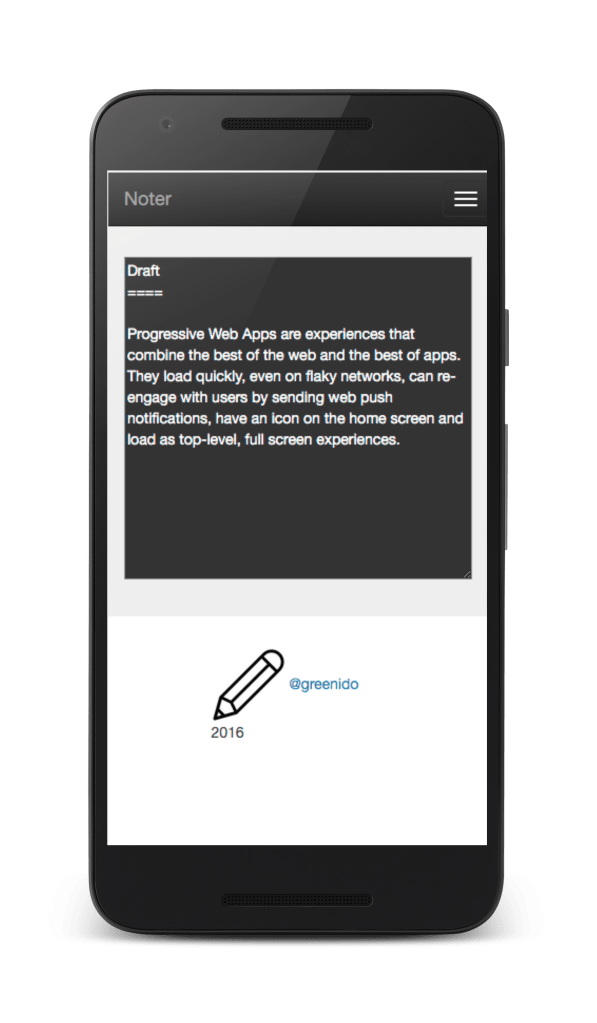 Progressive web apps are the future, and here is a demo that I built in order to feel the current challenges.
How about a little tool that let you take notes?
Yes, not too original, but still useful.
It is currently can be found with 2 versions:
- Basic version – It contain service worker for offline, manifest and a simple text area. All the basic functionality, that allow you to take notes the are saved automatically with or without connection. I used jQuery and bootstrap to keep it simple and to make it easy to extended it in the future.
- Full version with Firebase – Similar to the basic version, but this time, I added the ability to save the notes in the cloud (=firebase). You can add notes, edit current ones and (of course) delete the ones that you don’t really like. The text area was upgrades to a markdown editor. A simple one, but still something that will give you the ability to get a preview of the note in a markdown.
You can use:
User – demo@demo.com
Password – demo
See below how it will look like after you login.
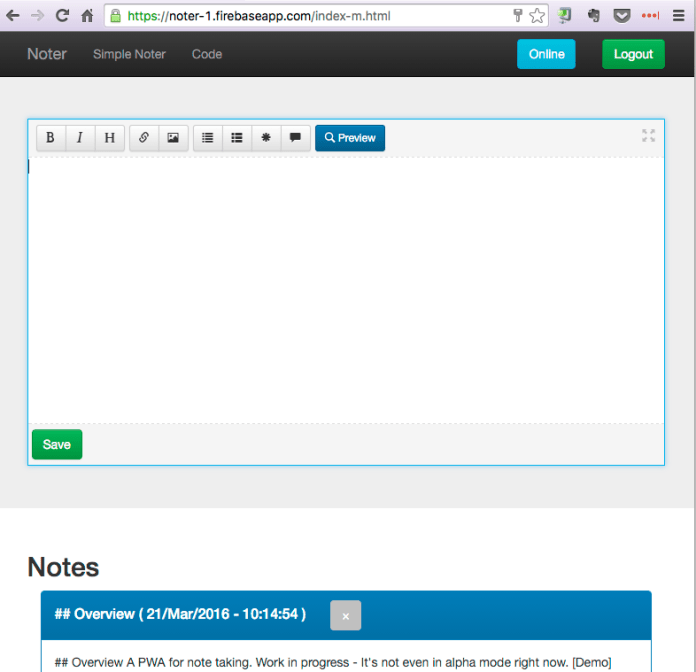
It’s still “work in progress” and you can see at the current TODOs at the bottom of the code repository.
Challenges and Tips
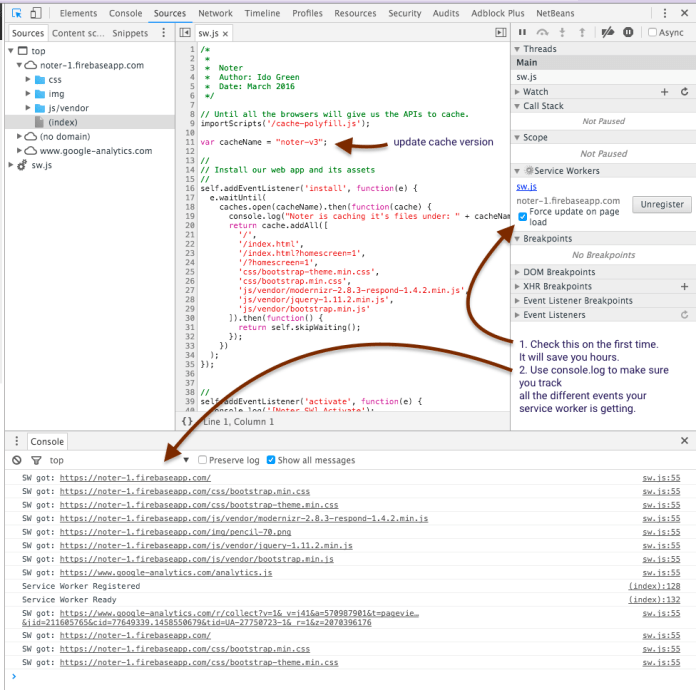
You can see the main tips that I got from working on this demo in the image below.
The most important checkbox is “force update on page load” – It will make sure you are getting your new version and not the one that the service worker already cached.
Another good way to see what is going inside your service worker is to click on the link ‘sw.js’ above this checkbox.
So to wrap-up, the code for this demo can be found at Noter on github and the live demo.
Please try it on your Android and let me know if you find something that is broken or can be better.
Happy note taking and may you always write good and productive ones.
Progressive Web Apps – Offline And Add To Home Screen

Why?
Progressive Web Apps are all about an amazing experience. To me, it’s the moment you see your users happy from the quality experience you gave them.
Web apps should be useful to users from the very first visit (where it’s fast and useful even with bad connection), to the launch from a home screen or push notification. There are many good use-cases for a new web apps with these capabilities. However, think on your own site/app today and see if it can benefit from these aspects.
I think that in most cases, the answer will be: Yes Please!
How?
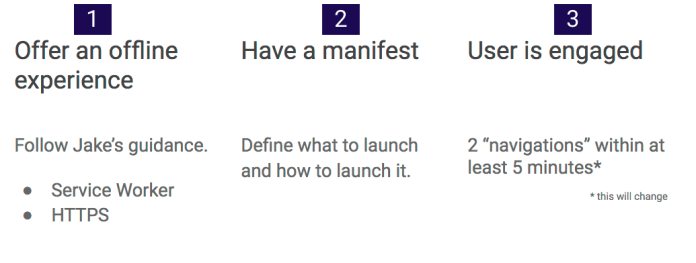
We needs to follow these two steps: Serve our web app over HTTPS and leverage service worker.
The third step, is in the hands of our users. It is a good reflection to our quality of work and if our web app is useful for them.
Let’s see what are some of the good resources we have today in order to jump into the water.
Offer an offline experience
You should serve your site over HTTPs and implement Service Workers. Here are two good tutorials to show you how to implement it on a new project or a current one:
- Offline code lab – The famous Air Horner web app. It is extra useful during a good football game.
- Your first PWA – Weather web app.
Building a Progressive Web App

I think the web platform is awesome.
Moreover, it got some impressive APIs that make it even more powerful. The web platform is easy to access (very low friction), no installs, easy distribution (without walled gardens), immediate redeployments and no single organization own it. Let’s see what do we mean when we are talking on progressive web apps.
Progressive Web Apps
- Fast loading – Because we know users love speed and for every delay we are lossing a smile (and a user).
- One click away from accessing content – You should have an icon on the screen and with one click you could get to your content (or task) and smile.
- Smooth animations and navigations – Good UX comes with these aspects.
- Re-engages with push notifications – In many cases, we wish to be able to notify users even when the browser is not open in-front of them. We can!
- Good experience on flaky network connections – Our web app is offline first, so we can deliver our content (just the deltas) on flaky networks much better/faster.
- Consistent experience across browsers – After all, we are talking on the web here. You can’t control from which device users will come to your work. So make sure, you serve them all.
PWAs are about the experience, no the tech: these apps _feel_ better and more app-like. The technology behind Progressive Web Apps is called “Service Worker”; it’s available only since mid 2015 and is seeing large, growing adoption. PWA is expected to be for mobile what AJAX meant for the desktop web.
Enabling app-like capabilities
At the foundational level, there are two core pieces of technology that enable PWAs: Continue reading

