As an app developer, the biggest problem you have is “How can I show my wonderful creation to every user possible?” and this isn’t as straightforward as “tell your friends”. Users today are informed, and use different channels to find, understand, and get apps.
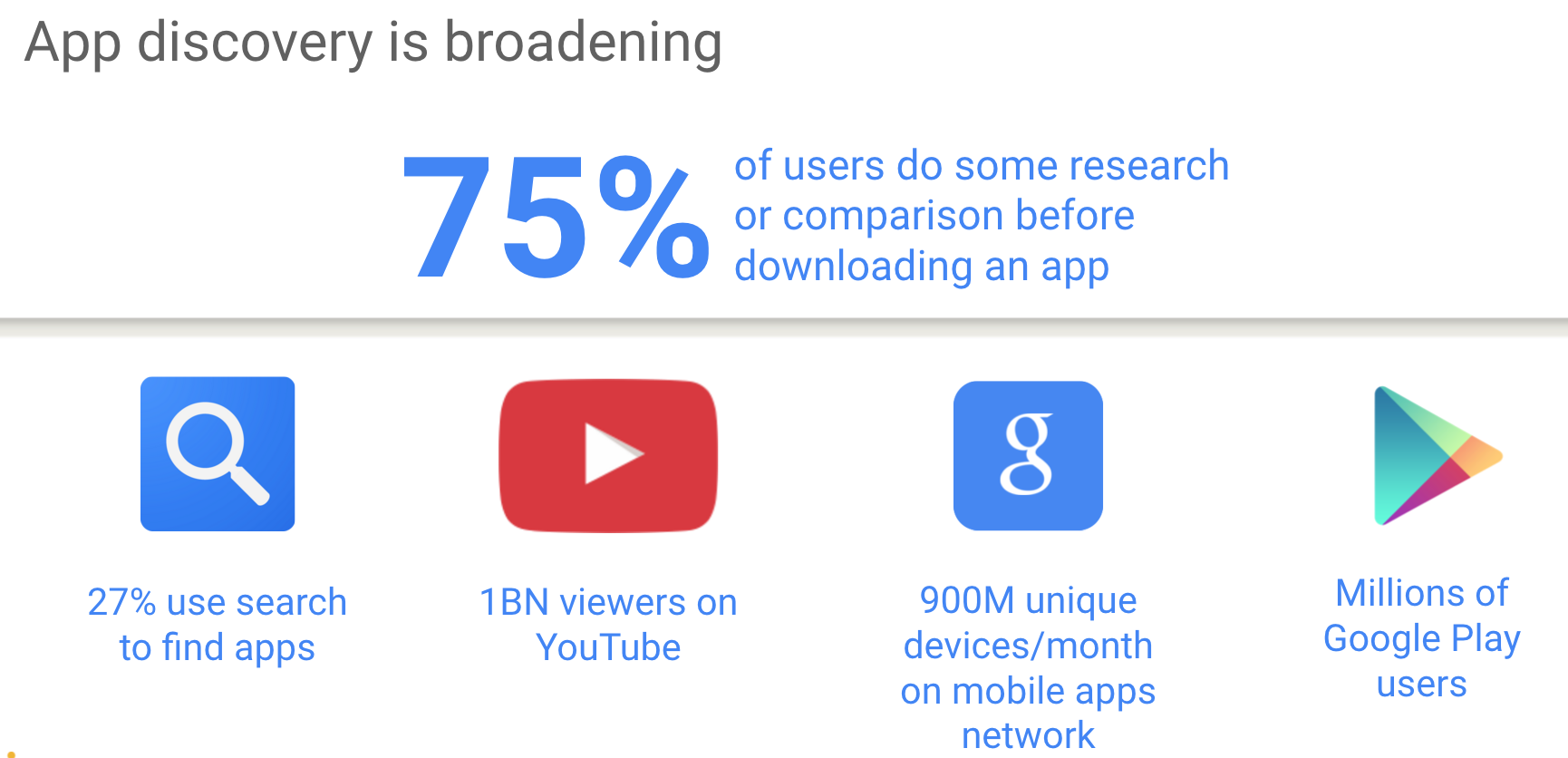
Did you know that 3 out of 4 users do some kind of research before installing an app?!
So what is the problem?
Among all those informed users, how do you attract new, interested users that will generate revenue for you?
You don’t just want a ton of users, you want a ton of users who love your app.
So, how do you wade through the horde of less-than-interesting users, for the ones that truly matter? First, we need to see where users are searching (see the image below).
Second, we need to see what are good ways to find new users that will match our service (or app).
We have today on the web capabilities to create web apps that feel and act like a native application.
Yes – We do.
We can have offline first, push notification even when the browser is running in the background and add to home screen. These three features bring us to a point where we can give users our content and features with one click and with all the benefits of the web.
What is this new monster you ask?
Well, let’s try to describe it and give few examples. Continue reading →
You can access user-selected Bluetooth devices over GATT.
You can try it in Chrome behind flags:chrome://flags/#enable-web-bluetooth If you wish to learn more on the web Bluetooth, try this the demo code.
Last note, for more details on the implementation (e.g. which pieces are done in which releases) star this repo github.com/WebBluetoothCG/
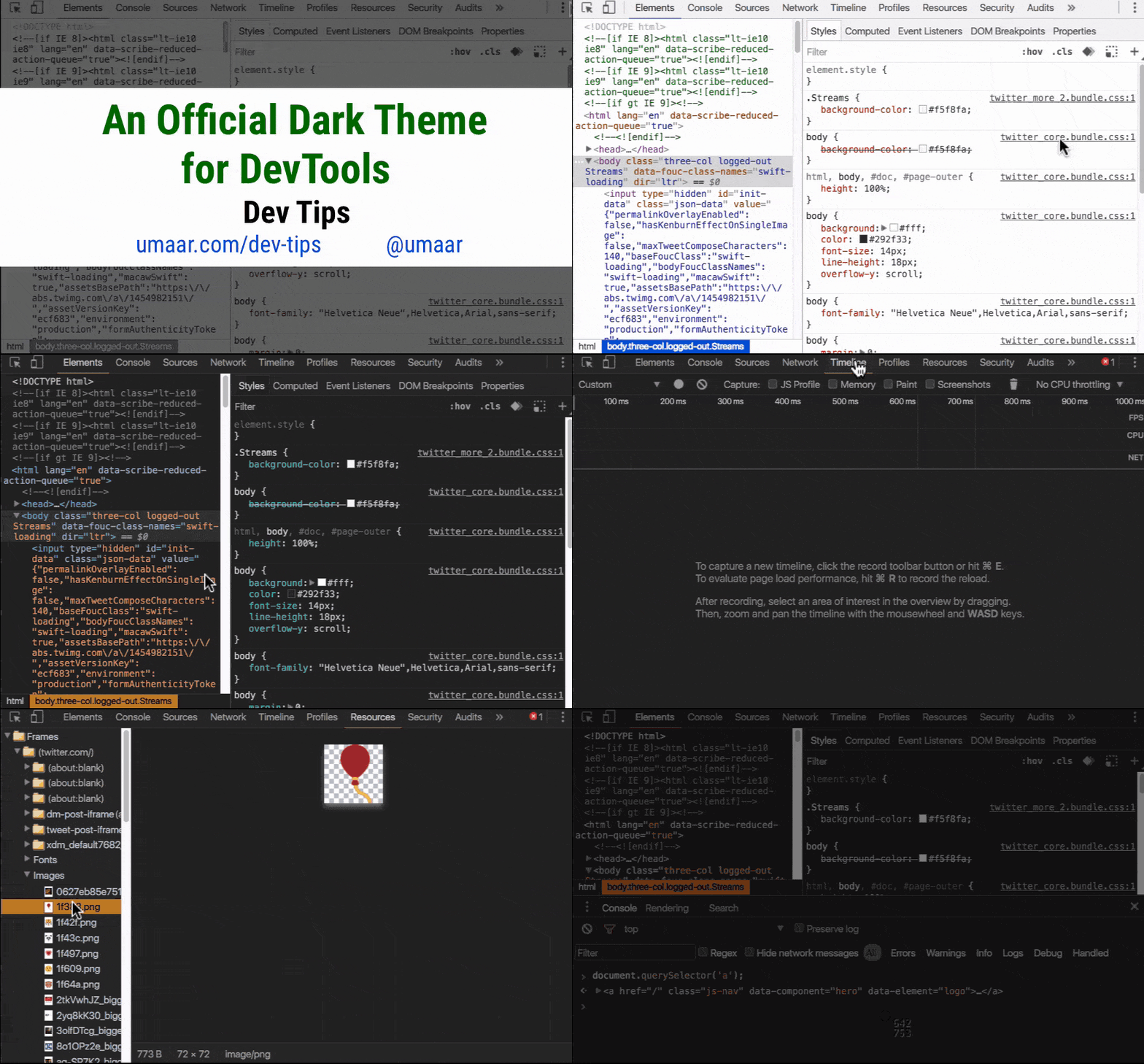
DevTools
Want to stay updated with all the new powerful features that Chrome DevTools got for you? Check this DevTools Tonight show pilot or a daily tip.
Monetization
Learn about Monetization (from web/app to bitcoins and more!) with this new series we created on Google Developers Channel. Btw, if you like blog posts, we got you covered as well right on this blog.
Async CSS
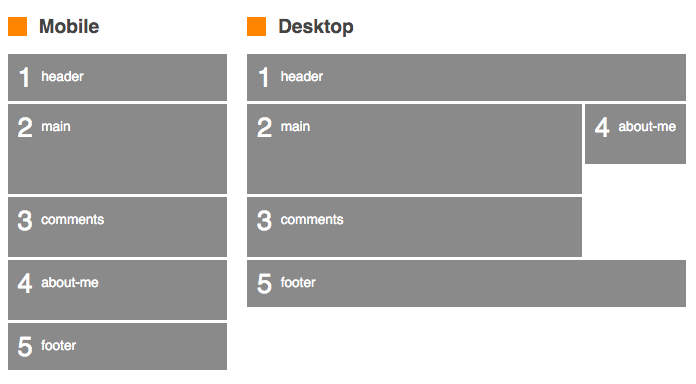
Controlling async CSS using custom properties. Turns out they’re quite powerful. Since <link> in the <body> blocks the parser while the CSS loads, it might be good to build a dependency mechanism where each element is render-blocked until other specific elements have rendered. Sounds complicated?
It’s not. Check this demo(please make sure to try it with Chrome Canary or Firefox). In this demo, the CSS is loaded async, with each sheet taking randomly between 0-5 seconds to load. Despite this, the page never renders out of order, and each section renders as soon as possible depending on the browser width.
Progressive web apps
Wanna see some good examples of Progressive web apps? This is the new way to build for the web at 2016.
We wish to have a web app got:
Fast loading – Since we are caching everything and using smooth animations and navigations, everything feels fast. Because it is.
One click away from accessing content (e.g. icon on the user’s phone).
Re-engages with push notifications – We are using service workers so we have the ability to run a script in the background and send push notifications. Even when the browser is not visible to the user.
Good experience on flaky network connections.
Consistent experience across browsers
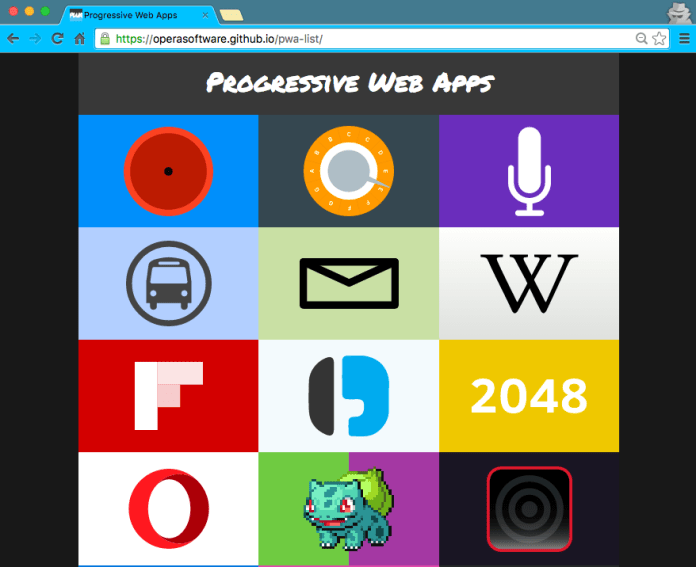
Here is a good list of PWA to show you by example.
The popularity of the proxy browsers and transcoding services is also an indicator that we—the site owners and web developers—are ignoring the high user demand for fast and light applications and pages. Let’s fix that. Learn how: https://developers.google.com/web/updates/2016/02/save-data
Starting in July 2016, you’ll no longer be able to upload display ads built in Flash. And, starting in January 2017, AdWords will stop running display ads in the Flash format. So it is a good time to update your flash ads to HTML5 ads.
VP9 is now available for WebRTC: With VP9, internet connections that are currently able to serve 720p without packet loss or delay will be able to support a 1080p video call at the same bandwidth. VP9 can also reduce data usage for users with poor connections or expensive data plans, requiring in best cases only 40% of the bitrate of VP8.
Bitcoin is a decentralized, anonymous, digital-only currency that’s lately gotten a lot of public attention. Like any new technology, there are many different aspects and a lot of ‘noise’.
In this 4min video, I tried to focus on the important stuff.
One of the useful features of Google Analytics is the ability to track specific events. It gives you insight into how users filled your forms or on which buttons they clicked inside the video player. You are getting into the world of measuring actions inside your pages and not just between them. In the demo below we will see how to track a ‘download’ button click event and how to track the form filling. It’s super useful when you wish to learn if users use the Autofillfeature with your forms.
It’s an easy API that you should leverage, so let’s jump into it.
What?
Events (in our world of Google analytics) are user interactions with content that can be tracked independently from a web page or a screen load. Downloads, mobile ad clicks, gadgets, forms, embedded elements and video plays are all examples of actions you might want to track as Events.
Implementation
Event hits can be sent using the send command and specifying a hitType of an event.
The send command has the following signature for the event hit type:
Last night, I read this article. What I like most was the short paragraph that gave few recent examples of ‘big’ failures:
…With original ideas, failure is inevitable, because it’s impossible to predict how technologies will evolve and tastes will change. Mark Cuban passed on Uber. In the early days of Google, Larry Page and Sergey Brin tried to sell their search engine for less then $2 million, but their potential buyer turned them down. Publishers rejected Harry Potter because it was too long for a children’s book. Executives passed on Seinfeld for having incomplete plot lines and unlikeable characters. Pay a visit to Jerry Seinfeld’s bathroom, and you might find a memo hanging on the wall that calls the pilot episode of Seinfeld “weak” and says “No segment of the audience was eager to watch the show again.”
We know that most startups will fail. Moreover, in many cases, they will fail even if they had a good idea and executed well (see: “Why Startups Succeed” for more details).
So be willing to fail and try again.
You are in a good company.
The first video of “The Zen of Monetization” is out!
What?
Well, it’s a series of videos I’m creating, in order to cover different aspects of monetization. The goal is simple: help developers earn more from their work. In the first episode, we cover how to use In-App Payments. It’s a brief overview that gives the macro view. We have in the pipeline few more episodes that will cover it in more details with (of course) code samples.
If you wish to get it as an article (and not a video) check this “Android in-app payments” post.
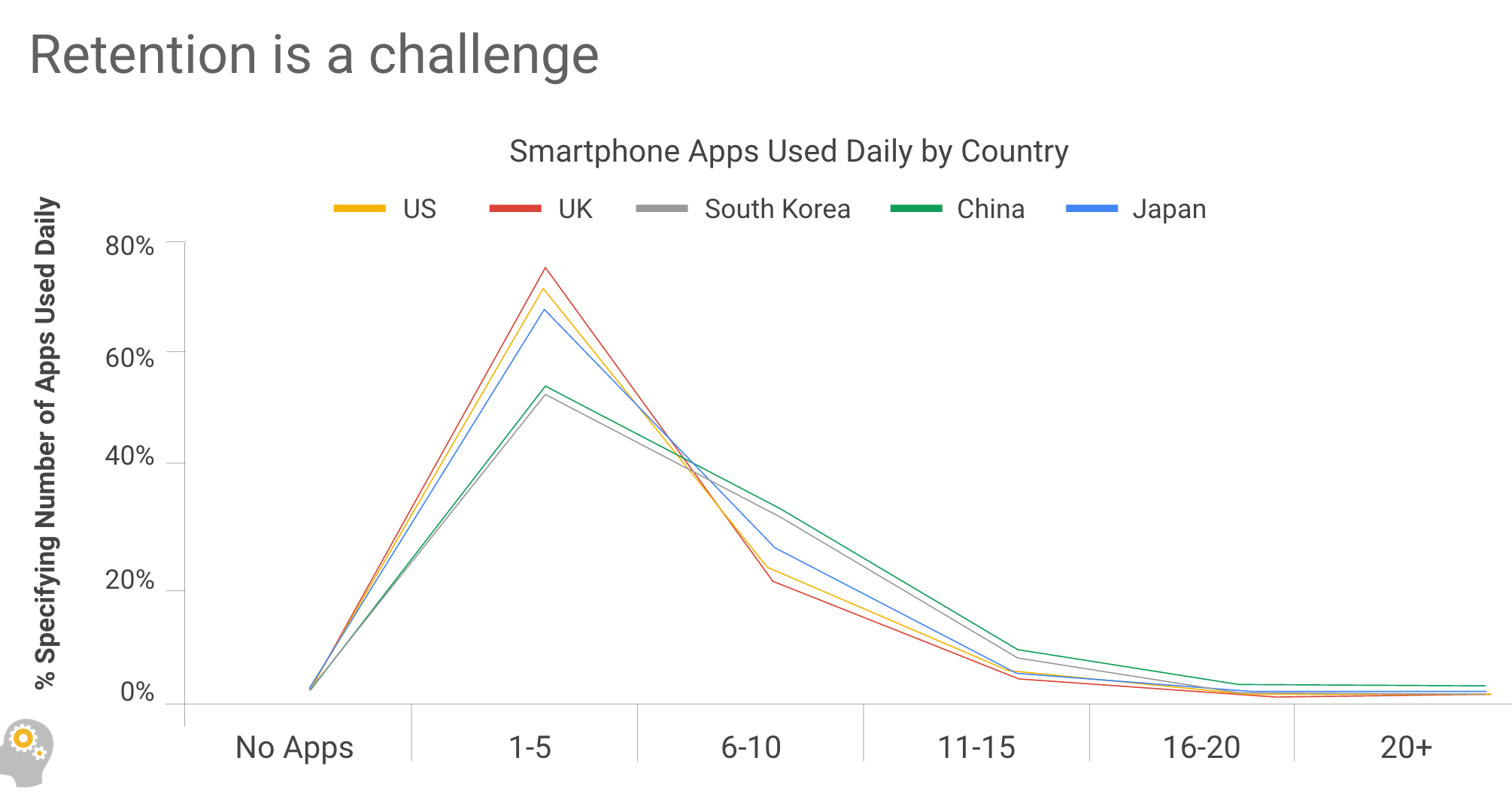
One of the driving principles of the mobile marketplace is that users want NEW. New apps, new updates, new content. In fact, over 60% of users who go onto digital marketplaces, do so, because they want to try something new. While this is fantastic for user acquisition, this presents a problem for user retention because if you’re not keeping the user’s attention, they’ll quickly be looking for something that will.
The key to effective user retention can be broken down into three:
Understand user behavior in your app
Identify roadblocks to retention
Use tactics & tools to re-engage users
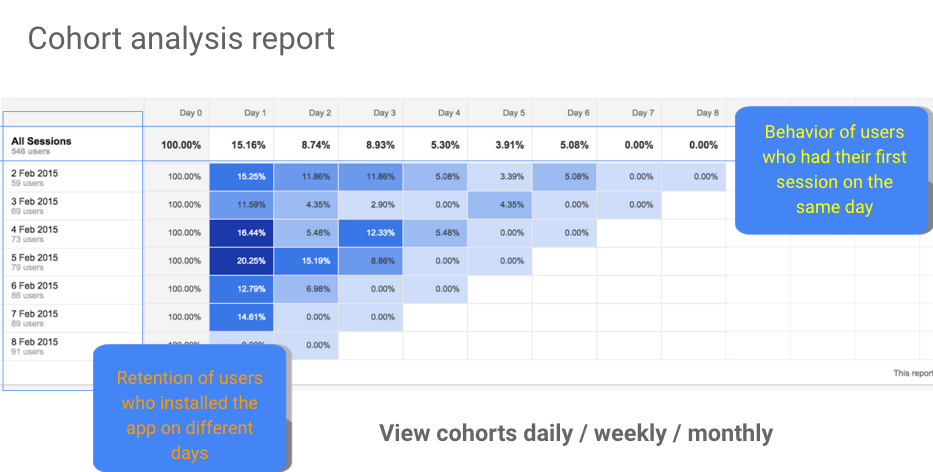
All of this starts with understanding your users. If you don’t understand what they want, how they act, or their opinions, you really can’t craft a strategy on how to keep them happy. First, check out your Cohort analysis report. Why?
BecauseCohort Analysis is a powerful report that allows customers to measure and compare users based on their specific customer journey. You can measure the impact of your marketing campaigns on specific days, see how effective they are in generating loyal users, and compare which campaign performed best.Continue reading →
I know, it sounds scary. But the true is that it’s not complicated, and once you get the logic behind this report, you can gain lots of useful information out of it. It can help you to gain insights and actionable items so let’s see how and when to use it. First, let’s define it.
What?
Cohort analysis is a subset of behavioral analytics that takes the data from a given platform (e.g. eCommerce site, web app, game etc’) and rather than looking at all users as one unit, it breaks them into related groups for analysis. These related groups (=cohorts), usually share common characteristics or experiences within a defined time-span.
See it in action
In the charts below you can see a popular cohort analysis: It groups customers based on the date when they made their first purchase. Studying the spending trends of cohorts from different periods in time can indicate if the quality of the average customer being acquired is increasing or decreasing in over time. You can also see if your marketing efforts at the time made a difference. In the case below, we can see during 2013 (the circles) it was a slow start, but after a new campaign, that took the first two weeks of March, things got better. As for 2014 (the triangles), we had a good start, but between March and May there was no growth, later during May major improvements in the product boost the spending to a new record. Continue reading →