Chrome, JavaScript, webdev

Protect Your Website With HTTPS

TL;DR

  1. Create (for free) an SSL certificate.
    One resource for that is letsencrypt.org
  2. Install it on your website’s server: letsencrypt.org/docs/client-options/ – You just quickly choose the client that will match your server environment or do everything in your browser.
  3. Change all your website’s links from HTTP to HTTPS so that search engines are notified and users will get the HTTPS version.
  4. Go have a drink.

Why?

You should always protect all of your websites with HTTPS, even if they don’t handle sensitive communications. HTTPS helps prevent intruders from tampering with the communications between your websites and your users’ browsers. It might be a malicious attacker or legitimate (but intrusive) companies, such as ISPs or hotels that inject ads into pages. Your users will think that your site is ugly or worst because they can’t tell who is doing what to the pages.
If you care about your users, always protect them and serve them with HTTPS. It will also prevents intruders from being able to passively listen in on the communications between your website and your users. Another benefit we gain from HTTPS is the ability to work with new powerful web platform features: Continue reading


Standard
Business, webdev

How To Rapid Prototyping?

One of the strength points that startups got over big companies is the ability to run fast and try new things. That’s why it’s important to improve your prototyping abilities.

Rapid prototyping composed from quick iterations of these three steps:

  1. Prototype – Draw, sketch or code something that can be reviewed.
    Convert the description of the solution into mock ups that everyone can see and review. You should take into considerations what is the story that will drive the user interaction. What will be the best experience?
  2. Review – Share the prototype with stakeholders (=users, developers and designers) and evaluate whether it meets their needs and expectations. If you can, let them try it and watch what they are doing. Try to mimic the real world as much as you can. For example, if it’s a mobile web app, let users try it with 3G networks (or even 2G) and see what is working and what is not.
  3. Refine – Based on feedback and data that you collected, identify areas that need to be refined or further defined it in the prototype. Now jump to step #2 and see if the result improved or, like in some cases, they did not.

The key to a successful rapid prototyping is revising quickly based on feedback. You should say ‘no’ to a lot of suggestions and let the data leads you. This approach helps teams experiment with multiple approaches and ideas on their way to a new product. It also reduces the risk by putting everyone on the same page (or in this case, the same image).

What to Prototype?

Use the 20/80 rule.

As a starting point, you can impress your colleagues when you suggesting it… You can start by saying something like: “Let’s work with Pareto distribution“. At this point of the meeting, everyone will look at you with admiration.

But more importantly, it’s helpful – For real.

Focus on the 20% of the key functionality that will be used 80% of the time. You wish to showcase how your product will work and later how it will look like. So ignore all the ‘little’ features that are not part of these core functions.

Continue reading

Standard
Android, Chrome, mobile

Earn More Revenue With Firebase And AdMob

grow your userbase

Firebase is a mobile platform that helps you quickly develop high-quality apps, grow your user base, and earn more money. In the slides below, we will focus on the growth part. In other words, we will talk about ways to acquire and engage the right users at the right time.
There are several features that Firebase is giving developers out of the box in order to help with growth:

Continue reading

Standard
Chrome, mobile, webdev

Amp Overview Talk #YGLF

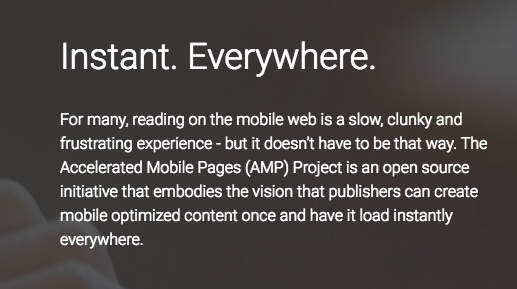
amp-logoAn overview of Accelerated Mobile Pages Project at YGLF 2016.
See how you can leverage this important open source project today in production and improve your sites’ performance and the happiness of your users.

Continue reading

Standard
Chrome, HTML5, webdev

Accelerated Mobile Pages Tips

AMP description

TL;DR

AMP is an effort to build an open solution that would improve the mobile web experience for everyone. It is a new way to build web pages for static content that render fast (e.g. an article, a tasty recipe, blog post). AMP in action consists of three different parts:

  • AMP HTML is HTML with some restrictions for reliable performance and some extensions for building rich content beyond basic HTML.
  • AMP JS library ensures the fast rendering of AMP HTML pages.
  • Google AMP Cache can be used to serve cached AMP HTML pages.

amp-logo

Tips

Make sure that your AMP pages are valid

Continue reading

Standard
Chrome, mobile, webdev

From AMP To PWA

PWA 2016The slides from my talk today at Google IL office.
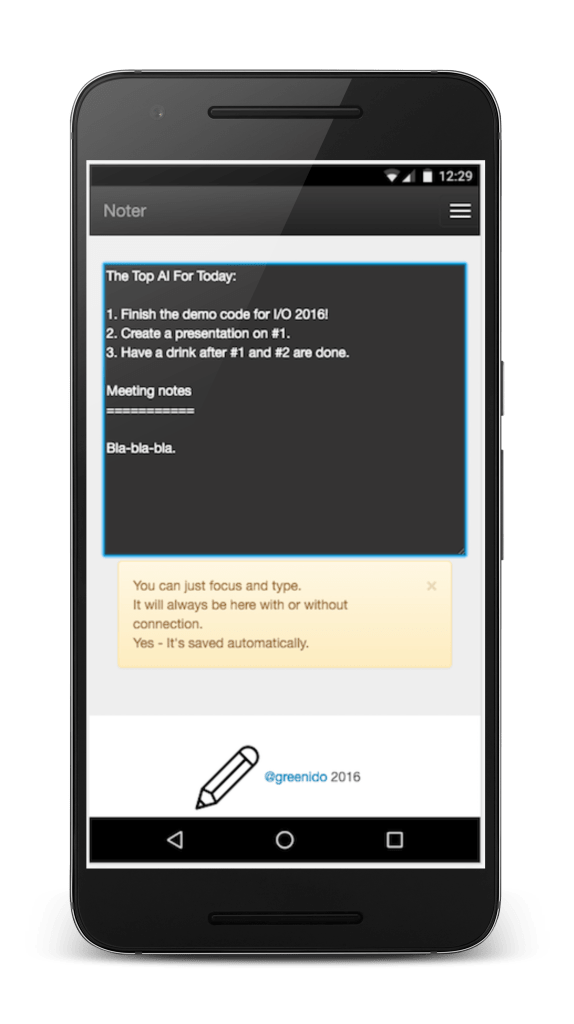
It’s all about building a great mobile experience for your users.
From AMP (=Accelerated Mobile Pages) as a starting point up to PWA (=Progressive Web Apps).
As a bonus, we also showed new APIs like: Payment API, One Tab Sign-in and Physical Web that expending the web even farther.

Continue reading

Standard
Chrome, JavaScript, webdev

Progressive Web Apps Event At Campus TLV

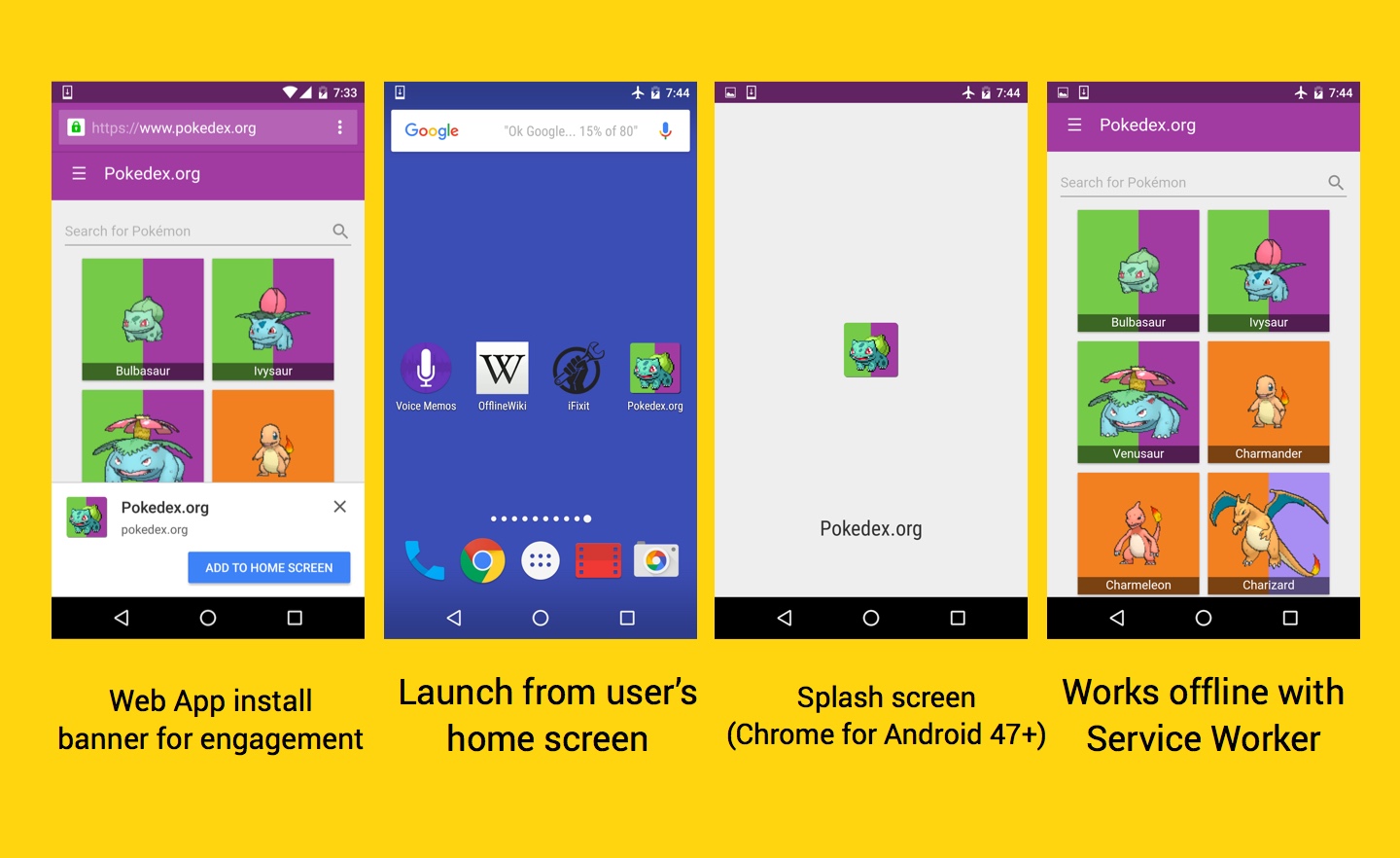
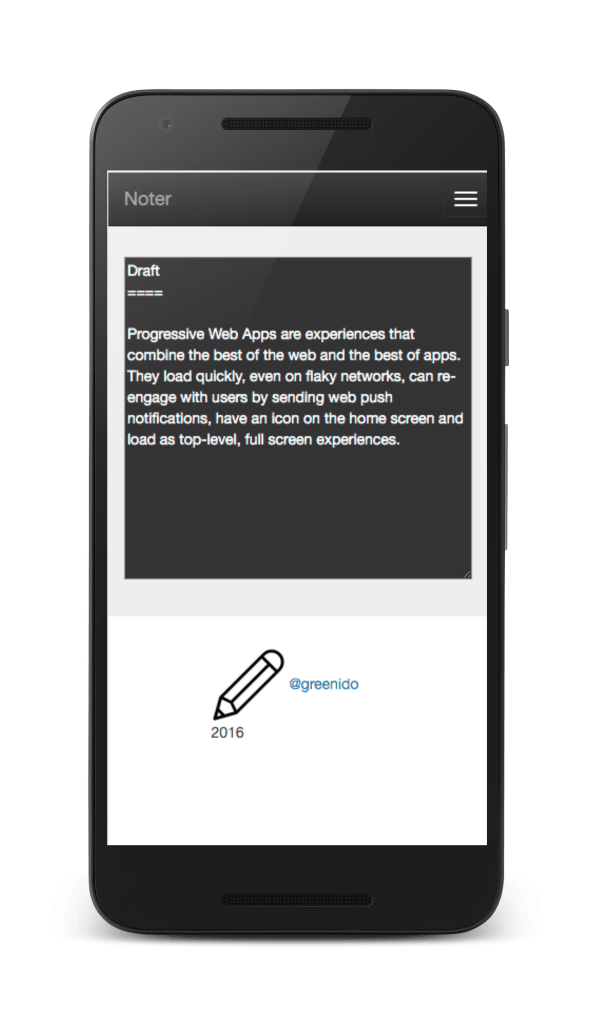
Progressive Web Apps are experiences that combine the best of the web and the best of apps. They load quickly, even on flaky networks, can re-engage with users by sending web push notifications, have an icon on the home screen and load as top-level, full screen experiences.

Here are the slides from the keynote I gave today at Campus TLV.

If you want to see it in action, click on the image below.

noter-1 PWA in Nexus 6

Standard
Chrome, HTML5, JavaScript, webdev

How To Build A Progressive Web App?

noter-1

Why?

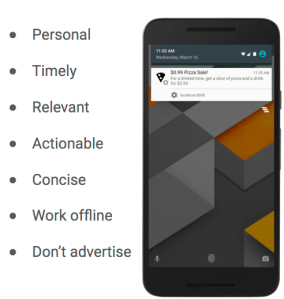
Progressive Web Apps are all about an amazing experience. You PWA should combine the best of the web and the best of apps. In the example above (yep, the ‘Noter web app‘) you can see that it is useful from the very first visit in a browser tab, to the launch from a home screen. As the user progressively builds a relationship with the App over time, it becomes more and more powerful. It loads quickly, even on flaky networks, it persistent and your notes are always there. It got an icon on the home screen and loads as a top-level, full screen experience. If you wish to add push notifications (which are great way to re-engage with your users) – pay attention to the tips in the image below.
What push notification be for your web app

How?

  • First step: I strongly recommend trying out the PWA code lab so you understand how the approach to this type of app may be similar (or not) from what you’re used to do.
  • Tech: Evaluate whether you’re going to just use vanilla JS for your app or a library/framework. See here for barebones PWA config or try Web Starter Kit for a starting point with a build process (=Gulp). Your PWA should supports the application shell architecture for faster first-paint and persistent.
    • Offline support: There are few libraries  for helping you with Service Worker pre-caching (sw-precache) and runtime caching (sw-toolbox). You can check this code lab for building your first offline web app as a starting point.
    • User Interface: Like anything on the web, there are lots of options for your UI. Some of the example PWAs take advantage of Material Design and there are libraries for using it available for vanilla JS, Polymer Paper elements, Angular Material and community efforts like Material UI for React.
    • Icons: I find both iconfinder.com and realfavicongenerator to be good resources. If you have the budget, it’s always great to get something polish from a designer.
    • Performance: Please follow the RAIL performance model:
      • Cable:
        • First load (network-bound), First paint at 1s or sooner, Speed Index of 1,000 or less, <100ms for response, <16ms for each frame.
        • Second load: first paint at 300ms or sooner, Speed Index of 1,000 or less.
      • 3G:
        • First load (network-bound), 3G (normal, as defined by WPT): First paint at 2s or sooner (including TLS handshake), Speed Index of 3,000 or less.
        • Second load (disk-bound because SW): First paint at 300ms or sooner, Speed Index of 1,000 or less.
      • Test your work with WebPageTest and Chrome DevTools.
  • Examples
    • Smaller Pictures – A great web app that will help you shrink photos.
    • Air Horner – The ‘must have’ web app for the olympics in the summer.
    • Voice Memos – Very useful when you have conversations with your spouse.
    • Offline Wikipedia – If you need to read something on the plane.
    • Guitar Tuner – For the ones that needs to tune their guitar.
    • Zuperkulblog – Good if you thinking on a PWA for publishers.
    • Snapdrop – an Apple Airdrop in HTML.
    • More on this pwa-list.
The main features for progressive web app

The main features for progressive web app

Misc

 Be strong and build something amazing!

Standard
Chrome, JavaScript, mobile, webdev

Progressive Web Apps – Noter

noter-1Progressive web apps are the future, and here is a demo that I built in order to feel the current challenges.
How about a little tool that let you take notes?
Yes, not too original, but still useful.

It is currently can be found with 2 versions:

  1. Basic version – It contain service worker for offline, manifest and a simple text area. All the basic functionality, that allow you to take notes the are saved automatically with or without connection. I used jQuery and bootstrap to keep it simple and to make it easy to extended it in the future.
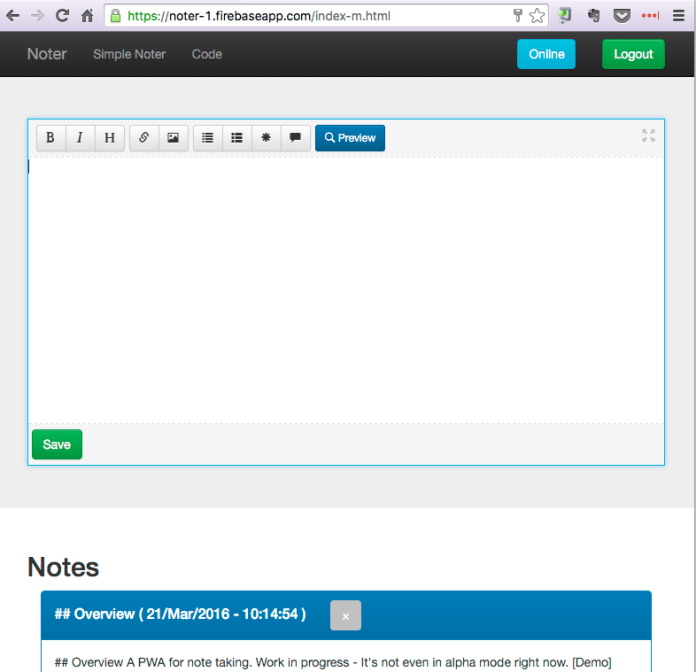
  2. Full version with Firebase – Similar to the basic version, but this time, I added the ability to save the notes in the cloud (=firebase). You can add notes, edit current ones and (of course) delete the ones that you don’t really like. The text area was upgrades to a markdown editor. A simple one, but still something that will give you the ability to get a preview of the note in a markdown.
    You can use:
    User –  demo@demo.com
    Password – demo

See below how it will look like after you login.
Noter - full version with firebase

It’s still “work in progress” and you can see at the current TODOs at the bottom of the code repository.

Challenges and Tips

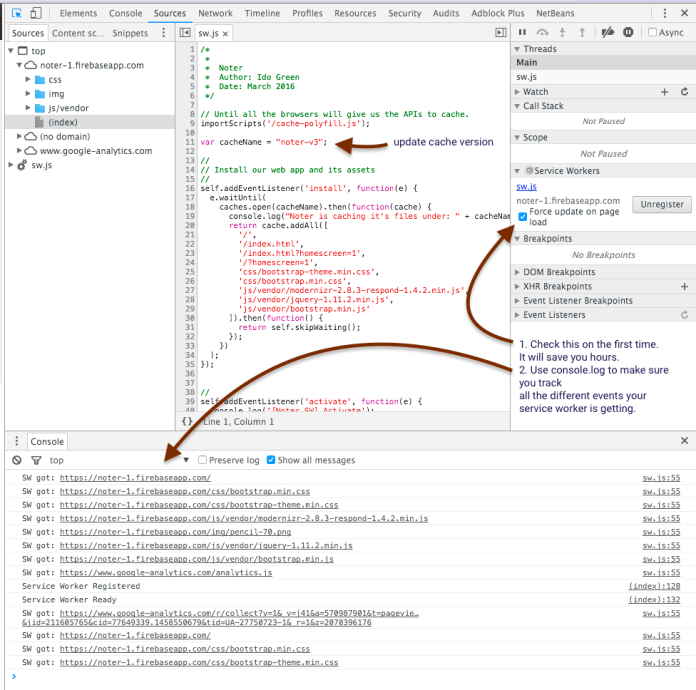
You can see the main tips that I got from working on this demo in the image below.
The most important checkbox is “force update on page load” – It will make sure you are getting your new version and not the one that the service worker already cached.
Another good way to see what is going inside your service worker is to click on the link ‘sw.js’ above this checkbox.

noter sw ip


So to wrap-up, the code for this demo can be found at Noter on github and the live demo.
Please try it on your Android and let me know if you find something that is broken or can be better.

Happy note taking and may you always write good and productive ones.

Standard
Chrome, JavaScript, mobile, webdev

Building a Progressive Web App

I think the web platform is awesome.
Moreover, it got some impressive APIs that make it even more powerful. The web
 platform is easy to access (very low friction), no installs, easy distribution (without walled gardens), immediate redeployments and no single organization own it. Let’s see what do we mean when we are talking on progressive web apps.

Progressive Web Apps

  • Fast loading – Because we know users love speed and for every delay we are lossing a smile (and a user).
  • One click away from accessing content – You should have an icon on the screen and with one click you could get to your content (or task) and smile.
  • Smooth animations and navigations – Good UX comes with these aspects.
  • Re-engages with push notifications – In many cases, we wish to be able to notify users even when the browser is not open in-front of them. We can!
  • Good experience on flaky network connections – Our web app is offline first, so we can deliver our content (just the deltas) on flaky networks much better/faster.
  • Consistent experience across browsers – After all, we are talking on the web here. You can’t control from which device users will come to your work. So make sure, you serve them all.

PWAs are about the experience, no the tech: these apps _feel_ better and more app-like. The technology behind Progressive Web Apps is called “Service Worker”; it’s available only since mid 2015 and is seeing large, growing adoption. PWA is expected to be for mobile what AJAX meant for the desktop web.

Enabling app-like capabilities

At the foundational level, there are two core pieces of technology that enable PWAs: Continue reading

Standard