We have today on the web capabilities to create web apps that feel and act like a native application.
Yes – We do.
We can have offline first, push notification even when the browser is running in the background and add to home screen. These three features bring us to a point where we can give users our content and features with one click and with all the benefits of the web.
What is this new monster you ask?
Well, let’s try to describe it and give few examples. Continue reading →
You can access user-selected Bluetooth devices over GATT.
You can try it in Chrome behind flags:chrome://flags/#enable-web-bluetooth If you wish to learn more on the web Bluetooth, try this the demo code.
Last note, for more details on the implementation (e.g. which pieces are done in which releases) star this repo github.com/WebBluetoothCG/
DevTools
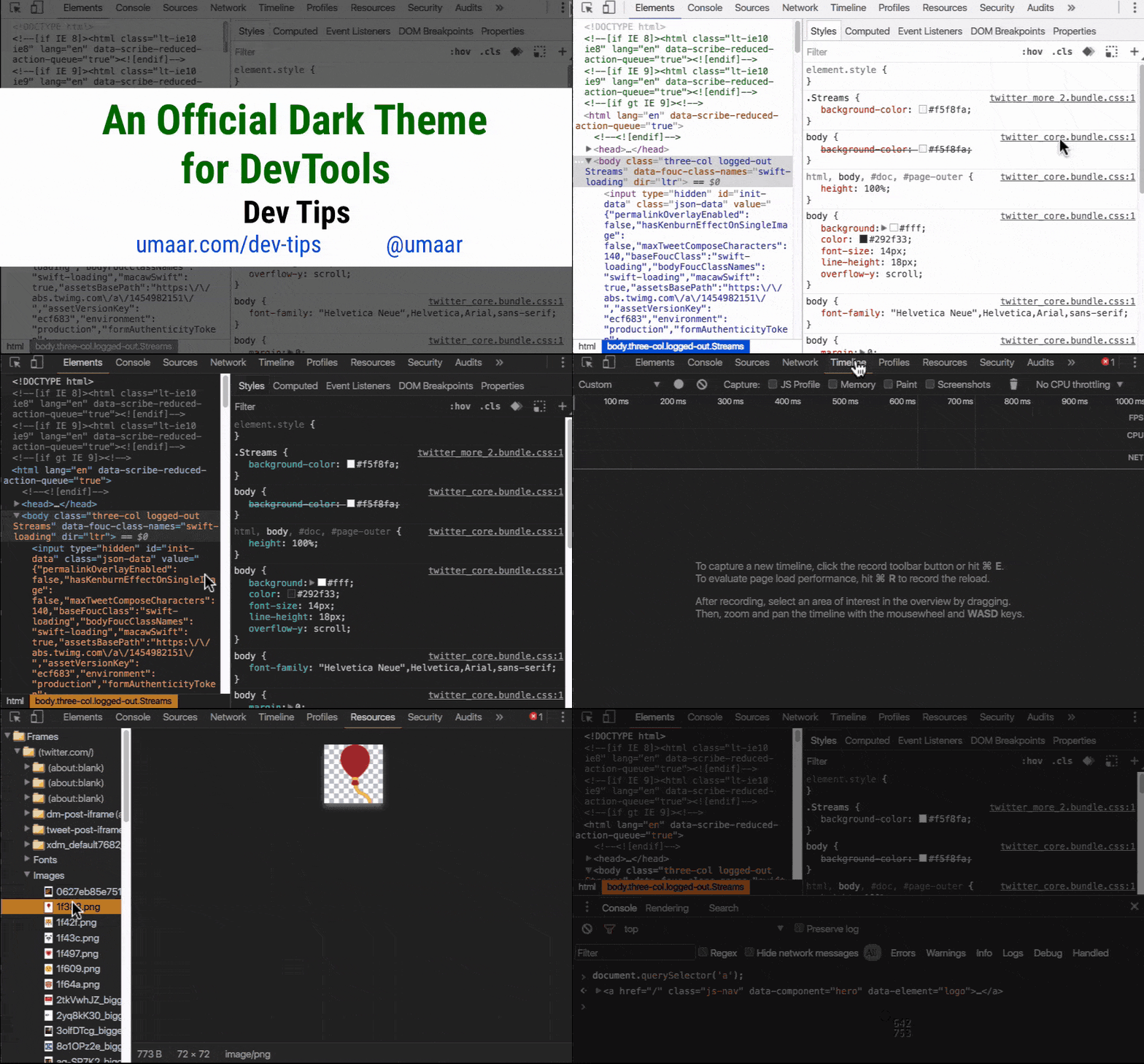
Want to stay updated with all the new powerful features that Chrome DevTools got for you? Check this DevTools Tonight show pilot or a daily tip.
Monetization
Learn about Monetization (from web/app to bitcoins and more!) with this new series we created on Google Developers Channel. Btw, if you like blog posts, we got you covered as well right on this blog.
Async CSS
Controlling async CSS using custom properties. Turns out they’re quite powerful. Since <link> in the <body> blocks the parser while the CSS loads, it might be good to build a dependency mechanism where each element is render-blocked until other specific elements have rendered. Sounds complicated?
It’s not. Check this demo(please make sure to try it with Chrome Canary or Firefox). In this demo, the CSS is loaded async, with each sheet taking randomly between 0-5 seconds to load. Despite this, the page never renders out of order, and each section renders as soon as possible depending on the browser width.
Progressive web apps
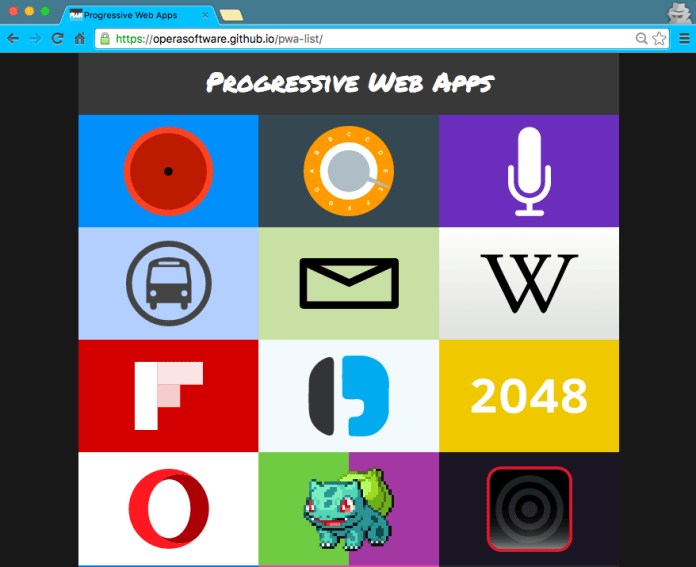
Wanna see some good examples of Progressive web apps? This is the new way to build for the web at 2016.
We wish to have a web app got:
Fast loading – Since we are caching everything and using smooth animations and navigations, everything feels fast. Because it is.
One click away from accessing content (e.g. icon on the user’s phone).
Re-engages with push notifications – We are using service workers so we have the ability to run a script in the background and send push notifications. Even when the browser is not visible to the user.
Good experience on flaky network connections.
Consistent experience across browsers
Here is a good list of PWA to show you by example.
The popularity of the proxy browsers and transcoding services is also an indicator that we—the site owners and web developers—are ignoring the high user demand for fast and light applications and pages. Let’s fix that. Learn how: https://developers.google.com/web/updates/2016/02/save-data
Starting in July 2016, you’ll no longer be able to upload display ads built in Flash. And, starting in January 2017, AdWords will stop running display ads in the Flash format. So it is a good time to update your flash ads to HTML5 ads.
VP9 is now available for WebRTC: With VP9, internet connections that are currently able to serve 720p without packet loss or delay will be able to support a 1080p video call at the same bandwidth. VP9 can also reduce data usage for users with poor connections or expensive data plans, requiring in best cases only 40% of the bitrate of VP8.
In October, Google announced a new open source project called Accelerated Mobile Pages, which aims to dramatically improve the performance of the mobile web.
Why it is important?
Well, one look at the history of these posts will prove you that there is a real need for speed!
The project relies on AMP HTML, a new open framework built entirely out of existing web technologies, which allows websites to build light-weight web pages.
The basic ‘hello world’ version of your HTML page will look like: Continue reading →
Quick stats that shows why it’s a “mobile world”.
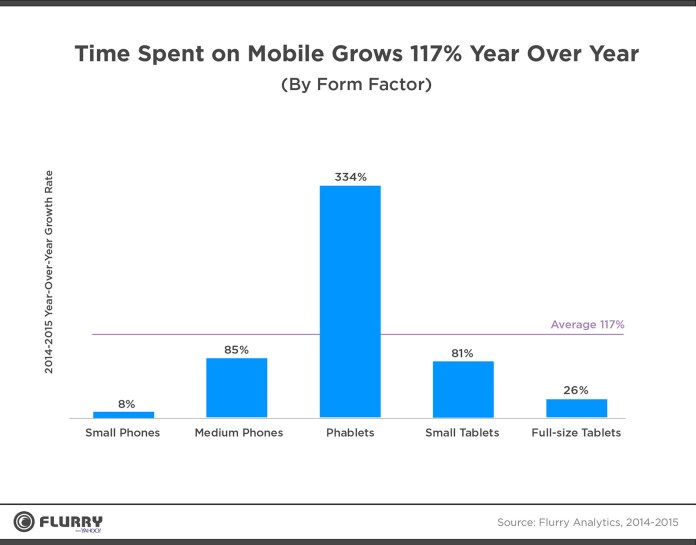
Time spend on mobile grows 117% year over year. One quick look at the image below will show that we have a new form factor that is taking all others in terms of growth.
Phablets are rocking
Phablets have become the unstoppable media consumption device. What a proof? Check the quarterly form factor distribution forecast (below).
Amazing. In the next 6 quarters, we might be in a place where phablets are 60% of all mobile devices.Continue reading →
Input Device Capabilities: Chrome 47 has a new feature that makes it easier to understand the how users interact with your site: InputDeviceCapabilities! DOM input events are an abstraction above low-level input events, loosely tied to physical device input (e.g., click events can be fired by a mouse, touchscreen, or keyboard). However, there is a problem: there is no simple method to obtain the details of the physical device responsible for an event. In addition, certain types of input can generate further “fake” DOM input events for compatibility reasons. One such fake DOM event happens when a user taps a touch screen (such as on a mobile phone); it not only fires touch events but, for compatibility reasons, mouse events as well. The new InputDeviceCapabilities API provides details about the underlying sources of input events this come to helps with problems when supporting both mouse and touch input. Read More: developers.google.com/web/updates/2015/10/inputdevicecapabilities
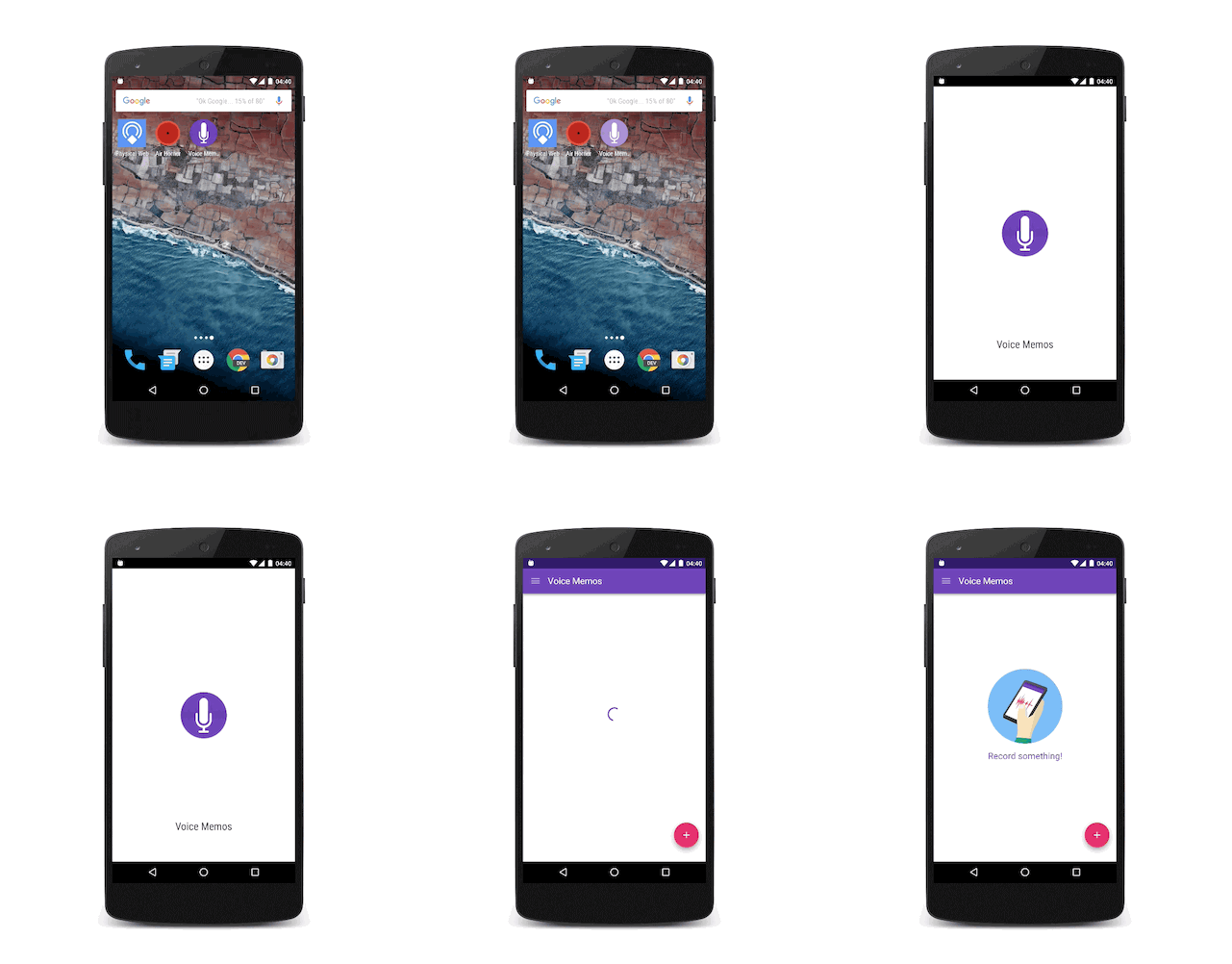
Adding a Splash screen for installed web apps – Over the past year we saw an effort in the Chrome team to let developers build sites and apps that feel like they are installed on the user’s system. The home screen launch process on Android is a great first step. In Chrome 46 on Android, we got the background_color that removes any delay and paints the screen with a solid color until the browser is ready to paint something from the web page. This was a good addition, yet it still didn’t look fully like an app. Now in Chrome 47 on Android, Beta these days as of October 2015, we are introducing the concept of a “splash screen”. Have a look:
Hot from the oven: AMP project! The web today is many things: an application platform, an e-commerce platform, a content platform, a gaming platform, and so much more. The AMP project decided to focus entirely on static content as it lends itself to more radical optimization approaches that are easier to apply across the board.
It’s all on Github so join the party. Btw, you can see the WordPress moving into producing AMP pages.
Tools like ‘srcset’ allow developers to serve an optimized image variant in a responsive way, but it can be cumbersome and inefficient to use in practice. Developers can nownegotiate with the server (resource selection with client hints) to download the best image variant for a device using straightforward HTTP request headers. These headers communicateDPR,Viewport-Width, and theintended display width of the resource being fetched to the server.
On mobile devices, there is 99.65% chance that they have a calling capabilities.
It’s true that modern mobile browsers will automatically detect phone numbers and convert them to links, it’s a good idea to do this directly in your HTML code. It’s a great way to allow users to call your business with one click and the way to do it is with this simple tel: scheme:
Amazing coffee Service <ahref="tel:+972-3-123-3344">+972-3-123-3344</a>
The result will look like:
Click to Call
You can click on it in order to see the code in action. Continue reading →
We know that users prefer websites and applications that work fast. There is a lot of evidence that link performance to revenue. Let’s see what are main parts of the user experience that relate to the perception of ‘speed’ and how we can improve it.
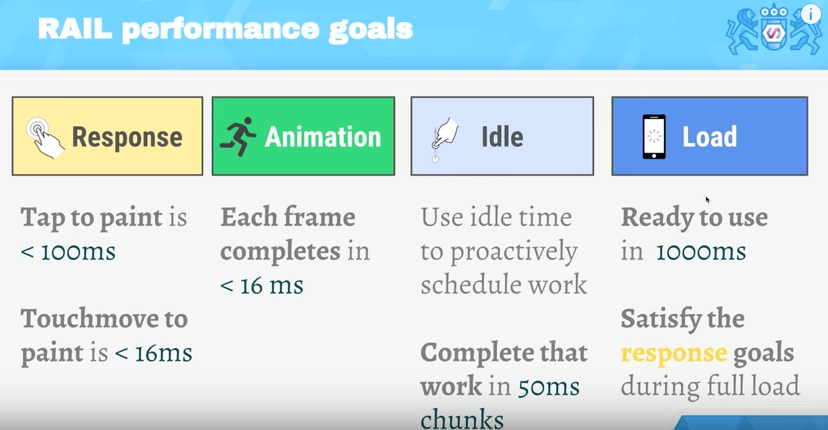
RAIL performance model
RAIL is a user-centric performance model. Every web app has these four distinct aspects to its life cycle, and performance fits into them in very different ways. You can see in the image below the 4 main aspects and what are the time limits to each stage.
The TL;DR
Focus on the user – the end goal isn’t to make your site perform fast on any specific device, it’s to ultimately make users happy.
Respond to users immediately –acknowledge user input in under 100ms – In mobile always use touch events and not click events (yep, click events still got this 300ms delay on mobile browsers)
Render each frame in under 16ms and aim for consistency. Users notice “jank” because in most cases it will ‘jump’ to their eyes.
Keep users engaged – deliver interactive content in under 1000ms.
I’ve been using markdown quite a lot both for the book I wrote and for other projects. It’s a great format and the best part (IMHO) is that you can learn most of it in 10min. Here is a list of the main ‘building blocks’ you will want to use:
Headers
# H1
## H2
### H3
#### H4
##### H5
###### H6
Links
To create links just follow this pattern:
[google.com](https://www.google.com)
Images
For images, you can just add ! before the ‘link’ element we’ve just saw above.

I always start with the one package that allow to stay in sublime and improve it quickly: packagecontrol.io
Next on the line is the option to make our editor a bit more friendly with: SublimeCodeIntel It’s A full-featured code intelligence and smart autocomplete engine for Sublime Text. Few of the technologies that are supported:
JavaScript, SCSS, Python, HTML, Ruby, Python3, XML, HTML5, Perl, CSS, Node.js, Tcl, TemplateToolkit and (of course) PHP.
From here there are many options.
Few the I’ve found useful:
LiveReload – Make your life easier with this live reload ability. It will save you a lot of clicks on the ‘reload’ button (or cmd+r).
MarkdownPreview – I love markdown and this one is making me more productive with it.
JSLint – If you are writing some javascript, this one is a must.
DocBlockr – Create a new documentation block with a quick click. And yes, it will extract that function’s parameter information and pre-fill it in your documentation block. nice, no?
Soda Theme – just to keep up with the cool kids on the block.






 Ido Green