Chrome, HTML5, webdev

How To Use The New ChromeBook File API


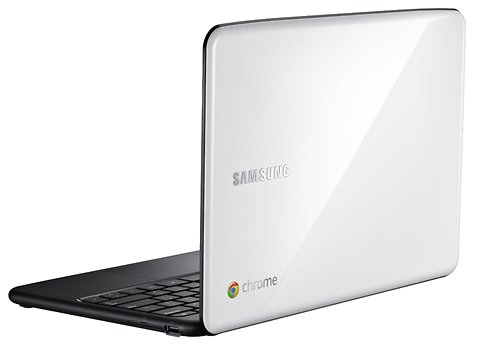
Next week, on June 15, we are going to see a new animal in town. It’s a laptop that works perfectly for the web. It got one of the best/fast browsers out there and its security model is baked really deep. One of the cool things in ChromeOS is that it gives developers a new API to play with. I worked with it in the past few weeks and I must say, it’s great (=Simple and powerful).
Let’s see how we can use this powerful API to upload files from USB and/or our ChromeBook.

The ChromeOS (=ChromeBook) file browser comes up when the user either presses Ctrl+M or connects an external storage device, such as an SD card, USB key, external drive, or digital camera. Besides showing the files on external devices, the file browser can also display files that the user has previously saved to the system.
When the user selects one or more files, the file browser adds buttons representing the valid handlers for those files. For example, in the following screenshot, selecting a file with a “.jpg” suffix results in an “Upload to Picasa” button that the user can click. Few things to keep in mind:

  • You should declare the “fileBrowserHandler” permission in the extension manifest
  • You should use the “file_browser_handlers” field to register the extension as a handler of at least one file type.
  • Last but not least, you should also provide a 16×16 icon to be displayed on the button. For example let’s take Flickr:

{
  "name": "Flickr Uploader",
  ...
  "file_browser_handlers": [
    {
      "id": "upload",
      "default_title": "Save to Flickr", // What the button will display
      "file_filters": [
        "filesystem:*.jpg",
        "filesystem:*.jpeg",
        "filesystem:*.png"
      ]
    }
  ],
  "permissions" : [
    "fileBrowserHandler"
  ],
  "icons": { "16": "icon16.png",
             "48": "icon48.png",
            "128": "icon128.png" }
}
 

To use this API, you must implement a function that handles the onExecute event of chrome.fileBrowserHandler. Your function will be called whenever the user clicks the button that represents your file browser handler. In your function, use the HTML5 FileSystem API to get access to the file contents.
Here is our Flickr example inside the background.html:


chrome.fileBrowserHandler.onExecute.addListener(function(id, details) {
  if (id == 'upload') {
    var fileEntries = details.entries;
    for (var i = 0, entry; entry = fileEntries[i]; ++i) {
      entry.file(function(file) {
        // send file somewhere
      });
    }
  }
});

Your event handler is passed two arguments:
id – The “id” value from the manifest file. If your extension implements multiple handlers, you can check the id value to see which handler has been triggered.
details – An object describing the event. You can get the file or files that the user has selected from the entries field of this object, which is an array of FileSystem Entry objects.

Is that easy or what? Please let me know if you have any comments/questions.

Here is another little javascript code that will do the work if you want to let the user to choose a file from your extension popup.html file:


...
uploadFile: function(file) {
            var pro1 = document.querySelector('#pro1');
            var progressBar =  pro1.querySelector('progress');
            var formData = new FormData();
            formData.append('file', file);

            var xhr = new XMLHttpRequest();
            xhr.open('POST', this.uploadServer, true);

            xhr.onload = function(e) {
                if (this.status == 200) {
                    console.log(this.response);
                    alert("The image is safe in Flickr " + this.response);
                }
            };

            xhr.onerror = function(e) {
                console.log(this, this.status, this.responseText, 
			    this.getAllResponseHeaders())
            };

            xhr.send(formData);
        }
...

Resources

Want to learn more on Chrome Extensions? Here is a great starting point

Standard
Chrome, HTML5

HTML5 – Some Great Presentation To Keep You In The Loop


HTML5 is a rich development platform that let developers (and companies) target more users on different browsers, devices and tools. Here are few links I’ve collected in the past week. It’s more a short list of great presentations (mostly from Google I/O 2011) and some code sample to give you a hint of the power.

  • HTML5 Intro – learn what is all about. From Geo to Canvans, here are some short examples:
     
    //
    // Get the user location 
    //
    if (navigator.geolocation) {
      navigator.geolocation.watchPosition(function(position) {
        var latLng = new google.maps.LatLng(
            position.coords.latitude, position.coords.longitude);
        var marker = new google.maps.Marker({position: latLng, map: map});
        map.setCenter(latLng);
      }, errorHandler);
    }
    
    //
    // paint some stuff
    //
    var canvasContext = document.getElementById("canvas").getContext("2d");
    canvasContext.fillRect(250, 25, 150, 100);
    canvasContext.beginPath();
    canvasContext.arc(450, 110, 100, Math.PI * 1/2, Math.PI * 3/2);
    canvasContext.lineWidth = 15;
    canvasContext.lineCap = 'round';
    canvasContext.strokeStyle = 'rgba(255, 127, 0, 0.5)';
    canvasContext.stroke
    
    //
    // Use some really nice fonts on your site
    //
    @font-face {
      font-family: 'LeagueGothic';
      src: url(LeagueGothic.otf);
    }
    @font-face {
      font-family: 'Droid Sans';
      src: url(Droid_Sans.ttf);
    
    //
    // Notify your user - just like on other devices
    //
    function showNotification(pic, title, text) {
      if (hasNotificationPermission()) {
        var notificationWindow = window.webkitNotifications
          .createNotification(pic, title, text);
        
        notificationWindow.show();
        
        // close notification automatically after a timeout    
        setTimeout(function(popup) { 
          popup.cancel();
        }, notificationWindowTimeout, notificationWindow);
      }
    }


  • HTML5 Games  and of course the Bad Aliens game that we’ve built during this presentation.
  • HTML5 WOW and How – you got here some very nice code snippiest of Files, Graphics (CSS3, WebGL) and Audio/Video stuff.
  • High level view on the chrome web store, upload process and the new file API.
Last but not least, if you wish to keep track on all the rapid changes and improvements that is going on in the ‘Chrome arena’ – feel free to use this pipe in your apps/reader
Standard
Chrome, HTML5, JavaScript, webdev

Chrome Apps, Web Store and The New ChromeOS File API

Two days ago, I gave a talk at “Silicon Valley Chrome Meetup”. This cool event was sponsored by box.net and I presented a session on Chrome web store upload process and the new chromeOS File API. The goal of this talk was to highlight some of the new ChromeOS file APIs and to give a high level overview on the Chrome web store and the app upload process. One question I got about the store was ‘WHY?’ and for there are three good answers:
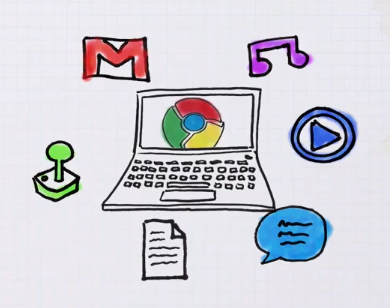
  1. Discovery
  2. Distribution
  3. Revenue (95% goes to the developer)

On top of that, on the revenue side, you get a peace of mind because Google handle the payments for you. Of course, there is an option to handle the payment on your own – if/when you wish to do it.

Another subject I’ve tried to clear was around ‘A Web App? what is it?’ It’s not easy definition, and you can see lots of examples out there to good/great/awful web apps. So just to give few directions:

  • Goal-orientated
  • Beautiful
  • Rich Experience
  • FAST

Last but not least, was the new file browser API that let developers write some nice java script code that will enable ChromeBooks’ users to upload their files to the cloud. In Google I/O Chrome keynote you could have seen a nice demo of it that let users upload photos to Picasa.

I hope that soon other interesting companies will take advantage of this API and we will see them integrating it with their clouds.

This little JS code will do the file upload for you:

uploadFile: function(file) {
var pro1 = document.querySelector('#pro1');
var progressBar = pro1.querySelector('progress');
var formData = new FormData();
formData.append('file', file);
var xhr = new XMLHttpRequest();
xhr.open('POST', this.uploadServer, true);

xhr.onload = function(e) {
if (this.status == 200) {
console.log(this.response);
alert(“The image is safe in Flickr ” + this.response);
}
};

xhr.onerror = function(e) {
console.log(this, this.status, this.responseText,
this.getAllResponseHeaders())
};

xhr.send(formData);
},

and all you need to declare is few lines of JSON of manifest file.

File API – Manifest Example

Declare the “fileBrowserHandler” permission in the extension manifest.

{
"name": "Upload to flickr",
...
"file_browser_handlers": [
{
"id": "upload",
"default_title": "Save to flickr", // What the button will display
"file_filters": [
"filesystem:*.jpg",
"filesystem:*.jpeg",
"filesystem:*.png"
]
}
],
"permissions" : [
"fileBrowserHandler"
],
"icons": { "16": "icon16.png",
"48": "icon48.png",
"128": "icon128.png" }
}

Standard
Chrome, HTML5

101 – Chrome OS, Web App and Chrome Extension

The power of the web is just starting to pick momentum. There are lots of signs that companies want to leverage HTML5 in order to by more productive and everywhere (desktop, laptop, tablet, mobile etc’). It’s not only Facebook, Netflix and others that got to understand that with HTML5 you can have web apps that will give the user a very close feeling to what they are getting today in native apps. He are three quick videos that explain what is a web app, what is Chrome Extension and why you want to have Chrome book…

What is Chrome OS? or why you (might) want to have one

What is a web app? Here is the short answer

What is a Chrome extension?

And last but not least, with more then 1.2M views… Chrome and Gaga video

So unleash your inner…

Standard
webdev

TextMate Best Bundles (That I’ve Found)

This is a must have bundle to any developer that start using TextMate:  https://github.com/jezdez/textmate-missingdrawer/

It will give you the ‘power’ of the IDE you like to live in… (well, more or less not 100%). You can get it and install it in this one line:
curl -L https://github.com/downloads/jezdez/textmate-missingdrawer/MissingDrawer_2010-11-28.zip | tar -xf - && open MissingDrawer.tmplugin

Some more good bundles to start with are:

  • HAML & SASS Bundles – These are perhaps the most common bundles to be installed. If you work in HAML & SASS you’ll want these badly.
  • GIT Bundle – If you use GIT for your version control, then this is a bundle you can’t be without. It allows you to manage your repository from within TextMate, do blame checks and much more. There’s also an SVN Bundle if that’s more your thing.
  • CSS & HTML Bundles – Although TextMate comes with some of it’s own, you’re going to want to grab the ones from Minimal Design. They add fantastic tab triggers to virtually eliminate most typing.
  • jQuery Bundle – A great bundle for working with jQuery. Features tab triggers for many functions and some pretty good syntax highlighting.
  • WakaTime – A plugin to quantify your coding with automatic time tracking. I’ve not tested it myself but it’s looking useful for developers that wish to learn from each project and gain stats.

Shortcuts

  • ^D – Duplicate Line/Selection (just like yy in VIM).
  • ⌘T – Go to File – This shortcut is truly second to none. Instead of trawling through your project drawer or going through the folders in your finder, use this to quickly jump straight to any file you wish to be in.
  • ⇧⌘T – Go to Symbol – This works in the same way as Go to File but for within a specific file. Trying to find a set method or a global variable? Look no further good sir, this is what you need. Especially useful for when you’re working with a massive user model!
  • ⌘L – Go to Line – If you’re debugging a stack trace, you’ll want to remember this one. Jump to an exact point within a file to squash that nasty bug!
  • ⇧⌘L – Select Line – Select the entire line of code you’re working on. Chances are you may want to follow it up with…
  • ⌃⌘ + ARROW – Move Code – Move the selected code around the file, helps when doing some refactoring of that nasty functional code.
  • ⇧⌃⌥V – Send selected to Pastie – This one is pretty unknown but handy. Send the selected code over to Pastie with a private URL for sharing the code – great when you need some feedback from a fellow developer.
  • ⌃S – Simple Search – Most folks know about ⌘F as it’s the same in most applications. However in TextMate it loads up an additional window for find and replace which isn’t always what you want. This shortcut allows you to do a quick search in the current file iteratively.
  • ⌘] and ⌘[ – Block indentation – Indenting manually can be a pain – use these functions to indent blocks of code quickly and easily.
  • ⇧⌃T – To-do list – This feature scans the project for code marked as ‘FIXME’, ‘TODO’ and ‘CHANGED’. It provides an informative list of them along with comments.
Standard
Chrome, HTML5

Chrome Is Pushing The Web (Faster Then You Think)

There are many technology improvements that are pushing the web forward.One of them is WebGL. Web what?
Well.. it’s a shortcut for: Web-based Graphics Library which is a software library that extends the capability of the JavaScript programming language to allow it to generate interactive 3D graphics within any compatible web browser. Most of the leading browsers today got ‘some’ support for it. This New (amazing) video clip that was design for Chrome is showing the power that artist, developers and users got today under their belt (or their chrome…)

Or just check the source at ROME (Pss… do it from Chrome and not other good browsers).

Standard
HTML5, webdev

HTML5 And The Future Of Everywhere

HTML5 technology is harnessing developers with a very unique way to be ‘everywhere’.

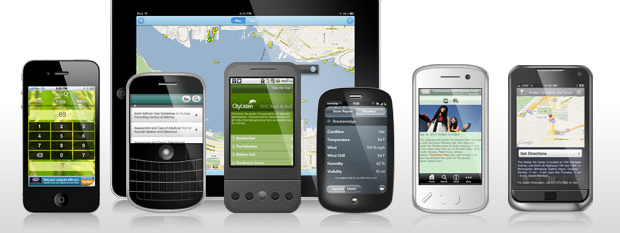
Unlike, the old Java days (1996-1997) where we thought that ‘write once run everywhere’ is going to be the future. This time, all the major browsers (yes, Firefox, Chrome, Safari and even IE) are supporting it. You can build today web apps that looks and act like ‘native’ apps  by using HTML5 features. Not only, you get the option to target iOS, Andriod, PalmOS, Windows7 phones etc’ with great user experience you code base should be ‘write once’. It’s not only the smart decision for start ups and independent developers but rather for all type of companies. Even gorillas like Netflix is taking this direction. Main features that you might want to checkout are:

  • Geo location
  • Video (without flash…) – I’ve told you… it’s 2011.
  • Audio (again – I know you don’t believe me but try it with out flash).
  • File Access is an API for reading file content in JavaScript. Here is a good article about the subject “Exploring the FileSystem APIs“. It give you all the nice simple examples to start handling files from your Chrome browser and soon… you will be able to do the same with your ChromeBook, nice ahh?!
  • CSS3 – extensions to CSS3 including: 2D Transformations, Transitions, 3D Transforms and WebFonts to name just a few.
  • 2D Canvas – feel like a painter for a day.
  • WebGL – games/games/games and more amazing stuff from Google earth.
  • SVG – just like in iOS.
  • Application cache, localStorage e.g. localStorage["name"] = username;. Unfortunately, present implementations only support string-to-string mappings, so you need to serialise and deserialise other data structures. You can do so using JSON.stringify() and JSON.parse().
    More ‘real life’ option to store stuff locally: Web SQL Database gives you all the power – and effort – of a structured SQL relational database. Indexed Database is somewhere in between Web Storage and Web SQL Database. Like Web Storage, it’s a straightforward key-value mapping, but it supports indexes like those of relational databases, so searching objects matching a particular field is fast; you don’t have to manually iterate through every object in the store.

If you want to dive into this new world, I recommend two strong sites:

  1. Dive into HTML5
  2. HTML5 Rocks

Both are giving very good explanations, tutorial and examples, so have fun. For the full experience you might want to use Chrome browser.

This year, Google I/O was around two main subjects: Andriod and Chrome. I’ve went to see some talks on both themes. Here are some good Google I/O Talks I’ve been this year are:

HTML5 Showcase for Web Developers: The Wow and the How

Standard
webdev

State Of The Art Applications For Your New Mac

apple new mac OSI’ve needed to harness my new mac with some apps/tools I’m using daily. There are lots of good options today in the apple mac store. However, you might want to find some cool apps that are not there. Here is the list I’ve made:

Basic Apps

  • Quicksilver – Quicksilver is an excellent multi-application launcher. Quicksilver is a handy app and folder launcher has quickly.
  • Sparrow – mail app for the ones that are still not using gmail web interface…
  • Chrome (go with canary) / Firefox
  • VLC – VLC is a free and open source cross-platform multimedia player.
  • Dropbox – a free service that lets you bring your photos, docs, and videos anywhere and share them easily.
  • Google earth – lets you fly anywhere on Earth to view satellite imagery, maps, terrain, 3D buildings, from galaxies in outer space to the canyons of the ocean.
  • Picasa – helps you organize, edit, and share your photos. It’s free, and easy to use.
  • EverNote – works with nearly every computer, phone and mobile device out there.
  • Adium – Open source multi-protocol instant messaging client for Mac OS X, supports MSN, Jabber, Yahoo! and other networks.
  • Seashore – is an open source image editor for Mac OS X’s Cocoa framework. It features gradients, textures and anti-aliasing for both text and brush strokes.
  • PixelmatorExcellent image editor that give you more then Seashore (and less then photoshop).

Developer Tools

  • Sublime Text 2 – my favorite editor these days.
  • Textmate / text wrangler – good editors.
  • Chicken of the VNC – A Mac VNC client that allows one to display and interact with a remote computer screen.
  • Cyber Duck – is an open source FTP, SFTP, WebDAV, Rackspace Cloud Files, Google Docs, Windows Azure & Amazon S3 browser for Mac and Windows.
  • IntelliJ IDEA – Powerful IDE for Java and if you are a web developer try Web Storm
  • Eclipse – Good IDE for Java/GWT/Google App and many more.
  • Netbean – Fully-featured Java IDE written completely in Java, with many modules available, such as: debugger, form editor, object browser, CVS, emacs integration etc’. It’s a good IDE (as eclipse) but I even more like their php/JS support.
  • MAMP – Install Apache, PHP and MySQL with few clicks under Mac OS X.
  • Zend Server/Framework – in case you live in PHP world.
  • Sequel pro – Sequel Pro is a fast, easy-to-use Mac database management application for working with MySQL databases.

Have I forgot something? Any other ‘killer app’ that should be part of each mac?

Standard
HTML5, JavaScript, webdev

HTML5 And CSS3 – New Features And Tips #io2011

I had a good busy day today at the #IObootCamp overall, there were lots of good sessions and it is great to meet so many familiar developers. I didn’t had too much time to put all my notes. But here is a quick list I’ve took from few great sessions. In one hands on session I had the fun to hack this ‘awesome to-do list‘. Is it the best to-do list on the web today, or what? (only on Chrome you will get the ‘awesomeness’). It’s all based on @jeromegn work for a demo of backbone.js

CSS3 New Features

  • CSS3 patterns – so many option to get very nice background that are pure CSS based.
  • HSL play tool – change and play with HSL (shh… you can get similar stuff in chrome dev tools by clicking on the right side bar (the one that show you the CSS attributes). You can click on the background-color and it will change between the different methods to define it.
  • Web Fonts – No more the 8 old (=boring) fonts that we have in browsers… you can (and should) use in your sites/apps a wide range of fonts.
  • CSS3 Please – let you change/edit the page and see the nice element on the top right corner change in real time. Good tool for beginners. You can get the same ‘feature’ if you use chrome dev tools… (and it’s better because it will record your history of changes both to the CSS and scripts).
  • Transforms sandbox

Browsers Compatibility

JS Framework

  • yepnope – It is an asynchronous conditional resource loader that’s super-fast, and allows you to load only the scripts that your users need.
  • MVC (yep in JS) – Backbone supplies structure to JavaScript-heavy applications by providing models with key-value binding and custom events, collections with a rich API of enumerable functions, views with declarative event handling, and connects it all to your existing application over a RESTful JSON interface.

and let’s not forget the new API discovery tool that Google release today. It’s a good starting point to any project these days.

Have fun and I hope to have lots of new notes/posts during the up coming week.

Standard
webdev

Some Interesting APIs

In the past few months, we (=HighGearMedia.com) have been thinking a lot about mobile and APIs. It’s no secret that the mobile spaces is growing very fast. In fact, we think more and more users will consume most of their ‘web’ using their mobile devices in the (near) future. On top of the ‘mobile movement’ we want to create creative mash-ups that harness other features in order to build new cool tools. Here is a list of APIs I would like to keep an eye on:

Any other good/great APIs I’ve missed here?
This week there are lots of update about Google APIs,  watch what is going on tomorrow LIVE at Google I/O (lots of great APIs)

last but not least, there are these 2 frameworks  that any one that is going to take seriously her mobile front should keep a close eye on:

  1. http://jquerymobile.com – this is probably the best framework today to build modern mobile apps that will work on lots of phones (iOS, Andriod, PalmOS and even Windows).
  2. http://www.phonegap.com – the framework that let you take your JS,CSS,HTML5 and compile from them a native application.

Standard