Chrome, JavaScript

Monte Carlo Simulation On Compute Engine/App Script

App script on Ido's project place

This week in Google Developer Live Israel, we show you how to work with Google App script to run Monte Carlo simulations and get the results in an excellent informative way inside Google spreadsheets. We took it further and explained how to run these scripts on your instance machine inside Compute Engine with nodeJS.

This is a powerful option because the ability to ‘try’ quickly on App Script and then take the code to ‘production’ (=more efficient way) on Compute engine gives you more productivity.

So what are we doing?

First, let’s touch on the definition. This problem-solving technique approximates the probability of specific outcomes by running multiple trial runs, called simulations, using random input variables. The remarkable aspect is that we are steering the scenarios by using randomness.The randomness helps us ‘try’ each future strategy in a way that includes our probability per variable. This allows us to fine-tune our trial runs to answer a question with several variables. It will help us find the best way to spend time with our salesperson.

 Monte Carlo Simulations Steps

1. Define a model with a domain of possible inputs.

2. Generate input values randomly, sampling from a probability distribution over the domain.

3. Perform a deterministic computation on the inputs.

4. Aggregate the results. Continue reading

Standard
webdev

Compute Engine In 5min

Screen Shot 2013-07-11 at 2.43.33 PMThis week, we showed in GDL-IL (Google developer live Israel) how to work with google compute engine. Google Compute Engine offers scalable and flexible virtual machine computing capabilities in the cloud. You can solve large scale processing and analytic problems on Google’s computing, storage, and networking infrastructure. It’s also great option to ‘play’ with a server (web service) in the cloud and scale it efficiently. It’s *open for all* and it got some powerful features like: Continue reading

Standard
Chrome, HTML5, JavaScript, webdev

HTML5 APIs To Use Today On Google Developers Live Israel

Last week, I meet with few startups to talk about their web apps. After few basic questions like: how do I save data on the client without cookies? or something like: “Can I get a video input from the browser?” I thought it might be a good idea to touch on some of the APIs that are out there today in most browsers and developers can use. The best part is that in most cases, you can start using these APIs with very little code. In this demo page  you can hack around some basic HTML5 features and see the code snippets that will let you do some cool things like: save information locally (local storage for the rescue here), Geo location, device orientration, Getting Video/Audio (with WebRTC), Visibility API etc’.

The slides from my #DevConTLV Talk

Standard
Chrome, HTML5, JavaScript, webdev

DevCon TLV – HTML5 APIs (Talk & Slides)

DevCon TLV Logo

Today I had the pleasure to talk (again) at DevCon Tel Aviv. In this talk, I’ve covered some of the aspects that developer should think about in the design phase, coding phase and after the ‘production time’. It was a good opportunity  to put a simple demo page that contain some basic HTML5 features you might want to use. Why? because in cases like the ‘Summary/Detail’ element you get the option to have expendable/collapsable areas without any JavaScript. It’s great to have the ability to communicate to the browser our needs without doing some ‘hacks’ in JS. Other great options like: visibility API, Geo and device orientration are all working on most modern browsers. You can check out the slides and the links to the resources in them. Continue reading

Standard
Chrome, JavaScript, php, webdev

Google APIs On GDL Israel

Google APIsIn this week we spoke about Google APIs and how you can work with them from the client (e.g JavaScript) and from the server (in this case, it was with PHP but there are many more options).

The main link that you will want to start with is: code.google.com/apis/console/ which give you the option to ‘activate’ which APIs you are going to use and later on each and every one of them you can click on the ‘question mark’ and jump to a starting guide. Another good tool is the API-Explorer which give you the option to test APIs quickly and see what each end-point will return. Continue reading

Standard
Chrome, HTML5, JavaScript, webdev

How Deep Is Your HTML5 Knowledge?

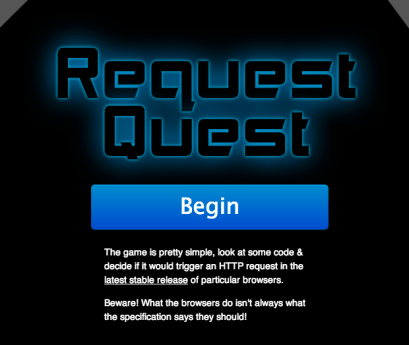
html5 knowledge gameWell… If you wish to see how well you know all the little quirk modes. There is a (web) App for that: http://jakearchibald.github.io/request-quest/
Thank to Jake Archibald for the time he put into it.

Standard
Chrome, HTML5, JavaScript, mobile, webdev

HTML5 APIs – Hangout With O’Reilly

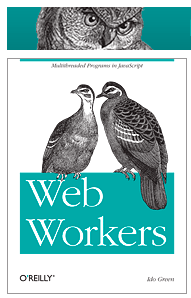
Web Workers BookToday I did a hangout on air with O’Reilly. It was a good opportunity to dive into some of the aspects of modern web application and check what are the main things we wish to think about when we design, build and ship our apps. Modern web apps are rich, interactive applications.

I tried to cover the following:

  • Defining the modern web app
  • Designing a modern web app
  • HTML5 Power tools/APIs
  • Tips & best practices on DevTools and Google Cloud Endpoints.

The slides 

My book on Web Workers.

And you can watch the video recording of the talk:

Standard
Chrome, HTML5, JavaScript, mobile, php, webdev

HTML5 APIs On Google Developers Live Israel

html5-cakeThis week we spoke about “Modern Web Applications Utilizing HTML5 APIs“.
Some of the things we covered:

  • Defining the modern web app
  • Designing a web app with a thought on all devices out there.
  • HTML5 Power tools/APIs
  • Google cloud endpoints and why it’s a great option to built your next powerful API.

Continue reading

Standard
Chrome, HTML5, JavaScript, webdev

Google I/O 2013 – Mobile Web App Demo

Standard
Chrome, HTML5, JavaScript, mobile, webdev

Google I/O 2013 – Mobile, Web and Cloud – The Triple Crown of Modern Applications

app_engine-256Can we had a better title for our talk? I’m not sure… But the description was along the lines of “…Ready to rock the world with your next application? Odds are you are thinking about mobile, web and the cloud.” So far… so good.

In this session we talked about building a modern mobile web application that takes advantage of the Google Cloud Platform. We touch on the powerful combination of the “mobile web AND the cloud” and in the process we tried to show the power of Google cloud endpoints and modern HTML5 apis. We built a fun little mobile web app “Pictureque” that give you the options to take photos (even on airplanes) and then share them with the world. Continue reading

Standard