
AI, webdev

Unlocking WhatsApp: Your Local Analytics Dashboard

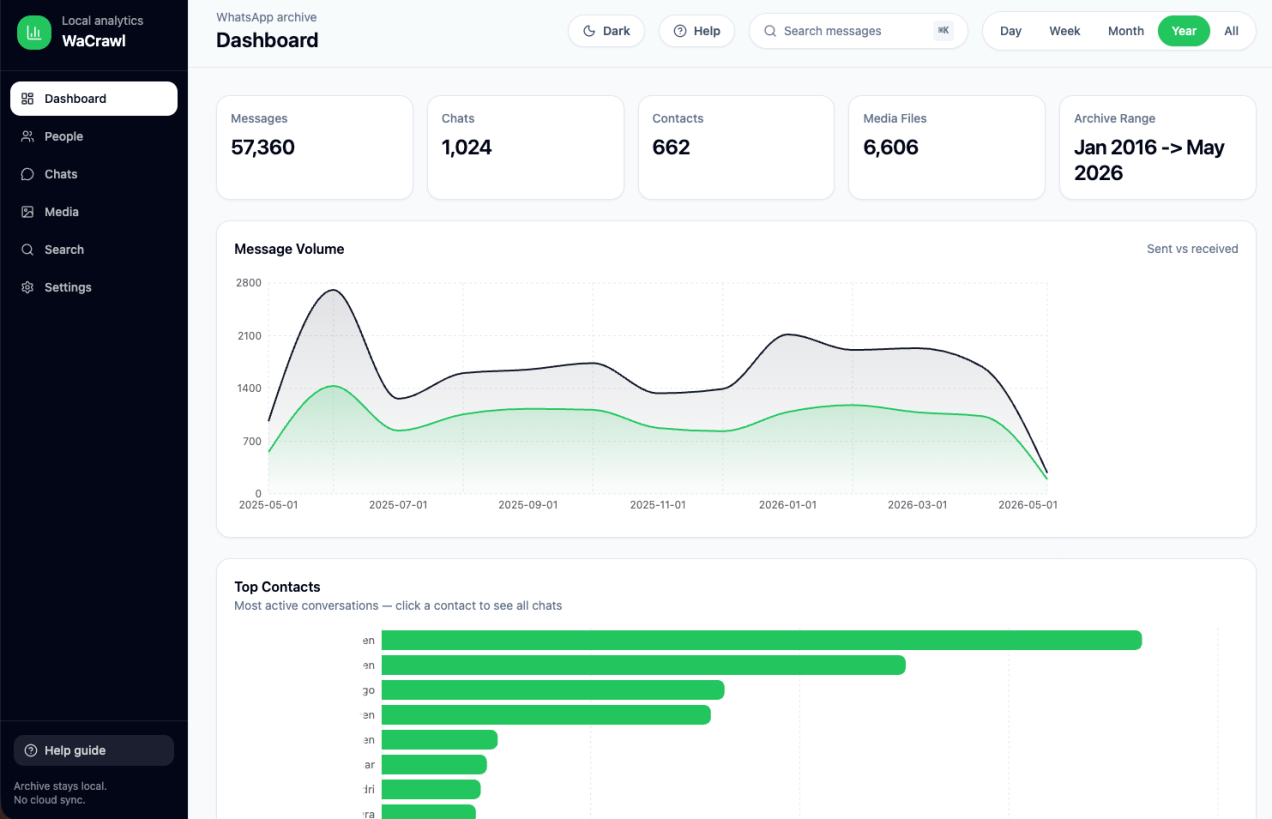
A few months ago I wrote about building a local analytics dashboard for WhatsApp using the amazing WaCrawl project.
If you haven’t read it yet, start here:

Unlock Your WhatsApp Data with a Local Analytics Dashboard

Since then, the project has evolved dramatically.
It is no longer just a visualization of your messages—it’s becoming a complete analytics platform for understanding years of conversations while keeping every byte on your own computer.

If you’re the kind of person who has accumulated hundreds of thousands (or millions) of WhatsApp messages, you’ll probably discover things about your communication habits that you never noticed before.

Why Another WhatsApp Analytics Tool?

Most messaging analytics products have one major problem:

They require uploading your conversations to someone else’s servers.
That’s a non-starter for most people.

The dashboard follows one simple rule:
Your messages never leave your machine.

The application reads the local SQLite archive produced by WaCrawl and exposes a read-only API that is only accessible from localhost.

Continue reading

Standard
AI

Unlock WhatsApp Data with Local Analytics Dashboard

Most people think of WhatsApp as “just messaging.”

But after years of conversations, support threads, customer discussions, team coordination, and random life moments… it quietly becomes one of the richest personal datasets you own.

So I built wacrawl-ui — a local analytics dashboard for WhatsApp archives generated by wacrawl.

The idea is simple:

  • Your data stays local
  • No cloud sync
  • No browser extension
  • No scraping APIs
  • No “AI magic” uploading your chats somewhere
Continue reading
Standard
JavaScript, webdev

YouTube Analytics Dashboard With Apps Script

player_apisThere are cases where you wish to collect statistics on your youtube videos or channel. There are few options to do it with YouTube API. As the YouTube’s API supports many languages you can choose the one that will work for your environment. In many of these options, you will need to develop a server side that will fetch the data and a front-end to present it and give the users option to query it. If you wish to dive deeper (e.g. specific metric on channel performance and videos statistics), you will need to work with YouTube Analytics API.

In this post, we will see a simple example to create a dashboard that will be updated on a daily basis. Since we wish to save ourselves from building (and maintaining!) a server side and a web app to access it, we will use the power of Google Apps Script (GAS) and Google sheets.

The Dashboard

Here you can find the “Dashboard example sheet”.
Feel free to copy it and work on your own version that is not in ‘read-only’ mode. Continue reading

Standard