Chrome, HTML5, JavaScript

IndexedDB Webcast In GDL-IL

Here is a short webcast that shows how to build “IndexedDB in a jQueryMobile app”. If you thought about building a modern web application with offline capabilities, it will be a good 101 session for you. For the full code you can read “How to use indexedDB” and here is a live demo of this mobile web app. It seems that with the JavaScript shim that I’m using this is a nice solution for developers that wish to target both Android and iOS as it should work in both Chrome for android and mobile safari. Moreover, soon when IE10 will be in the ‘wild’ web, indexedDB API will be available in Chrome, FF and IE, nice ahh?

Btw, one of the reader of the blog point me to another open source IndexedDB API wrapper library – From browsing it, it’s looking good!

Standard
Chrome, HTML5, JavaScript, mobile, webdev

How To Use IndexedDB – Simple(st) Example

In the past few months, I’ve saw many developers that use  local storage for ‘big data’ on the client side. Local storage is a powerful API that let developer save key-value data on the browser. However, it’s got some limitation like: synchronize operation that make it less efficient when it’s heavily used. Moreover, it should replace simple cases (e.g. saving the user state) and not in scenarios where you wish to save lots of data and then have the ability to ‘slide and dice’ it base on your needs with effiency. For that, we used to have WebSQL (which as you know is deprecated from 2010) and the new cool kid in town – IndexedDB. Here I will try to give you a short example that will run nicly both on IE10, Firefox (that match the spec) and Chrome (which need to tune a bit the setVersion update to call onupgrade). IE10 will support IndexedDB as well – so it’s great news to web developers in terms of ‘wild’ support for this important API in browsers. I wish we will see soon Safari (specially, on the mobile) match Chrome for android and give us the ability to leverage indexedDB both on Android and iOS.

Ok, as Linus said: “talking is cheap, show me some code”… Let’s go over the example code. In this example we will save todos to keep things simple. Classic, no? In the end of the post, I will also give two other examples of a ‘todo app’ the use indexedDB, WebSQL and jQueryMobile.

Continue reading

Standard
Chrome, HTML5, webdev

Google Drive on GDL IL

Here is my talk from last week with Nicolas Garnier (Developer Advocate for Google Drive) on the new aspects of Drive. You can have a short intro to drive and then dive into:

  • What are the key features developers should be aware of when working with Drive APIs. For example: all the Drive SDKs you can use with your favorite technology (e.g. Java, Php, Python etc’).
  • Show some new apps that are doing good job in integrating into Drive. We spoke about best practices and OAuth2.0
  • Learn what is next for drive in the near future…

Psst…
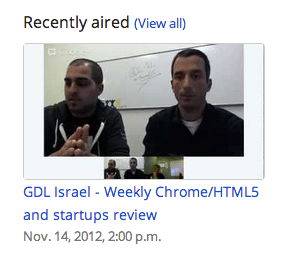
If you want to see more GDL-IL episodes, feel free to ‘Add our show‘ to your calendar. It’s going to take 15-25min of your time every WED at 14:00 Israel time (IST)

Standard
Chrome, HTML5, webdev

Google Developers Live IL And Shana Tova!

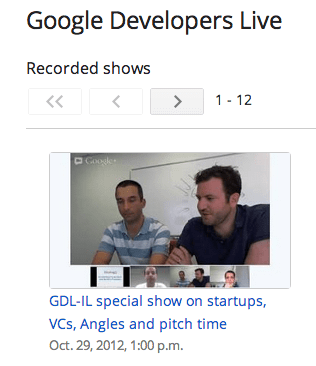
shana tovaToday we lunch GDL IL. What is it? Google developer live is GDL and IL is our famous short for Israel. It is going to be a weekly show on WED 14:00 (so mark your calanders please). We are going to talk about the latest and greats news in technology. From Android to HTML5 and back to Cloud, Google APIs and anything that is interesting for developers. As ‘startup nation’ we will hosts some of the cool, interesting/amazing startups that will tell their story and will share some of their real life experience. For the first show that is focus around Chrome extensions, I had a pleasure to interview Tal from Equire (a CRM Chrome extension that integrates with Gmail and making your life better). We talked about the life of a web developer that choose to build a product in Chrome (extension and/or App). Since Tal is working from The Hub we covered what is unique about this ‘working space’ and how to be productive in such an environment. One of the key questions I’ve asked was something like: “What are the top 5 things to keep in mind when we are coming to build a chrome extension?” Tal answered:

  • Don’t rush to do the same things you always do when first building an app, think about the new architecture, understand it, it’s a different mindset, it’s not just a regular web app. The major difference is the limited ‘screen’ you have and some strong APIs – so use it smartly.
  • LocalStorage… give you a lot of power to save state/data of users.
  • Metrics – measure everything so you could improve over time and give more insight to your users.
  • APIs – There are many APIs that are available only inside Chrome so learn them and use them!
  • Very challenging UX issue – not a blank canvas like a web app. You have an option to give notifications and be ‘infront of your users’ but there is a delicate balance to strike to make sure you don’t get uninstalled.

There are many more things we covered… Some of these are covered in this post “Six Strategies for building great extensions“. However, if you want all the good stuff, you will need to watch it until the end when our next week guest will show up 😉

We finish the episode with 3 things/tools that Tal recommend.

  • Mixpanel – An analytic tool that answer any question you have about your code/users. You should start early and get a feel for it. The nice part is that you do not need any backend.
  • CoffeeScript – take a week, learn it, it will give you back 3 months of your year.
  • Backbone – especially for chrome extensions. It was a simple for Tal to start and be productive with it.

Until next time… Enjoy and Shana Tova!

Standard
mobile

Top Android Apps You Want On Your Phone

What are the ‘must have’ apps you would install on a new Android device?

I’m sure you all got to this spot when a good friend and/or brother, sister, mom, dad or “dear” neighbor is coming to you (=the “guru”) with their new smartphone with the request: “Make it useful for me” or “Put some games and apps for the kids”. Well, after few (OK, maybe just 17) times I got this request, I decided to document a list of great apps that I’ll install in such a case. It is similar to a post I’ve wrote in the past about ‘Great Web Apps For Your Chromebook‘. The list is a combination of powerful apps that help people (who are not necessarily technical) in their daily tasks.

Here is my little list:

  • Google+ – Well, even if your friend doesn’t use this powerful social network. I would install this app because – on top of many other great features like: local, hangout, messenger and more – it will back up all her photos to the cloud!

  • Waze social GPS – This navigation app bring the ‘wisdom of the crowds’ into your car. It’s very powerful to direct you on the shortest path based on traffic in real time.

  • Gmail – Well… How can we have a list without THE email tool? This is going to be the app the will consume most of your friend’s time.

  • Skype  / Viber / Google Talk – you can call and message for free. I know lots of friends that use them when you are abroad. It’s useful to find a good wi-fi connection so the quality of the call with be good.

  • WhatsApp Messenger – one of the best messaging apps (think on sms but much better and for free). It’s working on many different devices so you can be sure most of your friends can enjoy it.

  • Chrome – Get the the security, speed and simplicity of Chrome to your mobile device. All your links, open tabs, passwords will sync like magic. Plus, you will enjoy many wonderful web apps that will work very fast.

  • Evernote – Organize your life and take notes using your mobile. This app is a powerful tool to keep your notes/recipes/photos/todo lists etc in the cloud. It’s also synced notes across devices so you can reach them from anywhere. Btw, their tablet version is gorgeous.

  • Flipboard / Google Currents / Pulse News – All are great apps to read your favorite magazines, blogs, newspapers etc.

  • Google Drive /  Dropbox – access all your docs, photos, videos, files from your mobile device.

  • Instagram – A good app to improve your native camera pictures and share your photos with the world.

  • TripIt Travel Organizer – This is a great app for anyone that travel. It will give you a great way to stay on top of things like: flight schedule changes, hotel reservations and car rentals.

  • Facebook / Twitter – so you could keep in touch with the rest of the ‘social’ world. btw, both of these app got a very nice mobile web app as well. There are also options to have these type of apps as widgets so you could be more productive on certain functions of the app.

  • Foursquare – explore a new city with this powerful app. Ohh… yes, you can ‘check-in’ and share your location with friends but even if you don’t part of the ‘social animals’ you will find this app very useful. Another option to check quickly where to go and what to eat is Yelp.

  • GroupMe / Google+Messanger – both will give you a great way to have group chats and organize friends/team quickly.

  • VLC – Be able to watch any type of video on your Android. Another option to stream video is with Dropbox app – yep, it let you do that as well.

And some extra fun one

UTILS/TOOLS

  • Barcode Scanner – To be able to scan some barcodes like all the cool kids on the block.
  • Flashlight HD LED – When there is no other option
  • Google Translate – Think on a case where you want to order a good wine in france and you can’t say it.
  • Any.DO To Do List – Great to do list app. It also got a nice chrome extension that keep your tasks sync and fresh.
  • Wheres My Droid – for anyone that lost his phone more than once or twice. This one is a life saver. It will let you find it even if the phone is in silent mode.
  • AVG Antivirus – After all it’s better to be safe then sorry, no?
  • Key Ring Reward Cards – Keep all your loyalty/reward cards in one place.

Reading / Education

  • Kindle – Read book, pdf and anything else. I found that I’m using this app quite a lot on my phone (and not only on my tablet).
  • Google Reader – To keep up with your world of interest. This is a great rss reader.
  • TED – Ideas that worth your time. If you have 20min of free time, this might be the perfect solution to put them into good use.

Sport / Outdoor / Health / Fitness

Anything for bikers, runners, athletes and hikers.

  • My Tracks – Record and share your GPS tracks with friends.
  • MapMyRUN GPS Running – You can have MapMyRide verison as well in case you are mostly on your bike.
  • Strava Cycling – Analyze your performance and see how you stack up against friends and locals
  • StopWatch & Timer – In so many cases you wish to time something…

Last but not least, some apps for the dudes in Israel

We can’t finish without the #1 mobile game of all time (this time for Curiosity)

Angry Birds Space

 Drive safely and if you have some more (great) suggestion – please share them…

Here are the top apps in the Israeli Android Play Store (Aug 2012)

Standard
Chrome, HTML5, JavaScript, mobile, php, webdev

Modern Web Apps at Scale With Google App Engine (Part 1 Out Of 3)

modern web apps exampleThere is no secret that today any developer that wish to built the next G+Path, Instagram etc’ must think on two major aspects:

  • Server Side / Cloud Service that she is going to use in order to create the API. Here we must answer some important questions like:
          1. What will I do if I get a huge spike in traffic?
          2. Will I need to manage it? Do I have to do it?
          3. How will I communicate with different clients?
          4. Which technology to use in order to store: data, state etc’
  • Client side technology
    • Web technologies: HTML5, CSS3
    • Mobile native app: Android, iOS and Windows.
In this post I’ll be focusing on the client side (and later this summer I’ll have another few posts on the server side) and what we should use in order to build a modern web application.

Modern Web App

It’s not an easy definition since web technology is running very fast. Nevertheless, we can find certain features across successful web apps:

  • Self Contained & Functional– They all have one specific goal and they do their best to provide the users the functionality to get to her goal. Few examples:
    • New York Times – Consume news.
    • Hipmunk – Find a flight that is the ‘perfect’ for your needs.
    • Gojee – Find the recipe you would taste and say WOW after it.
  • “Offline first” – You will want your web app to work offline. It’s an important feature that will let your users be productive on places like: planes, subways and on spots like: Starbucks when you don’t have (always) good connection. Another very important benefit will be the improve in performance. Since the app will work locally (first) and then sync the state/data the users will get responsiveness that are far better from an app that need to ‘wait’ for network on every action that the user does.
  • Client Side Architecture – Since we are moving big parts of our ‘logic’ to the client we need to think about methods that will keep our code readable and maintainable. I guess this is the main reason why we see so many MVC Frameworks. The only advice I can give here is to try few of the popular ones and see how they approach the separation between the data and the UI. If you have some time go over The Top 10 Javascript MVC Frameworks Reviewed. Then, after you try ‘some’ you will be able to pick the one that fit the bill in the best way. For the busy developer (I know… most of us don’t have too much free time 🙂 – Go and play with these three MVC (some will say it should be MV* because it’s not really MVC more MVVM, MVP):
ember.jsEmber.js – Don’t waste time making trivial choices angular.js Angular.js -Lets you extend HTML vocabulary for your application backbone.jsBackbone.js – gives structure to web applications by providing models with binding, collections and views
  • Device Aware – We all know that mobile is going ‘up and right’. So when you design your web app you should think on progressive enhancement and how it will fit  to different screen sizes. Good examples to look at are: Gmail, Flipboard and Twitter. If you want to go deeper on this interesting subject there is a webcast on ‘mobile web apps’ I did with Oreilly three weeks ago. You can go over the slides as well.

Challenges and Solutions

Challenge: What to do first (mobile app, web app, both). Focus is the most important thing for a startup so what should we do?
Solution: Built on the server a RESTful API that allow you to consume it from any platform. The way to work with an API is similar (more or less) to all the platforms although in the web we have some interesting new tools that we can use. If you are working with Google APIs here is a new API Explorer that is very useful to browse the capabilities of each API and to try it live.
Challenge: How to make the web app functional with clear goal?
Solution: Invest time and effort in your UX (and later the UI). Some taking it a step further and say that you should focus only on great UX and all the rest will follow. Who said apple?
Challenge: How should I work with RESTful APIs (in our case – google ones)
Solution: The first excellent tool will be Google JavaScript Client Library  Why it’s so powerful?
  1. It save us the trouble to reinvent the wheel and built simple functionality like: CRUD operations, list, order, search etc’. It’s all baked in it.
  2. It provide us some powerful new features:
    1. RPC Batch
    2. CORS
    3. Authentication out of the box
    4. Version control
    5. Super Simple
Challenge: How to make my application ‘offline first’?
Solution: With HTML5 we have few APIs that let us create web apps that will work great when there is no connection. The first step is to pretend that there’s no internet connection. It will force you to implement a sync layer that works only when online. So you will give the users the ability to add/edit/remove data and when the connection is online your app logic will do the syncing with the server. In order to have our app offline we should use two important features:
  1. Storing (static) assets: we can use AppCache. It’s our ability to save locally our html, js, css files and all the images, sound files etc’.
  2. Storing data: localStorage, IndexedDB, File API. This is a hot (and large) topic. I would suggest to read deeper on when and where to use each over at html5rock.com

webIntent

Challenge: There are so many web services I would love to hook into my app – How can I do it without reinventing the wheel each time? In other words, I want to give my users the ability to edit photos, share on twitter, g+ and Linkedin (just to name few).
Solution: WebIntent! If you are familiar with the intent system that is flourishing in Android you know what I’m talking about. We now have a powerful solution for the web. Web Intents is a framework for client-side service discovery and inter-application communication. The code you need to add to your app is as simple as:

var sharingDetails = "Check out my....";
var intent = new Intent(
            "http://webintents.org/share",
            "text/uri-list",
             beerDetails);
window.navigator.startActivity(intent);

The best part is that it will work on most browsers with JavaScript shim and in Chrome (19+) it’s built into the browser natively!

Google Chrome FrameChallenge: What can I do on old browsers that do not support HMTL5 very well?
Solution: Google Chrome Frame is an open source plug-in that seamlessly brings Google Chrome’s open web technologies and speedy JavaScript engine to IE. You can add it to your web app with one line of meta tag: <meta http-equiv=”X-UA-Compatible” content=”chrome=1″> or configure the server to send this http header: X-UA-Compatible: chrome=1 in both scenarios your users will enjoy the wonderful world of chrome (v8, HTML5, CSS3, WebGL etc’) inside their IE. Important fact to remember is that your users do not need admin rights (on their windows PC) in order to install it.

I hope this gave you some points to think about during the planning and designing phase of your next web app. For startups and developers that have an app in production, I would suggest to check what are the building blocks that will make sense to implement first (e.g. web intent, clean the client code by refactoring it to an MVC framework etc’).
This is the first post in a series of posts, I hope to cover Google App Engine in the next one and then combine the two worlds in the last post that will be more of a ‘cookbook’ to best practices of leveraging Google App Engine and HTML5.
Standard
Business, Chrome, life, webdev

Tools That Make You More Productive

Java posse roundupDuring the first day of Java posse roundup 2012 I’ve took some notes from all the interesting session I’ve been in. The first day was a great start to the conference with two session that were very interesting with lots of good stuff to start and checkout. Here are some of the notes I’ve took from the session about “Tools that make you more productive”.

The first suggestion was (surprise – surprise) Whiteboards with some good tips like:

  • Big boards for work in meetings
  • Small portable boards that people can take back to their desks
  • Pictures of boards for later reference/distribution – good mobile apps for that are:
    • CamScanner+ phone-based scanning to PDF, etc.
    • Camera+ with its text mode filter.

My favorite editor Sumblime Text was next in line. There are many great tips and ways to make you efficiant using it. I will try to post on that later this week. You can start by using ctrl-p for smart search and improve your knowledge of short-cuts.

Productivity tools:

  • Workfloy.com – good for plan/todo anything that need list/sharing and a nice web app.
  • join.me – Hassle free screen sharing.
  • Evernote/SpringPad  – Everything you want to remember on every device you use.
  • Plain-text – good for note-taking, searching
  • SimpleNote
  • Lightscribe pen – It’s not a pure online tool (but it can be uploaded). It’s a good solution for people that like pens but want to be able to have their drawing/writing digitize for future search.

ToDo:

  • Any.do
  • “do it tomorrow” – for Android
  • Pomodoro technique – Tomatoes.com web-site for pomodoro

For the (web/Java) developers among us:

  • Standing desk
  • large monitor (or even 2-3 of them).
  • best mouse, keyboard, monitor you can buy. On every tool that you use daily you want to buy the best.
  • SSD (or hybrid HDD/SS)

How to handle interruptions:

  • Turn off all distractions: facebook, twitter, IM, IRC etc’
  • Work at home
  • Headphones
  • Go in early – the few hours without people around in the morning are your 1-2 productive hours of the day.

email considerations:

  • Establish policy/reputation of NOT responding rapidly/frequently to emails – unless it is something urgent and then the other team members know to IM you or just call.
  • Use email header/subject to distinguish FYI, ACTION REQUIRED, URGENT then you can use priority box in gmail (or filters) to make sure you get to the most important stuff first.
  • Boomerang for gMail – It is a good extension that let you set the time of sending so people will get the emails at the start of their work day and not in 23:45 at night.
  • Separate user account on workstation that has no email access
  • Use email search for trouble-shooting hints, etc.

Software (Java) development:

  • JRebel – with and without GWT.
  • Play framework – It was great to have a session in the zero day with James ward on play with Java and Scala. Very cool stuff under the hood of Play.
  • Write more tests – focus on the parts that you don’t want to do.
  • Pair programming (in disciplined doses)

Team communication:

  • hipchat.com
  • Yammer
  • Campfire and it’s ‘brother’ Propane apps.
  • Google hangouts (with screen sharing) is powerful tool for meetings.
  • Skype.

General hints:

  • Environmental hooks (e.g. SBT)
  • Python scripting
  • Command-? on Mac to drive menu from keyboard
  • Avoid the mouse; use keyboard shortcuts
  • Mylyn with Eclipse
  • Time tracking per task
  • Reviewing “painful things” per iteration
  • Track time spent on interruptions

If you have more, please let me know in the comments or g+

As for the lighting talks, I was able to hack a little site: jpr12ns.appspot.com (It’s JPR12 and NS for ‘no snow’) to hold all my talks since we had only two nights for the lighting talks so I got some talks ready for next year.

Standard