
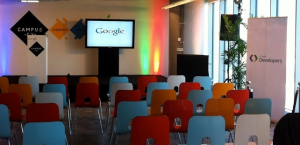
 Today we (Google Israel) are opening Campus TLV. It’s going to be a great place for entrepreneurs and startups in Israel. We are going to have a big space for events, hackathons and a nice device library (so you could test you mobile apps on all the important devices out there). If you are starting a company and/or working on your idea, you could checkout the Campus site and see what event/meetup will be best for you. The Campus space will be used by developers, start-ups and partners for events, and entrepreneurs will get access to Google’s teams and other experts. We’re also working with tech incubators, accelerator programs and other partners to bring their start-ups to Campus for an initiative called “Launch Pad.” It’s a two-week “bootcamp” for more than 100 start-ups each year, aimed at enhancing existing accelerator programs by providing expertise in user experience and design, product strategy, global marketing, business development and more. Continue reading
Tag Archives: Google
Barcelona GDG 2012 – Keynote On HTML5 APIs

After the keynote, I gave another talk on HTML5 and big data (with google cloud services). Overall, it was a great experience and the organizer did a great job. I hope to be able to make it again next year…
- Slides for the keynote
- Slides for HTML5 and Big Data – There is no video for now. Thus, I hope to get it soon and post it.
HTML5 New APIs And Modern Web Apps
Here is a talk I gave over hangout to developers that came to Esto es Google 2012 in Mexico. It cover the same topics from this talk that I gave in hebrew but this time it’s in english…
As in most of the cases, you can find all the slides over at: ido-green.appspot.com
GDL-IL On ChromeOS And Chromebook
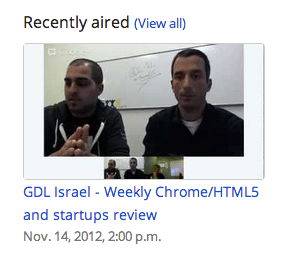 Today I sat with Nissim Benito (our very own Chrome/Hardware expert) to talk about the new features we have in ChromeOS. We covered the hardware specs that you have on Chromebox and Chromebook. These devices give you a lot of option to connect 6 USBs, 2 DVI etc’. We showed how you can use modern web apps that are out there today to be more productive and safe. In case you want to test ChromeOS before you buy it, you can go to best buy or Install ChromiumOS On Your (Old) Laptop another option is to test ChromeOS In VirtualBox. I’m sorry for the quality of the audio… I hope to solve it until the next episode.
DevCon TLV 2012
 In a nutshell, DevCon TLV was a great event! It’s getting better and bigger every year. There were lots of developers, friends and rock bands (a bit early in the morning – but great way to wake up quickly). This year all the talks were limited to 25min (with 5min of questions) where after lunch people had the options to choose ‘agile’ track as well. I’ve got to listen to some great talks and I hope we could see all of them online soon. This year my talk in DevCon TLV was “Big Data and HTML5“. This slides cover some of the main points of Google cloud products: Google Cloud Endpoints and Big Query. I wanted to give developers the option to see how they can combine modern web apps with cloud technologies that give a lot of power. The first product we covered is still in ‘trusted tester’ mode and it give the developer the option to build an API (in Google App Engine supported technologies: Java, Python and Go) that will work in minutes with all the scale of Google app engine. You can read more deeply about Google Cloud Endpoint and HTML5 or just have a look at this talk:
(*) This time the talk is in hebrew… I hope that soon I’ll have another version of it in english.
HTML5 Modern Web App and Google Cloud Endpoints (Part 2 Of 3)
Brad Abrams and I had a great time doing this session: “HTML5 and App Engine: The Epic Tag Team Take on Modern Web Apps at Scale” at Google I/O 2012. Here is a little walkthrough on ‘how to built it’ from zero to hero in less then 60 minutes.
- Slides: http://ido-green.appspot.com
- Code: https://github.com/greenido/backbone-bira
- Video: http://www.youtube.com/watch?v=v9TG7OzsZqQ
Pre-reqs
User Experiences demands are pushing modern web apps to a more distributed architecture. A pattern many developers have used is using a MVC framework on the client and communicate to the server with REST. Google App Engine’s easy to build, easy to manage environment makes it ideal for REST APIs for Web backends. At Google IO 2012, we made it much easier to build REST APIs on App Engine with Cloud Endpoints.

Cloud Endpoints enables you to build REST and RPC APIs in App Engine. It leverages the same infrastructure Google uses for its own API and as such, you get strongly typed clients for Android, and IOS as well as a lightweight client for JavaScript which we will be walking through in this presentation.

In getting ready for IO, Ido and I thought we’d build a modern web application using Cloud Endpoints. We decided on a topic that would be relevant to both App Engine and the general web developer community, something we both have some interest in and something generally useful…. a Beer rating and review web application.

Try it out yourself at: http://birra-io2012.appspot.com/
Google I/O 2012 – Day 3 (ChromeBox Intro)

Here is a short demo I did during that day. You can jump to 12:53min or just watch the other cool demos:
Other sessions I had the time to checkout and take some notes:
ChromeOS – Fireside chat
* Was good hour on what drive the thougths of the people around ChromeOS.
* It seems a lot of building blocks are coming to life (e.g. Google drive, html5 apis etc’)
High Performance HTML5
Steve Souders is a great speaker that live ‘performance’ for many years now.
He touch on some HTML5 features to seek out and which to avoid when it comes to building fast HTML5 web apps. For years we built web apps that far outpaced the capabilities of the browsers they ran in. Just as the browsers were catching up HTML5 came on the scene – video and audio, canvas, SVG, app cache, localStorage, @font-face, and more. Now the browsers are racing to stay ahead of the wave that’s building as developers adopt these new capabilities. Is your HTML5 app going to ride the wave or be dashed on the rocks leaving users stranded?
Google cloud storage
- It’s a service that let you store your data on google infrastrcute.
- multiple layers of radundancy – multiple data centers: US/EU.
- 5T objects can be store – meaning you don’t have to worry… it’s ‘unlimited’ for most usecases
How to Use it?
- Go to code.google.com/api
- Cloud storage got a RESTful API – that you can test from the terminal (or any language you wish).
- A little demo of ‘gsutil’ that let you work with cloud stroage using linux like command line tool.
- You can (also) use a web UI storage.cloud.google.com
Google I/O 2012 – Day 2
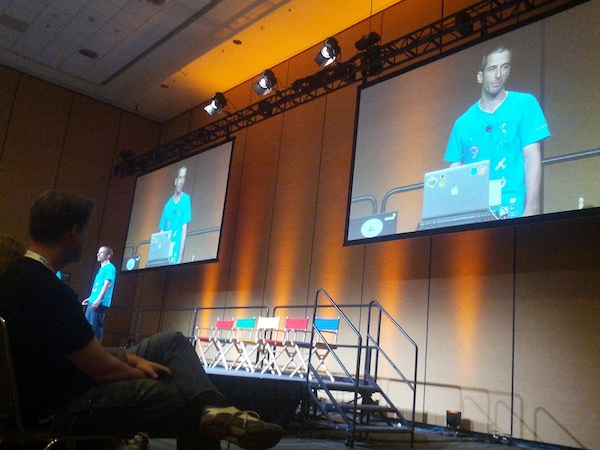 I had my talk on: HTML5 and App Engine: The Epic Tag Team Take on Modern Web Apps at Scale which was focusing on the latest and greatest application patterns and toolset for building cutting edge HTML5 applications that are backed by App Engine. This talk was focusing on an app that spans client and server (beer in our amazing example); We showed few nice features like OAuth2.0 that just works out of the box. In a nutshell, our talk aims to show you how to build a fantastic cloud-based HTML5 application with Goole App Engine. Both Brad Abrams and I will share another post with more details on the topics we covered. If you want to play with the ‘test-page’ and see what we manage to built in 45min go and check my github repository at: https://github.com/greenido/backbone-bira It’s far from being finished (the sync layer will be there in the next few weeks) and the app could get better, so feel free to fork it and improve it.
Some notes (not very polish at this stage – sorry) that I took during the day:
Google Drive – with its new SDK you can do much more for your users. In chromeOS it’s the ‘native’ file system and it will sync everything (that you need) to your local SSD. Modern Web apps are now very powerful and we see a wave of organizations that are now ‘going google’. Leading universities, enterprise and 400M ‘regular’ users are using Gmail (Docs, Cal and other products). We had Gmail offline (which working very nice on my long flights) and from today, Google docs are now working offline and soon both sheets and presentations.
Compute Engine
Let you run huge amounts of servers inside VMs (all linux based). Why it’s good?
- Scale – It’s scaling to amounts that seems to be unreal. Imagen 7.5B hits per day on Google app engine…
- Performance – You can count on certain time for performance.
- Value – it’s much cheaper then other providers.
A demo of 600,000 core running live is very COOL – Lots of developers in the keynote were amazed to see it. The demo was to show a use case of helping human genom company run calculations in seconds and not minutes. This specific example, took 10min on 1000 cores and in the demo you saw new connections made in seconds (1-2 seconds instead of 10min on an infrastructure that would cost thousands of dollars.
ChromeOS
The new Chromebox (and Chromebook) are a powerful devices. The Chromebox is a desktop that in a lot of cases will make people happier. For people that spend the vast majority of their time on the web it’s a perfect desktop computing machine. It will support your 30″ monitor (or any smaller one) and with the security (no more viruses or malware), speed (V8 is still the fastest JavaScript engine in the world) and simplicity of chrome – you will enjoy it.
Games
USB, game-pad and audio API are now allowing us to have amazing games on the web.
HTML5 demo on Cirque du Soleil – using WebRTC to get the user image and let her control the experiance. Very cool CSS3 transitions and amazing graphics. Chrome got 310M users… It’s growing fast ‘up and to the right’. In the end of the day, we all get a better web because more developers want to use the new HTML5 features that are there.
I hope to update this very soon with the videos from my talk and the slides.
Google I/O 2012 – Day 1
 I’ve took some notes during this packed day. I apologize if they are not ‘polish’… The main goal is to put them here asap and later (maybe, on my next 26h flight) work on them and make sure the wording is better.
Keynote take aways
- Android – Nexus 7 looks like a great tablet. It’s in the right size and with many great apps that will shin on it. I hope to check it out soon specially as a reading device.
- Nexus Q seems like powerful (and beautiful) computer that make music/video more social. The use cases are powerful and the ability to stream google music with a push of a button in your friends place – cool!
- Google+ got event – finally we have a powerful mobile app that let you and your friends share photos together before/during/after events. I know several startups that are trying to solve this challenge and it’s going to be interesting to see what will happend in this space of geo-local-photo sharing apps.
- Glass – Jumping from airplanes, bikes and some snapling on Moscone. What can I say? I want the roll Sergay is having these days… This video tell the story:
Web component Talk
- Shadow Dom – encapsulate stuff in the DOM.
You can follow on it using Chrome DevTools (go to setting and click on ‘show Shadow Dom’) in the example of a video tag you will see all the ‘shadows’ that are behind the sense (e.g. some divs, buttons etc’)
It’s important to rememeber that for every DOM element we can have Shadow DOM rendered instead. We have here a rendering time structure which can help developer write more efficient web apps that runs faster and smoother. - Custom element – meaningful tas to extend DOM objects.
Use the new HTML5 < element > - Templates – clonable DOM for easy authoring
In Parctice we try to ‘tell’ the browser what we mean. The declarative renaissance with web component will let developer to channel their intent to the web browser. It is giving developer CSS variables to custom components and define an api that other developers can leverage. It will let the community a way to share semantics and overtime we will see HTML envlolve due to popular use cases (e.g. x-poll tag).
Another important point is that declerative tags will run faster because the browser ‘understand’ them nativly.
Google Drive API
- On ChromeOS you have today a strong integration with web applications like: Lucid Charts and Aviray. Both apps, are doing great job in their UI to use the user massel memory and make her productive asap. On the backend, they use google drive api to save your work.
- You should use the google JS library and load the picker (in their drive example) and use it. It’s very easy and nice api to use.
- Security – level of access (or scope). These level of access were very board… (scery) but now they have a new api (per file). Once you approve it (using OAuth2.0) the app will be able to access certain files.
Other great talks that I’ll fill in the details later are:
The Web Can Do That!?
The web is changing so quickly that it’s hard to keep up with what’s new in the platform. HTML5’s new capabilities allow developers to build a whole new suite of applications – things that were once impossible to do, are now a reality.
This session cover some of the bleeding edge of HTML5:
- media capture
- HTML5 file APIs
- Advanced usage of web sockets
- Media streaming.
- Device input
- CSS3 & multimedia.
- Modern CSS design.
Better Web App Development Through Tooling
Building a solid webapp is a challenge for all developers, but a plethora of tools have emerged recently to assist you. From starting boilerplates, to performance tuning and build tools, you’ll get a full overview of the tooling ecosystem. In this session, you’ll learn which mature and valuable open source projects can save you time as well as get answers to common questions in building a webapp.
Google Cloud Platform: Technical Overview (Hebrew)
During last may we had a big event in Tel Aviv. It’s was brand as ‘Think Cloud’ and our talk took place in a bigger event that was ‘google week’. You can watch below an overview I gave on Google cloud platforms and new APIs (It’s in hebrew… but soon we will have this talk in english as well). We covered new (cloud) features that are now being offered to developers. Some of the most interesting ones are:
- App Engine – Powerful, scalable application development and execution environment.
- Cloud Storage – Store, access, and manage your data.
- Big Query – Analyze terabytes of data in seconds.
- Cloud SQL –Familiar relational database, with
cloud benefits. - Prediction API – Understand and leverage your data for business insight. This is one of the most interesting APIs that give you an option to have powerful AI in your products.
In the talk you can see demos of using the big query in order to get results from 12.5G of data (= all wikipedia) and in our case it took less then 7sec. I hope you will enjoy it…
Btw, one of the most popular question I got in this event was “Why do I need Google platform?”. There are few answers, and in most of the cases it’s depend on your startup (and product) but the important common aspect are:
* Cost Savings – Yes, you will save money by using the cloud platforms.
* Improve Business Focus – You won’t need to handle administrative tasks on your servers. You could ‘just’ focus on what you do best and thus make your application better.
* Powerful Infrastructure – You can leverage the massive, scalable computing power that google is giving you. In most of the cases, it’s for free up to a limit.
 Ido Green