bots

Create An Assistant App Without Any Code

At the moment, there are few options to create apps for the Google Assistant that do not involve any code.
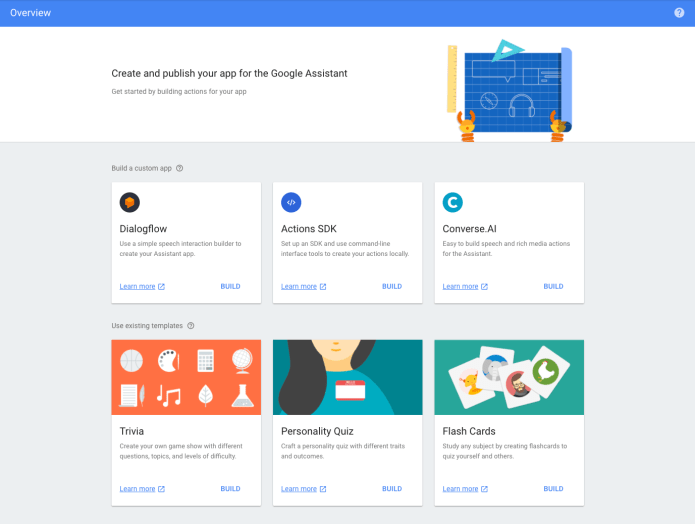
We call them “existing templates” as you can see in the image above.

When you open the action on google console page you will see all the current options: trivia, personality quiz and flash cards games. In this post we will see how easy it will be to create a new flash cards game that will work on the Google Assistant.

Let’s go with helping people learn something new, ok?

First, you need to go to: console.actions.google.com and click on “Add/Import Project”.
Continue reading

Standard
bots

The Google Assistant Macro View

Screen Shot 2017-10-17 at 11.37.02 AMThe past few years, the buzz about conversational experiences and digital assistants has increased dramatically. According to a recently issued report by eMarketer, 87% of B2C marketers in the US believe that chatbots and digital assistants will play a significant role in marketing before 2021. Conversational computing and digital assistants represent a new fundamental computing wave.
Why?

There are two forces:

  • Natural Language Processing – The dramatic improvements in natural language processing, natural language understanding and machine learning, enable us to offer users engaging, natural conversational experiences that are far from the call center menus or the awkward chat bots of the past.
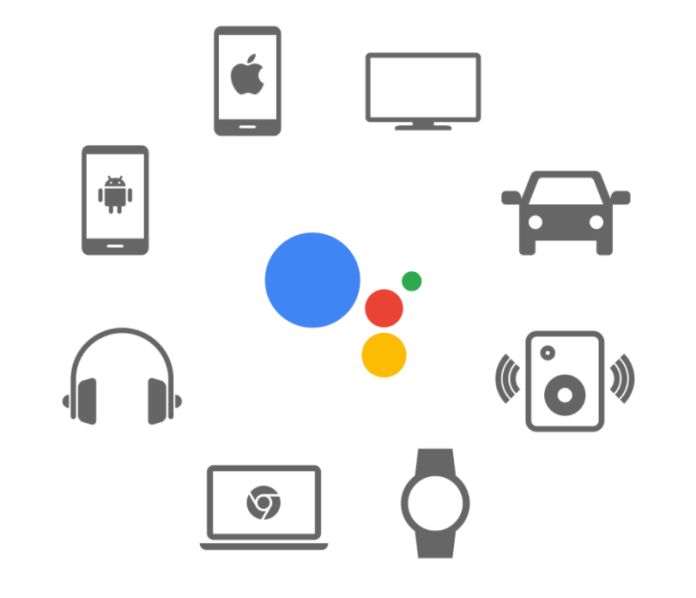
  • Conversation-first platforms – We can see today many platforms that support this new capabilities (e.g. smartphones, messaging apps, voice-activated speakers, watches, cars etc’). They have become increasingly mainstream, increasing familiarity with digital assistants and encouraging users to engage with them.

In these slides we will cover the big picture and why companies will wish to build an app for the Google Assistant. Continue reading

Standard
bots

Use The Google Assistant To Remember Stuff

You can use the Google Assistant to remember lots of useful things for you.
For example, where you parked you car. It’s true that you might have this feature in your maps app.
However, this one can take a step further and help you remember its location better (e.g. I parked my car on level four near the elevator).

How?

You need to open the Google Assistant and turn on the location settings.

  1. On your phone, open the Settings app Settings.
  2. Under “Personal,” tap Location.
  3. Turn on location .

After that, you can say something like: Continue reading

Standard
bots

OK Google Talk To Runner Trivia Game

Last week, I had some time to do some fun stuff with Actions on Google. The result is a new trivia game for runners and people that like to learn new things.

I used the new templates for Google assistant app. It’s super easy, all you need is to copy a google sheet and update it with your questions and answers.

Got a topic you are passion about? Give it a try!

You can see below how a typical game will look like on the assistant. But it’s also fun to play it on Google Home.

You start by calling the game with something like “OK Google, talk to runner trivia game“. Continue reading

Standard
bots

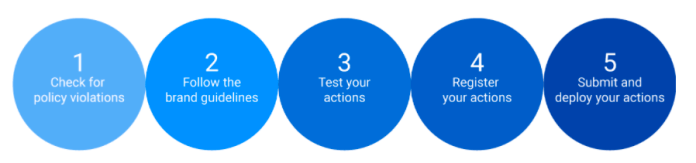
How To Publish An Assistant App That Will Pass The Review?

After you’ve designed conversations and developed apps, you’re probably ready to share them with users. Before you make your app available to Google Assistant users, let’s see how to prepare for deployment. When you submit your app for approval, Google tests and verifies that they meet a minimal set of launch requirements before publishing them to users.

In this video and post we will focus on the top 3 pitfalls you need to avoid in order to pass the review process.

Continue reading

Standard
bots

How To Set Reminders With The Google Assistant?

Screenshot 2017-07-27 10.06.15

One of the really useful features and ‘a bit’ unknown is the assistant ability to remind us stuff. You can think on it as an effect way to take a short note on anything that you don’t wish to forget.

How?

You can say something like:

  • OK, Google, remind me to go for a run tomorrow at 6:30am
  • OK Google, set a reminder to call dad tonight
  • Hey Google, set a reminder to do laundry when I get home

In order to see which reminders we already ‘booked’ you can say:

  • OK, Google, what are my reminders?”
  • OK, Google, what are my reminders for tomorrow?

And if you wish to remove a reminder(s) – “OK, Google, delete my reminders for tomorrow”. You can also delete everything with “OK, Google, delete all of my reminders”.

The nice aspect of reminders is that on the phone (Android, iPhone) you will get a push notification and on Google Home it will just tell you it.

Give it a try!

google-home


Standard
bots

Create A Google Assistant App That Use Your Server

The Google Assistant give users their own personal Google that helps them find, organize, and get things done in their world. The main way users interact with the Google Assistant is by carrying on a conversation with it. You can extend the Google Assistant by building apps that let users get things done with your products and services.


In this post, we are going to build a new app for the Google Assistant that will give us the current bitcoin price. The main idea here is to show how to use external services from an Assistant app.

If you prefer a video, you can watch the one below:

and I also wrote a code lab so you could test it on your own with code.

Continue reading

Standard
bots

How to Build a Google Assistant App?

Apps for the Google Assistant are the gateway for your users to engage with your services through Google Home, Android phones, iPhones, and in the future, through every experience where the Google Assistant is available.

Continue reading

Standard
Chrome

Actions On Google – GDD Europe

krakow from the GDD eventGoogle Developer Days (GDD) are global events showcasing the latest developer products and platforms from Google. It’s like Google I/O but not in California. It was a fun event and we had the chance to meet many developers and talk about interesting challenges and opportunities.
We just finished this talk on “Actions on Google – Why? What?” at Google Developer Summit and you can find the slides and the video recording below.


Like with any new platform, the first question you might have is why?
In this case, it will be something like “Why do I need an assistant app? I already have a native and a mobile app”, right?

Here are few points to keep in mind:

Continue reading

Standard
bots

How To Pass The Google Assistant App Review?

After you build your Assistant App it is time to submit it for review and publish it to the world. You should test your app and make sure that it’s ready for prime time.

When you submit your app, Google’s reviewers use and test it to find issues, bugs, or policy violations. To ensure a quick approval, you should use this checklist and… keep reading.

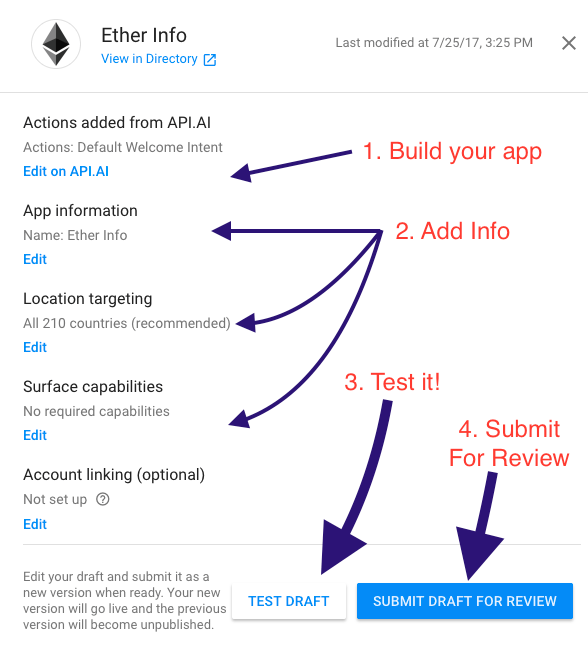
In this post, we will focus on 4 aspects that are important to ensure your app will pass the review quickly and be a success story. Continue reading

Standard