bots

Voice User Interface Design

We are all experts at human-to-human conversation. But conversing only seems easy because it’s familiar, you’ve been doing it since you were born.  The key to building a good voice interface is to not fall into the trap of simply converting a GUI into a VUI.
In the slides below, I will cover the best practices to design our Action on Google (and any other Voice UI).

You can also see the top tips in the short video below. Continue reading

Standard
Business, life

Where The Best Ideas Win

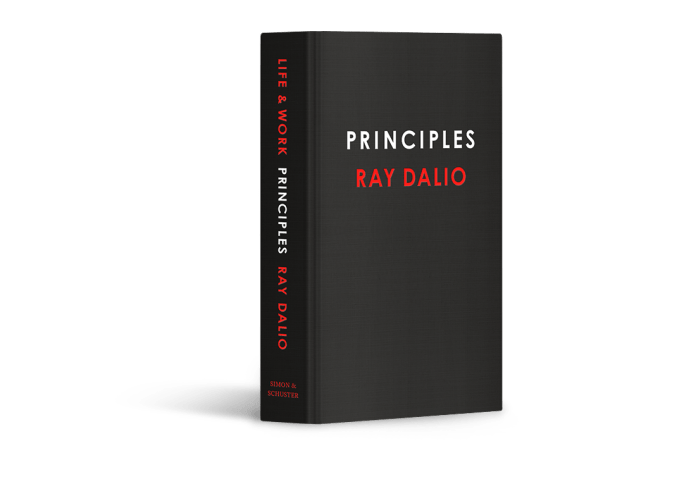
I’ve finished reading one of the best books for this year: Principles: Life and Work.

It’s a long book but very well organized. You get a good background on Ray Dalio and how he arrived at where he is today. I have known him for 10 years but was amazed to learn he was broke in the early 80′. In a classic American dream story, he built one of the world’s most significant (and maybe, best) hedge funds that these days manage over $150B.

Things I liked:

  • Ray gives good explanations to each principal and how he got to it. There are many cases where he drives his points with a real-life example, which is helpful. You can think of this book as a recipe book for life and business. Ray wants you to follow these principles, get you to think about them, and develop a set of principles based on your idea, experience, and life lessons.
  • He provides the reader with a strategy and a roadmap to better thinking and dealing with problems and challenges.
  • He also gives tools and methodologies to accomplish goals you think are essential base on your values.
  • After over 40 years in the stock market, he learned that to be so successful, you need to be an independent thinker (because the consensus is baked into the price of assets), and you need to be more right than wrong. So the ability to learn from your mistakes and to keep improving is critical.
  • In the last part of the book, he talks about business and how to build a group or organization that will be transparent, self-improving, and able to bubble up with the best ideas. It sounds easy, but from the past 20 years, I know how hard it is to accomplish.

Continue reading

Standard
bots

Google Assistant – Why? How?

Bots are going to be big by 2021

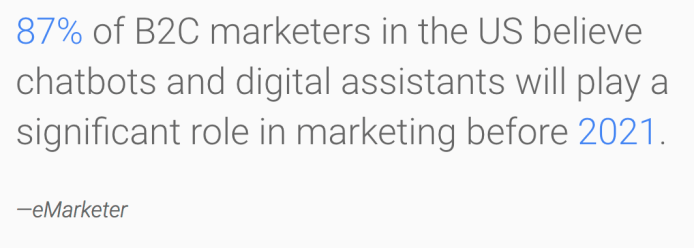
In the past few years, the buzz about conversational experiences and digital assistants has increased. As you can see above, eMarketer is predicting that 87% of B2C marketers in the US will use chatbots and digital assistants  in their marketing efforts by 2021. 

We can see these days that conversational computing and digital assistants represent a new fundamental computing wave that brands can use more.

A big misconception is that the Google Assistant is ‘just’ for Google Home or other smart speakers.

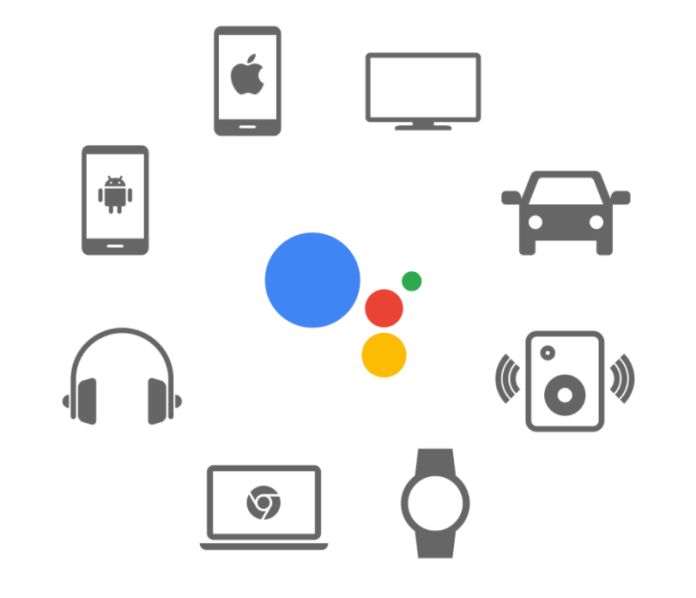
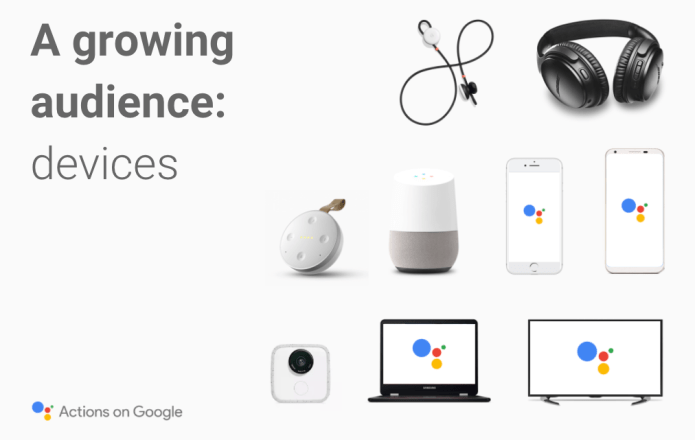
It’s also on mobile (Android and iOS) devices (over 100+ millions devices) and in many other devices.

Aog growing devices

So your users are there already and you can reach to them without any friction.

The conversations users are having with the Assistant are not just about things that could be answered on Google Search. The Assistant helps with more than getting information – it helps you get things done.

From enjoying music and movies, ordering pizza and making restaurant reservations to controlling your smart devices and calling your best friend, the Google Assistant helps everyone be more productive in their world.
Continue reading

Standard
Sport

Marathon Check List And Tips

mararthon-tips-view

Every year (since 2007) I’m trying to do few marathons.

Why?

Well, it’s a long answer for another post. But the short one (and I guess the main reason) is that it’ a lot of fun and a great sense of accomplishment. I’m sure others, have many different reasons.

In this post will focus on the check list. It’s part of an app for the google assistant that I’ve created last week.
You can use this app to make sure you didn’t missed anything, just ask “OK google, talk to Marathon List And Tips”.

Here is the check list(s) I’m using in order to make sure everything will work as plan. It’s important to remember that in such a long race, things will go wrong. So don’t be surprise, stay calm, slow down and think how to solve the issue. In most cases, there is an easy solution and you already being in similar situation in your long training runs.

Nevertheless, we all like to be as ready as possible and a check list is a great tool for that.

Below are 3 lists I used. In your hand bag are all the ‘must have’ things. The other lists, also contain important stuff, but you can send it in your suitcase.

Continue reading

Standard
bots

Create An Assistant App Without Any Code

At the moment, there are few options to create apps for the Google Assistant that do not involve any code.

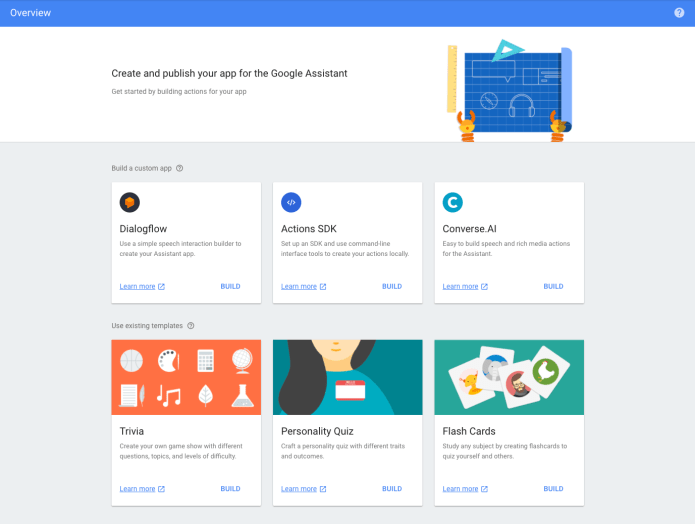
We call them “existing templates” as you can see in the image above.

When you open the action on google console page you will see all the current options: trivia, personality quiz and flash cards games. In this post we will see how easy it will be to create a new flash cards game that will work on the Google Assistant.

Let’s go with helping people learn something new, ok?

First, you need to go to: console.actions.google.com and click on “Add/Import Project”.

Continue reading

Standard
bots

The Google Assistant Macro View

Screen Shot 2017-10-17 at 11.37.02 AMThe past few years, the buzz about conversational experiences and digital assistants has increased dramatically. According to a recently issued report by eMarketer, 87% of B2C marketers in the US believe that chatbots and digital assistants will play a significant role in marketing before 2021. Conversational computing and digital assistants represent a new fundamental computing wave.
Why?

There are two forces:

  • Natural Language Processing – The dramatic improvements in natural language processing, natural language understanding and machine learning, enable us to offer users engaging, natural conversational experiences that are far from the call center menus or the awkward chat bots of the past.
  • Conversation-first platforms – We can see today many platforms that support this new capabilities (e.g. smartphones, messaging apps, voice-activated speakers, watches, cars etc’). They have become increasingly mainstream, increasing familiarity with digital assistants and encouraging users to engage with them.

In these slides we will cover the big picture and why companies will wish to build an app for the Google Assistant. Continue reading

Standard
bots

Use The Google Assistant To Remember Stuff

You can use the Google Assistant to remember lots of useful things for you.
For example, where you parked you car. It’s true that you might have this feature in your maps app.
However, this one can take a step further and help you remember its location better (e.g. I parked my car on level four near the elevator).

How?

You need to open the Google Assistant and turn on the location settings.

  1. On your phone, open the Settings app Settings.
  2. Under “Personal,” tap Location.
  3. Turn on location .

After that, you can say something like: Continue reading

Standard
bots

OK Google Talk To Runner Trivia Game

Last week, I had some time to do some fun stuff with Actions on Google. The result is a new trivia game for runners and people that like to learn new things.

I used the new templates for Google assistant app. It’s super easy, all you need is to copy a google sheet and update it with your questions and answers.

Got a topic you are passion about? Give it a try!

You can see below how a typical game will look like on the assistant. But it’s also fun to play it on Google Home.

You start by calling the game with something like “OK Google, talk to runner trivia game“. Continue reading

Standard
bots

How To Publish An Assistant App That Will Pass The Review?

After you’ve designed conversations and developed apps, you’re probably ready to share them with users. Before you make your app available to Google Assistant users, let’s see how to prepare for deployment. When you submit your app for approval, Google tests and verifies that they meet a minimal set of launch requirements before publishing them to users.

In this video and post we will focus on the top 3 pitfalls you need to avoid in order to pass the review process.

Continue reading

Standard
bots

How To Set Reminders With The Google Assistant?

Screenshot 2017-07-27 10.06.15

One of the really useful features and ‘a bit’ unknown is the assistant ability to remind us stuff. You can think on it as an effect way to take a short note on anything that you don’t wish to forget.

How?

You can say something like:

  • OK, Google, remind me to go for a run tomorrow at 6:30am
  • OK Google, set a reminder to call dad tonight
  • Hey Google, set a reminder to do laundry when I get home

In order to see which reminders we already ‘booked’ you can say:

  • OK, Google, what are my reminders?”
  • OK, Google, what are my reminders for tomorrow?

And if you wish to remove a reminder(s) – “OK, Google, delete my reminders for tomorrow”. You can also delete everything with “OK, Google, delete all of my reminders”.

The nice aspect of reminders is that on the phone (Android, iPhone) you will get a push notification and on Google Home it will just tell you it.

Give it a try!

google-home


Standard