
 This week in Google Developers Live Israel, we showed a live example of a mobile web app that is built in two ways. One we used jQueryMobile as our UI framework and for cases where we need to support IE we used bootstrap. All the code can be found on github. The nice aspect in this real demo is that we used google sheets are our ‘server side’ and since its got a cool way to publish their content to the web as RSS, ATOM, XML, JSON feeds we could work with them from the web/mobile apps. The three main elements we used are: Continue reading
Category Archives: webdev
Install NodeJS On Compute Engine
In the past, I’ve showed how to run a NodeJS application in Compute Engine. It’s a good case where you wish to test ideas with App Script but when you move them to ‘production’ – NodeJS is the answer. After the Google Developer Live show we had at the end of August, I got few questions on how to install NodeJS inside Compute Engine instance.
Here are the (easy) steps I did before the show in order to save us time: Continue reading
Debug NodeJS Like A Pro
NodeJS Debugging with Chrome
Anyone who is building an application find out that, what is starting as ‘small project’, becoming very quickly bigger and bigger monster. You can use console.log on small projects but as they are growing you will need better tools. In the arena of “JavaScript on the server” there weren’t many tools to debug your code effectively. However, with the power of open-source projects like: Node, Blink and others there are few powerful ways to debug you code like a pro.
First, for the one that are a bit confuse about NodeJS. Well, it’s not a “JavaScript web server” but an environment to run JavaScript on the server. It is using V8 engine so the performances are very compelling. After using NodeJS inside Compute engine I got few questions about the debugging options. In the past, developers needed to use console.log and similar ‘printing’ commands in order to understand what is going under the hood of their script. But as we mention, when you get out of the area of 100 lines script and your application contain different modules and many more lines of code. You need a debugger (and hopefully other tools like profiler) in your hands. Luckily, we can use Chrome (=Blink) dev tools for your NodeJS applications.
Here are the main steps and the ways to leverage your new ‘hammer’. Continue reading

Yahoo Finance API With NodeJS
 In the past I’ve wrote this post on the different options you can use with Yahoo Finance API. It is time (4 years later!) to a followup post on how to gain more data but this time with NodeJS.
The first idea was to be able to gain information by using different parameters and downloading csv files from Yahoo finance. Something like this GET request will do the magic:
http://finance.yahoo.com/d/quotes.csv?s=NFLX&f=snd1l1yr and from there you can work with the data.
However, there are cases, where you wish to have information that is not part of this set of arguments. Here are two quick examples for such cases: Continue reading
WebRTC Updates
 In this week show on Google Developers live Israel we hosted Sam Dutton in order to hear what’s new in the land of WebRTC. What? Well, Web Real-Time Communication (WebRTC) is a collection of standards, protocols, and JavaScript APIs that enables peer-to-peer audio, video, and data sharing between browsers. We covered (with demos) the three primary APIs:
MediaStream: acquisition of audio and video streamsRTCPeerConnection: communication of audio and video dataRTCDataChannel: communication of arbitrary application data
It was a fun 20min talk with some very impressive demos. Here are few demos that show the power of getUserMedia API: Continue reading
Install Ubuntu On Your Chromebook
Chromebook For Developers And Hackers
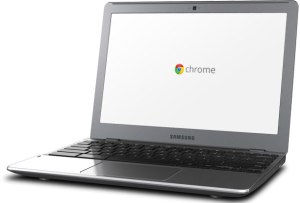
If you are a Linux hacker and/or a developer with a new Chromebook, Chromebox, Pixel or an old laptop with ChromeOS… You might want to have the ability to have a dual-boot option that will let you enjoy the power of your ChromeOS but on the same time be able to boot your laptop with Linux and enjoy C, C++, Java and the fun technologies. It might be hard on other platforms to ‘hack’ them, but since the chromium project is open-source, I guess, they wanted to be hackable by design (e.g. you have a keyboard shortcuts in Pixel that let you enter this mode). Here are the few steps you need to follow in order to enjoy hacking ChromeOS. Continue reading
Chrome & Google Cloud Quick Update (GDL-IL)
 Some of the topic we touch during the show today:
- The list of all the latest Google Developers Live Israel episodes.
- How to work with Big Query with JavaScript and cloud.google.com/products/big-query for more details on the browser tool, clients libraries and API.
- Compute Engine in 5min – It was a fun short show on GDL-IL about starting your own virtual machine inside compute engine.
- Update from the Chrome arena directly from Peter.sh blog
- Chrome releases updates
- If you wish to test your reponsive design here is one online tool that will help you do that: deviceponsive.com
- cloud.google.com as the one source of true for all Google cloud platform products and services.
Google Cloud Platform – App Engine and Beyond
 Few minutes ago we finish a great event in Campus TLV. We had the pleasure to have Dr Peter Magnusson (Director of Engineering for App Engine at Google) and Greg DeMichillie (Director Product Management, Cloud Platform at Google). For the ones, that do not know what is GAE: Google App Engine is a complete development stack that uses familiar technologies to build and host applications on the same infrastructure used at Google. It is used by some of the world most successful and demanding global applications such as SnapChat and Khan Academy. We also cover Google Compute Engine which allows everyone to Run large-scale computing workloads on Linux virtual machines hosted on Google’s infrastructure. I’ve spoke about Google Cloud Endpoint and you can watch the full talk on my project’s site.
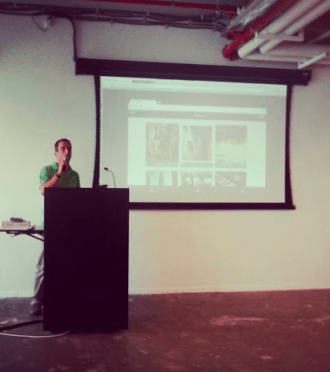
This is the raw recording form the event of all three talks. I hope to have an edited version soon…

Psst… For the next Cloud meetup – Please sign for IGTCloud group.
Big Query Power With JavaScript
 This week on Google developers live Israel we wanted to show the power of Big Query. What is Big Query? Well, in todays world when everyone like to use the term “big data” you need to have the capabilities to querying massive datasets. This can be time consuming and expensive without the right knowledge, hardware and infrastructure. Google BigQuery solves this problem by enabling super-fast, SQL-like queries against append-only tables, using the processing power of Google’s infrastructure. In order to get started quickly and ‘test the water’ there is a powerful online tool that let you query pre-existing datasets like: wikipedia, Github etc’. If you like to type in command line, there is also a command line tool. Before you start your first project you should signup for BigQuery (yes! it’s open now for all). You should log in to the Google APIs Console and make sure you set a new project and allow Big Query API on it. You should also, enable billing if you have not done so in the past. Lastly, head to bigquery.cloud.google.com and click on one of the public datasets that are on the left sidebar. Continue reading
Git 101 – Useful Commands
 A few commands I found myself using daily… Well, it might be a good idea to share it with others and see what can be done better. If you like to get out of the command line, I found Source Tree to be a powerful free application that give you many options to see the code, changes and flow. You might want to check it out. Another good option is the GitHub official client app. Ok, let’s jump into the list of git commands. Continue reading
 Ido Green