Business, Chrome, HTML5, JavaScript, webdev

HTML5 Training Day (Tel Aviv)

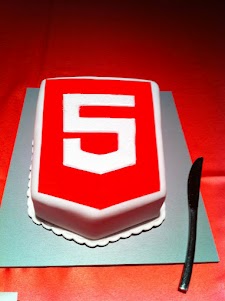
Lets start from the end… It was a great experiance to meet wonerful, smart (web) developers both in London and Tel Aviv. We had 80+ developers in the London event and 130+ developers in Tel Aviv. Like any good event – we started with a good cup of HTML5 coffee and some special HTML5 cake.

After the coffee and some food we got to the ‘talking’ part which went very well. In London we had the pleasure to have Alex Russell who spoke about Chrome Frame (link to his great presentation is in the bottom of this post). In Tel Aviv day we had two external experts: Nimrod Luria and Ron Reiter. Nimrod gave a talk about HTML5 security issues and how to use the best parctices in order to avoid them. Few examples where:

  •  Hacking Facebook with HTML5 using Cross-Origin Resource Sharing.
  • Web sockets (open ports that listen to in bound connections)
  • Good old ‘data cleaning’ and data validation.
  • Client side injections to local databases.
  • XSS by using encoding and new formats that are supported.

Ron gave a talk about backbone.js and how to leverage some frameworks and tools in order to build moden mobile web apps.

Here are the talks (with their slides) from both days:

Time Session Title Description
10:00-11:00 HTML5 and new breed of web application Web developers have nearly perfected their skill at building great web sites, but everything is shifting towards building apps.  We’ll take a look at what defines a great Web App and show you how you can use HTML5 to create a new breed of web application that will delight and amaze your users. Ido Green
11:00-11:55 Platform, Storage, Prediction, Translation and more Google Cloud Platform latest and greatest Barak Regev
13:00-14:00 mobile web app HTML5 stack A -For modern mobile browsers Learn what it takes to build modern mobile web apps. We will start with the ideas of “adaptive apps” and “offline first”. Next, we’ll dive into some of the technologies, including MVC frameworks, templating engines, CSS frameworks, laying out views and multi-touch input. Finally, we’ll close off with mobile-specific tips and sweet demos Ido Green
14:00-14:50 HTML5 threats and attack vectors + some attacks demo +
Countermeasures
Security for business web apps – best practices and tips for the real world. Nimrod Luria
Q.rity – Quality Security Solutions Ltd.
A short coffee break to make sure everybody is awake…
15:10-15:35  Chrome Dev Tools Tips and best practices to work with Chrome Dev Tools. Ido Green
15:35-16:30 HTML5 mobile web apps Backbone.js and other tools with real world examples Ron Reiter

More sources from the talks and questions:

and for the ones that wish to try ChromeOS: https://greenido.wordpress.com/2012/01/09/install-chromiumos-on-your-old-laptop/ and https://greenido.wordpress.com/chrome/

Or the Ubuntu guys that want to have Canary.

Standard
Chrome, HTML5, JavaScript, webdev

Web Development – Some ‘Good To Great’ Tools

I’ve started to create a list of some great online tools that will help you (and me) in the next project. Some of the tools are helping to achive a certain effect (=gradients) while others are more a ‘hello world’ examples to hack around it in order to understand a new HTML5 API (e.g. HTML5 File API) and then harness it to your next web app. You might say it’s not a tool and you might be right. I guess it is more a list of resources that might help you get better at what you do.

If you got some other good sources please let me know… Here is the list:

Browser capability

Before you start your project you need to check what is the set of features and which browser will support them. There are few sites that will give you good answers. The lastest one is: html5please.us and other good sources are caniuse.com which include mobile browsers as well and mobilehtml5.org that is all about capability for mobile browsers.

JavaScript MVC frameworks

There is a new kid on the block – Thorax I like that fact that it is an opinionated backbone application framework. It is a combination of several tools:

Another framework that is worth the time to look into is: emberjs and Trello tech stack that is coming from the great dudes of ‘Fog Creek’.

If you wish to check what other options you have today – I would go to this site and check some of the most popular MVC framework that are out there.

Work and share javascript online

I also found myself using Simple JSON viewer in cases you wish to find out a specific parameter in a large JSON object.

Playing with CSS3

Libraries for Fonts

  • Google Web Fonts API – Google Web Fonts makes web fonts quick and easy to use for everyone, including professional designers and developers. We believe that there should not be any barriers to making great websites.
  • TypeKit – Simple, bulletproof, standards compliant, accessible, and totally legal fonts for the web.

Offline Libraries & Frameworks

  • ManifestR – a bookmarklet for creating an AppCache manifest file.
  • LawnChair – a library that provides a lightweight, adaptive, simple and elegant persistence solution.
For Mac Web Developers

    • LiveReload monitors changes in the file system. As soon as you save a file, it is preprocessed as needed, and the browser is refreshed. When you change a CSS file or an image, the browser is updated instantly without reloading the page.
    • CodeKit automatically compiles Less, Sass, Stylus & CoffeeScript files. It effortlessly combines, minifies and error-checks Javascript. It even optimizes images, auto-reloads your browser and lets you use the same files across many projects.

Mobile web development – Some good reads

It is far from being a full list – just a beach-head to start have a source for some tools that will make you more productive.

Standard
HTML5, JavaScript, webdev

Convert WebSQL To IndexedDB Tutorial

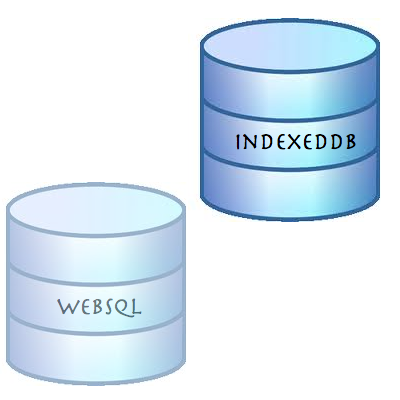
Exactly a year ago on November 18, 2010, the W3C announced that Web SQL database is a deprecated specification. Many major browsers including Chrome, Safari, Opera and nearly all Webkit based mobile devices support WebSQL, however, if you are going to start a new project and/or you wish to have your code running with the new version of client side database (that will receive updates and improvements) you should implement indexedDB as your client side database. In this short post we will see what are the main steps to refractor your WebSQL code to IndexedDB.

First lets create the databases


// WebSQL 
database = openDatabase('todos1', '1.0', 'todo list example db', 2*1024*1024);

// InxededDB
var todoDB = {};
var indexedDB = window.indexedDB || window.webkitIndexedDB || window.mozIndexedDB;
todoDB.indexedDB = {};
todoDB.indexedDB.db = null;


Create Table/ObjectStore

In both cases we need some ‘space’ to save our information


// WebSQL - creating a new table
 database.transaction(function(tx) {
     tx.executeSql("CREATE TABLE IF NOT EXISTS tasks (id REAL UNIQUE, text TEXT)", []);
   });

// IndexedDB - creating a new object store that will hold our data
todoDB.indexedDB.open = function() {
        var request = indexedDB.open("todos");

        request.onsuccess = function(e) {
          var v = "2.0 beta"; // yes! you can put strings in the version not just numbers
          todoDB.indexedDB.db = e.target.result;
          var db = todoDB.indexedDB.db;
          // We can only create Object stores in a setVersion transaction;
          if (v!= db.version) {
            var setVrequest = db.setVersion(v);

            // onsuccess is the only place we can create Object Stores
            setVrequest.onsuccess = function(e) {
              if(db.objectStoreNames.contains("todo")) {
                db.deleteObjectStore("todo");
              }
              var store = db.createObjectStore("todo",
              {keyPath: "timeStamp"});
              todoDB.indexedDB.getAllTodoItems();
            };
          }
          else {
            todoDB.indexedDB.getAllTodoItems();
          }
        };
        request.onfailure = todoDB.indexedDB.onerror;
      }

Add Item

Now it’s time to add some data to our database, no?


// WebSQL
function addTodo() {
        var todo = document.getElementById("todo");
        var task = {
          "id": new Date().getTime(),
          "text": todo.value };
        
        database.transaction(function(tx) {
          tx.executeSql('INSERT INTO tasks (id, text) values (?, ?)', [task.id, task.text]);
        });
        // now let clean it to the next todo
        todo.value = "";
        showAll();
      }
      
// IndexedDB
todoDB.indexedDB.addTodo = function(todoText) {
        var db = todoDB.indexedDB.db;
        var trans = db.transaction(['todo'], IDBTransaction.READ_WRITE);
        var store = trans.objectStore("todo");

        var data = {
          "text": todoText,
          "timeStamp": new Date().getTime()
        };

        var request = store.put(data);

        request.onsuccess = function(e) {
          todoDB.indexedDB.getAllTodoItems();
        };

        request.onerror = function(e) {
          console.log("Error Adding: ", e);
        };
      };

Fetch Items

After you have data it’s only make sense to show it to the world (and your dear friends)


// WebSQL
function showAll() {
        document.getElementById("ourList").innerHTML = "" ; 
        database.transaction(function(tx) {
          tx.executeSql('SELECT * FROM tasks', [], function (tx, results) {
            var len = results.rows.length, i;
            for (i = 0; i  Todo text: " + results.rows.item(i).text);
              
              var a = document.createElement("a");
              a.textContent = " [Delete]";
              a.setAttribute('data-key', results.rows.item(i).id);
              a.setAttribute('data-val', results.rows.item(i).text);
              a.addEventListener("click", function() {
                deleteTodo(this.getAttribute("data-key"),this.getAttribute("data-val") );
              }, false);
              li.appendChild(t);
              li.appendChild(a);
              document.getElementById("ourList").appendChild(li);
            }
          });        
        });
      }

// IndexedDB
function showAll() {
        document.getElementById("ourList").innerHTML = "" ;   
        var request = window.indexedDB.open("todos");
        request.onsuccess = function(event) {
          // Enumerate the entire object store.
          var db = todoDB.indexedDB.db;
          var trans = db.transaction(["todo"], IDBTransaction.READ_ONLY);
          var request = trans.objectStore("todo").openCursor();
  
          request.onsuccess = function(event) {
            var cursor = request.result || event.result;
            // If cursor is null then we've completed the enumeration.
            if (!cursor) {
              return;
            }
            var element = document.createElement("div");
            element.textContent = "key: " + cursor.key + " => Todo text: " + cursor.value.text;
            document.getElementById("ourList").appendChild(element);
            cursor.continue();
          }
        }                    
      }


Delete Item

In rare cases we wish to delete stuff… It’s easy.


// WebSQL
function deleteTodo(id, text) {
        if (confirm("Are you sure you want to Delete "+ text +"?")) {
          database.transaction(function(tx) {
            tx.executeSql('DELETE FROM tasks WHERE id=?', [id]); 
          });
          showAll();
        } 
      }

// IndexedDB
todoDB.indexedDB.deleteTodo = function(id) {
        var db = todoDB.indexedDB.db;
        var trans = db.transaction(["todo"], IDBTransaction.READ_WRITE);
        var store = trans.objectStore("todo");

        var request = store.delete(id);

        request.onsuccess = function(e) {
          todoDB.indexedDB.getAllTodoItems();
        };

        request.onerror = function(e) {
          console.log("Error Adding: ", e);
        };
      };


As Oscar Wilde said: “…Consistency is the last refuge of the unimaginative…” – so in our case, let’s save data locally and have more performance in our web apps (with some consistency).

Live Example

All the code is on github – https://github.com/greenido/WebSQL-to-IndexedDB-example

and you can play with a live example.

Standard
Chrome, JavaScript

Chromebook and window.open()

I got few questions last week on #GDDDE (=Google Developers Day 2011 and #GDD11 which is the popular hash tag both in G+ and Twitter for these events) about window.open() in Chromebook. Here is a summary of the answers.

Few things you might didn’t know about window.open() in ChromeOS:

  • window.open() will open a new tab if the window size > 50% of the width or 60% of the height of the window. So it will be a bit different in Samsung and Acer due to the different screen sizes.
  • An app / extension can use the chrome.window API to call chrome.windows.create() which takes a “type” parameter which will always be obeyed. (Panel windows will be constrained to 80% of the screen width and height). Let’s have a look on how to use it.

First, let the browser ‘know’ what type of window you wish to have use this:

 chrome.windows.create(object createData, function callback) 

Creates (opens) a new browser with any optional sizing, position or default URL provided. You should use ‘type’ as part of the ‘createData’.

 type - ["normal", "popup", "panel"]  
This is the source of true about the window object API. Be strong.
Standard
JavaScript, webdev

Javascript – Print Stack Trace

Simple and short code to drop a stack trace to your console and/or page.

var e = new Error('dummy');
var stack = e.stack.replace(/^[^\(]+?[\n$]/gm, '')
  .replace(/^\s+at\s+/gm, '')
  .replace(/^Object.\s*\(/gm, '{anonymous}()@')
  .split('\n');
console.log(stack);

and here you can play with a working demo on JSbin

Standard
Chrome, HTML5, JavaScript, webdev

HTML5 Lastest Features

This slideshow requires JavaScript.

Here are some updates and new features you can use today…

  • Page Visibility API – know when your web app’s page is not visible and save CPU (and Al gore will love you! for helping us saving earth)
  • Web Audio API – Since < audio > had its limitations. Now you can have scheduling of your playback, real-time processing and analysis of the stream and even low-level audio manipulation. Go Have Fun… It’s all in Chrome 14 stable & ready.
  • Prerendering API – speed is the need and this API comes to help.
  • Offline support is going mainstream so first you wish to know when you are online (or not) and then use IndexedDB and other options to save time and data for your clients (on the client).
  • Web graphics enhancements: Beautiful image transitions and A 3D CSS shooter
  • Native Client launched in Chrome 14 – Now you can play some classics games on your Chromebook.
    • Secure cross-platform C/C++ environment for apps/extensions
    • Close to native performance in web applications
    • Extra security, with The Sandboxed inside NaCl and Chrome sandboxes (very far from ActiveX!)
Here are some short code snippts of what you can do today on morden browsers. If you wish to check the specific feature I’ll recommend canIuse.com

Page Visibility API

document.addEventListener('visibilitychange', function(e) {
  console.log('hidden:' + document.hidden, 'state:' + document.visibilityState)
}, false);

Prerendering API

< link rel="prerender" href="http://example.org/index.html" >

Online status

if (navigator.onLine) {
  console.log('ONLINE!');
}
else {
  console.log('Connection is not *good*');
}

Now it’s your turn… start leveraging them.

Standard
Business, Chrome, HTML5, JavaScript, webdev

HTML5 Live London Conference – Q&A On #html5live

This is a short set of questions and answers that I gave few days ago to the orgenizers of HTML5 Live London.

Q. Tell us a little about what you will be talking about at HTML5 Live

I’ll be talking about some of the new features that HTML5 harness enterprises. From simple and more readable markup up to offline capabilities and how they cut expenses and improve the user experience. The second part of the talk will focus on ChromeOS and its wide support of HTML5 and other APIs.

Q. What will people who attend your talk learn?

People who attend the talk could learn about some of the HTML5 features that are useful in the business world. They will see what are the pitfalls and how to avoid them. Last but not least, we will scan tools and resources that boost productivity.

Q. What will they take away that they can apply right away?

We will give lots of examples that can be implied right away in their current apps. Moreover, some of the tools/resources and tips are low hanging fruits that could be used ‘imidatly’ after the talk.

Q. In your opinion, why should people attend HTML5 Live?

I think any web developer that wish to keep herself with the cutting edge of technology should attend HTML5 Live. IMHO, it’s always a pleasure to meet lots of smart people that are passion about the web, open source and building cool stuff.

Q. Why is HTML5 exciting for web developers? architects?

HTML5 is harnessing architects and web developers with tools to create modern web apps. If we take a step back and try to define a ‘modren web app’ we will see that it’s the sum of ‘The Power Of The Cloud’ + ‘Desktop Richness’. I believe that the future of many desktop applications is going to be in a form of a web app due to all the benefits you gain from a web app (e.g. No installations, always with the latest and greatest version, amazing UI/UX etc’).

As you can see from the tone of the answers, I’m looking forward to this conference and to meet (again) with so many great developers that are pushing the web forward.
Thank you for the opportunity to come and present in this cool event.


Last but not least, registration is still open, and if you use my priority code gree25 when you register you will receive a discount.

I hope to see you there.

Standard
HTML5, JavaScript, life, webdev

Google+ And The New +1 Button

Here is a talk that give you all (=most) the things you wish to know about Google+and its power.

The talk start at 40 minutes and 25 seconds.

Be strong.

Standard
HTML5, JavaScript, webdev

Open Call for Google Developer Day In The Theaters Near You

It’s going to be a hot summer all around block (=world). If you are a (really good) developer… this is a great opportunity to show the world what magic you can do. It’s all about APIs and how you master their usage with some ‘salt & paper’ that you bring from home. This year’s Open Call challenges will focus on the Android ADK and HTML5 platforms. No matter which challenge you choose, your submission must reflect the regional culture of the GDD that you will be attending, be this through music, creative imagery, lighting or colors… go with your heart.

Important Questions & Answers

    • Who is eligible to participate in Open Call? Submissions will be showcased at their respective GDD event, so you must be able to physically attend the event. In most cases, this will mean that a German developer will submit an Open Call for GDD Berlin–however, if a developer from France plans to attend in Berlin, they are also welcome to send in a submission. While not a requirement, all of the challenges will require in-depth knowledge of developer tools and Google products, so we suggest that you have proficiency in those a
    • My country is not represented at GDD. Can I submit an Open Call anyways?All Open Call submissions must be relevant to the local markets where hosting GDDs.
  • What dates will the challenges run and which products are participating? What is the timeline for the challenges?The Android ADK Open Call will
    be announn Monday, July 18 at 9:00 A.M. PDT
    The HTML5 Open Call will be announced on Monday, August 1 at 9:00 A.M. PDT
Few resources to keep you moving forward are: html5 demos, the great HTML5 Docs on MDN and of course our very own HTML5 Rocks

Here is the official site for GDD and remember to have fun. 


Standard
Chrome, HTML5, JavaScript, php, webdev

Web Developers And The Chromebook

Lots of developers that are looking at the Chromebook think for the first time: “what tool do I (=the developer) have on the chromebook that will let me write code?” There are many options of cloud IDEs and we see more and more a good integration between them and other cloud services: Google Drive, dropbox, github etc’.

[updated May 2013]

  • Neutron Drive seems like a good option with a close integration with Google drive and lots of languages its support.
  • ShiftEdit – which give you many options to develop in your language: PHP, Ruby, HTML, CSS and JavaScript and then by using (S)FTP you can save your work to  Dropbox or Google Drive.
  • Codenvy -Codenvy is a cloud IDE enables you to code, build, debug in the cloud, and deploy to your PaaS of choice. I’ve play with it and it got a nice collaboratively options. It’s support JavaScript, Java, Node.JS, Android, Spring, PHP, Ruby and Python. The environment let you do ‘pair programing’ with its screen shared capabilities.
  • Cloud9, an IDE for JavaScript, Python, PHP, and Ruby. Cloud9 uses the HTML5 FileSystem capability and AppCache to sync files, so you can even code offline. It got some really nice features that I find myself using a lot: github integration, chat, the ability to work and do reviews on your code without any pain of ‘new/other’ tools.
  • Kodingen is an Online Development Environment including Code Editor, Cloud Hosting, Database Administration, Collaboration (not yet in beta), Web based access to file-system and it sounds good. I haven’t play with it (yet) – but I’ve heard some friends that like it.
  • Codey – Easy to use code editor for HTML, PHP, CSS, JS. They are in Chrome web store.
  • Akshell – Server-side JavaScript development and hosting platform. They got some git integration built in their IDE.
  • eXo Cloud IDE – Full IDE that support: HTML/CSS/JS and PHP/JAVA/RUBY. The nice part of it is that it will let you develop in Java,PHP,JS and other technologies and to push your code to production on several cloud providers.
  • PHPAnywhere is a web based free Integrated Development Environment or IDE for the PHP, HTML and CSS, in other words it is an application that gives developers all the code editing capabilities they need to develop web sites and applications online.
  • On the other side of the scale – editpad.org give you a simple option to write in your browser and then save it. It’s a cool way to do stuff if you ‘just’ want to write something quickly without all the ‘IDE’ features flying around.
For just a quick demo or this new coding experiments, check out JSFiddle that will let you run your HTML/CSS and JS quickly and then share it on the fly with friends. In that region, you might want to see: JSLINT.com and JSHIT.com for your js coding and the fresh new ‘sister’ CSSLINT.net
Another option that is becoming more and more ‘like’ an IDE is the powerful Chrome DevTools.

Other JavaScript/CSS sources:

  • MDN Docs – One of the best sources for javascript (ref, doc and all the rest).
  • JQAPI – Excellent documentation for jQuery. Take a look at: http://jqapi.com/#p=jQuery.ajax and see its power.
  • Less CSS – LESS extends CSS with dynamic behavior such as variables, mixins, operations and functions. LESS runs on both the client-side (IE 6+, Webkit, Firefox) and server-side, with Node.js.
And for the ones that want a closer look to what the ‘cool kids’ on the block are doing with nodeJS – there is how to node.org and this free book on JavaScript.
Standard