cloud, webdev

Code Reviews Will Improve You (And Your Code)

Fog on mountains

There are many options to improve your software quality.
One of the most effective methods is to do code reviews with other developers.
Code reviews are as much a social interaction as a technical best practice. In a healthy engineering culture (egoless), team members engage their peers to improve the quality of their code and increase their productivity. Developers understand that the time they spend looking at a colleague’s code is repaid when other team members examine their own deliverables. These days, most of the companies (e.g. Facebook, Netflix, Google, Amazon, Uber) are embracing it, so it’s another sign that something is working well here.
The important thing to remember when you are doing a code review is to be kind and to ask questions (clarifications) before you suggesting anything.

Why Ask For A Peer Review?

  1. The most basic reason is to find bugs.
    If you won’t ask for it, you will miss bugs in your code:
    a. Accidental errors – typos or mixing variables.
    b. Structural errors – dead code, logic or algorithm bugs, performance or architecture concerns. These are often much easier to spot for an external reviewers the see your work from their perspective.
  2. You preventing from yourself a great way to learn and get better – Committers are motivated by the notion of a viewer who will look over the change request: the committer tends to clean up loose ends, consolidate TODOs, and generally improve the commit.
  3. Your code is not as clear as you think. Another developer will make it better both from its testability and readability aspects.

Code reviews are very important not only for developers but also to product managers, test engineers, designers and others.

In many cases, developers will be the first ones to see the benefits. It will allow them to move faster and with higher quality. Continue reading

Standard
cloud

Lago Di Garda

Untitled

When you are talking about cloud computing with your kids…

Standard
cloud

MacOS Docker Installation problems?

If after a docker installation on your mac you are getting something like:


Get http:///var/run/docker.sock/v1.20/version: dial unix /var/run/docker.sock: no such file or directory.
* Are you trying to connect to a TLS-enabled daemon without TLS?
* Is your docker daemon up and running?

You came to the right place.

If you follow the steps from official tutorial on how to install docker on Mac, you will come to a point where you can’t run docker. It took me a good chunk of time to find the solution so I’ve decided to write this short post on it. I hope it will be fixed soon as for this issue – but for now you will need to follow these 3 steps: Continue reading

Standard
cloud

Add Users to Google Compute Engine / EC2 Instances

KeysIn the past, when I wanted to share a Linux box with other users, it was simply by creating another user and making sure their password are ‘strong’. These days, it’s much safer not to use passwords over ssh but rather keys in order to connect (over ssh) to your machines in the cloud.

Here is the full list of commands you need to do in order to add a user. It’s being tested on Ubuntu so if you are on another OS, please continue with caution.


###################################################################################
#
# Add More Users to Google Compute Engine / EC2 Instances
# Author: Ido Green | @greenido
# Date: 21/SEP/2015
#
###################################################################################
# If you wish to use passwords ignore this flag of –disabled-password
sudo adduser newuser-name –disabled-password
sudo su – newuser-name
mkdir .ssh
chmod 700 .ssh
touch .ssh/authorized_keys
# (!) Important – without these exact file permissions, you will not be able to
# log into this account using SSH.
chmod 600 .ssh/authorized_keys
# Edit the authorized_keys file and paste the public key for your key pair
# into the file. It should like:
# ssh-rsa AAAAB3NzaC1yc2EAAAADAQABAAABAQClKsfkNkuSevGj3eYhCe53pcjqP3maAhDFcvBS7O6V
# Make sure to copy just the key without any spaces before/after it!
vi .ssh/authorized_keys
# Retrieving the Public Key from your private key file
# If you don't have your publich key (just the file of the private key)
# This is what you need to do in order to extract it:
chmod 400 the-new-key.pem
ssh-keygen -y
# When prompted to enter the file in which the key is, specify
# the path to your .pem file. For example:
/path_to_key_pair/the-new-key.pem
# You will get something like:
# ssh-rsa AAAAB3NzaC1yc2EAAAADAQABAAABAQClKsfkNkuSevGj3eYhCe
# 53pcjqP3maAhDFcvBS7O6Vhz2ItxCih+PnDSUaw+WNQn/mZphTk/ab/wB96x
# Make sure to copy it without any spaces before/after
####
#
# Now, hold you finger and try to connect
#
####
ssh -i my_key.pem newuser-name@11.11.11.11
# If things are not going well try:
ssh -v -i my_key.pem newuser-name@11.11.11.11
# You should get the full details why things are not working.
# Another option: tail -f -n 80 /var/log/auth.log on the remote box
# If you wish to remove the user
sudo userdel -r olduser

Misc

Standard
cloud

Google Cloud Platform Update

Cloudy days and waterfall

A talk I gave at Campus TLV back at 2014 (but got the video just recently). The lecture starts with Hebrew for the first minute, but the talk itself is in English. You can skip to 1:07 to start view the talk. There is a new Container Engine (alpha mode), powered by the open source technology Kubernetes. It enables you to run and manage Docker containers on Google Cloud Platform’s virtual machines. Try it out with this sign up for customer programs.

[youtube https://youtu.be/6RVSTZJNgXY?t=70] Continue reading

Standard
Business, cloud

Technology #StartupTips

Views on sun raise How to pick the right (technology) tool for the job?
There are a lot of options out there. First, you need to decide where your servers will run: Google cloud platform, Amazon web services, and many others platforms that give you the ability to ‘run and scale’. Next, you need to think on the distribution platforms you wish cover and to prioritize them: Web, Android, iOS etc’.
Soon after these stages, you will hit the important questions, on your strategy. Is it going to be ‘mobile first’ or ‘mobile only’? How will you promote the product? Which channels? How to measure and tune them?

In this post, I will try to cover the tip of this iceberg. Specifically, what are some of the consideration you wish to be aware of when making the critical decisions that address your technology stack. Continue reading

Standard
Business, Chrome, cloud

2014 Summary

2014-5-new-year

2014 was a busy year.
In few moments of reflection, it feels more like 3-4 years. Anyway, let’s try to see where was the interesting stuff on this blog.

The Web

 google think cloud

Continue reading

Standard
cloud

Google Cloud: Managed VMs And Docker

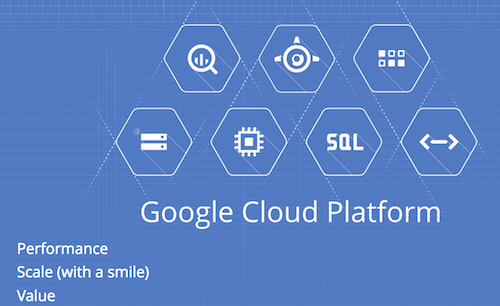
Google cloud platform“Google’s ability to build, organize, and operate a huge network of servers and fiber-optic cables with an efficiency and speed that rocks physics on its heels. This is what makes Google Google: its physical network, its thousands of fiber miles, and those many thousands of servers that, in aggregate, add up to the mother of all clouds.” – Wired
This quote about Google cloud platform is on the spot. In the slides below,  I tried to give an overview on the new features that are now part of Google cloud. If you attended #CodeMotion TLV yesterday – You will find these slides familiar. If it’s not the first time you hear the phrase ‘Google cloud’, jump to slide 14. Continue reading

Standard
cloud

Install A VPN Server On Google Compute Engine

photo_openswanIn this tutorial, we will go over the simple steps to install an IPSec/L2TP VPN server on google compute engine.
Why?
There are many cases that we need to use a secure channel between a local machine (it might be the firewall of our office or just your development laptop) and our cloud infrastructure. The answer (in most cases) is to have a VPN server in our cloud that will be the entry point. Here we are going to look at a client-server solution. If you are looking at a solution that will give you server to server configuration please go to this post: greenido.wordpress.com/2014/04/10/how-to-set-a-vpn-on-google-compute-engine/

First, I’m going to assume you have an account with Google cloud and you already know how to launch an instance on Google Compute Engine. If not, this post could help you do it in less then 5 min.

Continue reading

Standard
cloud

Upload Data To BigQuery With A Smile

Big QueryWhat is BigQuery?

In our world of ‘Big Data’ it can be time consuming and expensive to query massive datasets without the right infrastructure. Google BigQuery solves this problem by enabling super-fast, SQL-like queries against append-only tables, using the processing power of Google’s infrastructure.

What You need to do?

  1. Move your data into BigQuery – This is what we will do in this post.
  2. Let Google BigQuery handle the hard work.
  3. Query your big data with a smile in this cost/effective way.

How to upload data to Big Query?

There are two main approaches: stream you data or upload it directly from Google cloud storage. Let’s have a look at the steps to leverage Google cloud storage in order to upload data into BigQuery.

The main steps you need to follow:

  1. You will need to prepare your data. In this stage, you need to analyze and think what will be the best format (both JSON and CSV are supported).
  2. In our example, we will show you how to work with CSV files and even better, we will upload them to Google Cloud Storage and later with a BigQuery job we will make sure our data is being pulled automatically into BigQuery.
  3. Run a ‘sanity’ check to see that the new data is in good shape (optional step).

Tips

  • Upload your the data to a project with a good name (The default project names are not too clear in most cases).
  • Consider breaking your data (e.g monthly tables instead of a unique big one) because it will make life easier in the future to update, query and maintain the data source.
  • Have an example dataset with data that reflect the popular cases. This could be great to give developer an option to ‘play’ with the data and see its value.
  • Think on some good and bold example. A few sample queries are crucial to get people started on a dataset.

Continue reading

Standard