
The source
Ninet, with a little help of Red Band
Ninet is amazing.
Ninet is amazing.
 Two days ago, I gave a talk at “Silicon Valley Chrome Meetup”. This cool event was sponsored by box.net and I presented a session on Chrome web store upload process and the new chromeOS File API. The goal of this talk was to highlight some of the new ChromeOS file APIs and to give a high level overview on the Chrome web store and the app upload process. One question I got about the store was ‘WHY?’ and for there are three good answers:
On top of that, on the revenue side, you get a peace of mind because Google handle the payments for you. Of course, there is an option to handle the payment on your own – if/when you wish to do it.
Another subject I’ve tried to clear was around ‘A Web App? what is it?’ It’s not easy definition, and you can see lots of examples out there to good/great/awful web apps. So just to give few directions:
Last but not least, was the new file browser API that let developers write some nice java script code that will enable ChromeBooks’ users to upload their files to the cloud. In Google I/O Chrome keynote you could have seen a nice demo of it that let users upload photos to Picasa.
I hope that soon other interesting companies will take advantage of this API and we will see them integrating it with their clouds.
This little JS code will do the file upload for you:
 uploadFile: function(file) {
 var pro1 = document.querySelector('#pro1');
 var progressBar = pro1.querySelector('progress');
 var formData = new FormData();
 formData.append('file', file);
 var xhr = new XMLHttpRequest();
 xhr.open('POST', this.uploadServer, true);
xhr.onload = function(e) {
if (this.status == 200) {
console.log(this.response);
alert(“The image is safe in Flickr ” + this.response);
}
};
xhr.onerror = function(e) {
console.log(this, this.status, this.responseText,
this.getAllResponseHeaders())
};
xhr.send(formData);
},
…
and all you need to declare is few lines of JSON of manifest file.
Declare the “fileBrowserHandler” permission in the extension manifest.
 {
 "name": "Upload to flickr",
 ...
 "file_browser_handlers": [
 {
 "id": "upload",
 "default_title": "Save to flickr", // What the button will display
 "file_filters": [
 "filesystem:*.jpg",
 "filesystem:*.jpeg",
 "filesystem:*.png"
 ]
 }
 ],
 "permissions" : [
 "fileBrowserHandler"
 ],
 "icons": { "16": "icon16.png",
 "48": "icon48.png",
 "128": "icon128.png" }
 }
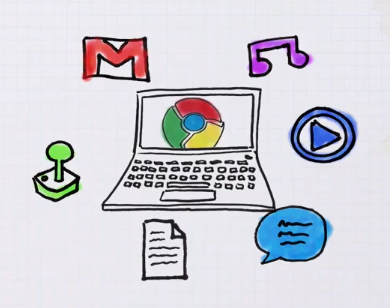
The power of the web is just starting to pick momentum. There are lots of signs that companies want to leverage HTML5 in order to by more productive and everywhere (desktop, laptop, tablet, mobile etc’). It’s not only Facebook, Netflix and others that got to understand that with HTML5 you can have web apps that will give the user a very close feeling to what they are getting today in native apps. He are three quick videos that explain what is a web app, what is Chrome Extension and why you want to have Chrome book…
And last but not least, with more then 1.2M views… Chrome and Gaga video
So unleash your inner…
 This is a must have bundle to any developer that start using TextMate: https://github.com/jezdez/textmate-missingdrawer/
It will give you the ‘power’ of the IDE you like to live in… (well, more or less not 100%). You can get it and install it in this one line:
curl -L https://github.com/downloads/jezdez/textmate-missingdrawer/MissingDrawer_2010-11-28.zip | tar -xf - && open MissingDrawer.tmplugin
Some more good bundles to start with are:
Shortcuts
There are many technology improvements that are pushing the web forward.One of them is WebGL. Web what?
Well.. it’s a shortcut for: Web-based Graphics Library which is a software library that extends the capability of the JavaScript programming language to allow it to generate interactive 3D graphics within any compatible web browser. Most of the leading browsers today got ‘some’ support for it. This New (amazing) video clip that was design for Chrome is showing the power that artist, developers and users got today under their belt (or their chrome…)
Or just check the source at ROME (Pss… do it from Chrome and not other good browsers).
 HTML5 technology is harnessing developers with a very unique way to be ‘everywhere’.
Unlike, the old Java days (1996-1997) where we thought that ‘write once run everywhere’ is going to be the future. This time, all the major browsers (yes, Firefox, Chrome, Safari and even IE) are supporting it. You can build today web apps that looks and act like ‘native’ apps by using HTML5 features. Not only, you get the option to target iOS, Andriod, PalmOS, Windows7 phones etc’ with great user experience you code base should be ‘write once’. It’s not only the smart decision for start ups and independent developers but rather for all type of companies. Even gorillas like Netflix is taking this direction. Main features that you might want to checkout are:
localStorage["name"] = username;. Unfortunately, present implementations only support string-to-string mappings, so you need to serialise and deserialise other data structures. You can do so using JSON.stringify() and JSON.parse().If you want to dive into this new world, I recommend two strong sites:
Both are giving very good explanations, tutorial and examples, so have fun. For the full experience you might want to use Chrome browser.
This year, Google I/O was around two main subjects: Andriod and Chrome. I’ve went to see some talks on both themes. Here are some good Google I/O Talks I’ve been this year are:
HTML5 Showcase for Web Developers: The Wow and the How
 I’ve needed to harness my new mac with some apps/tools I’m using daily. There are lots of good options today in the apple mac store. However, you might want to find some cool apps that are not there. Here is the list I’ve made:
Have I forgot something? Any other ‘killer app’ that should be part of each mac?
 I had a good busy day today at the #IObootCamp overall, there were lots of good sessions and it is great to meet so many familiar developers. I didn’t had too much time to put all my notes. But here is a quick list I’ve took from few great sessions. In one hands on session I had the fun to hack this ‘awesome to-do list‘. Is it the best to-do list on the web today, or what? (only on Chrome you will get the ‘awesomeness’). It’s all based on @jeromegn work for a demo of backbone.js
and let’s not forget the new API discovery tool that Google release today. It’s a good starting point to any project these days.
Have fun and I hope to have lots of new notes/posts during the up coming week.
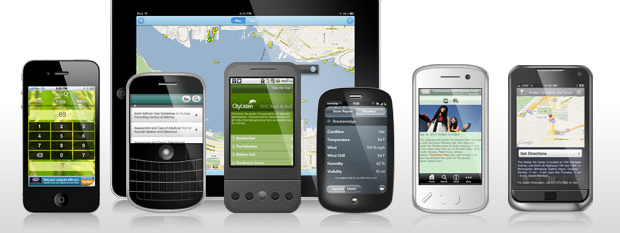
In the past few months, we (=HighGearMedia.com) have been thinking a lot about mobile and APIs. It’s no secret that the mobile spaces is growing very fast. In fact, we think more and more users will consume most of their ‘web’ using their mobile devices in the (near) future. On top of the ‘mobile movement’ we want to create creative mash-ups that harness other features in order to build new cool tools. Here is a list of APIs I would like to keep an eye on:
Any other good/great APIs I’ve missed here?
This week there are lots of update about Google APIs, watch what is going on tomorrow LIVE at Google I/O (lots of great APIs)
last but not least, there are these 2 frameworks that any one that is going to take seriously her mobile front should keep a close eye on:
All I’m asking is why not just switch it to mountain biking? You won’t even need to hook it to the grid after the ride… just get some good food (and wine).

 Ido Green