mobile

Top Android Apps You Want On Your Phone

What are the ‘must have’ apps you would install on a new Android device?
I’m sure you all got to this spot when a good friend and/or brother, sister, mom, dad or “dear” neighbor is coming to you (=the “guru”) with their new smartphone with the request: “Make it useful for me” or “Put some games and apps for the kids”. Well, after few (OK, maybe just 17) times I got this request, I decided to document a list of great apps that I’ll install in such a case. It is similar to a post I’ve wrote in the past about ‘Great Web Apps For Your Chromebook‘. The list is a combination of powerful apps that help people (who are not necessarily technical) in their daily tasks.

Here is my little list:

  • Google+ – Well, even if your friend doesn’t use this powerful social network. I would install this app because – on top of many other great features like: local, hangout, messenger and more – it will back up all her photos to the cloud!

  • Waze social GPS – This navigation app bring the ‘wisdom of the crowds’ into your car. It’s very powerful to direct you on the shortest path based on traffic in real time.

  • Gmail – Well… How can we have a list without THE email tool? This is going to be the app the will consume most of your friend’s time.

  • Skype  / Viber / Google Talk – you can call and message for free. I know lots of friends that use them when you are abroad. It’s useful to find a good wi-fi connection so the quality of the call with be good.

  • WhatsApp Messenger – one of the best messaging apps (think on sms but much better and for free). It’s working on many different devices so you can be sure most of your friends can enjoy it.

  • Chrome – Get the the security, speed and simplicity of Chrome to your mobile device. All your links, open tabs, passwords will sync like magic. Plus, you will enjoy many wonderful web apps that will work very fast.

  • Evernote – Organize your life and take notes using your mobile. This app is a powerful tool to keep your notes/recipes/photos/todo lists etc in the cloud. It’s also synced notes across devices so you can reach them from anywhere. Btw, their tablet version is gorgeous.

  • Flipboard / Google Currents / Pulse News – All are great apps to read your favorite magazines, blogs, newspapers etc.

  • Google Drive /  Dropbox – access all your docs, photos, videos, files from your mobile device.

  • Instagram – A good app to improve your native camera pictures and share your photos with the world.

  • TripIt Travel Organizer – This is a great app for anyone that travel. It will give you a great way to stay on top of things like: flight schedule changes, hotel reservations and car rentals.

  • Facebook / Twitter – so you could keep in touch with the rest of the ‘social’ world. btw, both of these app got a very nice mobile web app as well. There are also options to have these type of apps as widgets so you could be more productive on certain functions of the app.

  • Foursquare – explore a new city with this powerful app. Ohh… yes, you can ‘check-in’ and share your location with friends but even if you don’t part of the ‘social animals’ you will find this app very useful. Another option to check quickly where to go and what to eat is Yelp.

  • GroupMe / Google+Messanger – both will give you a great way to have group chats and organize friends/team quickly.

  • VLC – Be able to watch any type of video on your Android. Another option to stream video is with Dropbox app – yep, it let you do that as well.

And some extra fun one

UTILS/TOOLS

  • Barcode Scanner – To be able to scan some barcodes like all the cool kids on the block.
  • Flashlight HD LED – When there is no other option
  • Google Translate – Think on a case where you want to order a good wine in france and you can’t say it.
  • Any.DO To Do List – Great to do list app. It also got a nice chrome extension that keep your tasks sync and fresh.
  • Wheres My Droid – for anyone that lost his phone more than once or twice. This one is a life saver. It will let you find it even if the phone is in silent mode.
  • AVG Antivirus – After all it’s better to be safe then sorry, no?
  • Key Ring Reward Cards – Keep all your loyalty/reward cards in one place.

Reading / Education

  • Kindle – Read book, pdf and anything else. I found that I’m using this app quite a lot on my phone (and not only on my tablet).
  • Google Reader – To keep up with your world of interest. This is a great rss reader.
  • TED – Ideas that worth your time. If you have 20min of free time, this might be the perfect solution to put them into good use.

Sport / Outdoor / Health / Fitness

Anything for bikers, runners, athletes and hikers.

  • My Tracks – Record and share your GPS tracks with friends.
  • MapMyRUN GPS Running – You can have MapMyRide verison as well in case you are mostly on your bike.
  • Strava Cycling – Analyze your performance and see how you stack up against friends and locals
  • StopWatch & Timer – In so many cases you wish to time something…

Last but not least, some apps for the dudes in Israel

We can’t finish without the #1 mobile game of all time (this time for Curiosity)

Angry Birds Space

 Drive safely and if you have some more (great) suggestion – please share them…

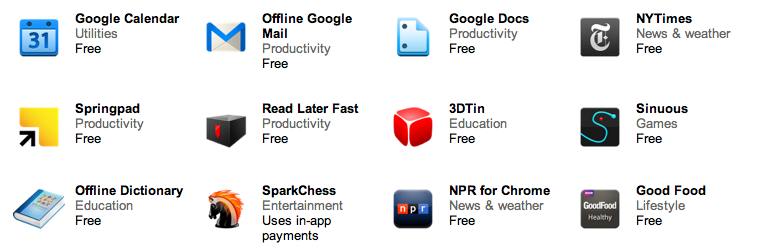
Here are the top apps in the Israeli Android Play Store (Aug 2012)

Standard
Chrome, life

Great Apps For Your Chromebook

Web-based applications are programs that are designed to be used entirely within the browser. Using apps, you can do anything (well, almost!).

These days, web apps are capable of dynamic functionality that you expect from desktop applications on your computer. If you use services like Gmail or Google Maps, you’re already using apps! Apps have the following advantages over desktop applications:

  • Apps install in seconds, with one click of a button. When you install a web app from the Chrome web store you get some nice new features like: unlimited offline storage, geo information, notifications etc’. So as a web developer, you might want to use this channel to make your users happy (or happier).
  • Apps are always up-to-date. Because apps are hosted on the web where they can be instantly updated, you can be sure you’re always using the latest version of the app that’s available.
  • Apps won’t crash your computer. If one app misbehaves, just close its tab in the browser. Your browser and computer won’t be affected.
Here are three lists with good (to great) web apps to make you (even more) productive.
If you have other suggestions, please let me know.

Apps For Everyday

If you want to… On a Chromebook, you could use…
Save a file Google Docs (which are working great in offline mode since June 2012) or Box or the Generic solution CrOS Save that will give you Dropbox and many other cloud solutions.
Read my email Gmail or other webmail services like: yahoo, hotmail etc’.
You can also try Offline Gmail to be productive on the times you don’t have an internet connection.
Organize my events on a calendar Google Calendar (which work offline!) or 1Calendar
Write a document Google Docs (which work offline!), Scratchpad or Quick Note
Chat with friends and family Google Talk or IMO
Watch a movie, clip, or tv show Netflix or YouTube
Edit a video or movie Stupeflix or YouTube Video Editor
Listen to music Pandora or MOG
Organize and save my music Google Music or mSpot
Edit or create music Aviary Audio Editor or Beatlab
Play a game Angry Birds, WGT Golf Challenge, or explore more games
Edit, organize, and store photos Picasa Uploader, Aviary or Picnik
Draw a picture Sketchpad or Sumo Paint

Apps At School

If you want to… On a Chromebook you could use…
Take notes or write a document Google Docs, Scratchpad or Quick Note
Create a presentation Google Docs, SlideRocket, or 280 Slides
Create a spreadsheet Google Docs or Zoho Sheet
Keep track of things to do Google Tasks or Springpad
Do research for my project Google Books or Academic Earth
Plan for a project Zoho Projects or SmartSheet
Do some calculations Calculator app or Scientific Calculator
Look up word definitions Google Dictionary
Keep track of time Alarm clock app

Apps At Work

If you want to… On a Chromebook you could use…
If your company uses Citrix to host applications and you wish to work on them in remote. Citrix Receiver
Do your tax (hopefully before April) Turbo Tax
Work on your mail while you don’t have connection (e.g. flight, train etc’) Offline Gmail
If you hungry and want to cook something tasty. Gojee
Write a document Google Docs or Zoho Writer
Create a presentation Google Docs, SlideRocket, or 280 Slides
Create a spreadsheet Google Docs or Zoho Sheet
Manage accounts and taxes Wave Accounting or Zoho Books
Organize personal finances Mint or CashBase
Develop or debug code Cloud9 or Koding
or just go deep with my post on the subject
Here is a good intro to ‘what is a web app’?
Standard
Business, Chrome

ChromeOS – Productive Apps and Extensions

All these web applications contain some very cool features that make them useful even (in the rare event) when you don’t have internet connection. Let’s say, you are 30,000 feet up the air (and not on a Virgin Atlantic plane) or 250 feet under the ground and there is no signal. Here are some apps that will make the business users (very) happy:

  • Citrix – If your company uses Citrix to host applications, you can use Citrix Receiver to check your email, review documents, tune into project dashboards, and approve expenses from your Chromebook.
  • Offline Gmail/Doc/Cal – I’ve blog about gmail offline support when it came out (the end of August) and the rest of the ‘office’ is also bring the Chromebook users the ability to keep working on long flights instead of watching a nice movie.
  • Angry birds – We can’t close a list of business apps without this little game that no office is complete without it. No words are needed here.
  • gojee – if you hungry this app is for you! great photos of beautiful dishes.
  • NYT – yep they got offline capabilities so you can keep reading Tomas Friedman under the sea.
Here is a nice list of other great apps that will work offline on your chromebook  – Be strong!
Standard
Chrome, HTML5, webdev

8 Good Web Apps To Start Your Week

Some great web apps to ‘close the summer’:

  • If you are into photos you might want to check out Cooliris – Cooliris transforms your browser into a full-screen 3D Wall for searching, viewing and sharing.
  • Need to find a good flight from SFO to JFK? this new travel search engine got some nice UI. Give Hipmunk a ride it will help you find the flight you want.
  • Flixster – Flixster Movies with Rotten Tomatoes. All you wish to know before you are going to watch a movie.
  • A 3D HTML5 Sky Chart viewer application NakshArt – The Art of Stars in HTML5.
  • Cargo Bridge – A new quality of bridge builder. Build a bridge and test your construction skills.
  • WikiInvest Portfolio – If you feel you need to be in the market these days… this app is for you. Great way to track your investments.
  • Speedtracer – For web developers that feel the need for speed. Get insight into the performance of your web applications.
  • Priceblink – Finds lower Prices, Coupons and Reviews while you shop. Checks for lower prices when you’re shopping or it stays hidden.
and let’s not forget you can now have Gmail, Docs and Calendar with offline!! good times.
Standard
Chrome, HTML5, JavaScript, php, webdev

Web Developers And The Chromebook

Lots of developers that are looking at the Chromebook think for the first time: “what tool do I (=the developer) have on the chromebook that will let me write code?” There are many options of cloud IDEs and we see more and more a good integration between them and other cloud services: Google Drive, dropbox, github etc’.

[updated May 2013]

  • Neutron Drive seems like a good option with a close integration with Google drive and lots of languages its support.
  • ShiftEdit – which give you many options to develop in your language: PHP, Ruby, HTML, CSS and JavaScript and then by using (S)FTP you can save your work to  Dropbox or Google Drive.
  • Codenvy -Codenvy is a cloud IDE enables you to code, build, debug in the cloud, and deploy to your PaaS of choice. I’ve play with it and it got a nice collaboratively options. It’s support JavaScript, Java, Node.JS, Android, Spring, PHP, Ruby and Python. The environment let you do ‘pair programing’ with its screen shared capabilities.
  • Cloud9, an IDE for JavaScript, Python, PHP, and Ruby. Cloud9 uses the HTML5 FileSystem capability and AppCache to sync files, so you can even code offline. It got some really nice features that I find myself using a lot: github integration, chat, the ability to work and do reviews on your code without any pain of ‘new/other’ tools.
  • Kodingen is an Online Development Environment including Code Editor, Cloud Hosting, Database Administration, Collaboration (not yet in beta), Web based access to file-system and it sounds good. I haven’t play with it (yet) – but I’ve heard some friends that like it.
  • Codey – Easy to use code editor for HTML, PHP, CSS, JS. They are in Chrome web store.
  • Akshell – Server-side JavaScript development and hosting platform. They got some git integration built in their IDE.
  • eXo Cloud IDE – Full IDE that support: HTML/CSS/JS and PHP/JAVA/RUBY. The nice part of it is that it will let you develop in Java,PHP,JS and other technologies and to push your code to production on several cloud providers.
  • PHPAnywhere is a web based free Integrated Development Environment or IDE for the PHP, HTML and CSS, in other words it is an application that gives developers all the code editing capabilities they need to develop web sites and applications online.
  • On the other side of the scale – editpad.org give you a simple option to write in your browser and then save it. It’s a cool way to do stuff if you ‘just’ want to write something quickly without all the ‘IDE’ features flying around.
For just a quick demo or this new coding experiments, check out JSFiddle that will let you run your HTML/CSS and JS quickly and then share it on the fly with friends. In that region, you might want to see: JSLINT.com and JSHIT.com for your js coding and the fresh new ‘sister’ CSSLINT.net
Another option that is becoming more and more ‘like’ an IDE is the powerful Chrome DevTools.

Other JavaScript/CSS sources:

  • MDN Docs – One of the best sources for javascript (ref, doc and all the rest).
  • JQAPI – Excellent documentation for jQuery. Take a look at: http://jqapi.com/#p=jQuery.ajax and see its power.
  • Less CSS – LESS extends CSS with dynamic behavior such as variables, mixins, operations and functions. LESS runs on both the client-side (IE 6+, Webkit, Firefox) and server-side, with Node.js.
And for the ones that want a closer look to what the ‘cool kids’ on the block are doing with nodeJS – there is how to node.org and this free book on JavaScript.
Standard
webdev

State Of The Art Applications For Your New Mac

apple new mac OSI’ve needed to harness my new mac with some apps/tools I’m using daily. There are lots of good options today in the apple mac store. However, you might want to find some cool apps that are not there. Here is the list I’ve made:

Basic Apps

  • Quicksilver – Quicksilver is an excellent multi-application launcher. Quicksilver is a handy app and folder launcher has quickly.
  • Sparrow – mail app for the ones that are still not using gmail web interface…
  • Chrome (go with canary) / Firefox
  • VLC – VLC is a free and open source cross-platform multimedia player.
  • Dropbox – a free service that lets you bring your photos, docs, and videos anywhere and share them easily.
  • Google earth – lets you fly anywhere on Earth to view satellite imagery, maps, terrain, 3D buildings, from galaxies in outer space to the canyons of the ocean.
  • Picasa – helps you organize, edit, and share your photos. It’s free, and easy to use.
  • EverNote – works with nearly every computer, phone and mobile device out there.
  • Adium – Open source multi-protocol instant messaging client for Mac OS X, supports MSN, Jabber, Yahoo! and other networks.
  • Seashore – is an open source image editor for Mac OS X’s Cocoa framework. It features gradients, textures and anti-aliasing for both text and brush strokes.
  • PixelmatorExcellent image editor that give you more then Seashore (and less then photoshop).

Developer Tools

  • Sublime Text 2 – my favorite editor these days.
  • Textmate / text wrangler – good editors.
  • Chicken of the VNC – A Mac VNC client that allows one to display and interact with a remote computer screen.
  • Cyber Duck – is an open source FTP, SFTP, WebDAV, Rackspace Cloud Files, Google Docs, Windows Azure & Amazon S3 browser for Mac and Windows.
  • IntelliJ IDEA – Powerful IDE for Java and if you are a web developer try Web Storm
  • Eclipse – Good IDE for Java/GWT/Google App and many more.
  • Netbean – Fully-featured Java IDE written completely in Java, with many modules available, such as: debugger, form editor, object browser, CVS, emacs integration etc’. It’s a good IDE (as eclipse) but I even more like their php/JS support.
  • MAMP – Install Apache, PHP and MySQL with few clicks under Mac OS X.
  • Zend Server/Framework – in case you live in PHP world.
  • Sequel pro – Sequel Pro is a fast, easy-to-use Mac database management application for working with MySQL databases.

Have I forgot something? Any other ‘killer app’ that should be part of each mac?

Standard