Chrome, HTML5, JavaScript, webdev

The Web Platform Cutting Edge

There are many ways to keep yourself updated with the latest improvements in Chrome and the web platform. One option is to follow Chrome Developers On G+ and another is to open ChromeStatus.com and see what is cooking in canary and going to make its way to stable soon. Another is to sit and see some screen-casts. Videos are great option but it’s rare to find such a great quality like +Alex Komoroske (from Chrome) created. The  screen-casts below shows some of his favorite capabilities of the cutting edge of the web platform. The total time of all the three is around 15min so take the time and enjoy it.

Building on foundations


This video goes over how the web platform has been fixing various historical shortcomings and building upon its core strengths, like:

  • Complicated graphical effects
  • Composability
  • Advanced text layout.

Earning from other platforms


In this video he reviews how the web platform offers new capabilities inspired by successes on other platforms with things like:

  • Push notifications
  • Payment APIs
  • Web intents.

The edge (Watch not to fall!)


In this video he demonstrates some of the new tricks: webcam access, powerful audio APIs, and complicated 3D graphics.

If you’re interested in learning more about the technology behind any of the demos, check out the Meet the Web Platform companion guide (http://www.chromium.org/developers/meet-the-web-platform-companion) or the Chromium blog (http://blog.chromium.org/2012/03/meet-web-platform-again-for-first-time.html)


Standard
Chrome, HTML5, JavaScript, webdev

Web Development – Some ‘Good To Great’ Tools

I’ve started to create a list of some great online tools that will help you (and me) in the next project. Some of the tools are helping to achive a certain effect (=gradients) while others are more a ‘hello world’ examples to hack around it in order to understand a new HTML5 API (e.g. HTML5 File API) and then harness it to your next web app. You might say it’s not a tool and you might be right. I guess it is more a list of resources that might help you get better at what you do.

If you got some other good sources please let me know… Here is the list:

Browser capability

Before you start your project you need to check what is the set of features and which browser will support them. There are few sites that will give you good answers. The lastest one is: html5please.us and other good sources are caniuse.com which include mobile browsers as well and mobilehtml5.org that is all about capability for mobile browsers.

JavaScript MVC frameworks

There is a new kid on the block – Thorax I like that fact that it is an opinionated backbone application framework. It is a combination of several tools:

Another framework that is worth the time to look into is: emberjs and Trello tech stack that is coming from the great dudes of ‘Fog Creek’.

If you wish to check what other options you have today – I would go to this site and check some of the most popular MVC framework that are out there.

Work and share javascript online

I also found myself using Simple JSON viewer in cases you wish to find out a specific parameter in a large JSON object.

Playing with CSS3

Libraries for Fonts

  • Google Web Fonts API – Google Web Fonts makes web fonts quick and easy to use for everyone, including professional designers and developers. We believe that there should not be any barriers to making great websites.
  • TypeKit – Simple, bulletproof, standards compliant, accessible, and totally legal fonts for the web.

Offline Libraries & Frameworks

  • ManifestR – a bookmarklet for creating an AppCache manifest file.
  • LawnChair – a library that provides a lightweight, adaptive, simple and elegant persistence solution.
For Mac Web Developers

    • LiveReload monitors changes in the file system. As soon as you save a file, it is preprocessed as needed, and the browser is refreshed. When you change a CSS file or an image, the browser is updated instantly without reloading the page.
    • CodeKit automatically compiles Less, Sass, Stylus & CoffeeScript files. It effortlessly combines, minifies and error-checks Javascript. It even optimizes images, auto-reloads your browser and lets you use the same files across many projects.

Mobile web development – Some good reads

It is far from being a full list – just a beach-head to start have a source for some tools that will make you more productive.

Standard
Chrome, Design, life

3D Art, Mobile And A New Tutorial On Web Databases

Why mobile native apps must die

This is a very interesting talk by Scott Jenson. He speaking about the ‘anti phone’ and why  a phone that is based on a browser will be very useful (to say the least). From his talk description: “…Mobile apps are on a clear trajectory for failure. It’s just not possible to have an app for every device in my house, every product I own and every store I enter. Much like Yahoos original hierarchy gave way to Google’s search, applications have to give away to a “just in time” approach to applications. This talk will explain how applications must give way to a more universal approach to application distribution, one based on the mobile web and cloud services. The problem of course, is that the mobile web has both hands tied behind its back. Any mobile app today is locked away behind a browser ghetto: in effect, a sub OS inside a larger mobile OS. This isn’t just an arbitrary technology debate, a just-in-time approach to application functionality can unleash entirely new sets of application, ones which are impossible with native apps. This talk will layout how this problem can be fixed, and what changes need to take place, outside of just HTML5, for it to happen.”

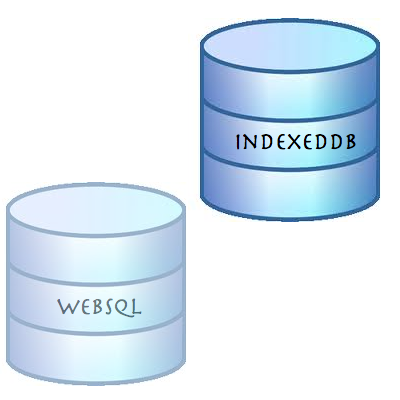
Migrating your WebSQL DB to IndexedDB

Lastly for this post, as WebSQL is deprecated, I recommend web developers to stop using the technology in new projects, as, effectively, the spec will receive no new updates and browser vendors aren’t encouraged to support this technology. The replacement is IndexedDB. As a ‘NoSQL’ database, IndexedDB is very different from relational databases, and it give us lots of power. IndexedDB let us create an Object Store for a type of data and simply persist Javascript Objects to that store. Each Object Store can have a collection of Indexes that make it efficient to query and iterate across. In this tutorial I’ve showed how you can convert the current usage of WebSQL and start leverage IndexedDB.

And let’s finish with some art…

3D Art + Com

Standard
HTML5, JavaScript, webdev

Convert WebSQL To IndexedDB Tutorial

Exactly a year ago on November 18, 2010, the W3C announced that Web SQL database is a deprecated specification. Many major browsers including Chrome, Safari, Opera and nearly all Webkit based mobile devices support WebSQL, however, if you are going to start a new project and/or you wish to have your code running with the new version of client side database (that will receive updates and improvements) you should implement indexedDB as your client side database. In this short post we will see what are the main steps to refractor your WebSQL code to IndexedDB.

First lets create the databases


// WebSQL 
database = openDatabase('todos1', '1.0', 'todo list example db', 2*1024*1024);

// InxededDB
var todoDB = {};
var indexedDB = window.indexedDB || window.webkitIndexedDB || window.mozIndexedDB;
todoDB.indexedDB = {};
todoDB.indexedDB.db = null;


Create Table/ObjectStore

In both cases we need some ‘space’ to save our information


// WebSQL - creating a new table
 database.transaction(function(tx) {
     tx.executeSql("CREATE TABLE IF NOT EXISTS tasks (id REAL UNIQUE, text TEXT)", []);
   });

// IndexedDB - creating a new object store that will hold our data
todoDB.indexedDB.open = function() {
        var request = indexedDB.open("todos");

        request.onsuccess = function(e) {
          var v = "2.0 beta"; // yes! you can put strings in the version not just numbers
          todoDB.indexedDB.db = e.target.result;
          var db = todoDB.indexedDB.db;
          // We can only create Object stores in a setVersion transaction;
          if (v!= db.version) {
            var setVrequest = db.setVersion(v);

            // onsuccess is the only place we can create Object Stores
            setVrequest.onsuccess = function(e) {
              if(db.objectStoreNames.contains("todo")) {
                db.deleteObjectStore("todo");
              }
              var store = db.createObjectStore("todo",
              {keyPath: "timeStamp"});
              todoDB.indexedDB.getAllTodoItems();
            };
          }
          else {
            todoDB.indexedDB.getAllTodoItems();
          }
        };
        request.onfailure = todoDB.indexedDB.onerror;
      }

Add Item

Now it’s time to add some data to our database, no?


// WebSQL
function addTodo() {
        var todo = document.getElementById("todo");
        var task = {
          "id": new Date().getTime(),
          "text": todo.value };
        
        database.transaction(function(tx) {
          tx.executeSql('INSERT INTO tasks (id, text) values (?, ?)', [task.id, task.text]);
        });
        // now let clean it to the next todo
        todo.value = "";
        showAll();
      }
      
// IndexedDB
todoDB.indexedDB.addTodo = function(todoText) {
        var db = todoDB.indexedDB.db;
        var trans = db.transaction(['todo'], IDBTransaction.READ_WRITE);
        var store = trans.objectStore("todo");

        var data = {
          "text": todoText,
          "timeStamp": new Date().getTime()
        };

        var request = store.put(data);

        request.onsuccess = function(e) {
          todoDB.indexedDB.getAllTodoItems();
        };

        request.onerror = function(e) {
          console.log("Error Adding: ", e);
        };
      };

Fetch Items

After you have data it’s only make sense to show it to the world (and your dear friends)


// WebSQL
function showAll() {
        document.getElementById("ourList").innerHTML = "" ; 
        database.transaction(function(tx) {
          tx.executeSql('SELECT * FROM tasks', [], function (tx, results) {
            var len = results.rows.length, i;
            for (i = 0; i  Todo text: " + results.rows.item(i).text);
              
              var a = document.createElement("a");
              a.textContent = " [Delete]";
              a.setAttribute('data-key', results.rows.item(i).id);
              a.setAttribute('data-val', results.rows.item(i).text);
              a.addEventListener("click", function() {
                deleteTodo(this.getAttribute("data-key"),this.getAttribute("data-val") );
              }, false);
              li.appendChild(t);
              li.appendChild(a);
              document.getElementById("ourList").appendChild(li);
            }
          });        
        });
      }

// IndexedDB
function showAll() {
        document.getElementById("ourList").innerHTML = "" ;   
        var request = window.indexedDB.open("todos");
        request.onsuccess = function(event) {
          // Enumerate the entire object store.
          var db = todoDB.indexedDB.db;
          var trans = db.transaction(["todo"], IDBTransaction.READ_ONLY);
          var request = trans.objectStore("todo").openCursor();
  
          request.onsuccess = function(event) {
            var cursor = request.result || event.result;
            // If cursor is null then we've completed the enumeration.
            if (!cursor) {
              return;
            }
            var element = document.createElement("div");
            element.textContent = "key: " + cursor.key + " => Todo text: " + cursor.value.text;
            document.getElementById("ourList").appendChild(element);
            cursor.continue();
          }
        }                    
      }


Delete Item

In rare cases we wish to delete stuff… It’s easy.


// WebSQL
function deleteTodo(id, text) {
        if (confirm("Are you sure you want to Delete "+ text +"?")) {
          database.transaction(function(tx) {
            tx.executeSql('DELETE FROM tasks WHERE id=?', [id]); 
          });
          showAll();
        } 
      }

// IndexedDB
todoDB.indexedDB.deleteTodo = function(id) {
        var db = todoDB.indexedDB.db;
        var trans = db.transaction(["todo"], IDBTransaction.READ_WRITE);
        var store = trans.objectStore("todo");

        var request = store.delete(id);

        request.onsuccess = function(e) {
          todoDB.indexedDB.getAllTodoItems();
        };

        request.onerror = function(e) {
          console.log("Error Adding: ", e);
        };
      };


As Oscar Wilde said: “…Consistency is the last refuge of the unimaginative…” – so in our case, let’s save data locally and have more performance in our web apps (with some consistency).

Live Example

All the code is on github – https://github.com/greenido/WebSQL-to-IndexedDB-example

and you can play with a live example.

Standard
Chrome, JavaScript

Chromebook and window.open()

I got few questions last week on #GDDDE (=Google Developers Day 2011 and #GDD11 which is the popular hash tag both in G+ and Twitter for these events) about window.open() in Chromebook. Here is a summary of the answers.

Few things you might didn’t know about window.open() in ChromeOS:

  • window.open() will open a new tab if the window size > 50% of the width or 60% of the height of the window. So it will be a bit different in Samsung and Acer due to the different screen sizes.
  • An app / extension can use the chrome.window API to call chrome.windows.create() which takes a “type” parameter which will always be obeyed. (Panel windows will be constrained to 80% of the screen width and height). Let’s have a look on how to use it.

First, let the browser ‘know’ what type of window you wish to have use this:

 chrome.windows.create(object createData, function callback) 

Creates (opens) a new browser with any optional sizing, position or default URL provided. You should use ‘type’ as part of the ‘createData’.

 type - ["normal", "popup", "panel"]  
This is the source of true about the window object API. Be strong.
Standard
HTML5

HTML5 App Caching – The Easy Way

HTML5 features appcaching, a way to make your web sites and apps work offline, and to increase their performance as well.

I’m sure you know, browsers cache HTML, CSS, JavaScript files, images and other resources of the sites you visit, to speed up the subsequent loading of pages. However, you never know when the browser might discard cached files, and so this is not a reliable way for sites to work offline. But what if we could tell the browser what to cache? Well, with HTML5 application caches (also known as ‘appcache’) we can do just that.

An appcache manifest contain several lines in that order:

  • In the first line we declare “CACHE MANIFEST” (required)
  • Second line: “CACHE:” – which specifies the URLs of resources.
  • We can also optionally specify which resources should not be cached, in a section of the manifest file introduced by the string “NETWORK:”. These resources aren’t just not cached, but further, won’t be used when the user is offline, even if the browser has cached them in its own caches.
  • We can also optionally specify fallback resources to be used when the user is not connected, in a section of the file called “FALLBACK:”
  • You can add comments to the file with, simply by beginning a line with “#” – that’s an important feature to make the version readable for you as a developer. It’s also a nice way to let the browser ‘know’ that something changed in our app and it’s needed to fetch a new version of the app from the network.

Here is a simple example:


CACHE MANIFEST
#version 1.0

CACHE:

#images
/images/logo.png
/images/ido-header.png

#pages
/pages/index.html
/pages/main.html

#CSS
/style/main-style.css

#scripts
/js/main-logic.js

FALLBACK:
/ /offline.html

NETWORK:
sign-new-user.html

Creating a HTML5 cache manifest file the easy way:

Other good reads:
Standard
HTML5, webdev

Web Workers (Part 1 Out Of 3)

Short History

In modern web applications there are lots of cases when we need to do some stuff in the background. The only way to do it today in most of the modern browsers is by using Web Workers. Web Workers provide a standard way for browsers to run JavaScript in the background.  It let you spawn multiple “threads” that all run at the same time. For more about multithreading this is a good place to start your reading.

Web Workers can do lots of things:

  • Complex mathematical calculations
  • Make network requests
  • Access local storage

all while the main web page responds to the user actions (e.g. scrolling, typing some text or clicking around your app).

What is a Worker?

A ‘worker’ is a script that will be loaded and executed in the background. Web Workers provide a way to do this seamlessly, for example:
new Worker(“worker.js”);
The above will load the script, located at ‘worker.js’, and execute it in the background.

There are some big (very big) limitations (but please don’t worry, we will see how to solve them in the next post):

  • Workers don’t have access to the DOM: No document, getElementById, etc. However, you can use setTimeout, setInterval, and XMLHttpRequest.
  • Workers don’t have direct access to the ‘parent’ page.

Can We Use Web Workers?

In order to find out if we can use web workers we need to check if there is a Worker property on the global window object. If our browser doesn’t support the Web Worker API, the Worker property will be undefined.

isWorkersAvailable() {
  return !!window.Worker;
 }

Instead of writing this function yourself, you can use Modernizr to detect support for web workers (Pss… Modernizr is an open-source JavaScript library that helps you build the next generation of HTML5 and CSS3-powered websites by doing lots of work for you and saving you from reinventing the wheel again and again – Thank you @KuraFire  @paul_irish and @SlexAxton )

if (Modernizr.webworkers) {
  // window.Worker is available!
} else {
  // no native support for web workers
}


Short Example


//
// A simple way to find prime numbers
//
var n = 1;
search: while (true) {
  n += 1;
  for (var i = 2; i <= Math.sqrt(n); i += 1)
    if (n % i == 0)
     continue search;
  // found a prime!
  postMessage(n);
}

<!DOCTYPE HTML>
<html>
 <head>
  <title>Web Worker: The highest prime number</title>
 </head>
 <body>

  <h1>Web Worker: The highest prime number</h1>
  <article>The highest prime number discovered so far is: 
	  <output id="result"></output>
  </article>
  
   var worker = new Worker('highPrime.js');
   worker.onmessage = function (event) {
     document.getElementById('result').textContent = event.data;
   };
  
 </body>
</html>


In the next post I’ll dive deeper on more interesting stuff you can do with workers. We will see how to communicate with one dedicated worker and how we can share workers (just for fun).
Here you can continue reading the second part of this series.

More (good) sources

Standard
webdev

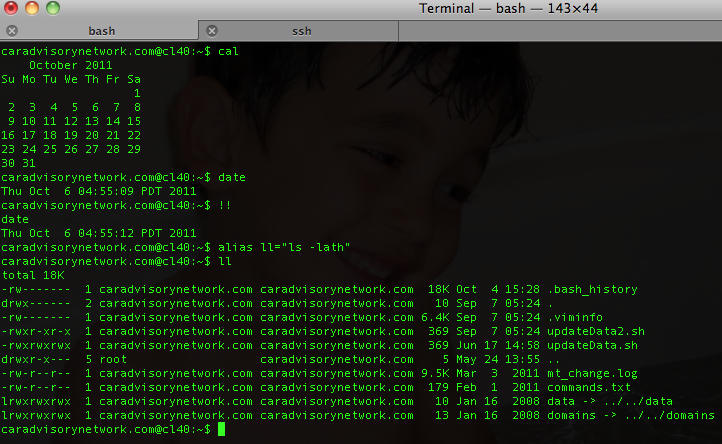
Linux Bash – Shortcuts To Boost Your Productivity


Let’s face it… in most of the cases (in the end of the day or night) you will be on a linux shell trying to hack some last minute changes to ‘production’. Ya… you know it’s something you should not do, but life is stronger than anything, no?
Here are few shortcuts to help you finish your day:

Command Editing Shortcuts

  • Ctrl + a – go to the start of the command line.
  • Ctrl + e – go to the end of the command line.
  • Ctrl + k – delete from cursor to the end of the command line – save you lots of time.
  • Ctrl + u – delete from cursor to the start of the command line, I’m not using it, but still a good one.
  • Ctrl + w – delete from cursor to start of word (i.e. delete backward one word)
  • Ctrl + y – paste word or text that was cut using one of the deletion shortcuts (such as the one above) after the cursor
  • Ctrl + xx – move between start of command line and current cursor position (and back again)
  • Alt + b – move backward one word (or go to start of word the cursor is currently on)
  • Alt + f – move forward one word (or go to end of word the cursor is currently on)
  • Alt + d – delete to end of word starting at cursor (whole word if cursor is at the beginning of word)
  • Alt + c – capitalize to end of word starting at cursor (whole word if cursor is at the beginning of word)
  • Alt + u – make uppercase from cursor to end of word
  • Alt + l – make lowercase from cursor to end of word
  • Alt + t – swap current word with previous
  • Ctrl + f – move forward one character
  • Ctrl + b – move backward one character
  • Ctrl + d – delete character under the cursor
  • Ctrl + h – delete character before the cursor
  • Ctrl + t – swap character under cursor with the previous one

Command Recall Shortcuts

  • Ctrl + r – search the history backwards
  • Ctrl + g – escape from history searching mode
  • Ctrl + p – previous command in history (i.e. walk back through the command history)
  • Ctrl + n – next command in history (i.e. walk forward through the command history)
  • Alt + . – use the last word of the previous command

Command Control Shortcuts

  • Ctrl + l – clear the screen
  • Ctrl + s – stops the output to the screen (for long running verbose command)
  • Ctrl + q – allow output to the screen (if previously stopped using command above)
  • Ctrl + c – terminate the command
  • Ctrl + z – suspend/stop the command

Bash Bang (!) Commands

Bash also has some handy features that use the ! (bang) to allow you to do some cool stuff.

  • !! – run last command
  • !blah – run the most recent command that starts with ‘blah’ (e.g. !ls)
  • !blah:p – print out the command that !blah would run (also adds it as the latest command in the command history)
  • !$ – the last word of the previous command (same as Alt + .)
  • !$:p – print out the word that !$ would substitute
  • !* – the previous command except for the last word (e.g. if you type ‘find some_file.txt /‘, then !*would give you ‘find some_file.txt‘)
  • !*:p – print out what !* would substitute
Btw, if you are Eclipse power user and with to have bash inside it:
  • Go to Menu Run/ External Tools / external  Tools
  • Click on Config (or on Mac – Add external tools) then on ‘Program’ (inside the right sidebar) and select ‘new’
  • in the Name field, type Bash
  • In location type /bin/bash
  • In argument type -s -i
  • In the common tab check ‘Allocate Console’ if it’s not
  • Click on Apply
  • Then you just have to click on the External tools icon and select ‘Bash’ – Done.
Standard
webdev

What Is The Right Cloud For You?

In the past few years we saw lots of ‘clouds’ coming up to life. Some of the known and powerful ones like:

  • Amazon S3 – Amazon S3 is storage for the Internet. It is designed to make web-scale computing easier for developers. Amazon S3 provides a simple web services interface that can be used to store and retrieve any amount of data, at any time, from anywhere on the web. It gives any developer access to the same highly scalable, reliable, secure, fast, inexpensive infrastructure that Amazon uses to run its own global network of web sites. The service aims to maximize benefits of scale and to pass those benefits on to developers.
  • Rackspace Cloud – They offering servers, files and load balancers. It’s similar to amazon and you get some nice features ‘for free’ – like the ability to take images of your current machine and start new ones from this image.
  • Amazon EC2 – Amazon Elastic Compute Cloud (Amazon EC2) is a web service that provides resizable compute capacity in the cloud. It is designed to make web-scale computing easier for developers. Amazon EC2’s simple web service interface allows you to obtain and configure capacity with minimal friction. It provides you with complete control of your computing resources and lets you run on Amazon’s proven computing environment. Amazon EC2 reduces the time required to obtain and boot new server instances to minutes, allowing you to quickly scale capacity, both up and down, as your computing requirements change. Amazon EC2 changes the economics of computing by allowing you to pay only for capacity that you actually use. Amazon EC2 provides developers the tools to build failure resilient applications and isolate themselves from common failure scenarios.
  • Amazon Cloud front – Amazon CloudFront is a web service for content delivery. It a ‘pure man’ solution for other CDN. It integrates with other Amazon Web Services to give developers and businesses an easy way to distribute content to end users with low latency, high data transfer speeds, and no commitments.
  • Microsoft Azure – Offering the .NET developers a ground play with all microsoft technologies. If you live inside microsoft stack (MSSQL, .NET etc’) – I guess this is the place you want to research first thing. However, since other cloud solution also give you MS environments, it’s not the only solution. So take the time and do a good research on the different offerings.
  • Google App Engine – Google App Engine enables you to build and host web apps on the same systems that power Google applications. App Engine offers fast development and deployment; simple administration, with no need to worry about hardware, patches or backups; and effortless scalability.
BTW, they are many many more… I know. I’ve put in the bottom of the post ‘just’ the ones that Amazon offering so you could get the picture of ‘how many’ different types of cloud we have today at 2011 just from one (big) vendor.
There are very different in their ‘view of the world’ and like in anything in life, you need to define your own goals before you going to choose a solution.
Standard
webdev

Google – Microsoft is moving fast behind you

Very impressive (and short) talk at TED that show that maps.bing.com is moving fast in the direction of Google maps.

Standard