Chrome

High Conversion Web Forms

Cam and Ido - web forms course lead image

Last week, my new course “Building High Conversion Web Forms” was launch on Udacity. I had the pleasure to work with Cameron Pittman on this course and I hope you are going to like the outcome.

Let’s take one (I promise not two) step back, and think about forms. If you think on any meaningful experience on the web today, you will find out that it comes with a form. It might be a shopping cart, registration form, survey or even every login form. If it’s valuable, most probably it got a box that wish someone will fill it with information. Whether it’s a form made of text boxes, toggles, buttons, checkboxes, or touchable widgets, web developers need to be purposeful about forms to make users happy and increase conversions.

In our course, you’ll learn best practices for modern forms. It’s not just ‘watching’ videos. You’ll practice your skills along the way with a few self-directed projects, including an e-commerce checkout and an event planner app! As a special bonus, you’ll also watch a series of interviews with Luke Wroblewski, Google Product Director.


Continue reading

Standard
Chrome

Use House Ads To Improve Your Revenue

Ads at work on the beach

As developers and entrepreneurs, we have mountains of data.
Data that could change your business and move it forward. However, there is s
o much data that it’s overwhelming in some cases. Life force you, in some cases, to ignore it. But that’s the wrong path to follow! You wish data that is actionable and moving your revenue forward.

The freemium model was one of the reasons to a huge disruption in the data world. We see it clearly in the gaming market. For game developers, the need to understand users through data is particularly acute. In the past 2 years, we learn that everyone is a gamer: there were 1.78B gamers worldwide as of August [Source] and the number keep moving up. Since we are talking here on free installation, we do need to make money after the users installed our game. It will be good 

Now, because users act differently the foundation of any monetization strategy should be your analytics.
There will be segments in your userbase that will:

  • Pay for In-App Purchases
  • Click on ads
  • Engage with certain types of ads (e.g. full-screen video)

A custom monetization strategy for each user means you are maximizing your revenue. There are few (new) tools in AdMob to help you to do this. It’s call ‘audience aware’ because it will tailored the right solution to the right user at the right time. Continue reading

Standard
Business

Monetization Questions For Entrepreneurs #StartupTips

startup office

“The art and science of asking questions is the source of all knowledge” – Thomas Berger

One of the critical times for startup is when it needs to define what will be the path to profitability. It’s a real challenge, and one of the ways to come up with the right plan is to ask the right questions.

A set of questions that could lead you in the right path:

  1. How do you define the relationship between ‘growth’ and monetization for your startup?
    Do we need to focus on one first?
    What is the mark to blend the two?
    Can we do both?
  2. What do you think about ‘starting a business’ and not ‘starting a startup’?
    The main point here is to get out of the ‘la-la land’ of startups that don’t need ‘revenue’ and look at the world of building a profitable business from the get-go.
  3. What other bold/good/recent startup(s) are executing a good monetization plan?
    Can we do something similar? Which parts of their plan we wish to test first?
  4. Are there several platforms that we can leverage in our monetization paths?
    In other words, if we are a startup that is building an application for iOS/Android.
    Can we also create an amazing web experience and enjoy it as another platform for engagement?
  5. How your purchasing process (or billing) is working today?
    What pitfalls other should learn from it?
    How you optimize it?
  6. Where are the gaps (or opportunities) in the current state of your online commerce?
  7. What are the top 3 action items that you can take in order to monetize your work better at this stage?
    This might be a great question to ask every 1-3 months.
    Moreover, you might want to keep A/B testing your actions.
  8. Any interesting trends you see in the market around your startup?
    What are the leaders doing?
    What other direct competitors are doing?
    What are indirect competitors are doing?
  9. Can we improve the usage of our analytics in order to gain more insights for our KPIs?

For more thoughts on the subject (with some tips from experience) – Join 4100+ students and check out my course on Udacity “App Monetization“.

Good luck!

Standard
Android, Business

Android In App Payments

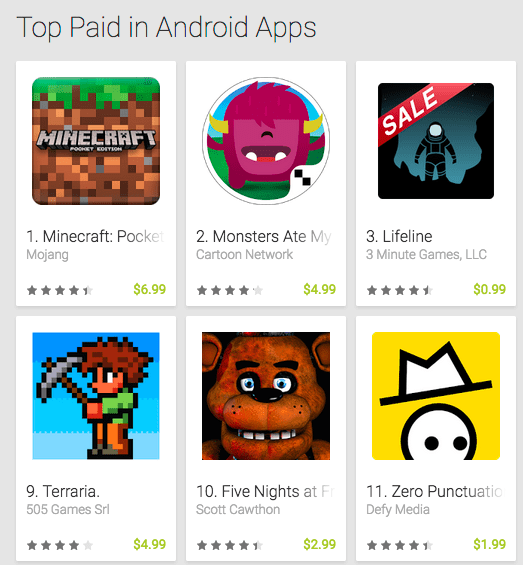
top android appsAs we know, user like free applications. However, we need to make a living out of our application, right?
One of the most popular method these days is In-App Payments. You can see this in many examples: Clash of clans, Netflix, Spotify and many more.
In this post, we’ll see how to perform common In-appPayments operations from Android applications.

What is this service?

In-app billing is a service hosted on Google Play that lets you charge for digital content or for upgrades in your app. You can request product details from Google Play, issue orders for in-app products, and retrieve ownership information based on users’ purchase history. Google Play provides a checkout interface that makes user interactions with the In-app Billing service seamless and provides a more intuitive experience to your users. Continue reading

Standard
Chrome

Web Forms Best Practices

The Tree

Here are some of the rules that will help you build better forms. As we know, it’s a mobile world, so we wish our forms to be responsive and mobile first by nature. Let’s see how to do it right.

Use big font size and provide easily touch buttons

Here it’s simple, when you have doubt, make things bigger and check. In other words, you wish your fonts to look great both on mobile and desktop. For mobile, a rule of at least 16px will be a good start. Why? because it’s big enough in most cases for mobile. Plus,  this minimum size will prevent all iPhones from zooming into the fields. For buttons and touch areas, start with at least a size of 32px for the input field height. This will ensure it’s not too small. However, check it both on mobile (few devices from 4″ to 6″) and on larger screens (=desktop or large tablets). Both Foundation and Bootstrap gives you a default size for such elements that is good for mobile.

Take advantage of Autofill

This will enable your users an easy way to complete forms with pre-populated data.  Look for opportunities to pre-fill information you already know (e.g. Geolocation to fill the zip code), or may anticipated to save the user from having to provide it. For example, pre-populate the shipping address with the last shipping address supplied by the user. See it in action at: greenido.github.io/form-example.html Continue reading

Standard
Business, webdev

3 Principals To Increase Revenue In Games

1. Focus on the users that love to play

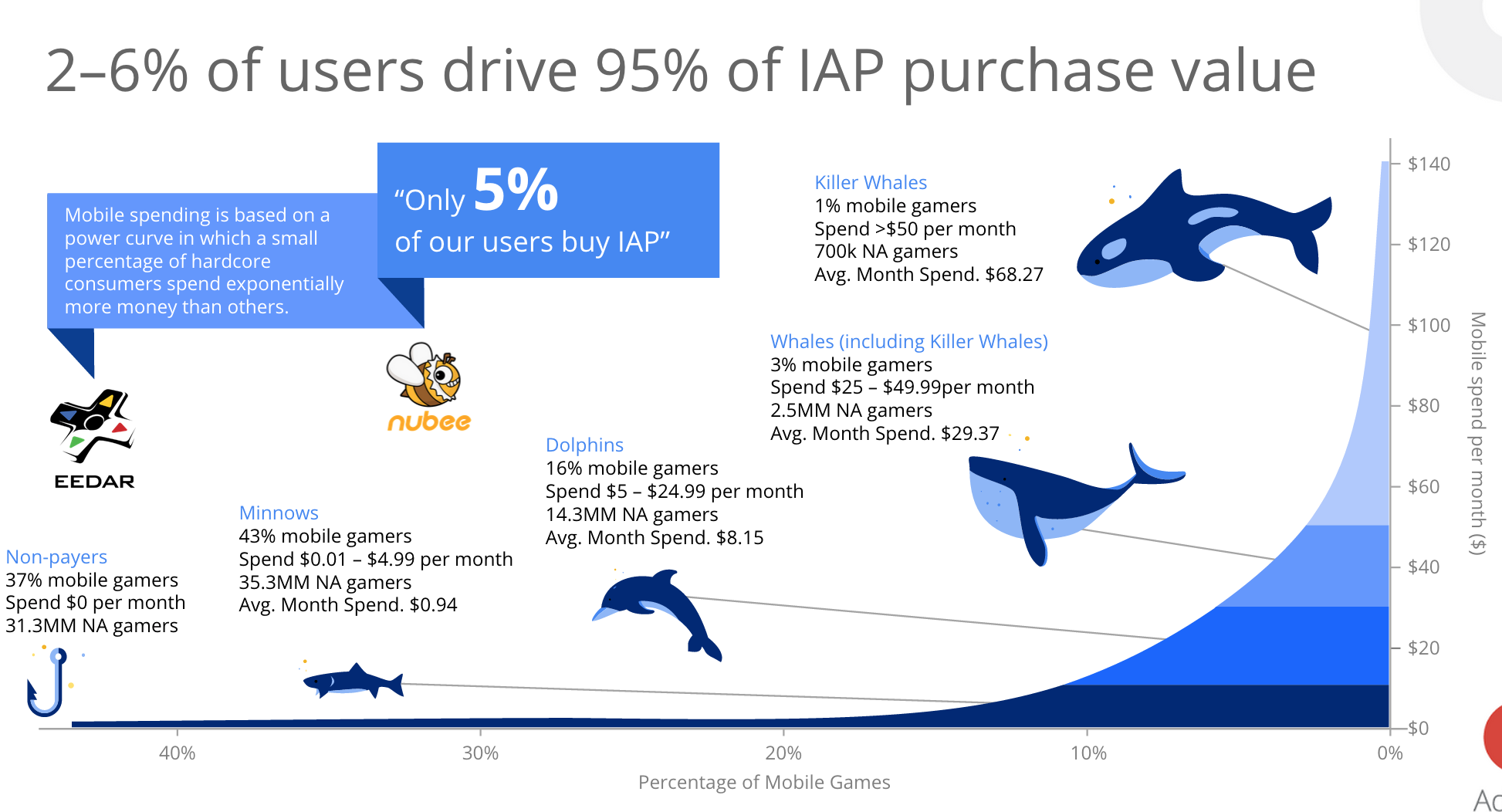
You wish to promote certain items (e.g. gems, levels, arms etc’) at the right situation for the ‘heavy gamers’. It is these gamers that spend the big bucks, just have one look at the graph below to appreciate it. The challenge is to identify these players and to find the right situations. Check your analytic tools to find out segments of users that are out of the normal distribution curve. In the graph below you can see an illustration for what we wish. Focus on the all the Whales.

game-users-whales 2015-05-29 12.33.04 Continue reading

Standard
Business, Chrome

Auto Complete Attribute Will Improve Your Profit (And Forms)

Hands full (with grapes)

Autofill in Chrome

Chrome has a great new Autofill feature that as a developer you’ll want to add to your websites for Chrome to use. Other browsers are sure to follow too. The first time you fill out a form, Chrome automatically saves the contact information that you enter, like your name, address, phone number, or email address, as an Autofill entry. You can store multiple addresses as separate entries. Moreover, Chrome can save your credit card information, with your explicit permission. When you enter credit card information on a form, Google Chrome asks you at the top of the page whether you’d like to save the information. Click “Save info” if you’d like the credit card to be saved as an Autofill entry.

Later, when you start filling out a form, the Autofill entries that match what you’re typing will appear in a menu. Select an entry to automatically complete the form with information from the entry. Chrome also saves the text you’ve typed in specific form fields. The next time you fill out the same field, text that you’ve typed in the past appears in a menu. Just select the text you want to use from the menu to insert it directly into the field.

In Chrome, you get a full support for the autocomplete attributes . All we need to do is to make sure we are leveraging them. You will improve your checkout process and make your users 6.73 times happier. Since autocomplete is part of the standard (WHATWG HTML) you know that other browsers will support it as well.

The autocomplete attributes can be accompanied with a section name, such as:

  • shipping given-name
  • billing street-address

This is recommended because it will make your form easier to understand and fill. The browser will auto complete different sections separately, and not as a continuous form.
Continue reading

Standard
Business, Chrome, JavaScript, webdev

In-App Payments On The Web

payment-with-penThere are many examples of applications that are free but let you add features with in-app payments. Think of a game that is free to play, but offers additional levels or virtual goods for a certain price (a low one in most cases). It’s very common to see applications that are free at the ‘trial period’ and later gives premium users the option to buy a specific level that match their needs. It’s a good practice to give users your product or service without any barriers (e.g credit card information). If they find it useful, they will pay for it with a smile.

Few examples

  • A designing web app that give the options to buy more projects (or more shapes, tools, features).
  • A Customer Relationship Management (CRM) application, that offer certain capabilities for a price.
    The basic options to collect and manage your contacts will be free, but if you wish to send emails they will charge you.
  • A game that let you advances more quickly if you buy certain improvements. For example a ‘magic’ power that give you the ability to pass a difficult stage (e.g. the mighty eagle in Angry Birds).the mighty eagle from angry birds

Continue reading

Standard
Chrome, HTML5, JavaScript, php, webdev

How To Implement Web Payments

One aspect for Monetization on the web is the simple action – BUY.
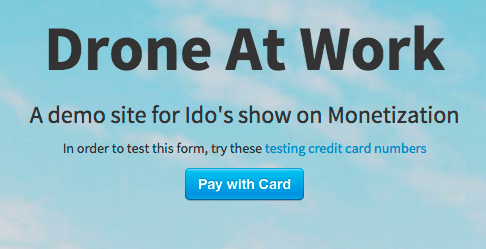
In this method, the user will pay and only then, she could ‘use’ the application or service. There are several providers that offer developers an efficient ways to lead users through the checkout process. In the image below you can see an example of such usage when the user got the option to ‘Pay with Card’ in one-click.

pay-ex-1 2015-02-11 16.56.42

After you will click on this button you will get a dialog that ask for your credit card details. In this example, we are using Stripe. It’s a good option that works in many countries around the globe. Moreover, you are getting for ‘free’ all the best practices of client-side validation for the credit card details. In the image below, you can see an example of buying “one hour with Ido”, it’s looking like a bargain. Continue reading

Standard
Chrome, Design, HTML5, mobile, webdev

Mobile Web For Mobile World


chrome_front-androidHere are the slides from a talk I gave at Campus TLV to developers from the government. It’s clear that mobile is growing very fast and you must have a quality present on mobile devices. You wish your site (and apps) to be ‘mobile first’ and make sure they are using the best practices for mobile.
It’s important to remember that E-commerce occurs across apps and web, but consumers rely disproportionately on mobile web for commercial tasks. In these slides, we will see how to improve your sites or applications. Btw, if you wish to read this information in Hebrew, you can find it over at DevHeb.com Continue reading

Standard