Business, Chrome, JavaScript, webdev

In-App Payments On The Web

payment-with-penThere are many examples of applications that are free but let you add features with in-app payments. Think of a game that is free to play, but offers additional levels or virtual goods for a certain price (a low one in most cases). It’s very common to see applications that are free at the ‘trial period’ and later gives premium users the option to buy a specific level that match their needs. It’s a good practice to give users your product or service without any barriers (e.g credit card information). If they find it useful, they will pay for it with a smile.

Few examples

  • A designing web app that give the options to buy more projects (or more shapes, tools, features).
  • A Customer Relationship Management (CRM) application, that offer certain capabilities for a price.
    The basic options to collect and manage your contacts will be free, but if you wish to send emails they will charge you.
  • A game that let you advances more quickly if you buy certain improvements. For example a ‘magic’ power that give you the ability to pass a difficult stage (e.g. the mighty eagle in Angry Birds).the mighty eagle from angry birds

Continue reading

Standard
Chrome, HTML5, JavaScript, webdev

Web Fundamental Update

Here are the slides from a talk I gave at Campus TLV. It’s a summary of web fundamentals is offering developers at the first step of ‘building your first multi screen site‘.

If you would like to contribute to this important open-source project, please jump to our github repo: github.com/google/WebFundamentals


Standard
Chrome, JavaScript

The Little Prince And The Better Parts Of Javascript

The little price“It seems that perfection is attained not when there is nothing more to add, but when there is nothing more to subtract.”

In this (quality talk), Douglas Crockford talks on the better parts of JavaScript. As always, it’s an opinionated talk, so choose what you wish to take from it for your next project. There are many aspects that Douglas touch on, that are very helpful to any technology you are using. I truly like his opening from “The little prince” ‎- Antoine de Saint-Exupéry. Great points on software development and especially JavaScript’s holes you wish to avoid.

Btw, back at 2010 I’ve recommended his book – Times fly.


Standard
JavaScript, webdev

YouTube Analytics Dashboard With Apps Script

player_apisThere are cases where you wish to collect statistics on your youtube videos or channel. There are few options to do it with YouTube API. As the YouTube’s API supports many languages you can choose the one that will work for your environment. In many of these options, you will need to develop a server side that will fetch the data and a front-end to present it and give the users option to query it. If you wish to dive deeper (e.g. specific metric on channel performance and videos statistics), you will need to work with YouTube Analytics API.

In this post, we will see a simple example to create a dashboard that will be updated on a daily basis. Since we wish to save ourselves from building (and maintaining!) a server side and a web app to access it, we will use the power of Google Apps Script (GAS) and Google sheets.

The Dashboard

Here you can find the “Dashboard example sheet”.
Feel free to copy it and work on your own version that is not in ‘read-only’ mode. Continue reading

Standard
Chrome, JavaScript, webdev

(Try To) Predict The World Cup With Monte Carlo Simulation

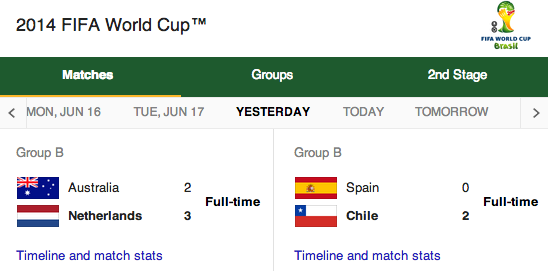
brazil 2014 world cupWho will win this world cup? Brazil without Neymar? Lionel Messi? Or are we going to see the Nederland making a big surprise?

If you like coding, statistics and problems that are not trivial… You found the right place. In this post, I will try to show an example to a way for solving this type of questions. For the readers that don’t remember what is Monte Carlo simulation (don’t be shy) – You might want to check a previous post that I wrote last summer and give you an intro to the world of Monte Carlo on Apps script and Google compute engine.

Monte Carlo experiments (simulations) are a broad class of computational algorithms that rely on repeated random sampling to obtain numerical results. In most cases, we will run our simulations many times over in order to obtain the distribution of an unknown probabilistic entity.  This tool is often used in physical and mathematical problems and are most useful when it is difficult or impossible to obtain a closed-form expression, or infeasible to apply a deterministic algorithm.
In the real world, we see it being mainly used in three distinct problem classes:
* Optimization.
* Numerical integration.
* Generation of draws from a probability distribution.


OK, there is no time. The game starts in two days.

The Idea

Monte Carlo simulations tend to follow a particular pattern. Here is how we will use this tool: Continue reading

Standard
Chrome, JavaScript, webdev

Yahoo Finance API With NodeJS

nodejs logoIn the past I’ve wrote this post on the different options you can use with Yahoo Finance API. It is time (4 years later!) to a followup post on how to gain more data but this time with NodeJS.
The first idea was to be able to gain information by using different parameters and downloading csv files from Yahoo finance. Something like this GET request will do the magic:

http://finance.yahoo.com/d/quotes.csv?s=NFLX&f=snd1l1yr and from there you can work with the data.

However, there are cases, where you wish to have information that is not part of this set of arguments. Here are two quick examples for such cases: Continue reading

Standard
HTML5, JavaScript, webdev

Big Query Power With JavaScript

Big Query and App script logoThis week on Google developers live Israel we wanted to show the power of Big Query. What is Big Query? Well, in todays world when everyone like to use the term “big data” you need to have the capabilities to querying massive datasets. This can be time consuming and expensive without the right knowledge, hardware and infrastructure. Google BigQuery solves this problem by enabling super-fast, SQL-like queries against append-only tables, using the processing power of Google’s infrastructure. In order to get started quickly and ‘test the water’ there is a powerful online tool that let you query pre-existing datasets like: wikipedia, Github etc’. If you like to type in command line, there is also a command line tool. Before you start your first project you should signup for BigQuery (yes! it’s open now for all). You should log in to the Google APIs Console and make sure you set a new project and allow Big Query API on it. You should also, enable billing if you have not done so in the past. Lastly, head to bigquery.cloud.google.com and click on one of the public datasets that are on the left sidebar. Continue reading

Standard