Chrome, HTML5

New Video Channel on Chrome OS And HTML5

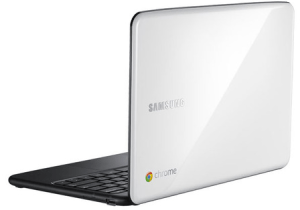
After speaking in seven different events (during the past two months), I’ve decided to start a YouTube channel that will focus on ChromeOS, Chromebook and (of course) HTML5.
The channel will get its own page on this blog.
and as first step, I’ll put there a series of videos (5min each) that will cover subjects around the eco system of Chrome. The first three videos are:

Other videos like This Week In Google on ChromeOS will also be there.

There are some very interesting conversations going on G+ http://plus.ly/greenido feel free to put your voice there.

Standard
Chrome, HTML5, JavaScript, webdev

HTML5 Lastest Features

This slideshow requires JavaScript.

Here are some updates and new features you can use today…

  • Page Visibility API – know when your web app’s page is not visible and save CPU (and Al gore will love you! for helping us saving earth)
  • Web Audio API – Since < audio > had its limitations. Now you can have scheduling of your playback, real-time processing and analysis of the stream and even low-level audio manipulation. Go Have Fun… It’s all in Chrome 14 stable & ready.
  • Prerendering API – speed is the need and this API comes to help.
  • Offline support is going mainstream so first you wish to know when you are online (or not) and then use IndexedDB and other options to save time and data for your clients (on the client).
  • Web graphics enhancements: Beautiful image transitions and A 3D CSS shooter
  • Native Client launched in Chrome 14 – Now you can play some classics games on your Chromebook.
    • Secure cross-platform C/C++ environment for apps/extensions
    • Close to native performance in web applications
    • Extra security, with The Sandboxed inside NaCl and Chrome sandboxes (very far from ActiveX!)
Here are some short code snippts of what you can do today on morden browsers. If you wish to check the specific feature I’ll recommend canIuse.com

Page Visibility API

document.addEventListener('visibilitychange', function(e) {
  console.log('hidden:' + document.hidden, 'state:' + document.visibilityState)
}, false);

Prerendering API

< link rel="prerender" href="http://example.org/index.html" >

Online status

if (navigator.onLine) {
  console.log('ONLINE!');
}
else {
  console.log('Connection is not *good*');
}

Now it’s your turn… start leveraging them.

Standard
Chrome, HTML5, life, webdev

Updated Site For Projects and Presentations On ChromeOS & HTML5

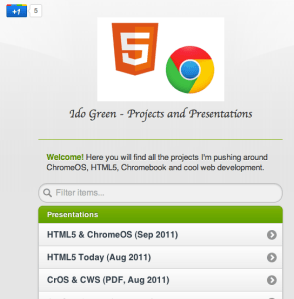
I wanted to update ido-green.appspot.com since the first day of pushing it to the air… Finally, I had the time to put some new jquery-mobile (just went to RC1.0 !)  into work and have this simple location for all the talks, demos and projects. Please feel free to let me know if the colors are not making me look good.

Ido Green on Appsport

Standard
Chrome, HTML5, webdev

Chrome And Angry Birds

If you haven’t checked Angry Bird on Chrome  – you should 🙂 some nice special levels that are unique to Chrome. Moreover, this web app is working offline amazingly well… so you could use it over a long flight just like you playing on your mobile phone.

This is another (new – new) classic one:

[youtube http://youtu.be/V70ruRzEGOI]

and for the hard-core Angry birds lovers – here is a new AB theme we’ve built to keep you happy on each new tab you open.

Have a great week.

Psss…. you can get the theme that is ‘just right’ for your screen:

  • Resolution 1024×768 –  http://goo.gl/NeeiG (If you are on a Netbook or any other small display – go for it)
  • Resolution 1680×1050 – http://goo.gl/N04uU (Prefect to  Buy MacBook Pro)
  • Resolution 1920×1080 – http://goo.gl/Sa6CQ (Best for your office/home large screen)
Standard
Business, Chrome, HTML5, JavaScript, webdev

HTML5 Live London Conference – Q&A On #html5live

This is a short set of questions and answers that I gave few days ago to the orgenizers of HTML5 Live London.

Q. Tell us a little about what you will be talking about at HTML5 Live

I’ll be talking about some of the new features that HTML5 harness enterprises. From simple and more readable markup up to offline capabilities and how they cut expenses and improve the user experience. The second part of the talk will focus on ChromeOS and its wide support of HTML5 and other APIs.

Q. What will people who attend your talk learn?

People who attend the talk could learn about some of the HTML5 features that are useful in the business world. They will see what are the pitfalls and how to avoid them. Last but not least, we will scan tools and resources that boost productivity.

Q. What will they take away that they can apply right away?

We will give lots of examples that can be implied right away in their current apps. Moreover, some of the tools/resources and tips are low hanging fruits that could be used ‘imidatly’ after the talk.

Q. In your opinion, why should people attend HTML5 Live?

I think any web developer that wish to keep herself with the cutting edge of technology should attend HTML5 Live. IMHO, it’s always a pleasure to meet lots of smart people that are passion about the web, open source and building cool stuff.

Q. Why is HTML5 exciting for web developers? architects?

HTML5 is harnessing architects and web developers with tools to create modern web apps. If we take a step back and try to define a ‘modren web app’ we will see that it’s the sum of ‘The Power Of The Cloud’ + ‘Desktop Richness’. I believe that the future of many desktop applications is going to be in a form of a web app due to all the benefits you gain from a web app (e.g. No installations, always with the latest and greatest version, amazing UI/UX etc’).

As you can see from the tone of the answers, I’m looking forward to this conference and to meet (again) with so many great developers that are pushing the web forward.
Thank you for the opportunity to come and present in this cool event.


Last but not least, registration is still open, and if you use my priority code gree25 when you register you will receive a discount.

I hope to see you there.

Standard
HTML5, JavaScript, life, webdev

Google+ And The New +1 Button

Here is a talk that give you all (=most) the things you wish to know about Google+and its power.

The talk start at 40 minutes and 25 seconds.

Be strong.

Standard
Business, Chrome, HTML5, webdev

HTML5 Live London 2011

What are you doing this October in London?


Well, why not try to hang out with the ‘cool kids’? HTML5Live is going to be there… going to be fun.

My talk HTML5 & ChromeOS – A True Friendship will dive into some of the new features that HTML5 provides today. We’ll explore how ChromeOS is promoting HTML5  and giving more power to developers to create web applications that leverage the full capabilities the ChromeOS + HTML5 friendship offers. Registration is still open, and if you use my priority code gree25 when you register you will receive a discount.

Please let me know you’ll be attending, and come to say ‘Hi’…

Standard
Chrome, HTML5, webdev

8 Good Web Apps To Start Your Week

Some great web apps to ‘close the summer’:

  • If you are into photos you might want to check out Cooliris – Cooliris transforms your browser into a full-screen 3D Wall for searching, viewing and sharing.
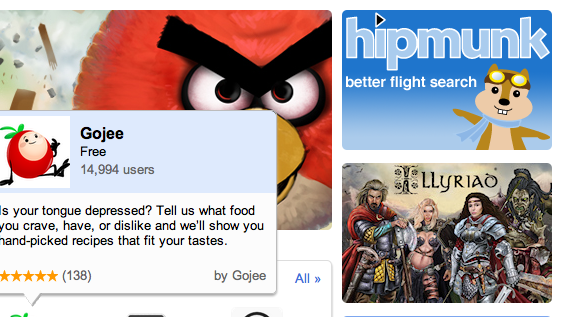
  • Need to find a good flight from SFO to JFK? this new travel search engine got some nice UI. Give Hipmunk a ride it will help you find the flight you want.
  • Flixster – Flixster Movies with Rotten Tomatoes. All you wish to know before you are going to watch a movie.
  • A 3D HTML5 Sky Chart viewer application NakshArt – The Art of Stars in HTML5.
  • Cargo Bridge – A new quality of bridge builder. Build a bridge and test your construction skills.
  • WikiInvest Portfolio – If you feel you need to be in the market these days… this app is for you. Great way to track your investments.
  • Speedtracer – For web developers that feel the need for speed. Get insight into the performance of your web applications.
  • Priceblink – Finds lower Prices, Coupons and Reviews while you shop. Checks for lower prices when you’re shopping or it stays hidden.
and let’s not forget you can now have Gmail, Docs and Calendar with offline!! good times.
Standard
Business, Chrome, HTML5, webdev

ChromeOS on TWIG (This Week In Google) Podcast

Yesterday, I had the honor and real pleasure to be on twit.tv and talk with ‘Podcaster, broadcaster, Chief TWiT and The Tech Guy’ Mr. Leo Laporte and his gang…

They weren’t part of the ‘fun boys’ of chromebook which made this opportunity even bigger. After all, you don’t want to convince people that are already on your side, right? Well, I know some people that like to talk just with others that agree with them… but I’ll leave this for another post.

We spoke about a range of subjects related to Chrome, ChromeOS and HTML5. Here are some of the things we touched:

  • Why the world need chromeOS?
    For people who spend practically all of their time on a computer using a browser, the time and hassle of maintaining their computers – virus scanning, upgrading applications, removing malicious software, synchronizing and backing up files on multiple computers – can be time-consuming (to say the least), error-prone, and expensive. Chrome OS was designed to bring people the full power and richness of Chrome and the web, in a device that’s simple, secure and easy to use.
  • What is ChromeOS?
    ChromeOS is an open source operating system project for people who spend most of their time on the web. Chrome is designed and built around Google core tents of speed, simplicity and security. Here is a short video that explain it under 3min.
  • Will there be a chromeOS tablet soon?
    ChromeOS was designed from day one to work across a variety of devices. Since it’s an open source project I won’t be surprise, to see partners build different kinds of devices based on chromeOS.
  • Why I don’t have offline apps today on my chromebook?
    Well… you do! Take for example: Angry birds, New York times, GoodFood, 3DTinSparkChess and many others. I have a feeling, that in the near future, more developers, startups and big companies will start using HTML5 offline features combined with client side storage. This will give users better experience when they have limited connectivity or no connectivity.
  • Where is chromebook going to make a difference?
    IMHO it’s going to be in verticals like: enterprise and education. Why? because it make something very unique: both the software and the hardware are going to improve over time! It’s something that will save lots of money to organizations and will let them focus on their core.

I’ve portably, miss some of the points… so if you care about ChromeOS and the web, feel free to watch the video or download the audio of this show or get both the options at: http://twit.tv/twig109

Last but not least, I would like to thank TWIG crew for having me. It’s was fun! and I do hope people will start looking at this new platform from the right angles. The web (from it’s early days) came again and again with amazing innovations. ChromeOS give the web to users – For a lot of people, you need nothing more.

Standard
Chrome, HTML5

ChromeOS on MacBook Air

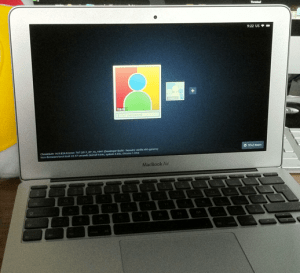
I’ve notice this nice little hack that one kid did few days ago… It’s very cool to see this great new operating system on a great hardware. Another huge advantage is the ability to get an image of chromeOS on your USB and/or a version that will run in VMware. This type of effort will give lots of developers a better way to test their chromeOS Apps/Extensions.

On useful use-case for it, will be to use the vmware image when you are building an extension that leverage chromeOS APIs like the file browser. This is the only way to test your code, beside installing it on a real chromeOS device like the chromebook.

I’m sure that in the near future, we will see chromeOS on popular tablets (Android and iOS ones).

Happy times.

Standard