Chrome, HTML5, JavaScript, mobile, webdev

Polymer And Web Components At I/O 2014

This talk cover three main subjects:

  • State of the union – What has change in the past 3 years
  • Problems solved by web components – When it comes to build complex web applications, there are many ways we can do things better. In this section we will see how/why.
  • Thinking in components – What are the implications when you coming to design and build web apps.

== Psst… It’s in raw format – I will polish it after I/O is over ==

State of the union

Once many years ago… We had HTML4 with all its problems. Later, well few years back, HTML5 was the answer for everything. It specifically, tried to show developers what can be done on the web modern platform and moreover APIs browser vendors could add to help developers boost their productivity. In the past 18 months we saw a lot of things like: templates, shadow dom, data binding etc’. It’s been a long journey. Now, we have Polymer. Continue reading

Standard
Chrome, HTML5, JavaScript, mobile, webdev

HTML5 In Mobile (Hebrew)

The goal of this talk is to harness front-end developers with relevant knowledge and tools they can use  in their current jobs.

The main points in the TL;DR

Continue reading

Standard
Chrome, HTML5, JavaScript, mobile, webdev

HTML5 & CSS3 Tools

I’ve meet with a very cool startup over the weekend. It was interesting to listen and learn from them what is ‘cool’ in their technology world. However, I got the feeling that they are missing some of the new capabilities that the web platform has to offer. I’ve pointed them to some known resources like: html5rock.com , MDN site etc’. But it seems better to try and get a list of tools or pointers that any developer could browse and pick from. So here is an alpha version of the list. It’s split to subjects like: design phase, testing phase etc’ just to keep it a bit more useful.

Continue reading

Standard
Chrome, HTML5, JavaScript, mobile, webdev

HTML5 On Mobile

Chrome love HTML5This week we are hosting a lot of developers at Campus TLV. The goal of these talks is (mainly) to harness developers with knowledge and tools they can use today in their current jobs. We lucky to host developers from few government’s organizations. In their case, there are many special regulations that need to be accommodate, so we wish to give them practical tips/tools they can use in order to build open RESTFul APIs and modern web apps. It’s no secret that there is a lot of interesting data that only the government produce.
I hope that movements like codeforamerica.org will flourish around the world quickly.

Continue reading

Standard
Chrome, JavaScript

Monitor Your Site With Apps Script

Network alertIn this short tutorial we will see how to built an application that can be used as a (simple) Nagios but, without the need to set up a server and maintain a lot of code. It’s not a replacement to a ‘full’ monitoring systems that give you rich set of abilities but more ‘an idea’ to show you the power of Google cloud with Apps script. The main three components of our system will be:

  1. Google Spreadsheet – We will use two sheets. One to allow us to set configuration data like: urls to monitor, email to get notifications etc’. The other will be our ‘log’. We will write to it all the alerts so we could analyze them later.
  2. Google Form – This will be a quick and easy way to acknowledge that we are aware for the situation and we wish to mute the emails.
  3. Apps Script – All the logic for the checks, alerts and everything in between will be done with a short script with one trigger.

For the first two components, we will use a regular google sheet that looks similar to this: Continue reading

Standard
Chrome, HTML5, JavaScript, mobile, webdev

Chrome And HTML5 Updates

There are some very interesting technologies that are now available in Chrome. In this post I will try to cover some of them.

We know that Google started the Chrome project on the three ideas of speed, simplicity, and security. It’s still focusing on these important aspects while keep moving forward (fast) on implementation of many other HTML5 features. You can find Chrome on mobile, desktop, Chromebook and Chromecast. Let’s see what are the new, improved features we got these days as developers in Chrome platform:

Focus areas Chrome is moving forward

Mobile and Open Web Platform

We’re investing a lot of time to make sure mobile web experiences improve and that they are easier to develop!

  1. Build amazing mobile web apps
  2. WebGL, Web Audio, WebRTC, Web Speech and many more APIs that give you ‘native’ capabilities inside your browser.
  3. Vibration
  4. Device Motion
  5. WebRTC code lab (link) to check the new world of media (video/audio) in Chrome without plugins.

Continue reading

Standard
Chrome, cloud, webdev

What’s New In Google Developers World

Here are my slides from a talk I gave last week on what’s new and available for you as a developer in Google’s world. This talk gives a high level overview on the main APIs. If you wish to dive deeper on some of them, you will find many links in the slides.

Continue reading

Standard
Chrome, JavaScript, webdev

Chrome DevTools Tips

DevToolsA (good) web developer use several tools in order to be productive and built amazing projects. I guess, you can find advocates for Vim or Emacs but after you pass the phase of writing the code, it’s time to check why it’s not doing what you wish to see. You can find on Opera Dragonfly and in FireFox land there is Firebug. But, as you might guess already, my favorite tool is Chrome DevTools on Canary.

What are DevTools?

The Chrome Developer Tools are a set web authoring and debugging tools built into Google Chrome. The DevTools provide web developers deep access into the internals of the browser and their web application.

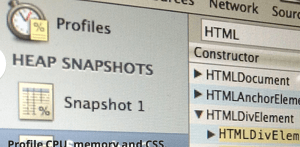
(!) If you are a front-end developer you should use Google Chrome Canary. It is easy to install it side by side your regular Chrome and it will give you the latest and greatest features with frequent improvements. This post is not a replacement to the one ‘source of true‘ but more of an update on the new features we have today (OCT 2013) in Canary. Checkout the pictures below with the green arrows that show you some of the interesting feature you can use. Continue reading

Standard
Chrome, HTML5, JavaScript, webdev

Google Cloud And Mobile Web

Screen Shot 2013-09-26 at 9.41.45 AM

Two talks in one day…

That’s what I did yesterday for Google Developer Group (GDG) Athens, Greece. It was a great opportunity to talk about the new cool aspects of google cloud platform (Yep, checkout things like: NodeJS on Compute Engine, App engine new support for technologies, Monte Carlo Simulations with App Script, Cloud storage, Big Query and many more). We talked for the first 25min on the new aspects of developing mobile web sites (and/or mobile web apps). In one word – go check out yeoman.io. Of course, there are many more aspects that are in the slides, so feel free to browse them and please let me know if I’ve missed something important that you are using in your mobile web project. Continue reading

Standard
Chrome, HTML5, JavaScript, webdev

Raspberry Pi And Google Coder #socool

The Web is awesome and this week I had the pleasure to play with a new ‘face’ of the web platform. It’s built for Raspberry Pi and you can take it as far as your imagination will let you.

Coder

Coder is a very cool project that aim to be a simple way to make web stuff on Raspberry Pi. Short and sweet. It is also an experiment for Raspberry Pi that give you a free piece of software that turns a Raspberry Pi into a simple, personal web server and web-based development environment. Basically, all that you need, for crafting HTML5, CSS, and JavaScript.  Plus, it’s an open-source project so you could fork it and learn from the source on http://googlecreativelab.github.io/coder/ Continue reading

Standard