Business, Chrome

Auto Complete Attribute Will Improve Your Profit (And Forms)

Hands full (with grapes)

Autofill in Chrome

Chrome has a great new Autofill feature that as a developer you’ll want to add to your websites for Chrome to use. Other browsers are sure to follow too. The first time you fill out a form, Chrome automatically saves the contact information that you enter, like your name, address, phone number, or email address, as an Autofill entry. You can store multiple addresses as separate entries. Moreover, Chrome can save your credit card information, with your explicit permission. When you enter credit card information on a form, Google Chrome asks you at the top of the page whether you’d like to save the information. Click “Save info” if you’d like the credit card to be saved as an Autofill entry.

Later, when you start filling out a form, the Autofill entries that match what you’re typing will appear in a menu. Select an entry to automatically complete the form with information from the entry. Chrome also saves the text you’ve typed in specific form fields. The next time you fill out the same field, text that you’ve typed in the past appears in a menu. Just select the text you want to use from the menu to insert it directly into the field.

In Chrome, you get a full support for the autocomplete attributes . All we need to do is to make sure we are leveraging them. You will improve your checkout process and make your users 6.73 times happier. Since autocomplete is part of the standard (WHATWG HTML) you know that other browsers will support it as well.

The autocomplete attributes can be accompanied with a section name, such as:

  • shipping given-name
  • billing street-address

This is recommended because it will make your form easier to understand and fill. The browser will auto complete different sections separately, and not as a continuous form.
Continue reading
Standard
Chrome, mobile

Google Now On Chromebook

Screenshot 2015-04-24 14.50.35

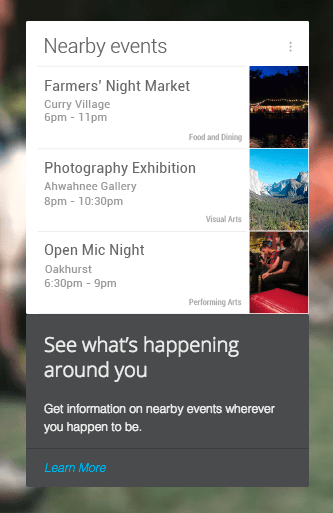
“Google Now” got a powerful goal: The right information at the right time.
From knowing the weather before you go for a run, to planning the best route to avoid traffic, or even checking your favorite team’s score while they are playing, get the information you want, when you need it. You can look at it as a new phase in Search. You are getting the answers before you had the chance to ask the questions. If you use Android or iPhone – Good chances that you saw it in action. However, if you got a Chromebook, here is how you can manage it and sync between your phone and your laptop. Yesterday, Google has announced that they’re expanding Now with support for 70 new apps, including Spotify, Feedly, Runkeeper, OpenTable etc’.

How Google Now is working in Chrome? Continue reading

Standard
Chrome, HTML5, JavaScript, webdev

Chrome And The Web App Revolution

chrome 3dQuick update from the world of Chrome. The new version in stable (chrome://version = 42 just like the answer to the universe) brings some interesting and powerful features that give web developers more options to create amazing experiences.

google-chrome-logo

Chrome 42 (stable)

We are getting to a world where web developer could create web apps that act just like ‘native apps’ without any bridges (e.g. Cordova). The main enablers APIs are already in this version. Check out what you can do today with Service Worker and the options it’s giving you to cache, work offline and push notifications in the background. Here is an example I wrote that uses service worker to cache & offline. I think we are going to see some very interesting implications. There are many options for the “physical mobile web” and these powerful APIs. Continue reading

Standard
Chrome, JavaScript, mobile, webdev

Physical Web On Mobile

Physical Web is the new approach to unleash the core superpower of the web: interaction on demand.
People should be able to walk up to any smart device, think on classic cases like: a vending machine, an art item, a poster, a toy, a bus stop, a rental car – and not have to download an app first. They should be able to just tap and interact with them.

forest in the morning

The Physical Web is not shipping yet nor is it a Google product. This is an early-stage experimental project and we’re developing it out in the open as we do all things related to the web. This should only be of interest to developers looking to test out this feature and provide feedback. The Physical Web is an effort to extend the core superpower of the web – the URL – to everyday physical objects. The user experience of smart objects should be much like links in a web browser: i.e., just tap and use. At its base, the Physical Web is a discovery service: a smart object broadcasts relevant URLs that any nearby device can receive.
This simple capability can unlock exciting new ways to interact with the Web. Continue reading

Standard
Business, Chrome, JavaScript, webdev

In-App Payments On The Web

payment-with-penThere are many examples of applications that are free but let you add features with in-app payments. Think of a game that is free to play, but offers additional levels or virtual goods for a certain price (a low one in most cases). It’s very common to see applications that are free at the ‘trial period’ and later gives premium users the option to buy a specific level that match their needs. It’s a good practice to give users your product or service without any barriers (e.g credit card information). If they find it useful, they will pay for it with a smile.

Few examples

  • A designing web app that give the options to buy more projects (or more shapes, tools, features).
  • A Customer Relationship Management (CRM) application, that offer certain capabilities for a price.
    The basic options to collect and manage your contacts will be free, but if you wish to send emails they will charge you.
  • A game that let you advances more quickly if you buy certain improvements. For example a ‘magic’ power that give you the ability to pass a difficult stage (e.g. the mighty eagle in Angry Birds).the mighty eagle from angry birds

Continue reading

Standard
Chrome, HTML5, JavaScript, php, webdev

How To Implement Web Payments

One aspect for Monetization on the web is the simple action – BUY.
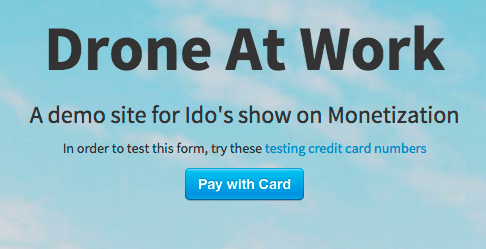
In this method, the user will pay and only then, she could ‘use’ the application or service. There are several providers that offer developers an efficient ways to lead users through the checkout process. In the image below you can see an example of such usage when the user got the option to ‘Pay with Card’ in one-click.

pay-ex-1 2015-02-11 16.56.42

After you will click on this button you will get a dialog that ask for your credit card details. In this example, we are using Stripe. It’s a good option that works in many countries around the globe. Moreover, you are getting for ‘free’ all the best practices of client-side validation for the credit card details. In the image below, you can see an example of buying “one hour with Ido”, it’s looking like a bargain. Continue reading

Standard
Chrome, Design, HTML5, mobile, webdev

Mobile Web For Mobile World


chrome_front-androidHere are the slides from a talk I gave at Campus TLV to developers from the government. It’s clear that mobile is growing very fast and you must have a quality present on mobile devices. You wish your site (and apps) to be ‘mobile first’ and make sure they are using the best practices for mobile.
It’s important to remember that E-commerce occurs across apps and web, but consumers rely disproportionately on mobile web for commercial tasks. In these slides, we will see how to improve your sites or applications. Btw, if you wish to read this information in Hebrew, you can find it over at DevHeb.com Continue reading

Standard
Business, Chrome, cloud

2014 Summary

2014-5-new-year

2014 was a busy year.
In few moments of reflection, it feels more like 3-4 years. Anyway, let’s try to see where was the interesting stuff on this blog.

The Web

 google think cloud

Continue reading

Standard
Chrome, HTML5, JavaScript, webdev

Maximizing Your ROI On The Mobile Web

mobile devicesIt’s a mobile world.
The next 4B users are going to use the web only on mobile so we should think on their experience. Moreover, a lot of people are using the mobile web as discovery mechanism and when they land on our site we got the (one) chance to impress. The summary of the slides below will focus on two main aspects: performance and user experience. In the slides you can read on the 25 principles and how to work with them.

  • Performance
    Get content to the user as quickly.
    I think this formula used in Ilya Grigorik’s talk sums this up:

    Perceived performance = f(Expected Performance, 
                               UX, 
                               Actual Performance)
  • User Experience
    Optimize for the mobile device. So start your design from the small screen and move forward to a bigger one.

Here are tools that every web developer should use (or embrace the concepts that these tools promotes): Continue reading

Standard
Chrome

Improving Your Mobile Sites

mobile devicesIt’s not a secret that the world is going mobile at a (crazy) rapid pace. We all seen the statistics about it, and we know that the next 4 billion people will see the web only on mobile. This post will focus on how you can build a mobile site that will be ‘in a good relationship’ with Google (and other search engines out there).

Responsive web design is one answer when it comes to ‘how to serve’. You wish to avoid redirects, sniffing for the mobile browsers agents or managing two versions of your sites.

How we can make our site mobile friendly?
Let’s try to think as developers of a search engine. If you were trying to figure out if a site was mobile friendly just by looking at a site, what would you look for? First, the content on our site must be readable on mobile so it should fit within the screen. Second, we will try to make sure that the site is usable. Continue reading

Standard