As an app developer, the biggest problem you have is “How can I show my wonderful creation to every user possible?” and this isn’t as straightforward as “tell your friends”. Users today are informed, and use different channels to find, understand, and get apps.
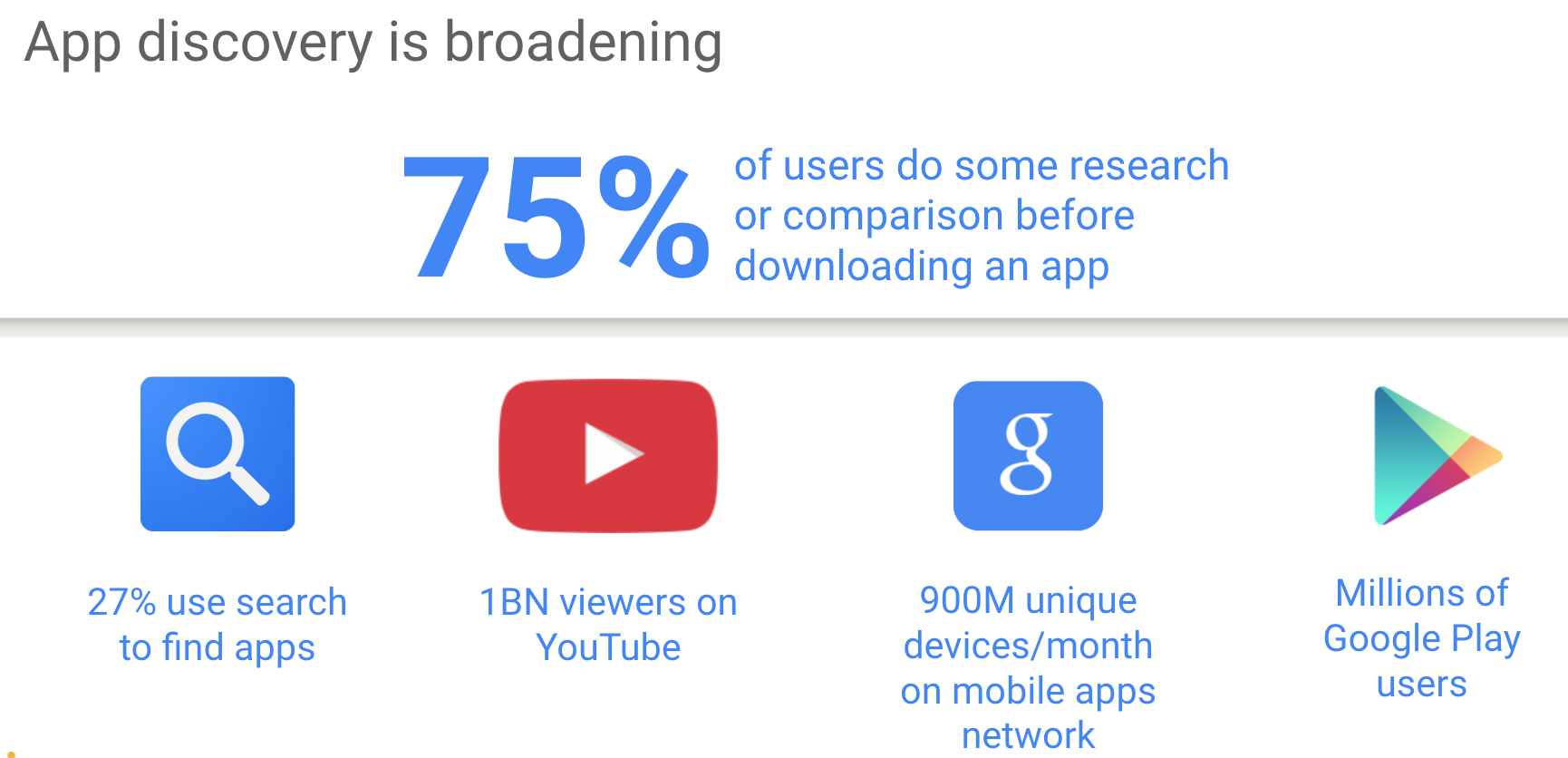
Did you know that 3 out of 4 users do some kind of research before installing an app?!
So what is the problem?
Among all those informed users, how do you attract new, interested users that will generate revenue for you?
You don’t just want a ton of users, you want a ton of users who love your app.
So, how do you wade through the horde of less-than-interesting users, for the ones that truly matter? First, we need to see where users are searching (see the image below).
Second, we need to see what are good ways to find new users that will match our service (or app).
We have today on the web capabilities to create web apps that feel and act like a native application.
Yes – We do.
We can have offline first, push notification even when the browser is running in the background and add to home screen. These three features bring us to a point where we can give users our content and features with one click and with all the benefits of the web.
What is this new monster you ask?
Well, let’s try to describe it and give few examples. Continue reading →
You can access user-selected Bluetooth devices over GATT.
You can try it in Chrome behind flags:chrome://flags/#enable-web-bluetooth If you wish to learn more on the web Bluetooth, try this the demo code.
Last note, for more details on the implementation (e.g. which pieces are done in which releases) star this repo github.com/WebBluetoothCG/
DevTools
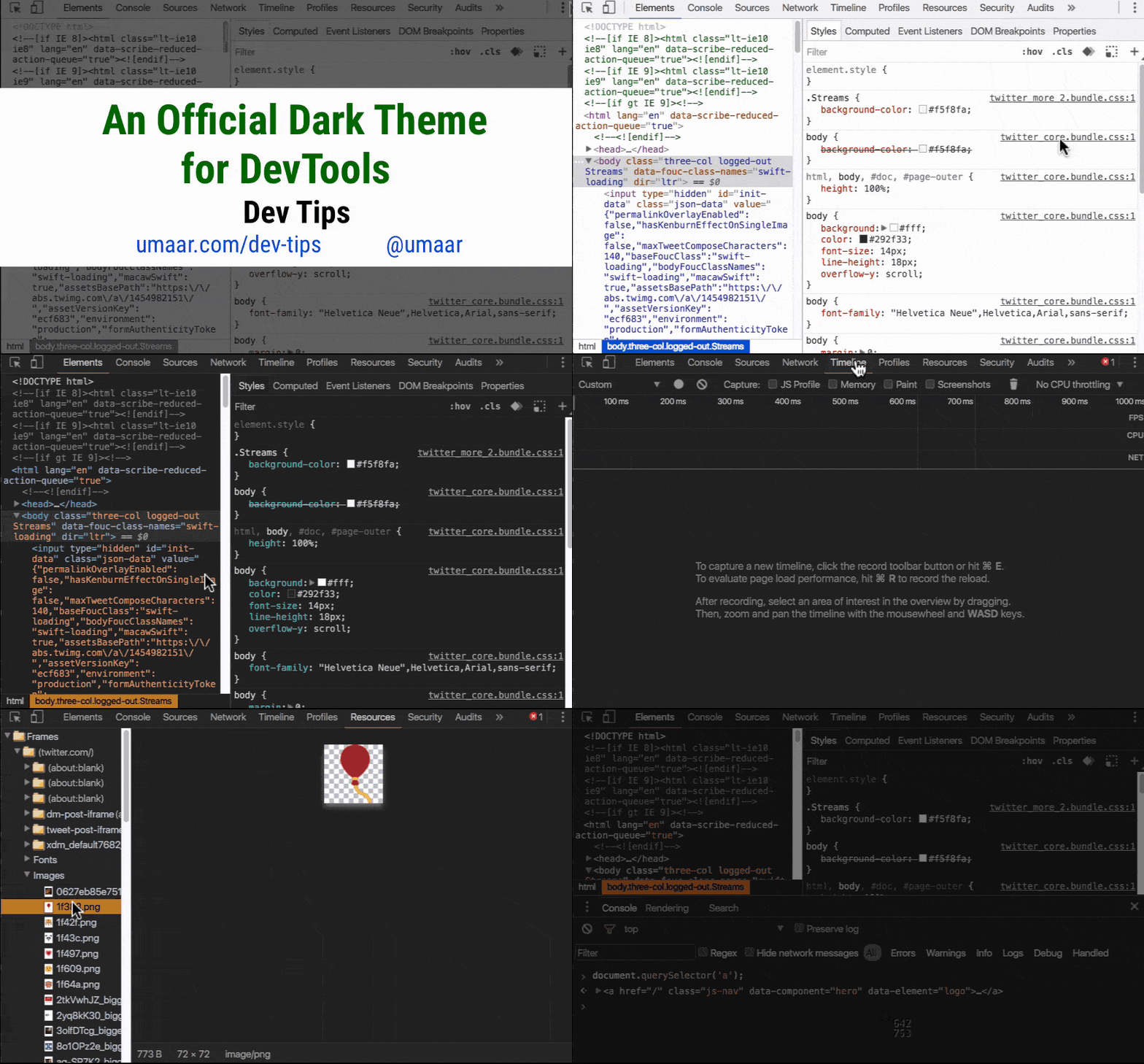
Want to stay updated with all the new powerful features that Chrome DevTools got for you? Check this DevTools Tonight show pilot or a daily tip.
Monetization
Learn about Monetization (from web/app to bitcoins and more!) with this new series we created on Google Developers Channel. Btw, if you like blog posts, we got you covered as well right on this blog.
Async CSS
Controlling async CSS using custom properties. Turns out they’re quite powerful. Since <link> in the <body> blocks the parser while the CSS loads, it might be good to build a dependency mechanism where each element is render-blocked until other specific elements have rendered. Sounds complicated?
It’s not. Check this demo(please make sure to try it with Chrome Canary or Firefox). In this demo, the CSS is loaded async, with each sheet taking randomly between 0-5 seconds to load. Despite this, the page never renders out of order, and each section renders as soon as possible depending on the browser width.
Progressive web apps
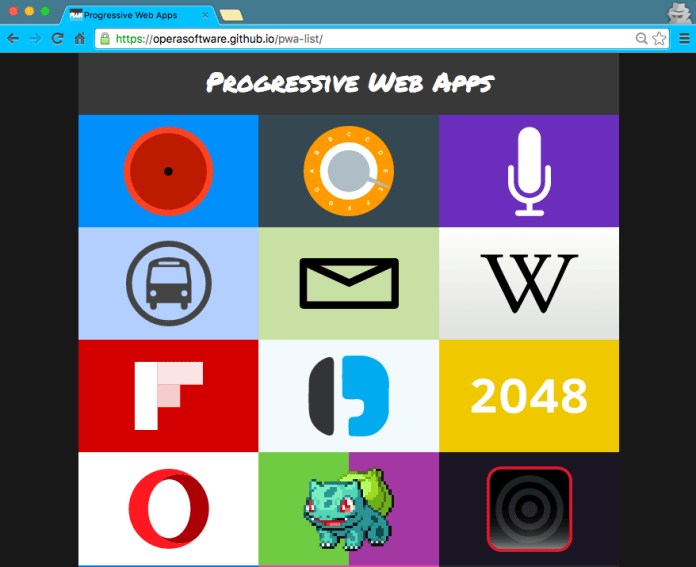
Wanna see some good examples of Progressive web apps? This is the new way to build for the web at 2016.
We wish to have a web app got:
Fast loading – Since we are caching everything and using smooth animations and navigations, everything feels fast. Because it is.
One click away from accessing content (e.g. icon on the user’s phone).
Re-engages with push notifications – We are using service workers so we have the ability to run a script in the background and send push notifications. Even when the browser is not visible to the user.
Good experience on flaky network connections.
Consistent experience across browsers
Here is a good list of PWA to show you by example.
The popularity of the proxy browsers and transcoding services is also an indicator that we—the site owners and web developers—are ignoring the high user demand for fast and light applications and pages. Let’s fix that. Learn how: https://developers.google.com/web/updates/2016/02/save-data
Starting in July 2016, you’ll no longer be able to upload display ads built in Flash. And, starting in January 2017, AdWords will stop running display ads in the Flash format. So it is a good time to update your flash ads to HTML5 ads.
VP9 is now available for WebRTC: With VP9, internet connections that are currently able to serve 720p without packet loss or delay will be able to support a 1080p video call at the same bandwidth. VP9 can also reduce data usage for users with poor connections or expensive data plans, requiring in best cases only 40% of the bitrate of VP8.
One of the useful features of Google Analytics is the ability to track specific events. It gives you insight into how users filled your forms or on which buttons they clicked inside the video player. You are getting into the world of measuring actions inside your pages and not just between them. In the demo below we will see how to track a ‘download’ button click event and how to track the form filling. It’s super useful when you wish to learn if users use the Autofillfeature with your forms.
It’s an easy API that you should leverage, so let’s jump into it.
What?
Events (in our world of Google analytics) are user interactions with content that can be tracked independently from a web page or a screen load. Downloads, mobile ad clicks, gadgets, forms, embedded elements and video plays are all examples of actions you might want to track as Events.
Implementation
Event hits can be sent using the send command and specifying a hitType of an event.
The send command has the following signature for the event hit type:
In October, Google announced a new open source project called Accelerated Mobile Pages, which aims to dramatically improve the performance of the mobile web.
Why it is important?
Well, one look at the history of these posts will prove you that there is a real need for speed!
The project relies on AMP HTML, a new open framework built entirely out of existing web technologies, which allows websites to build light-weight web pages.
The basic ‘hello world’ version of your HTML page will look like: Continue reading →
Quick stats that shows why it’s a “mobile world”.
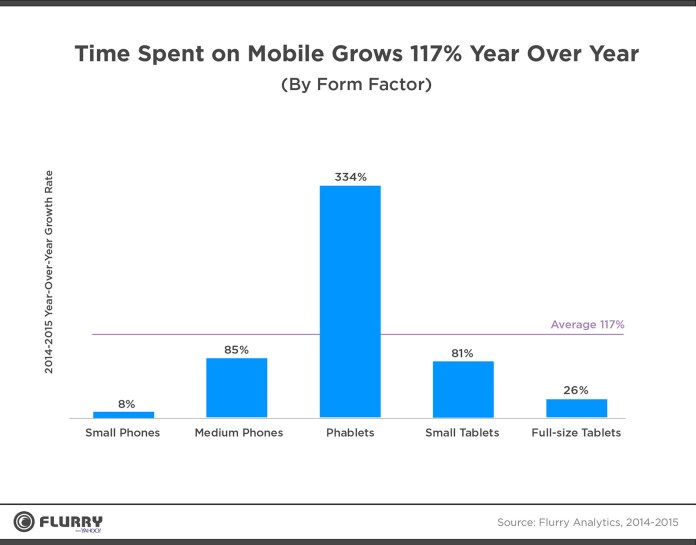
Time spend on mobile grows 117% year over year. One quick look at the image below will show that we have a new form factor that is taking all others in terms of growth.
Phablets are rocking
Phablets have become the unstoppable media consumption device. What a proof? Check the quarterly form factor distribution forecast (below).
Amazing. In the next 6 quarters, we might be in a place where phablets are 60% of all mobile devices.Continue reading →
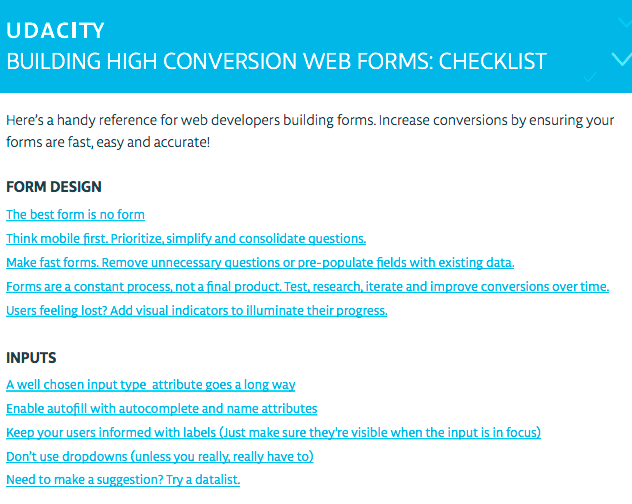
In our Udacity course “Building High Conversion Web Forms” we talk a lot on how to think on the friction that forms create and what to do in order to smooth it. One of the outcomes from our source was this checklist that you can use in order to make sure you are on the right path. In this post, I will cover the first 2 topics: form design and inputs types. In the future, I’ll cover validation and touch.
Today I had the pleasure to present at codemotion TLV. It was a great opportunity to meet so many good friends that are pushing the web forward.
TL;DR
Mobile browser traffic is 2X bigger than app traffic and growing faster. So you better pay extra attention to your mobile website and make sure the friction on your forms is as low as possible.
On mobile, entertaining apps dominate time but websites capture the bulk of the transactions (=money!)
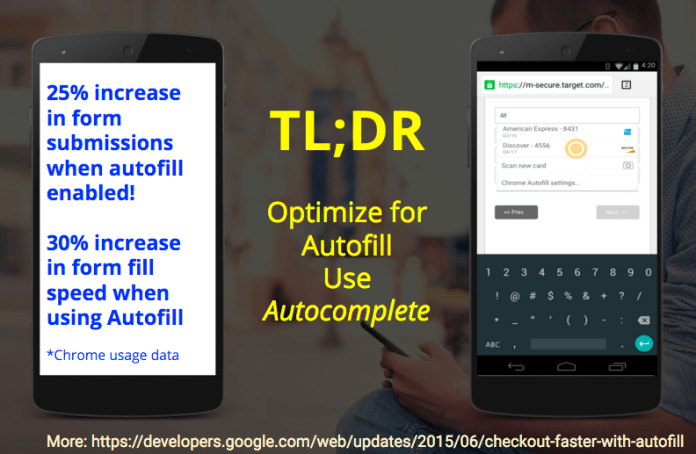
Optimize for Autofill! make sure you are using all the right autocomplete types in your form’s field. From Chrome usage data we learned that you will get 30% increase in form fill speed. It’s quite an amazing stats, no?
As every six weeks (more or less), we got some cool & new features in Chrome. Here are few that I like for version 48:
Presentation API
This version of Chrome Android allows websites to present to external devices via Cast, increasing the form factors available to sites that want to present content. You can also present from your desktop with this Cast extension.
Custom buttons on notifications
Timely, personalized notifications save users the effort of manually checking for updates throughout the day and have enabled a host of new experiences from real-time communication to live updates on breaking news. Continue reading →



 As every six weeks (more or less), we got some cool & new features in Chrome. Here are few that I like for version 48:
 Ido Green