Business, Chrome, HTML5, JavaScript, webdev

HTML5 Training Day (Tel Aviv)

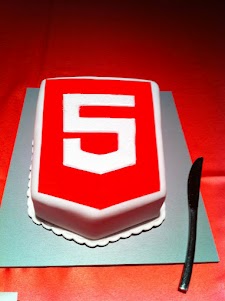
Lets start from the end… It was a great experiance to meet wonerful, smart (web) developers both in London and Tel Aviv. We had 80+ developers in the London event and 130+ developers in Tel Aviv. Like any good event – we started with a good cup of HTML5 coffee and some special HTML5 cake.

After the coffee and some food we got to the ‘talking’ part which went very well. In London we had the pleasure to have Alex Russell who spoke about Chrome Frame (link to his great presentation is in the bottom of this post). In Tel Aviv day we had two external experts: Nimrod Luria and Ron Reiter. Nimrod gave a talk about HTML5 security issues and how to use the best parctices in order to avoid them. Few examples where:

  •  Hacking Facebook with HTML5 using Cross-Origin Resource Sharing.
  • Web sockets (open ports that listen to in bound connections)
  • Good old ‘data cleaning’ and data validation.
  • Client side injections to local databases.
  • XSS by using encoding and new formats that are supported.

Ron gave a talk about backbone.js and how to leverage some frameworks and tools in order to build moden mobile web apps.

Here are the talks (with their slides) from both days:

Time Session Title Description
10:00-11:00 HTML5 and new breed of web application Web developers have nearly perfected their skill at building great web sites, but everything is shifting towards building apps.  We’ll take a look at what defines a great Web App and show you how you can use HTML5 to create a new breed of web application that will delight and amaze your users. Ido Green
11:00-11:55 Platform, Storage, Prediction, Translation and more Google Cloud Platform latest and greatest Barak Regev
13:00-14:00 mobile web app HTML5 stack A -For modern mobile browsers Learn what it takes to build modern mobile web apps. We will start with the ideas of “adaptive apps” and “offline first”. Next, we’ll dive into some of the technologies, including MVC frameworks, templating engines, CSS frameworks, laying out views and multi-touch input. Finally, we’ll close off with mobile-specific tips and sweet demos Ido Green
14:00-14:50 HTML5 threats and attack vectors + some attacks demo +
Countermeasures
Security for business web apps – best practices and tips for the real world. Nimrod Luria
Q.rity – Quality Security Solutions Ltd.
A short coffee break to make sure everybody is awake…
15:10-15:35  Chrome Dev Tools Tips and best practices to work with Chrome Dev Tools. Ido Green
15:35-16:30 HTML5 mobile web apps Backbone.js and other tools with real world examples Ron Reiter

More sources from the talks and questions:

and for the ones that wish to try ChromeOS: https://greenido.wordpress.com/2012/01/09/install-chromiumos-on-your-old-laptop/ and https://greenido.wordpress.com/chrome/

Or the Ubuntu guys that want to have Canary.

Standard
Business, life

How To Be Better At What You Do?

Shawn Achor is spreading few ideas in this excellent TED talk. I like the debate on what to do on Friday night… He got some good real-life jokes in it. There are other thoughts that come to mind once you see these 12min. Some of the facts that he mention are very true. You see it time and time again. People are living in a dream but don’t appreciate it, nor realize HOW good their life are. There is always another mountain/project/challenge that they wish to achieve in order to be happy.


If you combine Mr. Achor with some of the thoughts from Dan Gilbert and “Why are we happy?” It seems clear that we do have some sort of “psychological immune system” and if we will know to control it better – life will be more productive and pleasant.

BTW, I don’t agree with Mr. Gilbert findings, but unlike him I can’t proof it. I guess it’s time for me to change ‘Be strong’ to something like: ‘Be strong and happy’.

Standard
Business, Chrome

CloudCon – Summary

First you might ask, what is CloudCon?
Well, this is what the organizers are saying: “…At the convention we will focus on the new possibilities opening before IT managers with the move to cloud computing services, listen to the new offers made by leading software providers and learn the ways of the cloud as presented by analysts, experienced infrastructure managers, developers, IT managers and other cloud experts.”
My main objective was to expose CIO/CTOs to ChromeOS, CWS and to educate them about the new capabilities that HTML5 is harnessing their IT departments. I also wanted to show IT Admins how easy and cost effective is to deploy Chromebooks in their organizations. Overall, there were 400+ attendees and among the invitees: IT managers, R&D Managers of Israeli ISV’s, Security Managers, infrastructure managers, storage managers and other IT pros.
This was my session “HTML5 & ChromeOS” and in case you miss the presentation.

This is a short summary from the organizers: pc.co.il/CloudCon
and for the ones that can read hebrew… here is another one:

Standard
Business, Chrome

If You Care About Security (And Privacy) – Chromebook Is Your Guardian

In today’s world, any website (even well-known ones), may be infected with malware. the problem is that when you go and visiting an infected web page, ordinary computers can get infected as well. This is not the case with Chromebooks. This new OS is changing a lot of things in the game and one of them is security. Let’s see what are the main features that harness your Chromebook with capabilities that other OS do not have (unless you invest in expensive software…).

Here are the main points to remember when you going to shop for a new ‘secure’ laptop:

All your data will be Encrypted

There are so many cases when you lost your laptop and then all your data is in the ‘wild’. On the Chromebook you are safe. When you use web apps on your Chromebook, all your documents are stored safely in the cloud. But certain kinds of files, like downloads, cookies, and browser cache files, may still be present on your computer. Your Chromebook encrypts all this data using tamper-resistant hardware, making it very difficult for anyone to access those files.

Verified boot – You can look at it as ‘self cure’ capability 

Even if malware manages to escape the sandbox, your Chromebook is still protected. Every time you boot the computer, it does a self check called Verified Boot. If it detects that your system has been tampered with, or corrupted in any way, typically it will repair itself without you lifting a finger. You will always be able to get back to an operating system that’s as good as new.

Automatic Updates – Most effective way to stay healthy

The most effective way to protect yourself from malware is to make sure all of the software on your computer is up to date and has the latest security fixes. Chromebooks manage updates for you automatically so you are always running the latest and most secure version. Ya, it’s like Chrome, where you get every 6 weeks a new update version with more features, speed improvements and security fixes.

Sandboxing – Sperate in order to gain control

On your Chromebook, each web page and application you visit runs in a restricted environment called a “sandbox.” So if you visit an infected page, it can’t affect the other tabs or apps on your computer, or anything else on your machine. The threat is contained.

These are the main features. Sounds good, no?

Standard
Business, Chrome, HTML5, webdev

HTML5 Live London – Trip Report

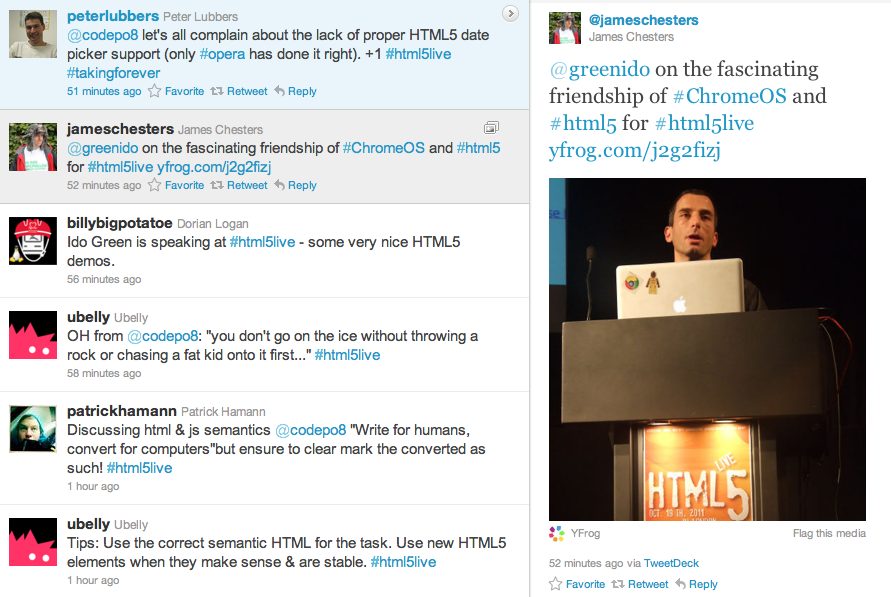
The conference took place on Oct, 19 2011 in the Barbican Conference Centre London. My two goals where to expose enterprise web developer to the new features that HTML5 provide today and to show them how they can leverage these features when they are building enterprises web apps. The other part was to talk with CIO/CTOs about Chrome OS and to ‘bind the dots’ on: how chrome OS harnessing business and developers with more power. Overall, it was a great event in terms of the quality of the audience. Lots of enterprise web developers from financial institution, health care and other big organizations. Some of them are still struggling with IE and the Chrome Frame was a big exciting news for them. Other points I’ve took with me:
  • The Chromebooks were a big hit – everyone love them! I got lots of questions and the major points where around:

    • Security

    • Total cost of ownership (70% reduction)

    • Battery life (8.5h)

  • In the future, I should bring few Chromebook and have a table in the main show so people could ‘play’ with them between sessions.

Here are some of the presentations from the event:

Lastly, I would like to thank the amazing crew of Kaazing – They organized a great event with lots of interesting talks.

I hope to see you there next year…

Be strong.


Standard
Business, Chrome

Chrome Remote Desktop – Work Like A Pro

What is it?

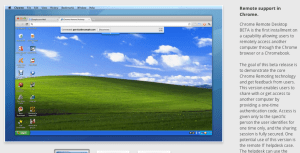
Chrome Remote Desktop BETA is the first installment on a capability allowing users to remotely access another computer through the Chrome browser or a Chromebook.
Yes! If you have install Chrome to your presents you can give them an extra support these days.

The goal of this release is to demonstrate the core Chrome Remoting technology. This version enables users to share with or get access to another computer by providing a one-time authentication code. Access is given only to the specific person the user identifies for one time only, and the sharing session is fully secured.

Chrome Remote Desktop BETA is fully cross-platform, so you can connect any two computers that have a Chrome browser, including Windows, Linux, Mac and Chromebooks.

How to share you computer? (please use with caution)

  1. Open a new tab in Google Chrome by clicking the open a new tab icon at the top of your browser window.

  2. Click the Chrome Remote Desktop icon in the Apps section to open the Chrome Remote Desktop app.

  3. Click Share this computer. The app will have permission to take the following actions:
    • See your email address
    • See your Chrome Remote Desktop computers
    • Receive and send chat messages
  4. A unique access code will be generated for each sharing session. Send this code to the person you’d like to share your computer with. For security reasons, we recommend reading this code aloud to him or her.

Once your friend enters the access code, the sharing session will begin and he or she will be able to see your computer screen.
You can click Stop sharing or press Ctrl+Alt+Esc (Mac: Shift-Esc) at anytime to end the session.

Access a macine that was shared with you

  1. Open a new tab in Google Chrome by clicking the open a new tab icon at the top of your browser window.
  2. Click the Chrome Remote Desktop icon in the Apps section to open the Chrome Remote Desktop app.
  3. Click Access a shared computer.
  4. Enter the access code provided by your friend.
  5. Click Connect.

When things are not working

I would check first the internet connection and then:
  1. Your firewall settings – Your computer’s firewall may be configured in a way that doesn’t allow Chrome Remote Desktop to work properly. Verify that your firewall permits outbound UDP traffic, permits inbound UDP responses, and allows traffic on TCP ports 443 (HTTPS) and 5222 (XMPP).
  2. Your network’s NAT Traversal policy – If your computer is on a corporate network, check whether your company’s network security policies prevent access to outside services that rely on peer-to-peer (P2P) connections (“NAT Traversal” policies). If so, you won’t be able to use the Chrome Remote Desktop app. This restriction applies when you and the other computer are not on the same corporate network.
For the ones that love to read code – This is the code that does this magic.
Standard
Business, Chrome

Re-Thinking Corporate IT Or How Chromebook Can Help

Few points on companies and their IT department in 2011.

  • In todays world, any CIO/CTO that want to ‘Avoid Getting In the Way’ must think on how to remove her department tag of ‘cost center’ and start pushing to be a business that save money and even produce incomes to the organization. In most of the cases the answer is ‘cloud’. But lets take a closer look what that buzzword means.
  • It’s easy to say and hard to do… However, where there are so many great clouds solutions (SAAS and PAAS) if you are still running you mail servers, your wiki or intranet site on some old hardware, something is not being done right.
  • I was lucky to be the CTO and co-founder of a great startup in the past four years (HighGearMedia) and from day one all the IT infrastructure was in the cloud. It can be Google, Rackspace, Amazon or any other provider you like and trust. The main point is saving money, time and most importantly – focus. You want to keep doing what you excel at and not spending time in supporting people with ’email’ issues or some ‘rare problems with the most important presentation. The money you save in startups is ‘nothing’ compare to the millions (or more) the large company will save.
  • One thing that the new Chromebook is doing great to the CIO and all the IT department is to allow them to mange all the organization Chromebooks from one central point. You can install apps (few clicks and ALL your users got a new chart app), remove apps and put some policy in place (e.g. no Angry birds in the middle of the day). In other words, Administrators can configure and manage Chromebooks and user accounts centrally through the web. Seamless updates directly from Google keep the operating system and software fresh (every 6 weeks you are getting a new version of chrome), eliminating the need to manually patch systems. And since only minimal data is stored on the device, you don’t need to do tedious backups or migrate data when changing hardware.
  • Last May, I’ve listened to Google CIO (Ben Fried) and his team of engineers describe how Google builds on App Engine. If you’re interested in building corp apps that run on Google’s cloud, this team has been doing exactly that. How these teams have been able to respond more quickly to business needs while reducing operational burden? Here are some answers
    If you are in NY later this month you might want to hear what Ben got to say about “Re-thinking IT: Supporting the Business Without Getting In the Way” for the upcoming Web 2.0 conference.
Standard
Business, Chrome, HTML5, JavaScript, webdev

HTML5 Live London Conference – Q&A On #html5live

This is a short set of questions and answers that I gave few days ago to the orgenizers of HTML5 Live London.

Q. Tell us a little about what you will be talking about at HTML5 Live

I’ll be talking about some of the new features that HTML5 harness enterprises. From simple and more readable markup up to offline capabilities and how they cut expenses and improve the user experience. The second part of the talk will focus on ChromeOS and its wide support of HTML5 and other APIs.

Q. What will people who attend your talk learn?

People who attend the talk could learn about some of the HTML5 features that are useful in the business world. They will see what are the pitfalls and how to avoid them. Last but not least, we will scan tools and resources that boost productivity.

Q. What will they take away that they can apply right away?

We will give lots of examples that can be implied right away in their current apps. Moreover, some of the tools/resources and tips are low hanging fruits that could be used ‘imidatly’ after the talk.

Q. In your opinion, why should people attend HTML5 Live?

I think any web developer that wish to keep herself with the cutting edge of technology should attend HTML5 Live. IMHO, it’s always a pleasure to meet lots of smart people that are passion about the web, open source and building cool stuff.

Q. Why is HTML5 exciting for web developers? architects?

HTML5 is harnessing architects and web developers with tools to create modern web apps. If we take a step back and try to define a ‘modren web app’ we will see that it’s the sum of ‘The Power Of The Cloud’ + ‘Desktop Richness’. I believe that the future of many desktop applications is going to be in a form of a web app due to all the benefits you gain from a web app (e.g. No installations, always with the latest and greatest version, amazing UI/UX etc’).

As you can see from the tone of the answers, I’m looking forward to this conference and to meet (again) with so many great developers that are pushing the web forward.
Thank you for the opportunity to come and present in this cool event.


Last but not least, registration is still open, and if you use my priority code gree25 when you register you will receive a discount.

I hope to see you there.

Standard
Business, life

How To Bind Business And Web Apps

Let’s start from the end. You need to “Focus On Fascinating Triggers”. Yep, it’s a bit off my main theme… but still great ideas in few slides (21 if you really want to know the number, because the last two slides doesn’t count). I guess that any web developer that wish to gain momentum and lots of users should pay attention and try to push the right buttons in the right segment in the market. Here is a better wording of this idea:

I like the idea of “…If you trigger LUST you will draw others closer…” and “…Trigger mystique and you’ll encourage others to learn more about your message…”

Be strong.

Standard
Business, Chrome

ChromeOS – Productive Apps and Extensions

All these web applications contain some very cool features that make them useful even (in the rare event) when you don’t have internet connection. Let’s say, you are 30,000 feet up the air (and not on a Virgin Atlantic plane) or 250 feet under the ground and there is no signal. Here are some apps that will make the business users (very) happy:

  • Citrix – If your company uses Citrix to host applications, you can use Citrix Receiver to check your email, review documents, tune into project dashboards, and approve expenses from your Chromebook.
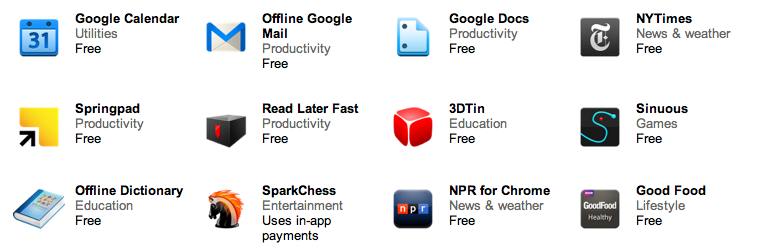
  • Offline Gmail/Doc/Cal – I’ve blog about gmail offline support when it came out (the end of August) and the rest of the ‘office’ is also bring the Chromebook users the ability to keep working on long flights instead of watching a nice movie.
  • Angry birds – We can’t close a list of business apps without this little game that no office is complete without it. No words are needed here.
  • gojee – if you hungry this app is for you! great photos of beautiful dishes.
  • NYT – yep they got offline capabilities so you can keep reading Tomas Friedman under the sea.
Here is a nice list of other great apps that will work offline on your chromebook  – Be strong!
Standard