Progressive Web Apps are all about an amazing experience. To me, it’s the moment you see your users happy from the quality experience you gave them.
Web apps should be useful to users from the very first visit (where it’s fast and useful even with bad connection), to the launch from a home screen or push notification. There are many good use-cases for a new web apps with these capabilities. However, think on your own site/app today and see if it can benefit from these aspects.
I think that in most cases, the answer will be: Yes Please!
How?
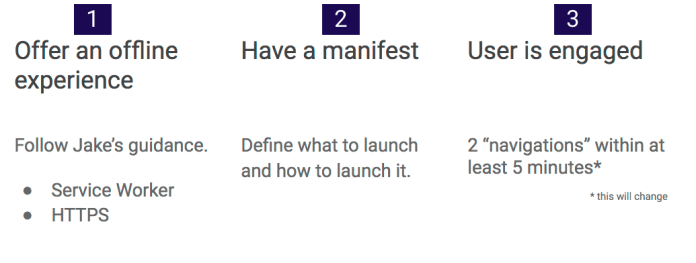
We needs to follow these two steps: Serve our web app over HTTPS and leverage service worker.
The third step, is in the hands of our users. It is a good reflection to our quality of work and if our web app is useful for them.
Let’s see what are some of the good resources we have today in order to jump into the water.
Offer an offline experience
You should serve your site over HTTPs and implement Service Workers. Here are two good tutorials to show you how to implement it on a new project or a current one:
I think the web platform is awesome.
Moreover, it got some impressive APIs that make it even more powerful. The web platform is easy to access (very low friction), no installs, easy distribution (without walled gardens), immediate redeployments and no single organization own it. Let’s see what do we mean when we are talking on progressive web apps.
Progressive Web Apps
Fast loading – Because we know users love speed and for every delay we are lossing a smile (and a user).
One clickaway from accessing content – You should have an icon on the screen and with one click you could get to your content (or task) and smile.
Smooth animations and navigations – Good UX comes with these aspects.
Re-engages with push notifications – In many cases, we wish to be able to notify users even when the browser is not open in-front of them. We can!
Good experience on flaky network connections – Our web app is offline first, so we can deliver our content (just the deltas) on flaky networks much better/faster.
Consistent experience across browsers – After all, we are talking on the web here. You can’t control from which device users will come to your work. So make sure, you serve them all.
PWAs are about the experience, no the tech: these apps _feel_ better and more app-like. The technology behind Progressive Web Apps is called “Service Worker”; it’s available only since mid 2015 and is seeing large, growing adoption. PWA is expected to be for mobile what AJAX meant for the desktop web.
Enabling app-like capabilities
At the foundational level, there are two core pieces of technology that enable PWAs:Continue reading →
As an app developer, the biggest problem you have is “How can I show my wonderful creation to every user possible?” and this isn’t as straightforward as “tell your friends”. Users today are informed, and use different channels to find, understand, and get apps.
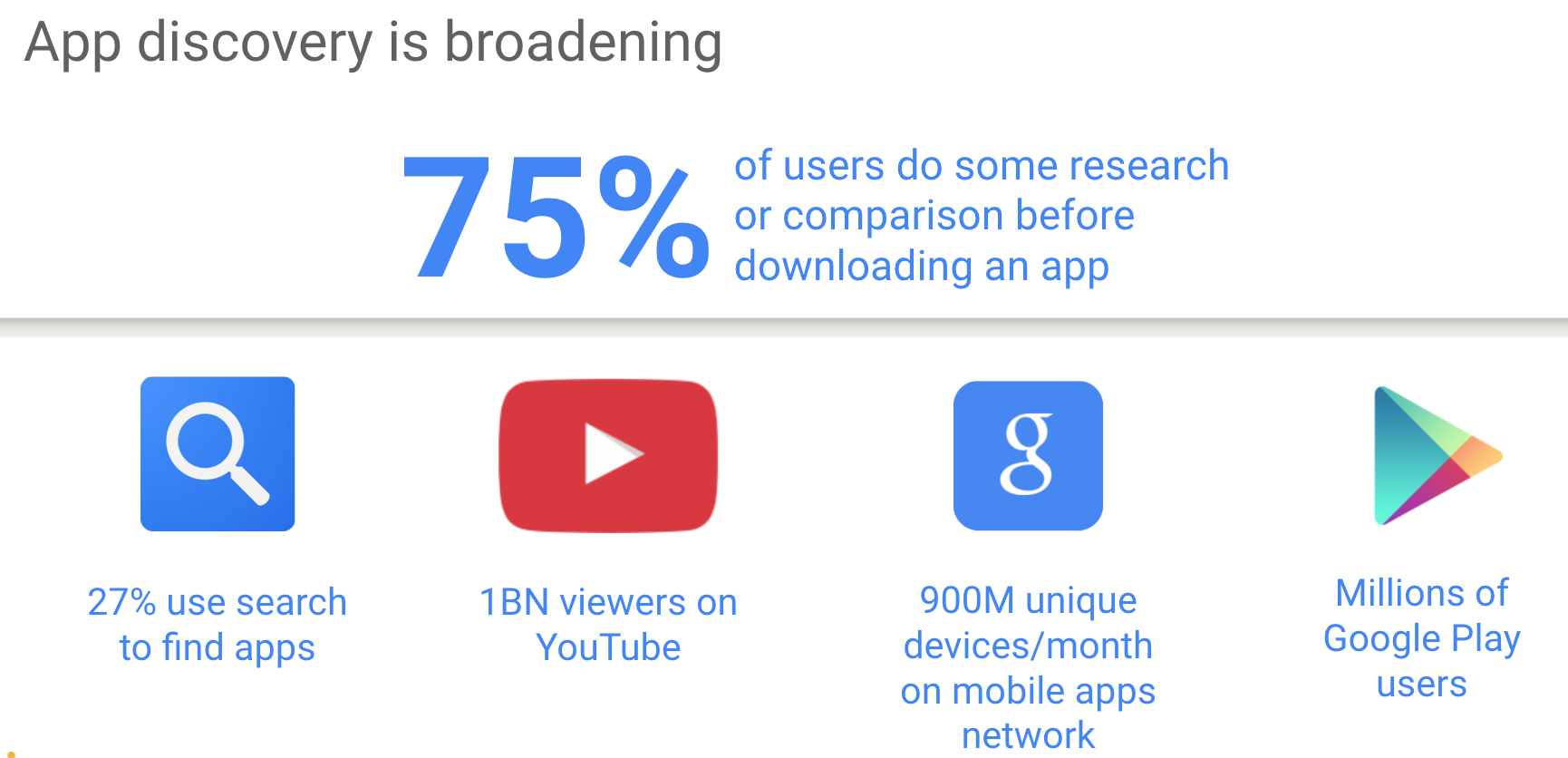
Did you know that 3 out of 4 users do some kind of research before installing an app?!
So what is the problem?
Among all those informed users, how do you attract new, interested users that will generate revenue for you?
You don’t just want a ton of users, you want a ton of users who love your app.
So, how do you wade through the horde of less-than-interesting users, for the ones that truly matter? First, we need to see where users are searching (see the image below).
Second, we need to see what are good ways to find new users that will match our service (or app).
We have today on the web capabilities to create web apps that feel and act like a native application.
Yes – We do.
We can have offline first, push notification even when the browser is running in the background and add to home screen. These three features bring us to a point where we can give users our content and features with one click and with all the benefits of the web.
What is this new monster you ask?
Well, let’s try to describe it and give few examples. Continue reading →
You can access user-selected Bluetooth devices over GATT.
You can try it in Chrome behind flags:chrome://flags/#enable-web-bluetooth If you wish to learn more on the web Bluetooth, try this the demo code.
Last note, for more details on the implementation (e.g. which pieces are done in which releases) star this repo github.com/WebBluetoothCG/
DevTools
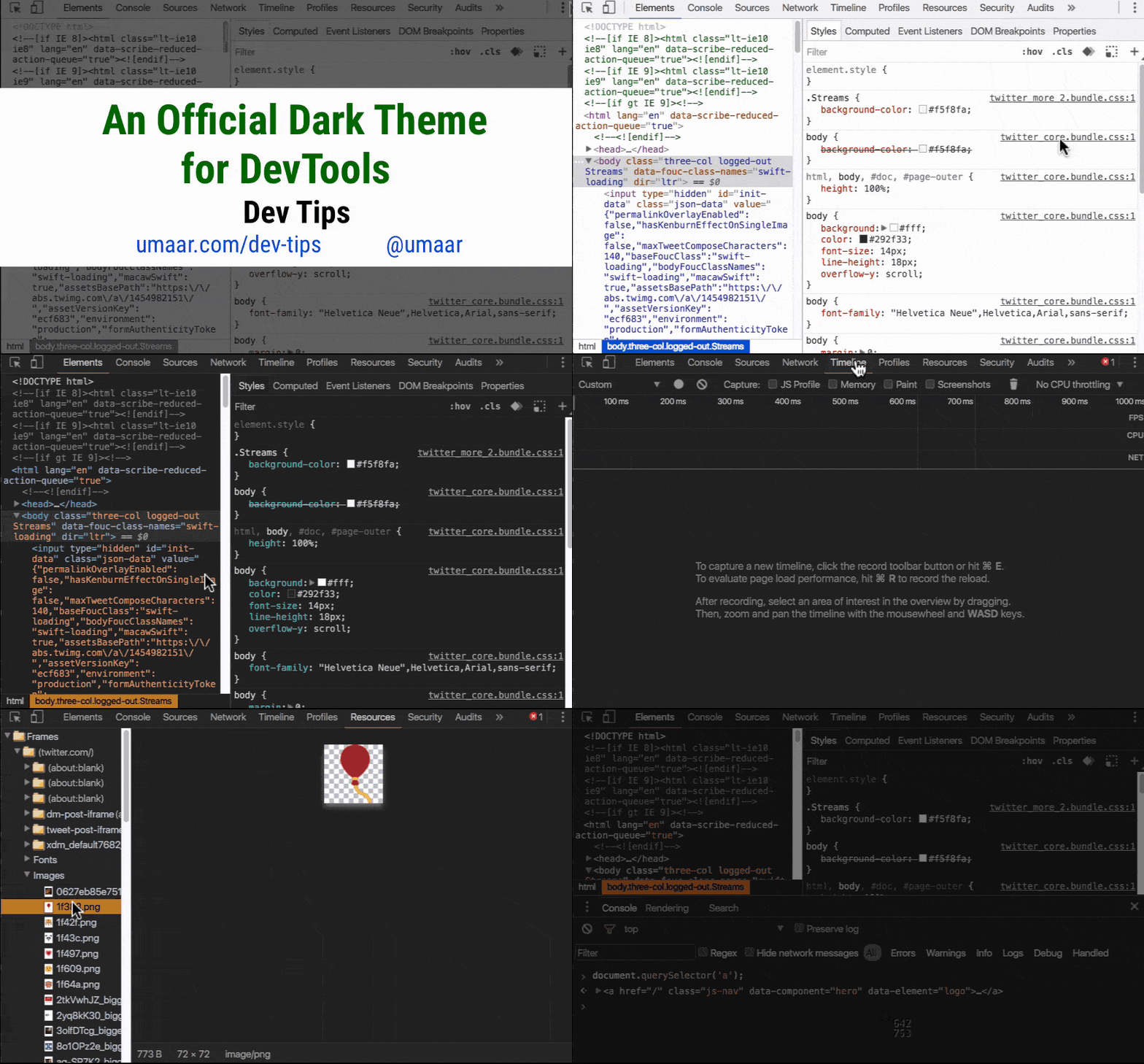
Want to stay updated with all the new powerful features that Chrome DevTools got for you? Check this DevTools Tonight show pilot or a daily tip.
Monetization
Learn about Monetization (from web/app to bitcoins and more!) with this new series we created on Google Developers Channel. Btw, if you like blog posts, we got you covered as well right on this blog.
Async CSS
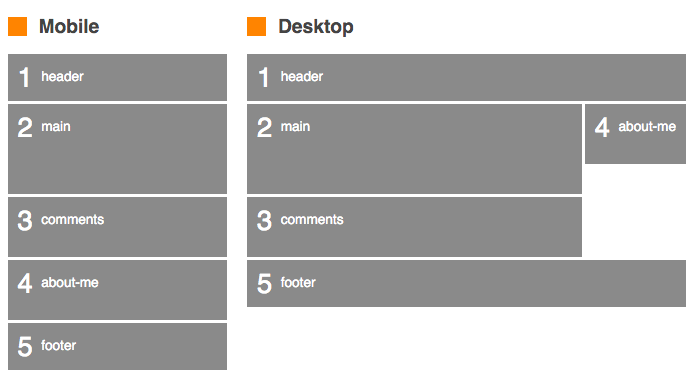
Controlling async CSS using custom properties. Turns out they’re quite powerful. Since <link> in the <body> blocks the parser while the CSS loads, it might be good to build a dependency mechanism where each element is render-blocked until other specific elements have rendered. Sounds complicated?
It’s not. Check this demo(please make sure to try it with Chrome Canary or Firefox). In this demo, the CSS is loaded async, with each sheet taking randomly between 0-5 seconds to load. Despite this, the page never renders out of order, and each section renders as soon as possible depending on the browser width.
Progressive web apps
Wanna see some good examples of Progressive web apps? This is the new way to build for the web at 2016.
We wish to have a web app got:
Fast loading – Since we are caching everything and using smooth animations and navigations, everything feels fast. Because it is.
One click away from accessing content (e.g. icon on the user’s phone).
Re-engages with push notifications – We are using service workers so we have the ability to run a script in the background and send push notifications. Even when the browser is not visible to the user.
Good experience on flaky network connections.
Consistent experience across browsers
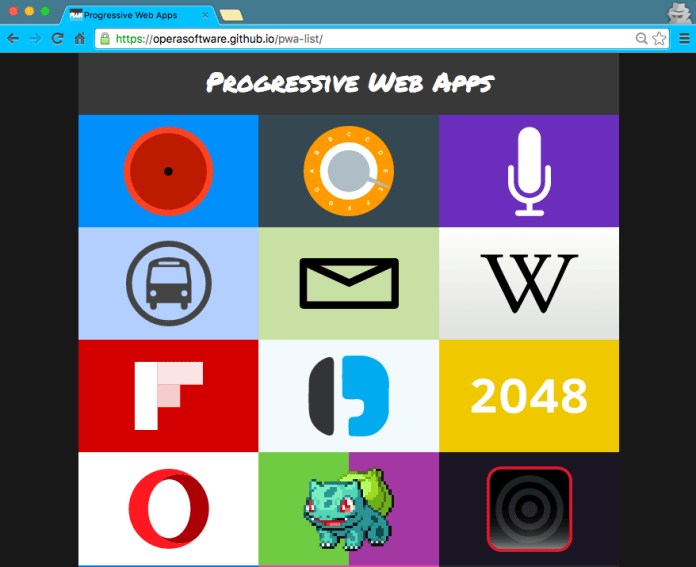
Here is a good list of PWA to show you by example.
The popularity of the proxy browsers and transcoding services is also an indicator that we—the site owners and web developers—are ignoring the high user demand for fast and light applications and pages. Let’s fix that. Learn how: https://developers.google.com/web/updates/2016/02/save-data
Starting in July 2016, you’ll no longer be able to upload display ads built in Flash. And, starting in January 2017, AdWords will stop running display ads in the Flash format. So it is a good time to update your flash ads to HTML5 ads.
VP9 is now available for WebRTC: With VP9, internet connections that are currently able to serve 720p without packet loss or delay will be able to support a 1080p video call at the same bandwidth. VP9 can also reduce data usage for users with poor connections or expensive data plans, requiring in best cases only 40% of the bitrate of VP8.
Bitcoin is a decentralized, anonymous, digital-only currency that’s lately gotten a lot of public attention. Like any new technology, there are many different aspects and a lot of ‘noise’.
In this 4min video, I tried to focus on the important stuff.
One of the useful features of Google Analytics is the ability to track specific events. It gives you insight into how users filled your forms or on which buttons they clicked inside the video player. You are getting into the world of measuring actions inside your pages and not just between them. In the demo below we will see how to track a ‘download’ button click event and how to track the form filling. It’s super useful when you wish to learn if users use the Autofillfeature with your forms.
It’s an easy API that you should leverage, so let’s jump into it.
What?
Events (in our world of Google analytics) are user interactions with content that can be tracked independently from a web page or a screen load. Downloads, mobile ad clicks, gadgets, forms, embedded elements and video plays are all examples of actions you might want to track as Events.
Implementation
Event hits can be sent using the send command and specifying a hitType of an event.
The send command has the following signature for the event hit type:
Last night, I read this article. What I like most was the short paragraph that gave few recent examples of ‘big’ failures:
…With original ideas, failure is inevitable, because it’s impossible to predict how technologies will evolve and tastes will change. Mark Cuban passed on Uber. In the early days of Google, Larry Page and Sergey Brin tried to sell their search engine for less then $2 million, but their potential buyer turned them down. Publishers rejected Harry Potter because it was too long for a children’s book. Executives passed on Seinfeld for having incomplete plot lines and unlikeable characters. Pay a visit to Jerry Seinfeld’s bathroom, and you might find a memo hanging on the wall that calls the pilot episode of Seinfeld “weak” and says “No segment of the audience was eager to watch the show again.”
We know that most startups will fail. Moreover, in many cases, they will fail even if they had a good idea and executed well (see: “Why Startups Succeed” for more details).
So be willing to fail and try again.
You are in a good company.
The first video of “The Zen of Monetization” is out!
What?
Well, it’s a series of videos I’m creating, in order to cover different aspects of monetization. The goal is simple: help developers earn more from their work. In the first episode, we cover how to use In-App Payments. It’s a brief overview that gives the macro view. We have in the pipeline few more episodes that will cover it in more details with (of course) code samples.
If you wish to get it as an article (and not a video) check this “Android in-app payments” post.