
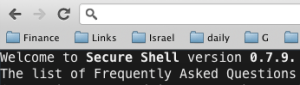
 This is a very cool (new) extension that let you work with SSH inside your browser. It’s name is Secure Shell and it is an xterm-compatible terminal emulator and stand-alone ssh client for Chrome. It uses Native-Client to connect directly to ssh servers without the need for external proxies. I used it for few days and it’s working great. It’s useful on Chromebook (and ChromeOS) as a nice way to have access to a box that let you compile your C++/Java code. Also, as I’ve heard from few good people on stackoverflow, the need for Emcas (and/or) Vim on ChromeOS can be achieved via this nice extension.
Discover more from Ido Green
Subscribe to get the latest posts sent to your email.
 Ido Green
Thx for sharing. An SSH Client is an must-have in an OS. 🙂
I’ll give it a try.
Regards,
Bjoern
Yep… It’s a must have tool 😉
Could you please advice on how to program binary socket (not WebSocket) under the Native Client environment? Many thanks.